Albums have suddenly started to behave strangely.

  • October 13, 2025
  • 70 replies
  • 1191 views

Show first post

70 replies

Forum|alt.badge.img+2
  • Trending Lyricist I
  • November 22, 2025

I'll make a point to call as well and have the document it. . Having the same issue here, same wonkiness in that sometimes albums are corrected but it only spawns other mistakes as well. 


Good to know I'm losing my mind(about this at least)


Forum|alt.badge.img+1
  • Enthusiast I
  • November 23, 2025

Hi Anthony,

I’ve been dealing with a similar problem. I am now playing whack-a-mole, which has confirmed that it is NOT a tagging issue. I was showing a bunch of duplicate titles in my album list, so on my NAS I moved those albums out of the music folders to another folder not in the music library and reindexed. New albums were now duplicates that were not before. So I moved those out, reindexed, and a few new duplicates appeared. Just for fun I’m going to keep going to see if I can get a clean album list. There are a few specific albums that seem to have shown up consistently, but still no obvious tagging issues with them. But albums that have not been problems in the past are now showing up as duplicates as I chase this down.

I haven’t read all the preceding posts but did want to add my confirmation that it is not a tagging issue.

Good luck…

Roger France


Forum|alt.badge.img+2
  • Trending Lyricist I
  • November 23, 2025

Hi Anthony,

I’ve been dealing with a similar problem. I am now playing whack-a-mole, which has confirmed that it is NOT a tagging issue. I was showing a bunch of duplicate titles in my album list, so on my NAS I moved those albums out of the music folders to another folder not in the music library and reindexed. New albums were now duplicates that were not before. So I moved those out, reindexed, and a few new duplicates appeared. Just for fun I’m going to keep going to see if I can get a clean album list. There are a few specific albums that seem to have shown up consistently, but still no obvious tagging issues with them. But albums that have not been problems in the past are now showing up as duplicates as I chase this down.

I haven’t read all the preceding posts but did want to add my confirmation that it is not a tagging issue.

Good luck…

Roger France

It's definitely not a tagging issues like the similar bug from last year with various artists/compilations. Some things will self correct after adding new items and new ones will pop up, and as mentioned before, they show up as normal in folder view. 


  • Contributor I
  • November 23, 2025

I’m seeing this issue and it’s very frustrating as it seems to be a moving target, with the affected albums changing every time a local muisc library rebuild is performed.


What I’ve noticed is that the single track that is displayed in these duplicate albums is always the last track on the album.  For example, the album ‘Tango In The Night’ by ‘Fleetwood Mac’ is displayed twice in my music library.  With each only showing the track ‘You And I, Part II’, which is the 12th and last track on the album.


Forum|alt.badge.img+4
  • Author
  • Collaborator II
  • November 23, 2025

What I’ve noticed is that the single track that is displayed in these duplicate albums is always the last track on the album.  For example, the album ‘Tango In The Night’ by ‘Fleetwood Mac’ is displayed twice in my music library.  With each only showing the track ‘You And I, Part II’, which is the 12th and last track on the album.

I have this problem, but on the albums concerned it is track 6 of 13 & on the other album it’s track 3 of 10. I reported this to Sonos support a good while ago, as have others blighted by this problem. Despite Sonos saying they would get back to me, I’ve heard nothing.

I would advise you to contact Sonos support. The more people that report this might get something done, I live in hope.


Forum|alt.badge.img+4
  • Enthusiast I
  • December 24, 2025

I’m also suffering from this issue - it’s been two months now, no update from Sonos?

It’s really frustrating.


Forum|alt.badge.img+4
  • Enthusiast I
  • December 24, 2025

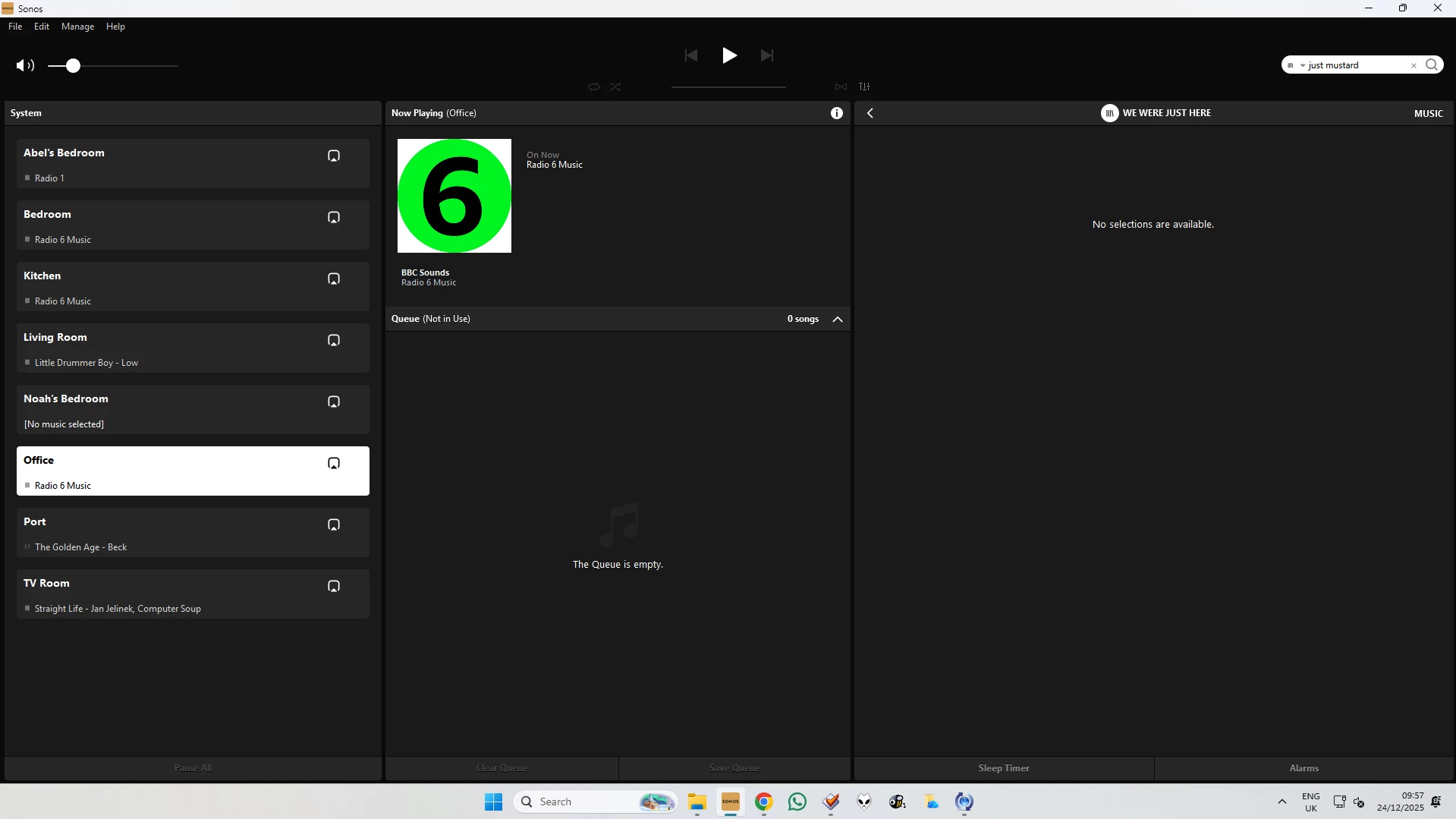
I’ve also found an empty album in my library - I’m unsure if this is related or not. All files are tagged correctly (and I have played this album through my Sonos system before). Navigating through the menus I can find the band, the album, with the correct artwork, but when I select the album, it claims “No selections are available”.


Forum|alt.badge.img+4
  • Author
  • Collaborator II
  • December 24, 2025

I’ve also found an empty album in my library - I’m unsure if this is related or not. All files are tagged correctly (and I have played this album through my Sonos system before). Navigating through the menus I can find the band, the album, with the correct artwork, but when I select the album, it claims “No selections are available”.

I'm not sure that is related. Are you saying that on your server the album was actually empty i.e. the files were missing, or it only appears empty on Sonos. Mind you with Sonos anything is possible these days. Sonos always claimed it never made any changes to the actual library files to avoid damaging people's data.


Forum|alt.badge.img+4
  • Enthusiast I
  • December 24, 2025

I’ve also found an empty album in my library - I’m unsure if this is related or not. All files are tagged correctly (and I have played this album through my Sonos system before). Navigating through the menus I can find the band, the album, with the correct artwork, but when I select the album, it claims “No selections are available”.

I'm not sure that is related. Are you saying that on your server the album was actually empty i.e. the files were missing, or it only appears empty on Sonos. Mind you with Sonos anything is possible these days. Sonos always claimed it never made any changes to the actual library files to avoid damaging people's data.


The files are on my server, the album is listed as being on there on Sonos...but there are no songs in it…


Stanley_4
  • Lead Maestro
  • December 24, 2025

Force a reindex, when it finishes try the Music Library folder view and see if it is listed there. If not send Sonos a diagnostic and call support to have the problem looked into and more important passed to the developers to see if it can be corrected.


Forum|alt.badge.img+2
  • Trending Lyricist I
  • January 13, 2026

So.... Another wrinkle in this now. I have multiple listings for the same artist, with a full album listing for each entry. Ideas if this is related?


Forum|alt.badge.img+4
  • Author
  • Collaborator II
  • January 14, 2026

I’ve looked at my library under the Artist list. Thankfully I don’t see that issue. Unless someone else has a solution I would contact Sonos support and flag it to them, maybe they’ll have an answer.


  • Contributor I
  • January 16, 2026

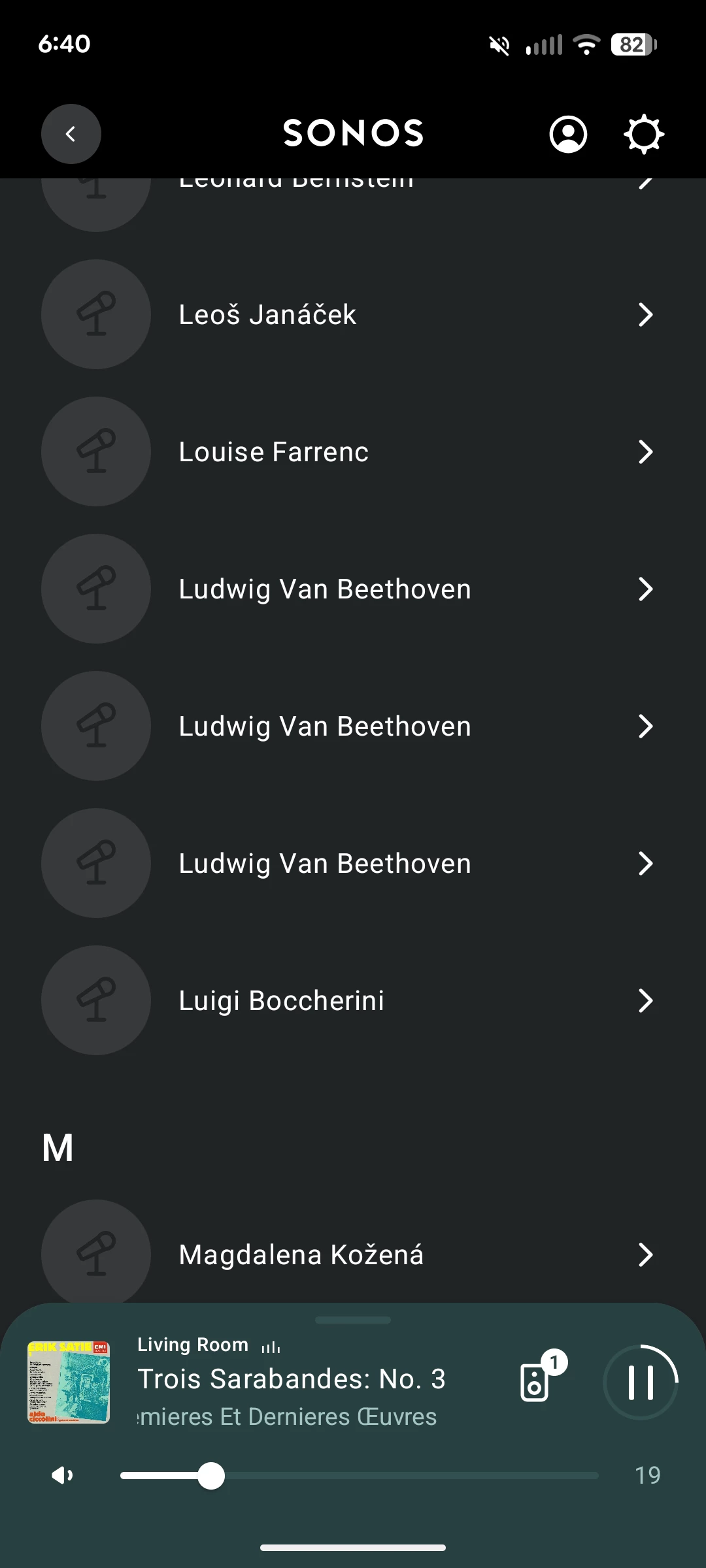
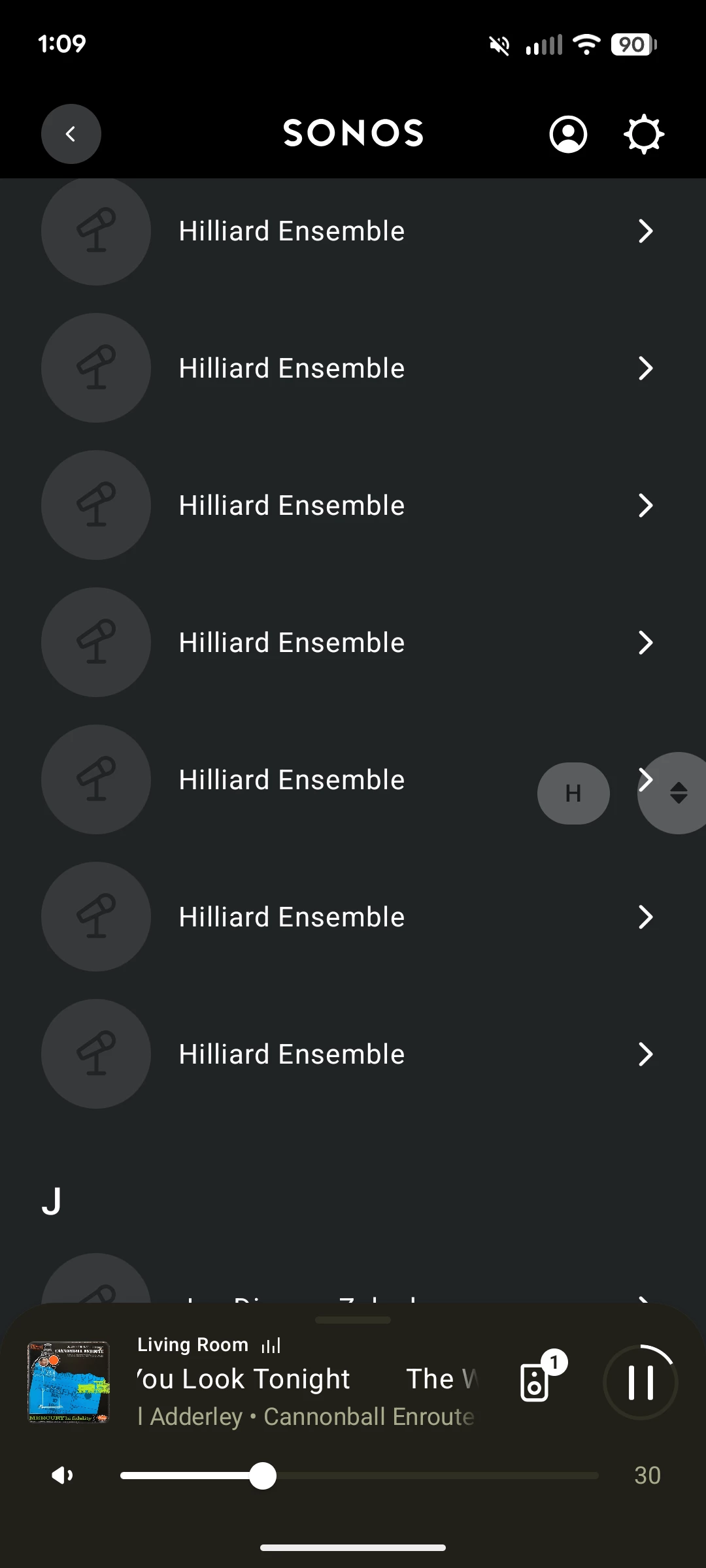
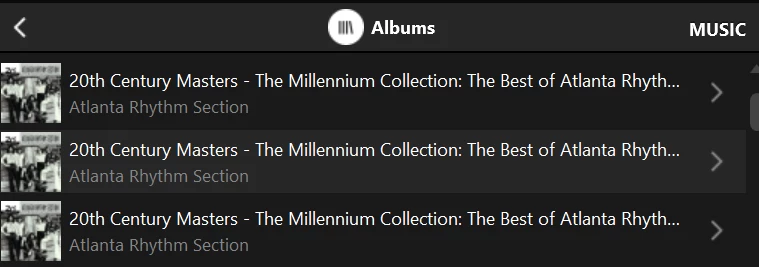
Has anyone noticed if there was actually a fix implemented for this?  My Music Library has been an absolute mess since the great disaster of a new app that Sonos created … The Library → Albums is showing many duplicates of the same folder name, only a few album covers here and there, and so on.  Reliable playback from my music library is still a problem too.


Forum|alt.badge.img+1
  • Enthusiast I
  • January 22, 2026

So.... Another wrinkle in this now. I have multiple listings for the same artist, with a full album listing for each entry. Ideas if this is related?


Ha - not surprised. I just eyeballed my list and don’t see that. But thanks for the heads up… ;)


Forum|alt.badge.img+4
  • Enthusiast I
  • January 27, 2026

This issue is not fixed in the new update.


Forum|alt.badge.img+2
  • Trending Lyricist I
  • January 27, 2026


Forum|alt.badge.img+2
  • Trending Lyricist I
  • January 27, 2026

This issue is not fixed in the new update.

Nope. Just checked and posted more annoying entries...


Forum|alt.badge.img+1
  • Enthusiast I
  • January 27, 2026

This issue is not fixed in the new update.

Nope. Just checked and posted more annoying entries...


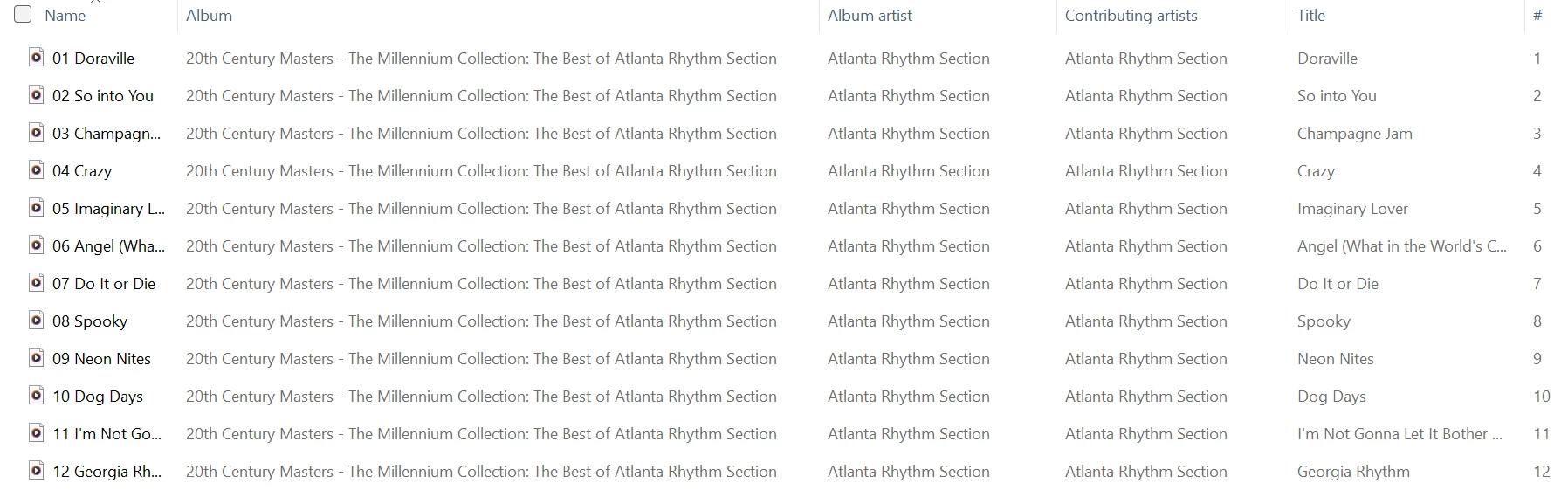
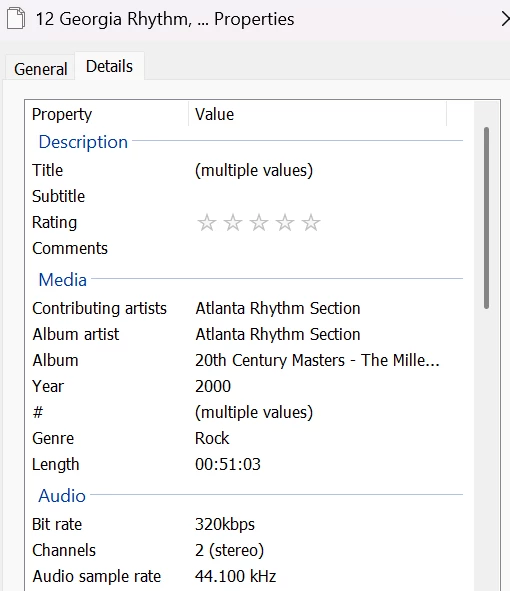
Very weird.  Curious: Is the Contributing Artist populated for each track?  Is it consistent from track to track?  Is the Album Artist included as a Contributing Artist?

I had one ‘duplicate’ album where the Contributing Artist = Album Artist for most tracks, but two tracks had different Contributing Artists without inclusion of the Album Artist. I added the Album Artist as a Contributing Artist on those tracks, and the duplicates went away.

But that was just one case - I still have lots of duplicates where Contributing Artist = Album Artist with nothing else specified.

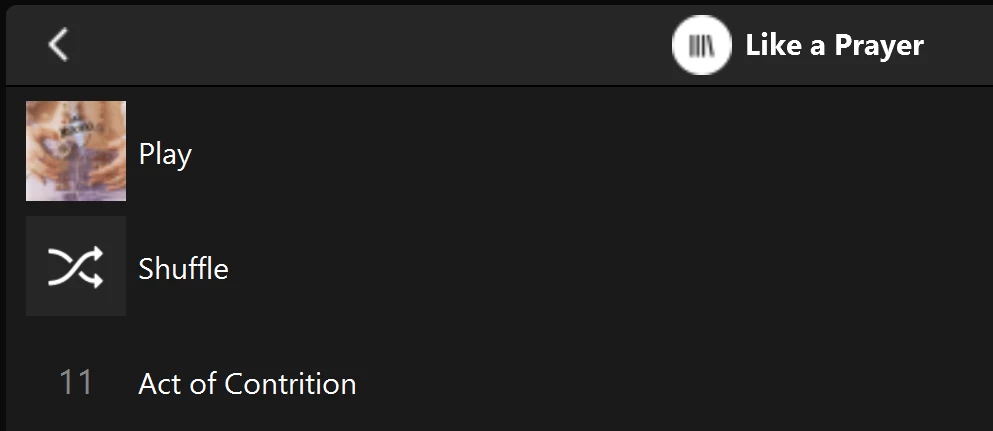
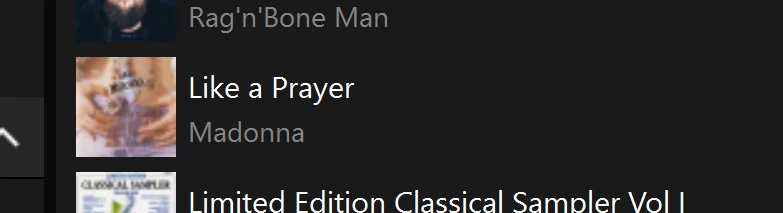
duplicate album entry
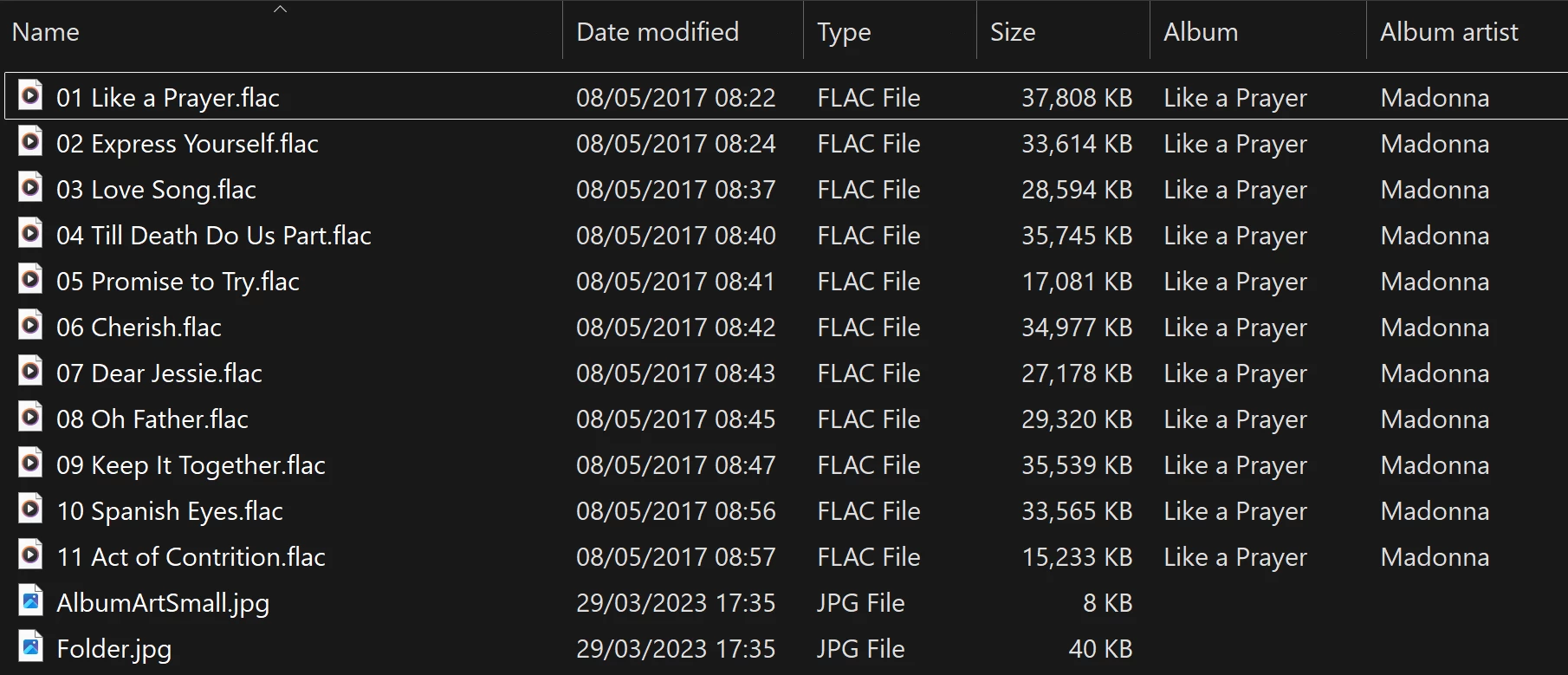
windows explorer tags
Right-click Properties with all tracks selected

Multiple values for Title and # as expected, but not for Album and Album Artist.


Forum|alt.badge.img+2
  • Trending Lyricist I
  • January 27, 2026

This issue is not fixed in the new update.

Nope. Just checked and posted more annoying entries...


Very weird.  Curious: Is the Contributing Artist populated for each track?  Is it consistent from track to track?  Is the Album Artist included as a Contributing Artist?

I had one ‘duplicate’ album where the Contributing Artist = Album Artist for most tracks, but two tracks had different Contributing Artists without inclusion of the Album Artist. I added the Album Artist as a Contributing Artist on those tracks, and the duplicates went away.

But that was just one case - I still have lots of duplicates where Contributing Artist = Album Artist with nothing else specified.

duplicate album entry
windows explorer tags
Right-click Properties with all tracks selected

Multiple values for Title and # as expected, but not for Album and Album Artist.

I can double check but I am pretty sure that nothing has contributing artist differently. Album artist and artist are the same as well, when they are supposed to be. 


  • Prodigy III
  • January 27, 2026

Just to add to the weirdness, different speaker types produce different results, as does it seems whether or not you use an SMB name or IP address when adding your network shares…