Quick hot key tray app for Windows

  • June 22, 2026
  • 9 replies
  • 99 views

CQCoder
Forum|alt.badge.img+1

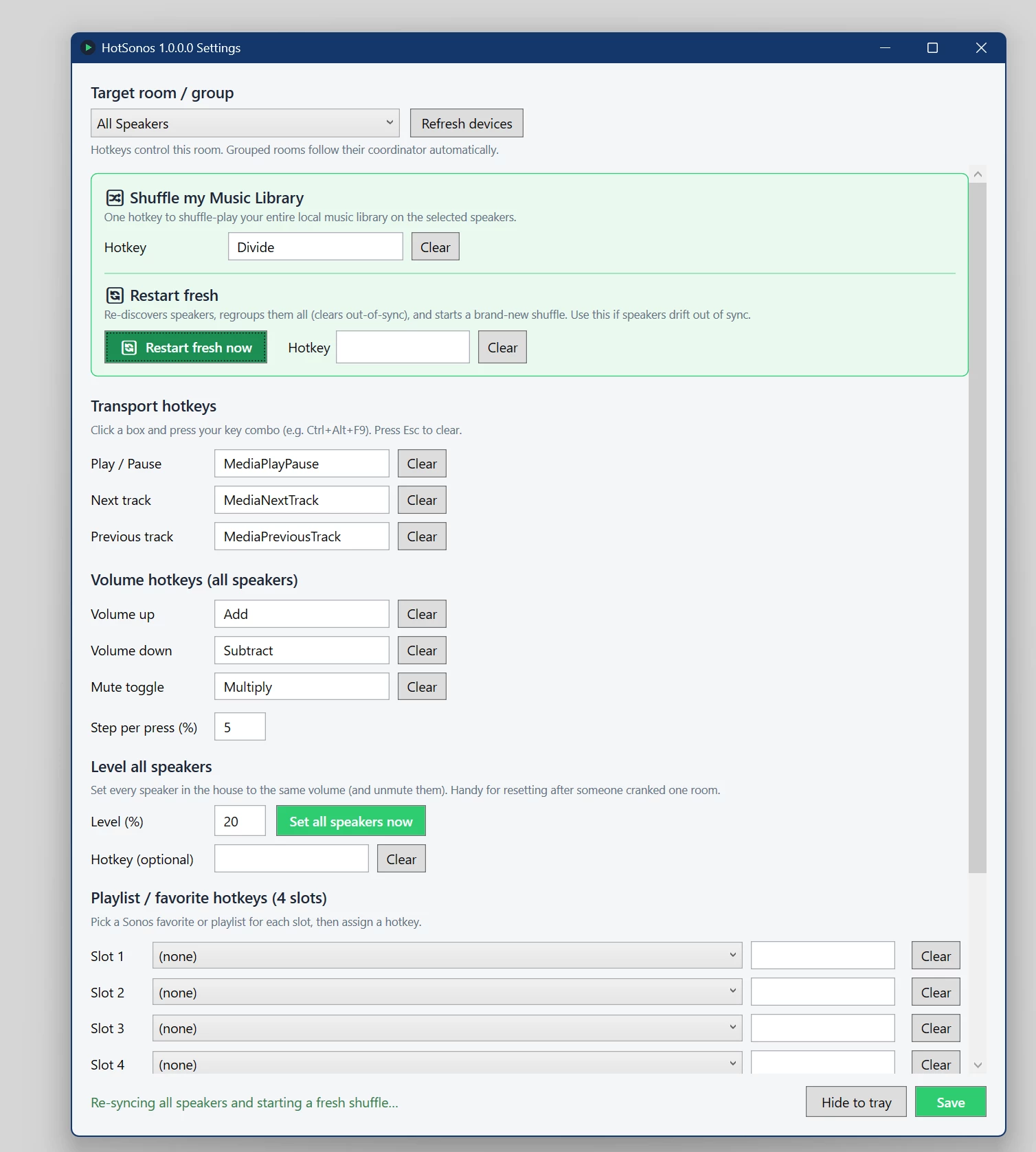
In the FWIW department, I wanted an easy way to spin up all my music to all speakers in my house as well as be able to quickly adjust volume, skip & pause.

So if anyone is interested, here’s the initial version of my little app.  MIT open source in C#.  Suggestions welcome.

HotSonos on GitHub

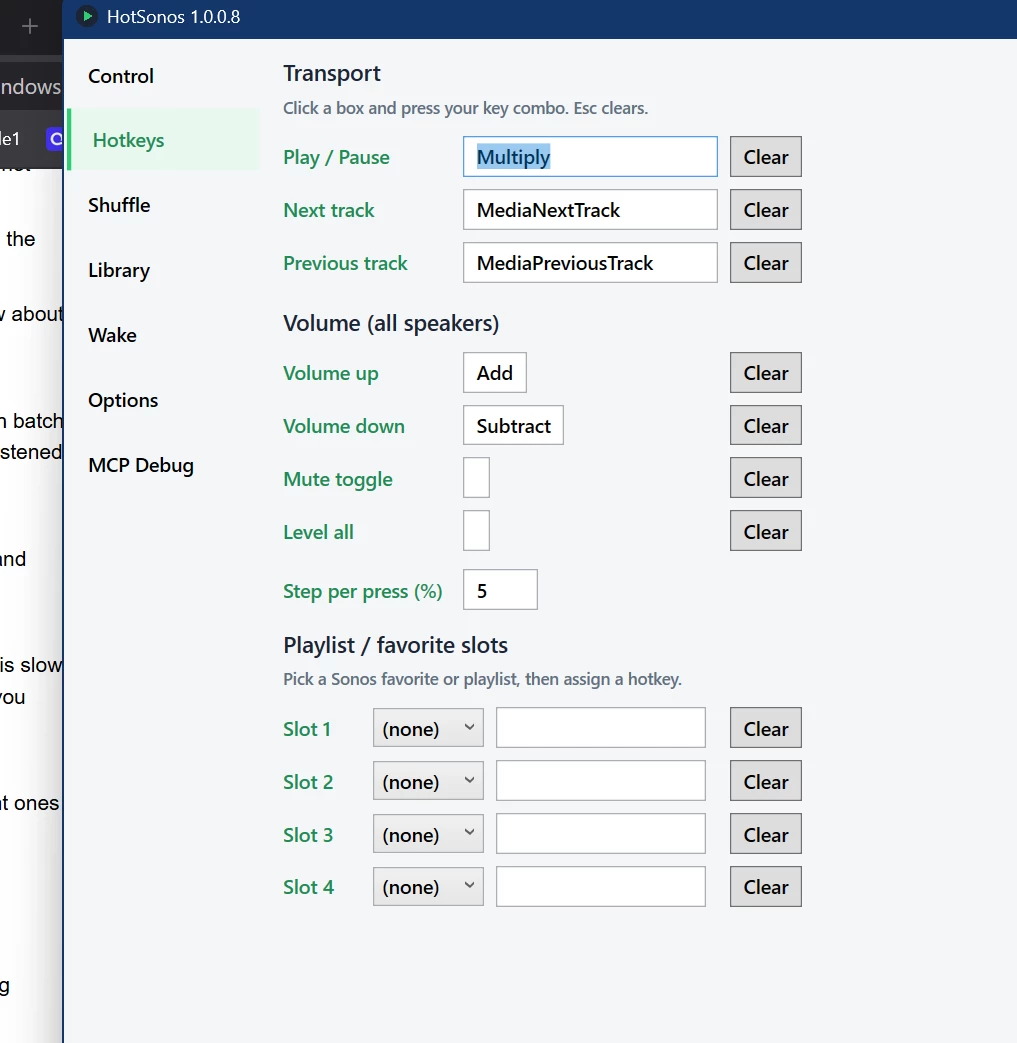
BTW,  I mapped my controls to the keypad which I never use - add/subtract for volume, multiply for pay and divide for restart.

Moderator Edit: Link removed

9 replies

Forum|alt.badge.img+19
  • Senior Virtuoso
  • June 23, 2026

I’ve not looked at your app so can’t comment on that. But I’m curious: What was wrong with the “group everywhere” feature of the Sonos app to get music to all speakers? The skip/pause and volume control is also already there in the app. 


Forum|alt.badge.img+18
  • Local Superstar
  • June 23, 2026

But I’m curious: What was wrong with the “group everywhere” feature of the Sonos app to get music to all speakers? The skip/pause and volume control is also already there in the app. 
 

HotSonos provides a HotKey feature, so no need to focus on App and click etc. A nice feature for those that prefer keyboard interface, rather that mouse/trackpad, and don’t want to focus another App to change volume.


CQCoder
Forum|alt.badge.img+1
  • Author
  • Trending Lyricist I
  • June 23, 2026

Thanks ​@craigski  - you are exactly correct.  Global hotkey support was a key thing to me.

I’ve also added a lot of just QOL things.  I added a hot key to run a ‘reset/regroup’ of all speakers so when one drifts, it’s a easy to fix.   I also have this setup to auto run at 3am so it’s just always clean.

I just added a ‘level all speaker volumes’.    


CQCoder
Forum|alt.badge.img+1
  • Author
  • Trending Lyricist I
  • July 14, 2026

FWIW,  added wake to music with starting room, starting %, ending %, time to increase, increase % and an option to expand to all speakers once it hits the ending %.

Added per speaker volume control


CQCoder
Forum|alt.badge.img+1
  • Author
  • Trending Lyricist I
  • July 20, 2026

New HotSonos with new features available (ok mods, am I just not allowed to point them to a URL at all or is it about an embedded link? Can I say ‘go to hotsonos dot com’? - it’s open source I’m not making a dime on this - I’m just trying to help the community enjoy Sonos more )   

Depending on what the mods do my post, you’ll have to search GitHub to find HotSonos.   I’m the developer, Nick Hustak.

You say Sono’s shuffle sucks? (pretty every player’s shuffle sucks so it’s not surprising).   How about a way to play your entire music collection, randomly and practically never repeating?

HotSonos builds a short random mix from your library, leaves out songs you’ve already heard recently, and plays that list straight through. When the list is almost done, it adds another fresh batch the same way. That starts music quickly and keeps the day from repeating what you already listened to.

What does it do?
It builds a short random mix from your music library, leaves out songs you’ve heard recently, and plays that list in order. When the list is almost empty, it adds another fresh batch.

Why a small list instead of the whole library?
A short mix starts faster and is more reliable on Sonos. Dumping thousands of songs at once is slow and can be flaky. Small batches keep things snappy and let HotSonos keep the mix fresh as you listen.

How does it avoid repeats?
As songs play, HotSonos remembers them. When it builds the next batch, it skips those recent ones (by default, roughly the last couple of weeks).

Does it reshuffle what’s already lined up?
No. Songs already in the queue stay put. New songs only get added at the end.

What happens when the queue is almost empty?
HotSonos quietly adds another random batch of unheard-recently songs so music keeps going without you doing anything.

What if I’ve already heard most of my library?
If there aren’t enough “fresh” songs left, it loosens the “skip recent” rule so music can still play.  You can also wipe the history to start over

Is this the same as a saved Sonos playlist?
No. This is a live daily mix for whole-house listening. Saved playlists are better for intentional moods (“Jazz,” “Dinner,” etc.).


MoPac
Forum|alt.badge.img+19
  • Headliner III
  • July 20, 2026

My library has a bunch of different genres.  Can I choose a particular genre in my library rather that playing from the entire library?  Shostakovich & Miles Davis just don’t mix well.


CQCoder
Forum|alt.badge.img+1
  • Author
  • Trending Lyricist I
  • July 20, 2026

@MoPac Couple of options.  Currently you can set a hotkey for  a given playlist, so you could make a playlist of your genres.

I’m not a fan of playlists just because they have to be updated.   This gives me an idea - I could make it so tags (such as genre) can be part of the pull down for the slots.  That would give you the ability to have a hot key that would build a list for a given genre and shuffle it.      Thoughts?

The MPC addition I am making right now would enable you to use an AI prompt to say ‘shuffle [genre]’


Stanley_4
  • Grand Maestro
  • July 20, 2026

The moderators likely have little say in what changes they make, usually just following the rules from the legal department. Their rules often make little sense to normal folks but are based on court decisions and trying to interpret poorly written laws and rules to stay out of trouble.

Probably safe to go with a text description of how to get there.

Make sure to include enough information to clearly identify the destination.


CQCoder
Forum|alt.badge.img+1
  • Author
  • Trending Lyricist I
  • July 26, 2026

@MoPac  I have integrated a complete tagging system that essentially acts as a dynamic play list.

I have also added an option to read the genres from the music and have them as hot key playable, etc.

see hotsonos dot com

🏷️ Tags as dynamic playlists


Flat tag catalog: each tag has an opaque key (stored in files) and a renamable label (UI only).

  • Files store HOTSONOS_TAGS=key1;key2 (FLAC Xiph / MP3 TXXX). Rename never rewrites files.
  • New install seed: Slow, Medium, Fast, Dinner, Drive, Focus (editable on the Tags tab).
  • Library: select tracks → click chips (or keys 1–9) to toggle tags. Create/rename/reorder/delete on Tags only.
  • Play a tag: Control list, Quick Play (2–9), favorite slot bound to a tag, or MCP play_tag — shuffles matching tracks, then (by default) top-ups into house shuffle.
  • Play a genre: same places as tags, using the standard Genre field from your files (library cache after scan). Control From + play list, Quick Play, favorite slots, MCP list_genres / play_genre. Optional — hide via Shuffle for installs that don’t want genre UI.
  • Search prefixes: free text, or T: title · A: artist · TG: tag · F: format (one prefix at a time).