Question

Amazon service update broke Collections on Desktop app

  • August 13, 2026
  • 8 replies
  • 107 views

controlav
Forum|alt.badge.img+24

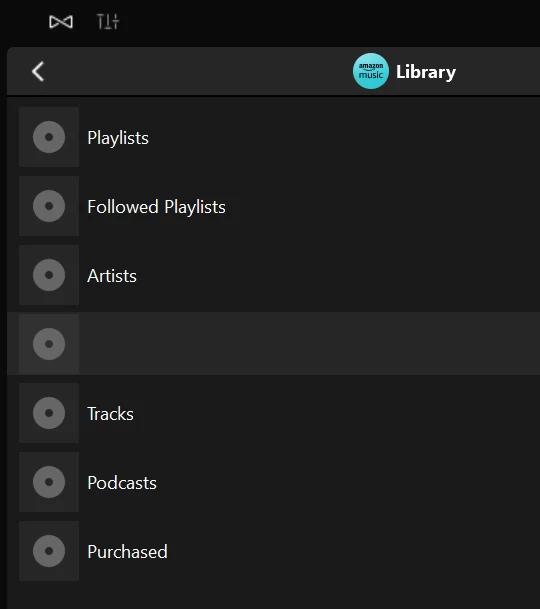
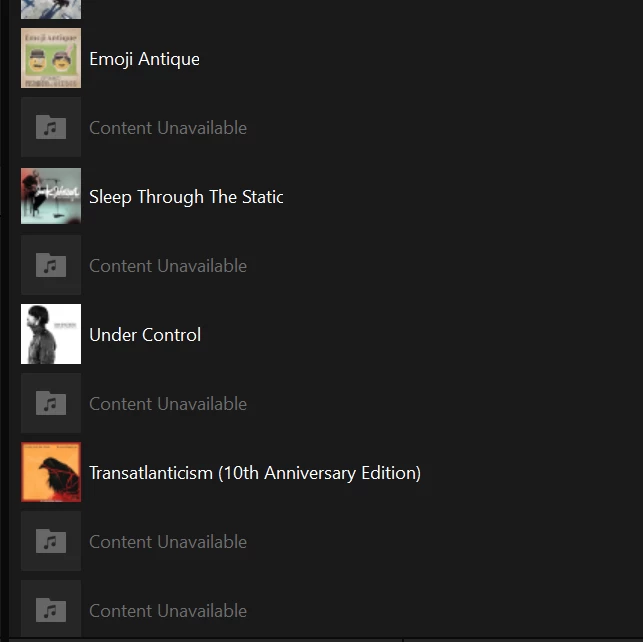
My system just picked up the Amazon service changes. However, the Desktop app has an empty “Collections” section at the root of the object tree. Mobile shows Library / Explore Podcasts / User Playlists which I assume is correct.

8 replies

Stanley_4
  • Grand Maestro
  • August 14, 2026

If you reauthorize Amazon does it help? Fixed my Amazon issues here.

https://en.community.sonos.com/controllers-and-music-services-229131/amazon-mising-from-search-6934526


Airgetlam
  • August 14, 2026

That’s odd, I’ve always thought data collection was at the product (speaker) level, and the resulting data was pushed to the controller for display. But you would know better than I. 

The only thing I could assume, under that scenario, is the data format has changed in some way, that the desktop client can’t understand…but we’re getting way out of my comfort zone, and you’re much more equipped to understand any changes that may have been made in the data. 


controlav
Forum|alt.badge.img+24
  • Author
  • Lead Maestro
  • August 14, 2026

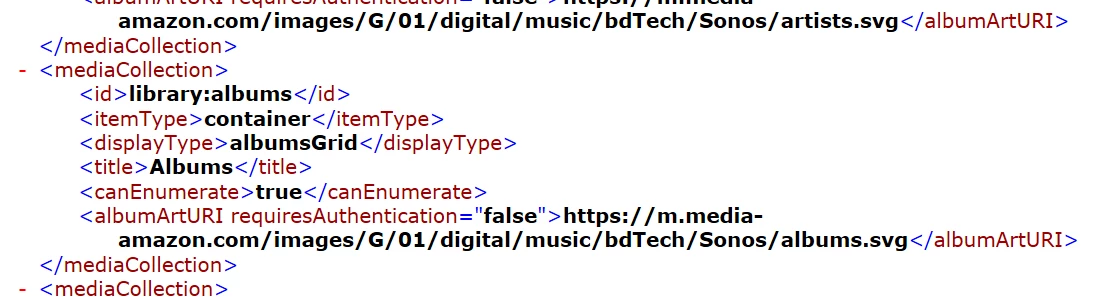
Did some more testing: “Collections” returns zero items for Desktop, and also the root enumerator is returning .svgs for the top level item graphics instead of bitmaps (the Desktop controller can’t render svgs). Seems like someone forgot to test the updated Amazon endpoint against the desktop controllers.


controlav
Forum|alt.badge.img+24
  • Author
  • Lead Maestro
  • August 14, 2026

If you reauthorize Amazon does it help? Fixed my Amazon issues here.

https://en.community.sonos.com/controllers-and-music-services-229131/amazon-mising-from-search-6934526

Sadly made no difference.


Smilja
  • August 14, 2026

@controlav, Did you try resetting the Desktop Controller (under “Help”).


controlav
Forum|alt.badge.img+24
  • Author
  • Lead Maestro
  • August 15, 2026

@controlav, Did you try resetting the Desktop Controller (under “Help”).

No, as I can see exactly where the API is failing (in my own apps) and have zero need to “reset” the Sonos app (which does nothing for this).


controlav
Forum|alt.badge.img+24
  • Author
  • Lead Maestro
  • August 16, 2026

I debugged this further: Amazon’s root json object includes 3 children from “container”, and the mobile apps (and SonoPhone) use this, and it works.

However, the SMAPI call getMetadata(“container”) returns 0 children, and the Desktop apps (and my apps too) use this, and don’t work.

If Sonos/Amazon want the Desktop apps to still work correctly then the SMAPI server needs to be fixed. It seems that Sonos themselves might own this code, and not Amazon, but it’s not entirely clear to me.


Liz P.
Forum|alt.badge.img+1
  • Sonos Staff
  • August 18, 2026

I bubbled this up to the team for them to take a look into. Thanks for the callout, ​@controlav