
Contributor I
July 23, 2020
Answered

Sonos App doesn't find existing system.

  • July 23, 2020
  • 107 replies
  • 50185 views

This topic is older and might not have the most up to date information. Please click here to see a list of more topics around the same subject.


Hi there,


I am so fed up with your buggy systems I can't even describe the level of frustration. I am using the latest version of the app on Android as of now and for no apparent reason the app does not recognize the set up system anymore (my wife's phone and app does and works no problem). I tried to reconnect to the system but says it doesn't find any devices on the network (which obviously isn't true - see screenshot)
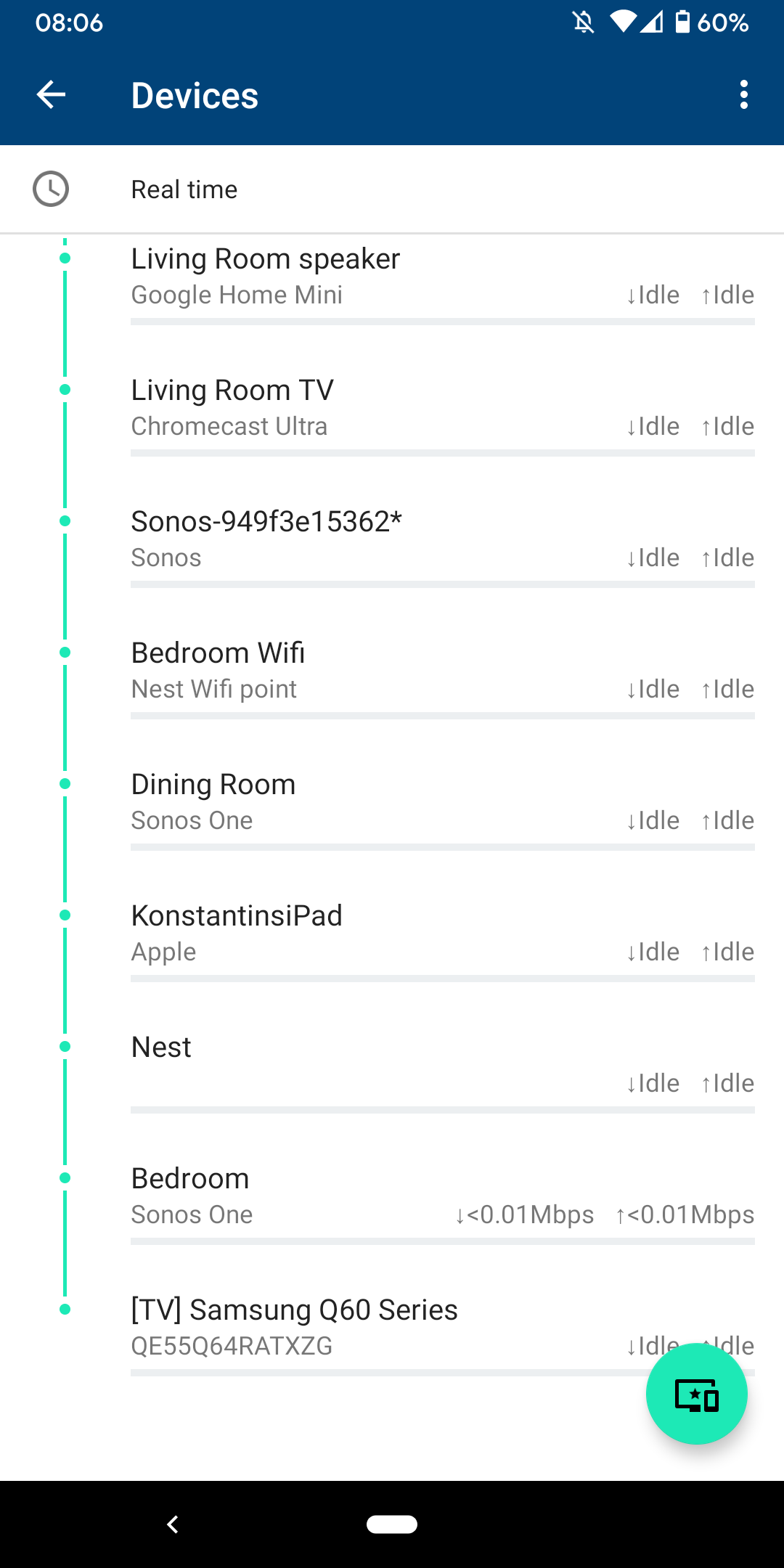
 

I am sitting next to a Sonos One and following instructions on how to reconnect pressing button on the back - but no doesn't find the system sitting right next to it.
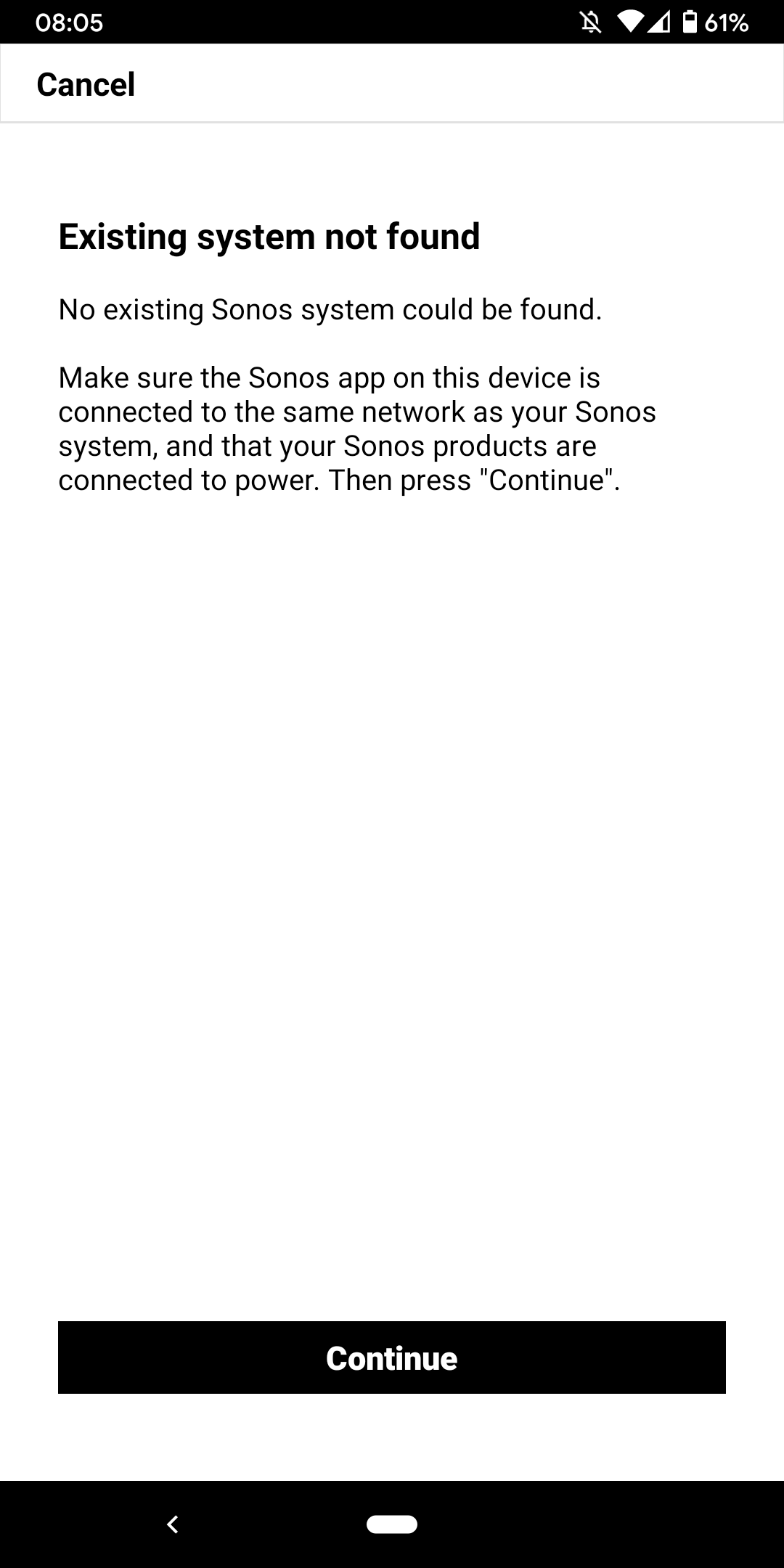
 

I don't want to go through the process of reinstalling the app and setting up the whole system again for the x time - it costs half an hour each time and at the price of your products we should be able to expect that you can employee at least one software engineer and one app developer that can create a better experience than a 10 year old hobby programmer with the attention span of a humming bird could.


Rant = off


Do you have any solutions to offer that are not requiring me to reset the system completely?


Moderator note: We updated this article in October 2023 with new information below.

If you are experiencing this issue and your controller won't connect to you existing Sonos System please have a look at this support article and follow the steps.

If your Sonos app still won’t connect after following the steps in the article, please contact Sonos Customer Care for further help.


This topic has been closed for further comments. You can use the search bar to find a similar topic, or create a new one by clicking Create Topic at the top of the page.
Best answer by Konstantin79

Thanks for the answer even though just a deflection and nothing to do with the problem at hand - the mesh network couldn't be the problem since the overall system is still working via my partners phone (as described). Just the app on my phone lost the system and wouldn't reconnect. I found a solution that worked: I disconnected the TV from the Sonos Beam (which is 1 of 3 Sonos devices in the house and connected by cable). The moment I disconnected the TV the app was able to reaquire the system that was setup already... I tried following the instructions before with both Sonos One and Beam before doing this without success. Maybe you can share that with the intern responsible for your app as a hint for troubleshooting…

Sorry I know you are working the forum and it's not in your control but please share with the product team so they can make some much needed improvements.

107 replies

ratty
October 8, 2022

The Deco contains a router, unless switched to bridge mode. A router would divide the local network into two IP subnets. Sonos players and controllers need to be on the same subnet.

EITHER: Put the Deco into bridge (AP) mode

OR: Ensure the Boost is wired to the Deco primary node, and that the phone is always on the Deco WiFi. (As insurance, disable the main router’s WiFi.)

Virtuoso
October 8, 2022

I'm on Deco S4's in "Router Mode".

Your best bet is to connect Sonos via the Deco WiFi (NOT wired SonosNet).

Once all Sonos Speakers are connected to the Deco SSID make sure your Phones, controllers ONLY connect to same SSID.

I think trying to wire in a Bridge to the Deco is just doomed to failure personally.

I didn't just want Access Point Mesh, I wanted the S4's to take over running our network.

Took a bit of faffing to get Sonos onto the Deco wifi network but once on it's been as stable as SonosNet ever was imho.

Overall I was very weary of introducing a Mesh system into our house but the Deco S4's have been brilliant.

ratty
October 8, 2022

I think trying to wire in a Bridge to the Deco is just doomed to failure personally.

Not a Bridge (obviously, since that’s S1 only), but why exactly is wiring to a LAN port on the primary node doomed to failure?

Virtuoso
October 8, 2022

It doesn't work satisfactorily (for me anyway) but others may have better luck.

Have you got a Deco 4s Mesh?.

I'm only speaking from personal experience.

ratty
October 8, 2022

Have you got a Deco 4s Mesh?.

No. 

The fact is that Sonos has mixed results on WiFI meshes (in WiFi mode), for various reasons, and the standard advice if problems occur is to wire Sonos to the primary mesh node. 

Lyricist I
October 9, 2022

The Deco contains a router, unless switched to bridge mode. A router would divide the local network into two IP subnets. Sonos players and controllers need to be on the same subnet.

EITHER: Put the Deco into bridge (AP) mode

OR: Ensure the Boost is wired to the Deco primary node, and that the phone is always on the Deco WiFi. (As insurance, disable the main router’s WiFi.)

1st; Thank You for the quick reply.

2nd; Observation, the interest & amount of likes & replies, would suggest Sonos needs to deploy a more robust solution.

3rd; After all below gyrations, one iPhone11 can now control Sonos.  No other iPads, iPhones, Sonos desktop app. 


ratty
October 9, 2022

The Deco contains a router, unless switched to bridge mode. A router would divide the local network into two IP subnets. Sonos players and controllers need to be on the same subnet.

EITHER: Put the Deco into bridge (AP) mode

OR: Ensure the Boost is wired to the Deco primary node, and that the phone is always on the Deco WiFi. (As insurance, disable the main router’s WiFi.)

1st; Thank You for the quick reply.

2nd; Observation, the interest & amount of likes & replies, would suggest Sonos needs to deploy a more robust solution.

More robust solution? Sonos makes clear in the system requirements that all devices must be on the same subnet. The problem is that many people deploy a WiFi mesh router without knowing what it’s actually doing to their local network.


3rd; After all below gyrations, one iPhone11 can now control Sonos.  No other iPads, iPhones, Sonos desktop app.

What gyrations? Are you saying devices other than the iPhone 11 can’t access the Sonos system? In that case you’d better explain what you’ve done so far.

Trending Lyricist I
October 10, 2022

I have similar problem , sometimes the app tells me that system is not found and to go through find my system steps , it then gets stuck on finding the system and never does work. 

when I remove the app couple of times from background then it starts to work , but its nor reliable solution at all...

Airgetlam
October 10, 2022

Have you called Sonos Support directly to discuss it?

When you speak directly to the phone folks, they have tools at their disposal that will allow them to give you advice specific to your Sonos system and network.

Bruce
Lyricist I
November 24, 2022

On top of what found here - I had this issue (system visible from iPad but not from iPhone app) after switching to a new router. What resolved it is was to disable the router broadcast channel “auto” setting and select a fixed one. Hope this helps.