
Contributor I
July 23, 2020
Answered

Sonos App doesn't find existing system.

  • July 23, 2020
  • 107 replies
  • 50182 views

This topic is older and might not have the most up to date information. Please click here to see a list of more topics around the same subject.


Hi there,


I am so fed up with your buggy systems I can't even describe the level of frustration. I am using the latest version of the app on Android as of now and for no apparent reason the app does not recognize the set up system anymore (my wife's phone and app does and works no problem). I tried to reconnect to the system but says it doesn't find any devices on the network (which obviously isn't true - see screenshot)
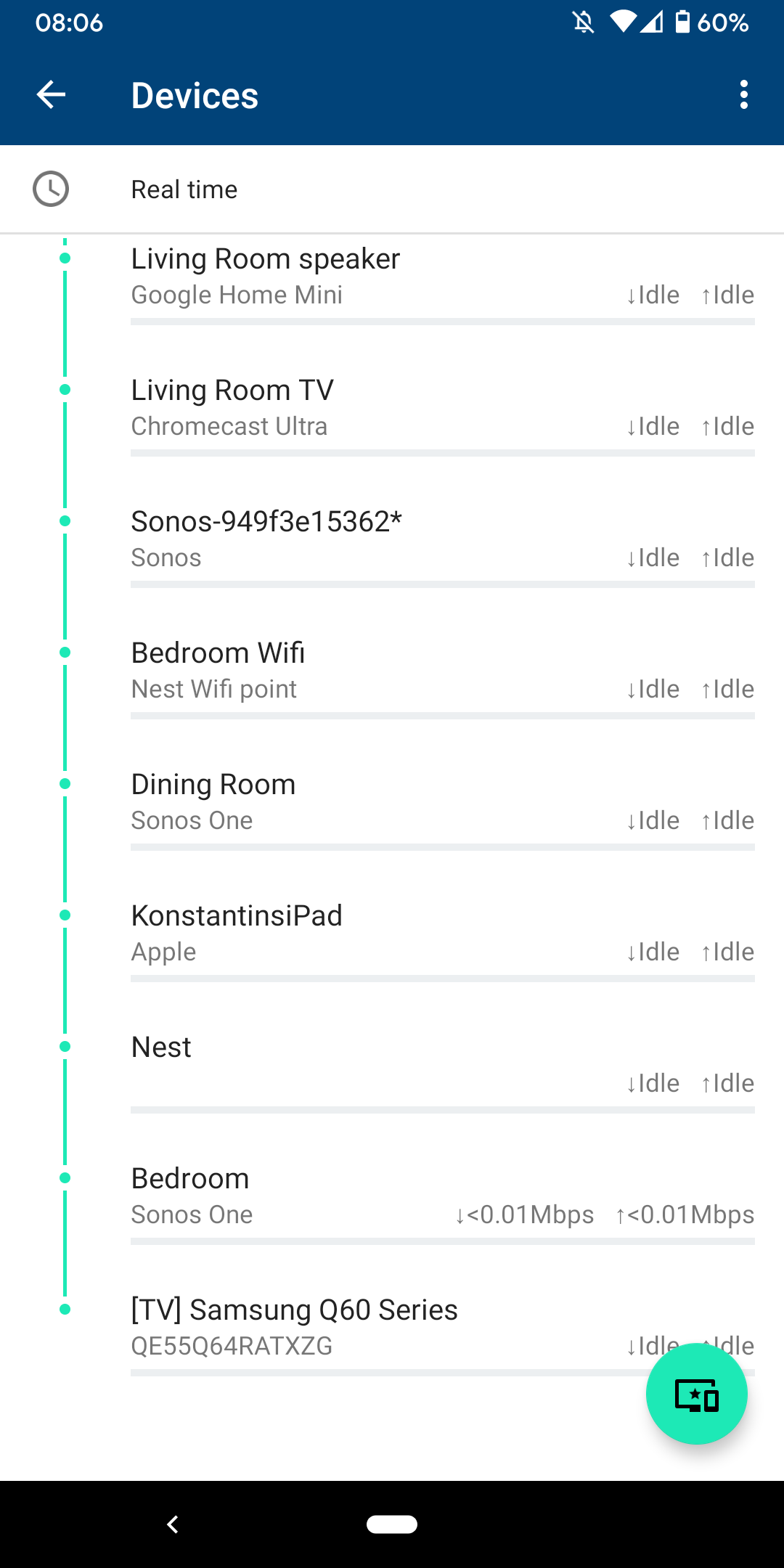
 

I am sitting next to a Sonos One and following instructions on how to reconnect pressing button on the back - but no doesn't find the system sitting right next to it.
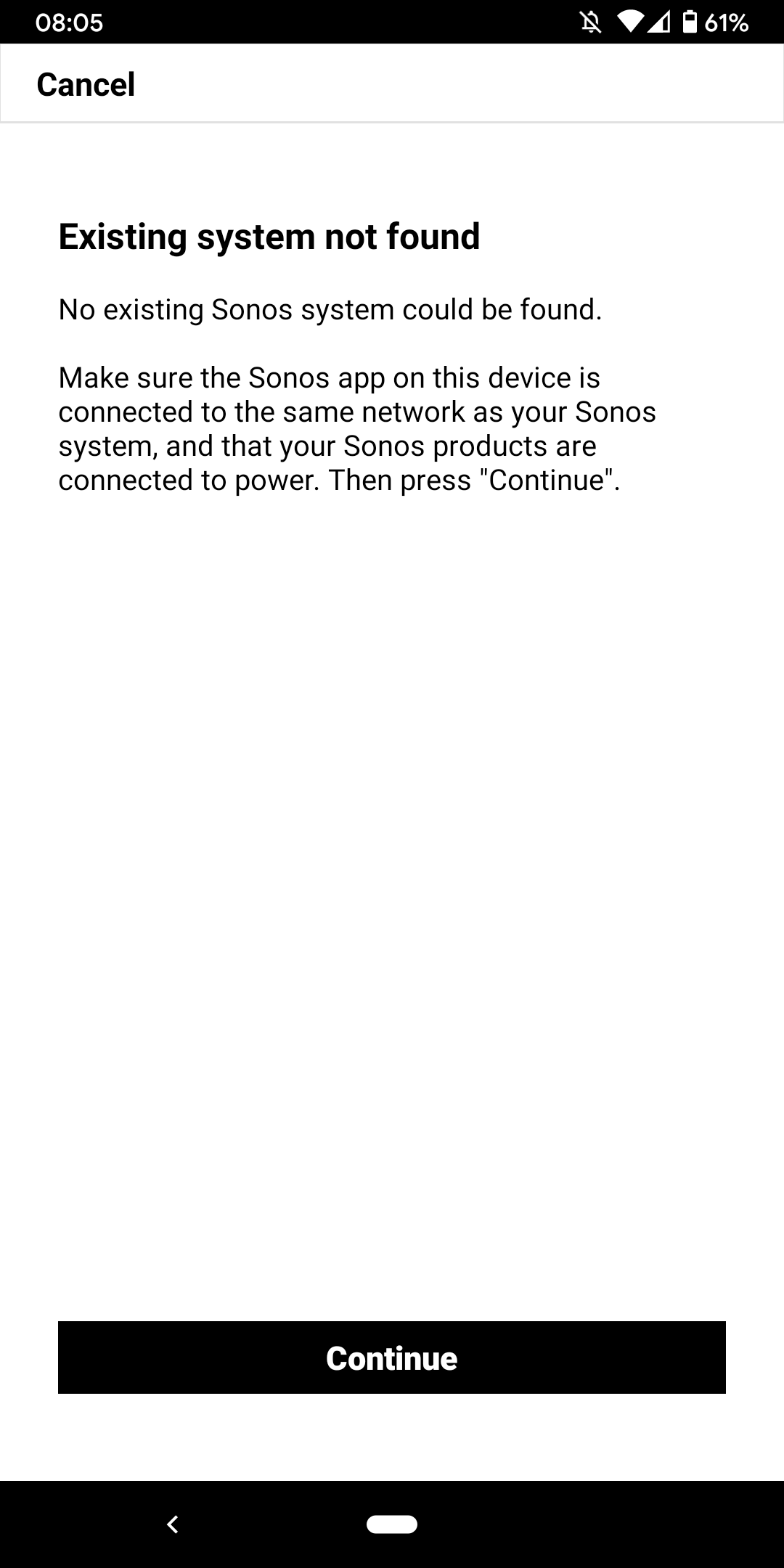
 

I don't want to go through the process of reinstalling the app and setting up the whole system again for the x time - it costs half an hour each time and at the price of your products we should be able to expect that you can employee at least one software engineer and one app developer that can create a better experience than a 10 year old hobby programmer with the attention span of a humming bird could.


Rant = off


Do you have any solutions to offer that are not requiring me to reset the system completely?


Moderator note: We updated this article in October 2023 with new information below.

If you are experiencing this issue and your controller won't connect to you existing Sonos System please have a look at this support article and follow the steps.

If your Sonos app still won’t connect after following the steps in the article, please contact Sonos Customer Care for further help.


This topic has been closed for further comments. You can use the search bar to find a similar topic, or create a new one by clicking Create Topic at the top of the page.
Best answer by Konstantin79

Thanks for the answer even though just a deflection and nothing to do with the problem at hand - the mesh network couldn't be the problem since the overall system is still working via my partners phone (as described). Just the app on my phone lost the system and wouldn't reconnect. I found a solution that worked: I disconnected the TV from the Sonos Beam (which is 1 of 3 Sonos devices in the house and connected by cable). The moment I disconnected the TV the app was able to reaquire the system that was setup already... I tried following the instructions before with both Sonos One and Beam before doing this without success. Maybe you can share that with the intern responsible for your app as a hint for troubleshooting…

Sorry I know you are working the forum and it's not in your control but please share with the product team so they can make some much needed improvements.

107 replies

Lyricist I
June 27, 2022

This excellent Hardware deserves better Software.

The Sonos 2 Android App and Sonos PC App both fail to connect to my one simple Sonos Beam 2 device nearly every time I attempt to use them.  Very occasionally, after many attempts to find and re-establish a wifi connection I am able to launch the S2 App.  Both Beam 2 and Android cell phone are on same 2.4 GHz SSID of my mesh system which includes 5 GHz branches as well.  Alexa works every time I call her name and the TV audio via HDMI ARC seems to work reliably, so the BEAM 2, or at least the Amazon Alexa part of the Beam 2 always seem to be reliably connected to my 2.4 GHz Wifi. The SONOS Beam 2 has a manually assigned ip Address in my router.  My router is physically not near the Beam 2 so a hardwired LAN cable is not something I want to do.

It may be helpful to provide some explanation about why having one device temporarily hardwired to a router might magically ‘fix’ some issues that cannot be fixed via a Wifi connection.

It would be helpful if the S2 App would save and show previously made settings for system devices even if the Device cannot be found in this instance and then highlight whichever setting is ‘causing’ a problem.

This excellent Hardware deserves better Software.


buzz
June 27, 2022


It may be helpful to provide some explanation about why having one device temporarily hardwired to a router might magically ‘fix’ some issues that cannot be fixed via a Wifi connection.


When a wired connection is available, all of the SONOS units except ROAM and MOVE will switch to a private wireless mesh network called SonosNet. SonosNet is designed to provide robust wireless audio support. As you have discovered WiFi can be problematic. Yes, I know that WiFi can usually support phones, pads, TV’s, etc., but these are simple connections. Usually the device simply needs to get out to the Internet. SONOS, on the other hand is very complex because all of the players need to be able to talk to each other and the controlling pad/phone/computer. Network issues will impact SONOS before the other, simpler devices.

In your case there would be some WiFi interference near BEAM.

Anyway, if you can establish a connection using SonosNet, you can update the WiFi SSID and Password without having an actual WiFi connection to the SONOS system. Once the WiFi credentials have been corrected, assuming that the WiFi network is healthy enough, SONOS will switch over to WiFi after all of the wired connections are removed. Give the system a couple minutes to work through the details before and after terminating the wired connection.

Lyricist I
June 29, 2022

I have only 1 sonos unit at this installation, the beam 2.  Would the sonos net be 'talking' to my cell phone over that net or my wifi 2.4ghz?  Is sonosnet necessary for a simple 1 device 'system'?

Airgetlam
June 29, 2022

SonosNet is an option, you could easily just connect your single speaker to the wifi if you so chose.

SonosNet would have the Beam connecting through your router to talk to your phone. Some routers seem to have difficulties switching between data on 2.4Ghz versus 5Ghz connections, so that might be something to check.

Technically, with one speaker and no BRIDGE/BOOST, you’re not actually using SonosNet at all, you’re just directly wired to the router. 


Bruce
Lyricist I
July 22, 2022

I made the mistake of deleting my network from the app (not that it would matter, since I upgraded my router and the password changed). I didn’t realize that would disconnect my play ones from my router, and now the S2 app will not “Find System”, the page only refreshes without result only have to click it over and over again.

I pulled one down and hooked it up to ethernet and the app automatically connected to all my play 1’s. Stranger still is that I can stream through the other play 1s elsewhere in the house even though they are NOT connected to my router or ethernet except for the one; How is that possible?

Soon as I disconnect the ethernet, the app locks up back to “Fix it” which uses the same broken tool “Find System”

It’s worked flawlessly for years and now, I have a bunch of paperweights.

Having the exact same problem, tried everything that was suggested, no help, no solution. A horrible experience.

Lyricist I
July 23, 2022

Unable to connet to Sonos … this is sooooo annoying. Nearly every time I want to watch TV or listen to music same problem. The suggested solutions are really not customer friendly. Every time I should reset the router, unplug the Sonos speakers, search for equipment, etc etc 
I am pretty sure now I will receive a questions about my setup - it is simple, a simple WiFi router, no mesh, no nothing, And reading throught the list of complains, I would believe it is not an issue of the WiFi, but an issue with the Sonos software.
The Sonos app says “Unable to connect” while some (not all!) speakers are still visible in Apple Music. And that is the main issue and the main annoyance and frustration I experience. Totally unpredictable. sometimes it works, then it does not longer, then - without changing anything - all speakers are back again. Software is really terrible! And the suggested solutions are a total failure and not helpful.

Airgetlam
July 23, 2022

I can assure you, the issue isn’t with the Sonos software. It is indeed an issue with the network you have. However, as you’ve expressed an unwillingness to accept solutions, I won’t offer any. 

Bruce
buzz
July 23, 2022

Once you’ve decided that the issue cannot be [...] or must be [...] it is likely that you will be blindsided. Play the percentages, For this sort of issue the high percentage case you should investigate first is the network.

Lyricist I
August 5, 2022

After going around in circles following the Sonos instructions numerous times without success, I finally removed the app completely from my wife’s phone. I then downloaded and reinstalled the app. It asked some new questions (specifically about access to Bluetooth) and then connected like a charm. Definitely a software problem, not a network problem. 

Lyricist I
October 8, 2022

Echo above frustrations; cannot connect, early adopter of sonos products, 15+ installed base,  I have no sound in the house.  Tried hardwired suggestion it worked for that one sonos product, and that would cut in and out. Using TP Link Deco mesh network.  All other smart house non-Sonos items working.

15 speakers, Sonos boost, Sonos Port…. the Sonos system decided one day to no longer connect. Silence.  
:( including from Sonos support…. it’s my fault (aka my network) while every other device in the house has it figured out….hmmmmm