
Contributor I
July 23, 2020
Answered

Sonos App doesn't find existing system.

  • July 23, 2020
  • 107 replies
  • 50182 views

This topic is older and might not have the most up to date information. Please click here to see a list of more topics around the same subject.


Hi there,


I am so fed up with your buggy systems I can't even describe the level of frustration. I am using the latest version of the app on Android as of now and for no apparent reason the app does not recognize the set up system anymore (my wife's phone and app does and works no problem). I tried to reconnect to the system but says it doesn't find any devices on the network (which obviously isn't true - see screenshot)
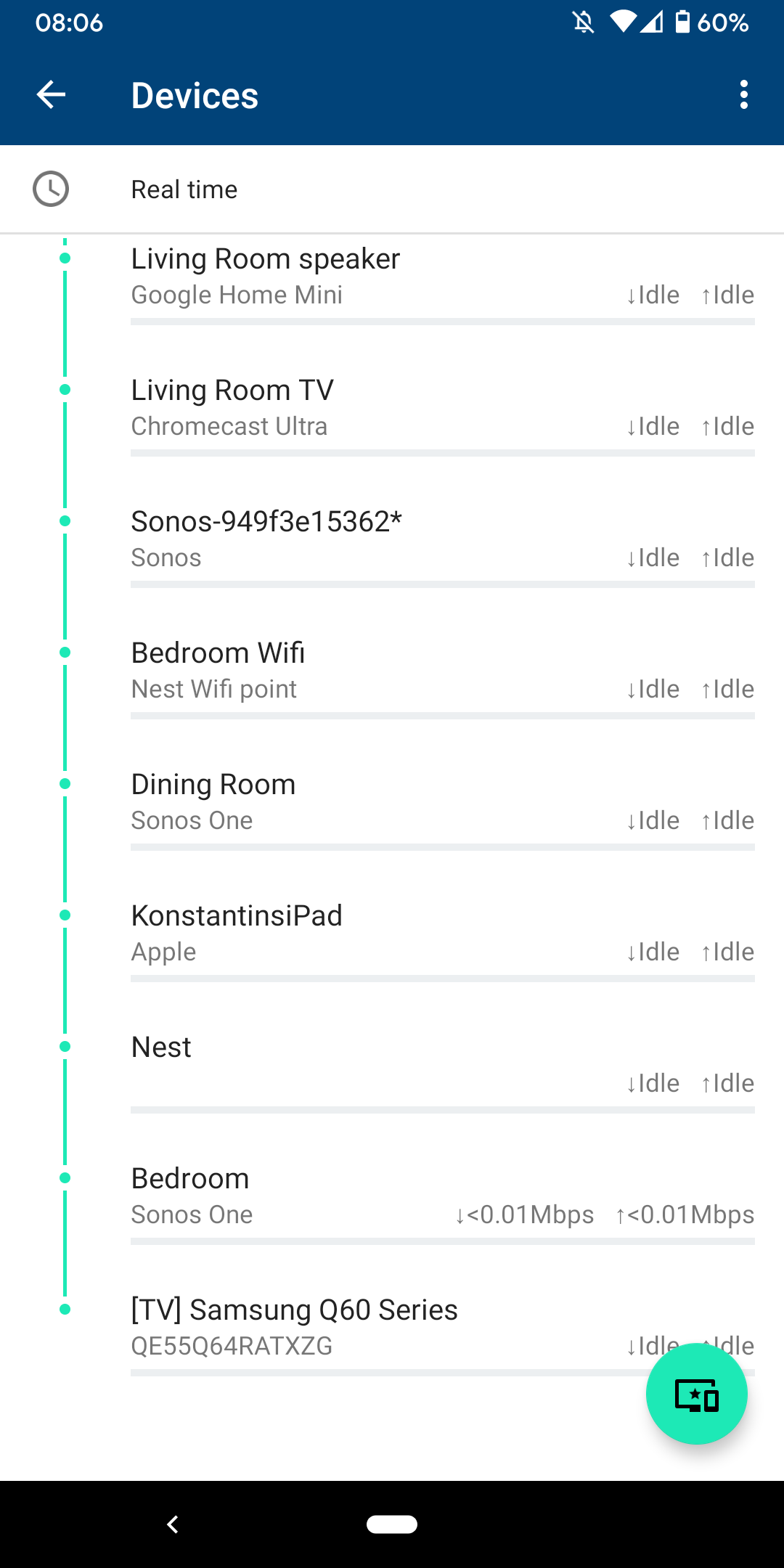
 

I am sitting next to a Sonos One and following instructions on how to reconnect pressing button on the back - but no doesn't find the system sitting right next to it.
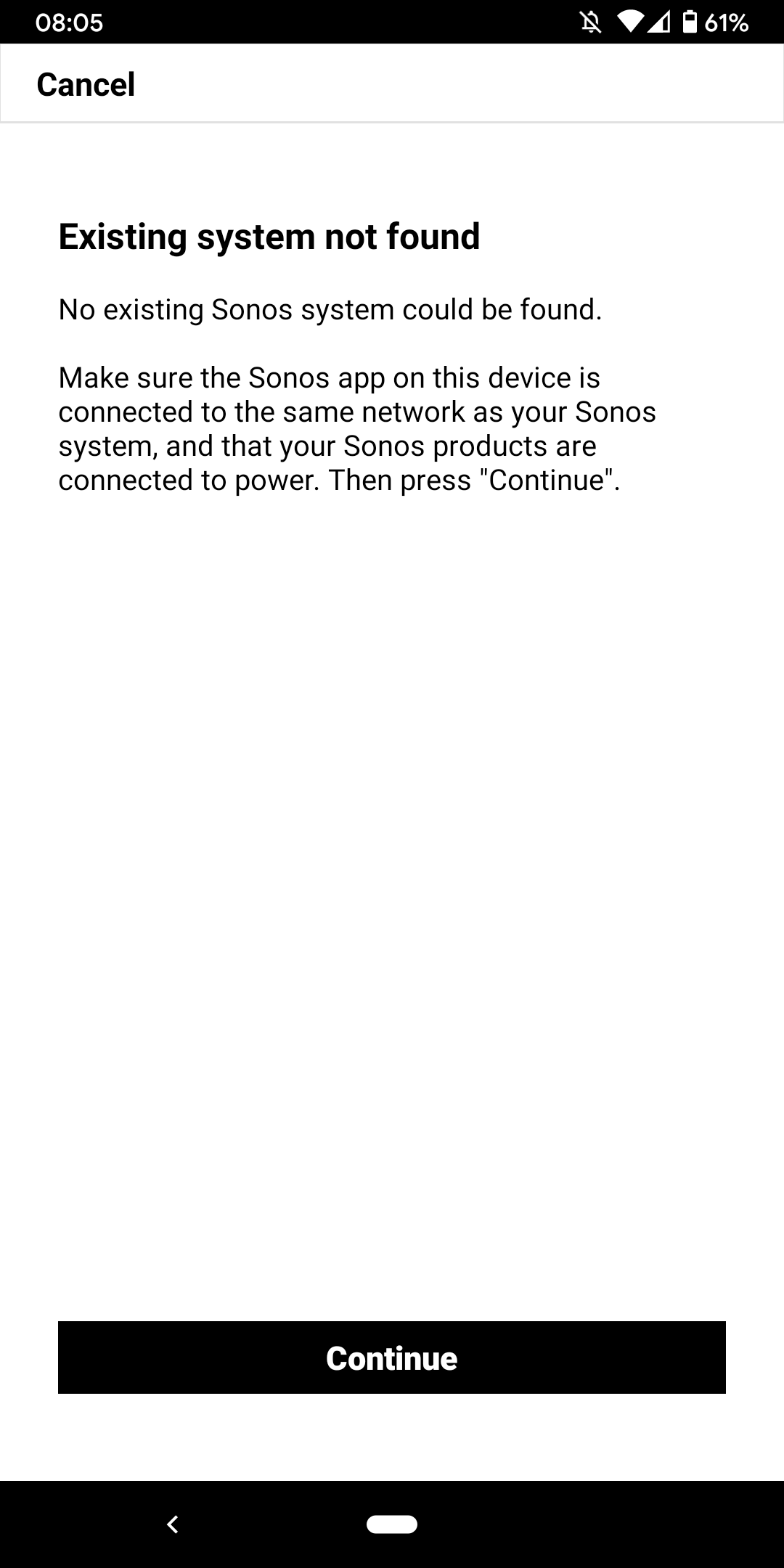
 

I don't want to go through the process of reinstalling the app and setting up the whole system again for the x time - it costs half an hour each time and at the price of your products we should be able to expect that you can employee at least one software engineer and one app developer that can create a better experience than a 10 year old hobby programmer with the attention span of a humming bird could.


Rant = off


Do you have any solutions to offer that are not requiring me to reset the system completely?


Moderator note: We updated this article in October 2023 with new information below.

If you are experiencing this issue and your controller won't connect to you existing Sonos System please have a look at this support article and follow the steps.

If your Sonos app still won’t connect after following the steps in the article, please contact Sonos Customer Care for further help.


This topic has been closed for further comments. You can use the search bar to find a similar topic, or create a new one by clicking Create Topic at the top of the page.
Best answer by Konstantin79

Thanks for the answer even though just a deflection and nothing to do with the problem at hand - the mesh network couldn't be the problem since the overall system is still working via my partners phone (as described). Just the app on my phone lost the system and wouldn't reconnect. I found a solution that worked: I disconnected the TV from the Sonos Beam (which is 1 of 3 Sonos devices in the house and connected by cable). The moment I disconnected the TV the app was able to reaquire the system that was setup already... I tried following the instructions before with both Sonos One and Beam before doing this without success. Maybe you can share that with the intern responsible for your app as a hint for troubleshooting…

Sorry I know you are working the forum and it's not in your control but please share with the product team so they can make some much needed improvements.

107 replies

Contributor I
April 25, 2021

I’m having the exact same issue. Trying to connect to an existing network (play 1 + symfonisk) with my new macbook air. My iPhone and other computers are/have all connected fine. The new computer can connect to the sonos via the Spotify app but not through the actual Sonos app. Sonos app itself just doesn’t see it at all. Unbelievable. Can’t believe how many issues I’ve had with this system throughout my ownership.

Airgetlam
April 26, 2021

What router do you have?

Bruce
Lyricist I
July 10, 2021

I am having the same issue with Move.  I have had Sonos products since generation 1 and the software has always been finicky.  I recently upgraded to a Move and now I am having a severe problem of not recognizing.   I agree completely with others on this string that my frustration is beyond a breaking point.  I can handle an occasional re-boot or doing the basics like restarting a router, etc.  But this major problem of just completely disappearing and not recognizing despite no changes to my system is tough to handle.  I was going to buy one of the new products that just came out but I refuse to spend another penny on Sonos until their software systems improve.

Lyricist I
October 10, 2021

What is going on?!!! Trying to connect existing system to new Google Mesh/Nest Wifi and will not budge. Will not recognise any devices or system. Have tried all the suggestions and to no avail. Have spent thousands on this gear and is useless. Please help with any advice.

Lyricist I
April 15, 2022

Just have to say…I’ve been in love with your products for like 25+ years and an advocate.  But honestly, since you made this move of versions along with killing all support for previous products, your entire system is a total mess.  What worked beautifully without a hitch for years is now a nightmare.

I say this after breaking down and spending ridiculous amounts rebuying ‘new generation products’ even though the old ones worked great.  Ever since, your entire system is totally flaky - period!  
‘The setup is excruciating and took me hours and many retries to get it going. The new systems can’t manage both wired and wireless even though all devices are on the same network!  
So after tons of frustration, I finally got everything connected and working.  Since that point, twice now, the system loses its setup and the app goes into “I can’t find your devices, so LET’S FIX IT”, and the whole nightmare starts all over again.  Your product and Software team needs to take a serious look in the mirror, acknowledge, and fix the mess.  I guarantee you are losing loyal customers every minute and people who once were advocates would now never recommend your products to a friend. Such a shame!

I am happy to correspond with anyone who wants to get the straight scoop.  Oh and by the way, I’m an IT professional with deep technical capabilities!   So if I can’t get it to work, I pity the average consumer!

106rallye
April 16, 2022

Sonos was founded in 2002 (https://en.wikipedia.org/wiki/Sonos) so you must have been a pretty early customer. Sonos has not killed all support for previous products - older products are still supplied with safety updates (though to be honest Sonos had to be persuaded by a public outcry to keep doing this). There’s just the early Sonos remote that is unsupported. Missed by some, but for most this is easily replaced by a smart phone.

You just can’t mix’n’match S1 and S2 products, but if you do not want to add old products, stay on S1 and you will be fine for some time.

Since you give no facts on you wifi (mesh, access points?) I cannot comment on you problems. Not sure what you mean by the “new systems can’t manage both wired and wireless”. Can you explain - that is if you want any help?

ratty
April 16, 2022

It sounds like a flaky network to me. Or perhaps an overly complicated/segmented one, which the ‘average consumer’ wouldn’t have but an ‘IT professional’ might.

And, yes, the first Sonos products shipped in January 2005, not 1997 or before.

April 16, 2022

Such a shame that you waited 25+ years (sic) to join the forum, and then chose to try to resurrect the S1/S2 issue, and litter your post with misinformation. It's really not worth the effort - you might as well leave that to the trolls.

Contributor I
June 8, 2022

I made the mistake of deleting my network from the app (not that it would matter, since I upgraded my router and the password changed). I didn’t realize that would disconnect my play ones from my router, and now the S2 app will not “Find System”, the page only refreshes without result only have to click it over and over again.

I pulled one down and hooked it up to ethernet and the app automatically connected to all my play 1’s. Stranger still is that I can stream through the other play 1s elsewhere in the house even though they are NOT connected to my router or ethernet except for the one; How is that possible?

Soon as I disconnect the ethernet, the app locks up back to “Fix it” which uses the same broken tool “Find System”

It’s worked flawlessly for years and now, I have a bunch of paperweights.

Airgetlam
June 8, 2022

When you connect at least one device to your router with an Ethernet cable, they all are supposed to switch over to SonosNet, at least those that can. 
 

At that point, you can go in to the controller and enter the new SSID and password for your network, so that all the connected speakers will reconnect to your network now that you’ve changed everything. Once that’s done, removing the Ethernet cable will have everything switch back to your WiFi. 

Bruce