
Avid Contributor I
December 19, 2021

Here we go again...

  • December 19, 2021
  • 67 replies
  • 1599 views

Yet again the wonderfully robust and user friendly software messes up my day. 

The Sonos software and update process is a piece of junk, there’s imply no way it should behave as it is, the lack of attention to detail is astonishing.

The hoops we have to jump through to get something working is absurd.

Of course to complain means I’ll get asked lots of questions, I’ll be asked to unplug this and that, connect this or that to something else with a piece of cable and so on and so forth, all the burden is on the customer.

I tried to update because the PS controller software insists that I update, yet it always fails. If I try the same update from my iPhone, again it fails.

The iPhone fails (I think) because the controller is “not S2 compatible” whatever that means. The PC software is not S2 yet that also fails and the error code I get varies each time.

e.g. “Error code 30: BRIDGE” or “Error code 1002: BRIDGE”.

If these error codes mean something then why not pull down the message text and display it in the controller software???

Everything was working but I have a Roam that fully discharged, I recharged it yet it was not visible in either the PC controller or the iPhone controller, as I tried to get more insight it kept suggesting I update so I tried.

Now the system can’t find jack s**t, it cannot see even one of the devices.

I submitted a diagnostic and the code I got back was: 703555998 perhaps that can shed light.

I’m a very experienced software engineer so before people rush in to defend Sonos don’t bother, this is abysmal, with today’s technology the customer experience can be far far better than it is.

Now I have no system, can listen to no music and was planning on a restful Christmas alone this year to do some reading and studying, without Sonos this really messes up what would have been a restful period for me.


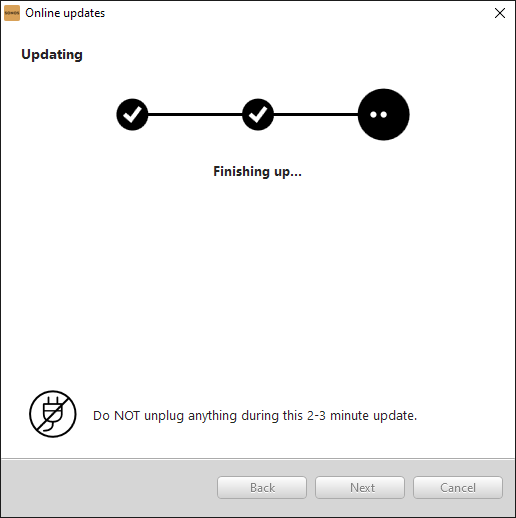
The update almost works, I get this far:
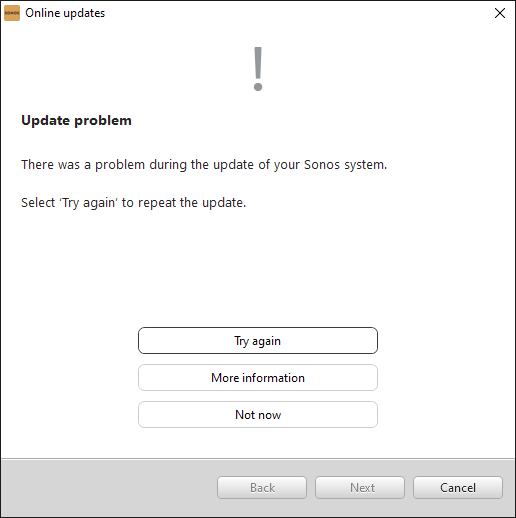
but then I get this:


“More information” gives this:
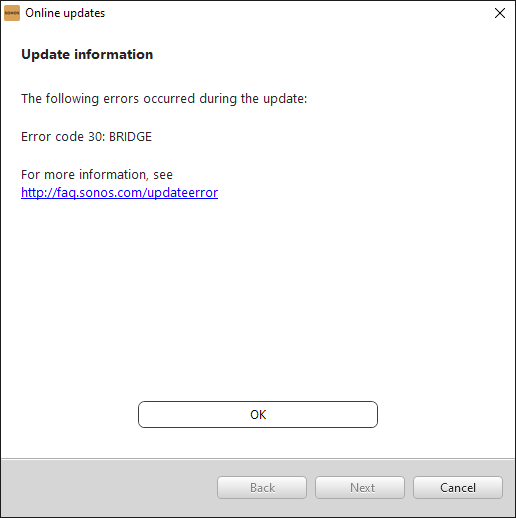


and that’s pretty much that!

Now I’m stuck with this:
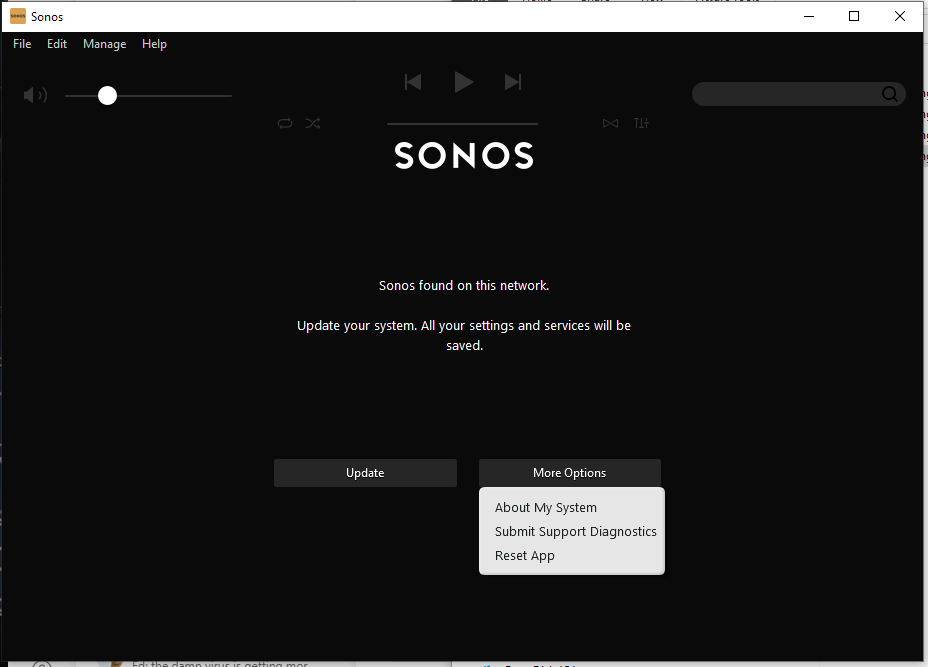
See? I cannot choose “Just continue running with current version” why? 

This update is something I CHOSE to try (because the Roam was not working) so by definition the existing version did work - at least - with the non-roam devices.

This is a one way trap door, the system works with some version, one tries to install an updated version - that fails - yet it is no longer possible to run with the older version - even though it was working!


    This topic has been closed for further comments. You can use the search bar to find a similar topic, or create a new one by clicking Create Topic at the top of the page.

    67 replies

    KorporalAuthor
    Avid Contributor I
    December 19, 2021

    This was successful.

    The first PLAY3 did play music fine, I disconnected two from the power and factory reset the other and the iPhone SONOS app was able to add it and then update it and music played on that too.

    I guess I should now simply repeat the process for the other two units.

    by the way, what was the role of BRIDGE? I bought this stuff like 9 or 10 years ago and can’t recall whether the BRIDGE was my idea or the stores…

    If the bridge is useful then can it be upgraded? can one get a new bridge?


    December 19, 2021

    Yes repeat for other two speakers. You can't use the Bridge on S2 and they are old.tech.

    Wiring any Sonos device to the network triggers Sonos devices to communicate over their own mesh. Originally that was the only way Sonos could work. Now it is one option with purely WiFi being the other. The Bridge was used where no speaker was close enough to the router to cable.

    KorporalAuthor
    Avid Contributor I
    December 19, 2021

    OK I repeated this for the next PLAY3, that went OK and the device is listed in the iPhone app.

    When I select the device it reports a message “Not registered” I have no idea what that means.


    KorporalAuthor
    Avid Contributor I
    December 19, 2021

    Yes repeat for other two speakers. You can't use the Bridge on S2 and they are old.tech.

    Wiring any Sonos device to the network triggers Sonos devices to communicate over their own mesh. Originally that was the only way Sonos could work. Now it is one option with purely WiFi being the other. The Bridge was used where no speaker was close enough to the router to cable.


    I see so the speaker that is wired to my router now, must remain wired to it?

    KorporalAuthor
    Avid Contributor I
    December 19, 2021

    OK I repeated this for the next PLAY3, that went OK and the device is listed in the iPhone app.

    When I select the device it reports a message “Not registered” I have no idea what that means.


    OK I’ll reply to my own message - it means the setup was not quite complete that’s all, its updating the unit now...

    December 19, 2021

    I would stick with SonosNet if one of your speakers is close enough to router to keep wired.

    If not then you would need to buy a Boost, which replaced the Bridge, or you could try fully WiFi.

    KorporalAuthor
    Avid Contributor I
    December 19, 2021

    OK the third of the four PLAY3s is now done too, but during the setup it mentioned something about “adding the PLAY3 to your account” and I have no idea what “account” means.

    It seems to also imply I have a subscription to “Sonos Radio HD” whatever that means (yes this is something to do with “the account”).

    KorporalAuthor
    Avid Contributor I
    December 19, 2021

    Of course I’ll need to setup the ROAM again I guess, I suppose I should just dig out the original setup guide for that.

    December 19, 2021

    Because you factory reset the devices your system treats them as new devices and registers them to your existing Sonos account.

    I believe Sonos Radio HD is a paid subscription service but none of this resetting could have triggered that.

    December 19, 2021

    Of course I’ll need to setup the ROAM again I guess, I suppose I should just dig out the original setup guide for that.

    I would try just powering off and on first. Btw the Roam can connect only to WiFi not SonosNet but that doesn't stop other devices connecting via SonosNet.