
Avid Contributor I
December 19, 2021

Here we go again...

  • December 19, 2021
  • 67 replies
  • 1599 views

Yet again the wonderfully robust and user friendly software messes up my day. 

The Sonos software and update process is a piece of junk, there’s imply no way it should behave as it is, the lack of attention to detail is astonishing.

The hoops we have to jump through to get something working is absurd.

Of course to complain means I’ll get asked lots of questions, I’ll be asked to unplug this and that, connect this or that to something else with a piece of cable and so on and so forth, all the burden is on the customer.

I tried to update because the PS controller software insists that I update, yet it always fails. If I try the same update from my iPhone, again it fails.

The iPhone fails (I think) because the controller is “not S2 compatible” whatever that means. The PC software is not S2 yet that also fails and the error code I get varies each time.

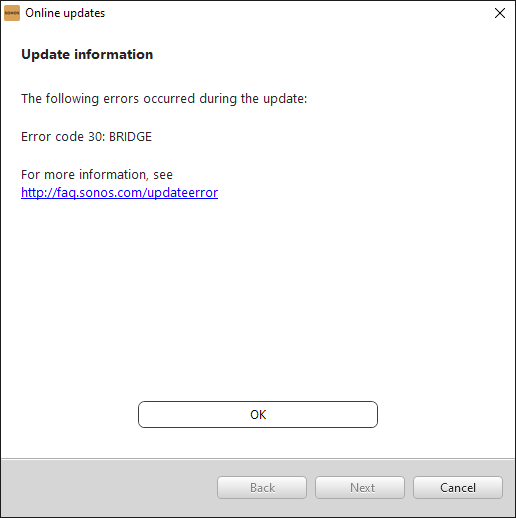
e.g. “Error code 30: BRIDGE” or “Error code 1002: BRIDGE”.

If these error codes mean something then why not pull down the message text and display it in the controller software???

Everything was working but I have a Roam that fully discharged, I recharged it yet it was not visible in either the PC controller or the iPhone controller, as I tried to get more insight it kept suggesting I update so I tried.

Now the system can’t find jack s**t, it cannot see even one of the devices.

I submitted a diagnostic and the code I got back was: 703555998 perhaps that can shed light.

I’m a very experienced software engineer so before people rush in to defend Sonos don’t bother, this is abysmal, with today’s technology the customer experience can be far far better than it is.

Now I have no system, can listen to no music and was planning on a restful Christmas alone this year to do some reading and studying, without Sonos this really messes up what would have been a restful period for me.


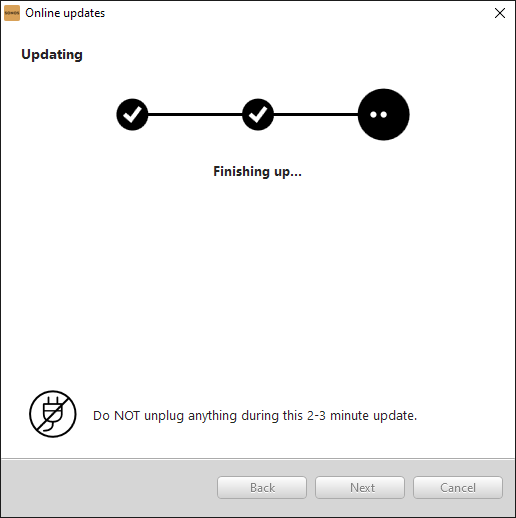
The update almost works, I get this far:
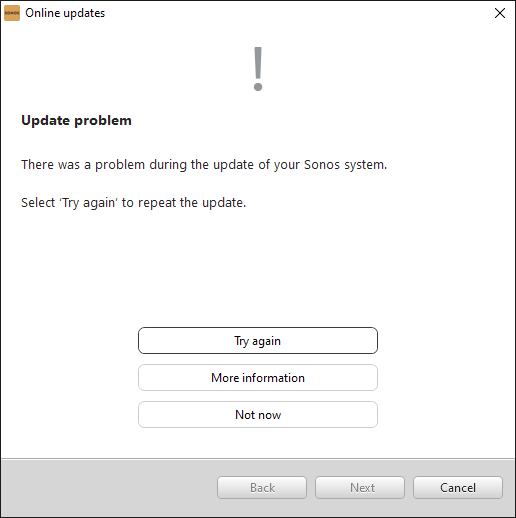
but then I get this:


“More information” gives this:


and that’s pretty much that!

Now I’m stuck with this:
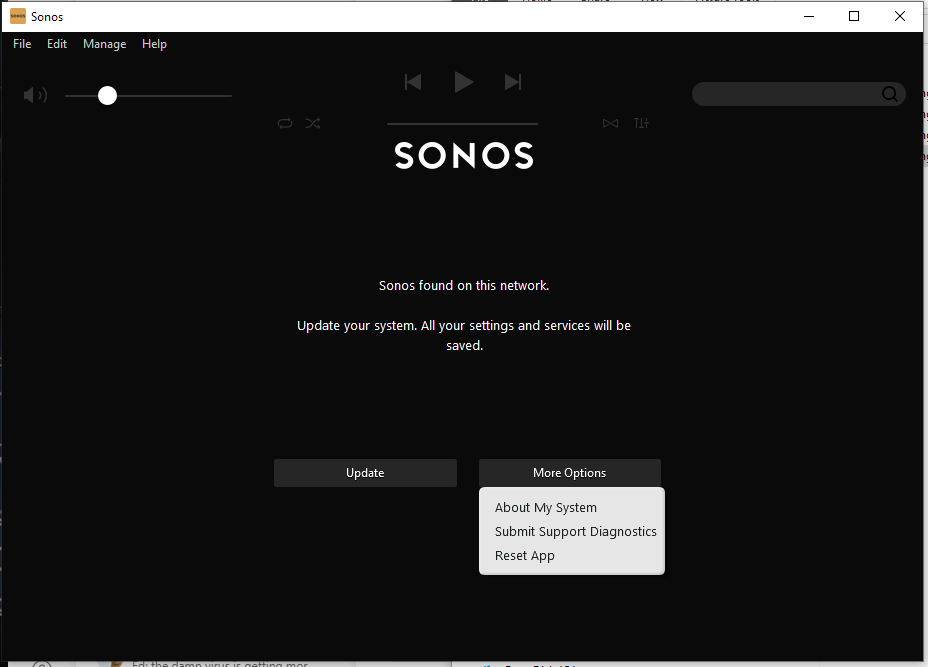
See? I cannot choose “Just continue running with current version” why? 

This update is something I CHOSE to try (because the Roam was not working) so by definition the existing version did work - at least - with the non-roam devices.

This is a one way trap door, the system works with some version, one tries to install an updated version - that fails - yet it is no longer possible to run with the older version - even though it was working!


    This topic has been closed for further comments. You can use the search bar to find a similar topic, or create a new one by clicking Create Topic at the top of the page.

    67 replies

    Mr. T
    December 19, 2021

    The error code implies you have a Bridge in your system.

    If you are looking to update to Sonos S2 then the Bridge needs to be removed first.

    How to Remove a Bridge from your Sonos system

    The Roam is only compatible with S2

    Depending on what other Sonos devices you own, you might need to split your system into S1 and S2

    How to split Sonos products into two separate S1 and S2 systems


    Airgetlam
    December 19, 2021

    The BRIDGE, along with certain other devices, continues to be an S1 only device. It will always fail in an attempt to update to S2.

    If you desire to update to S2, you need to power off and disconnect your BRIDGE. You could, if you choose, replace it with a BOOST, which can operate under either S1 or S2, or, you could just remove the BRIDGE completely by either wiring a cable to one of your other S2 capable devices, or change your connection method from wired (the BRIDGE or a speaker) to WiFi, by following the instructions in the wired and wireless modes FAQ.

    To be honest, it really isn’t clear in your post if you’re wanting to update everything to S2, so that your Roam and your other devices can be all grouped together, or you’re trying to maintain a ‘legacy’ system under S1, and your Roam under S2. 

    Since you are a software engineer, I’m sure you’re aware that error messages need to be part of the code base that is running, and you may or may not be aware that the reason Sonos had to split S1 and S2 was that there just wasn’t enough space left to hold the code in order to add certain extra things. I’d think better error messages would have been part of that, along with other things, such as extending the Linux kernel to accept the extra space needed to include SMB versions beyond SMB v1. 
     

    Hopefully, you have the patience to wait for a forum moderator to look at that diagnostic. Or, if you preferred a more synchronous discussion, you could call Sonos Support directly to discuss it.

    When you speak directly to the phone folks, they have tools at their disposal that will allow them to give you advice specific to your Sonos system and network.

    Bruce
    KorporalAuthor
    Avid Contributor I
    December 19, 2021

    Even more bizzaroness - the S1 controller (the older of the two) says I must “Get the mobile app” but the S2 Controller (the newer one) does not ask me to get a mobile app, it lets me update!


    See? thats the S1 Windows controller - can’t do an update from that.


    This is the S2 controller and I can do an update from that.

    This is just so so so bewildering.

    Mr. T
    December 19, 2021

    Other than the Bridge, what is the oldest Sonos product you own?

    Sonos Product compatibility

    Ken_Griffiths
    December 19, 2021

    @Korporal 

    Probably because the App was not connected to an ‘existing’ S1 Sonos System - you can only create a new S1 system if you have an S1 only device. (You also need to remove the S2 App to create a new S1 system). There are threads here on the forum that explain these things. 
     

    Edit: It’s not clear what you are looking to do, is it remove your Bridge and upgrade all to S2. If so, did you first try the S1 system compatibility checker in "Settings/System/System Tools” to ensure your devices can all move to S2?

    December 19, 2021

    Are you running an S1 Sonos system, an S2 Sonos system, or both? If you don't know the answer to that question or what the question means, then I think we have found the source of your problems. 

    KorporalAuthor
    Avid Contributor I
    December 19, 2021

    @Korporal 

    Probably because the App was not connected to an ‘existing’ S1 Sonos System - you can only create a new S1 system if you have an S1 only device. (You also need to remove the S2 App to create a new S1 system). There are threads here on the forum that explain these things. 
     

    Edit: It’s not clear what you are looking to do, is it remove your Bridge and upgrade all to S2. If so, did you first try the S1 system compatibility checker in "Settings/System/System Tools” to ensure your devices can all move to S2?


    Hello and thanks.

    I have four PLAY:3 devices and a BRIDGE (Which it seems is not compatible with S2). I also have a ROAM purchased recently, everything was working (despite the incessant prompts on my PC Controller to update) fine until the ROAM accidentally fully discharged.

    I recharged that overnight but the controller could no longer see the ROAM only the four PLAY3 devices.

    After several frustrating attempts to have the system discover the ROAM, I just decided to try the update that the controller was prompting me to do.

    That’s when I got the repeated update failures.


    Just now I disconnected the BRIDGE (since it seems it was not actually that essential) and plugged a PLAY3 device right into the router, that has been discovered now and is visible on my iPhone.

    Now the S2 Controller on the PC does not prompt me to update, but it can only see the single PLAY3.

    I haven’t tried playing music but I strongly suspect that won’t be a problem.

    So now I have the other three PLAY3 devices and of course the ROAM.

    In the iPhone S2 app I can see the single PLAY3 but when I ask it to add a device and it begins to search for devices it seems to hang endlessly.

    The other devices are of course not directly connected to the router and I have not tried disconnecting the first PLAY3 that is still directly wired to the router, no idea if it will still be seen were I to disconnect it from the router.


    This is most frustrating but I do appreciate people’s advice.


    December 19, 2021

    Please try the following

    1 Leave the Play:3 connected by cable.

    2. Make sure it will play music using the S2app

    3 Factory reset JUST ONE of the other Play:3s. Unplug the others from power.

    4. In the S2 mobile app, use Add Product to add the reset speaker.

    5. Please post back with the outcome

    KorporalAuthor
    Avid Contributor I
    December 19, 2021

    ok will do, thx, bear with me...

    December 19, 2021