Question

Boost missing from App

  • August 9, 2026
  • 6 replies
  • 32 views

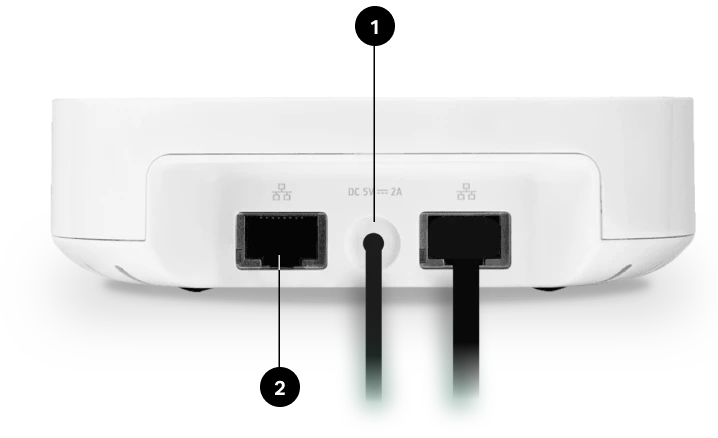
My Boost no longer appears in the speaker list or room list, which looks like the norm from other comments.  It shows in the About list.  I tried changing the Sonos channel, but it still doesn’t show.  How do I connect it so it works if it doesn’t show up as a room?

6 replies

Schlumpf
Forum|alt.badge.img+18
  • Virtuoso
  • August 9, 2026

@humphja1 

It works as expected if it’s set up correctly and is shown in devices list. 
As it’s not an audio output device I can understand Sonos decision not to list it in rooms view. 


Airgetlam
  • August 9, 2026

As far as I’m aware, the BOOST has never shown as a ‘Room’ in Sonos controllers, as it doesn’t ‘play’ any music. It’s always been in the ‘About my system’ display, though. I’ve had several, both BRIDGEs and BOOSTs over the years. 


Stanley_4
  • Grand Maestro
  • August 9, 2026

Curious, what you you would expect the Boost to do if it showed up as a Sonos Room? 

Different topic, have you considered removing the outdated Boost and using your Wi-Fi instead? Unless your Wi-Fi is really old that should improve your connections.


  • Author
  • Contributor I
  • August 9, 2026

Problem resolved with help of Sonos Customer Service.  Problem wasn’t with Boost but with Sonos Connect.  After a reboot of Connect, Boost speakers returned to lineup.


Stanley_4
  • Grand Maestro
  • August 9, 2026

There are no speakers on a Boost, it is a pure Ethernet to Wi-Fi translation device.

If it shows speakers it isn't a Boost, check the product label on the bottom.


Stanley_4
  • Grand Maestro
  • August 9, 2026