Question

sonos playlists

  • September 26, 2026
  • 4 replies
  • 32 views

I mostly use tidal as my fav streaming service. In tidal I can create a playlist that then will appear in my sonos app (Android).

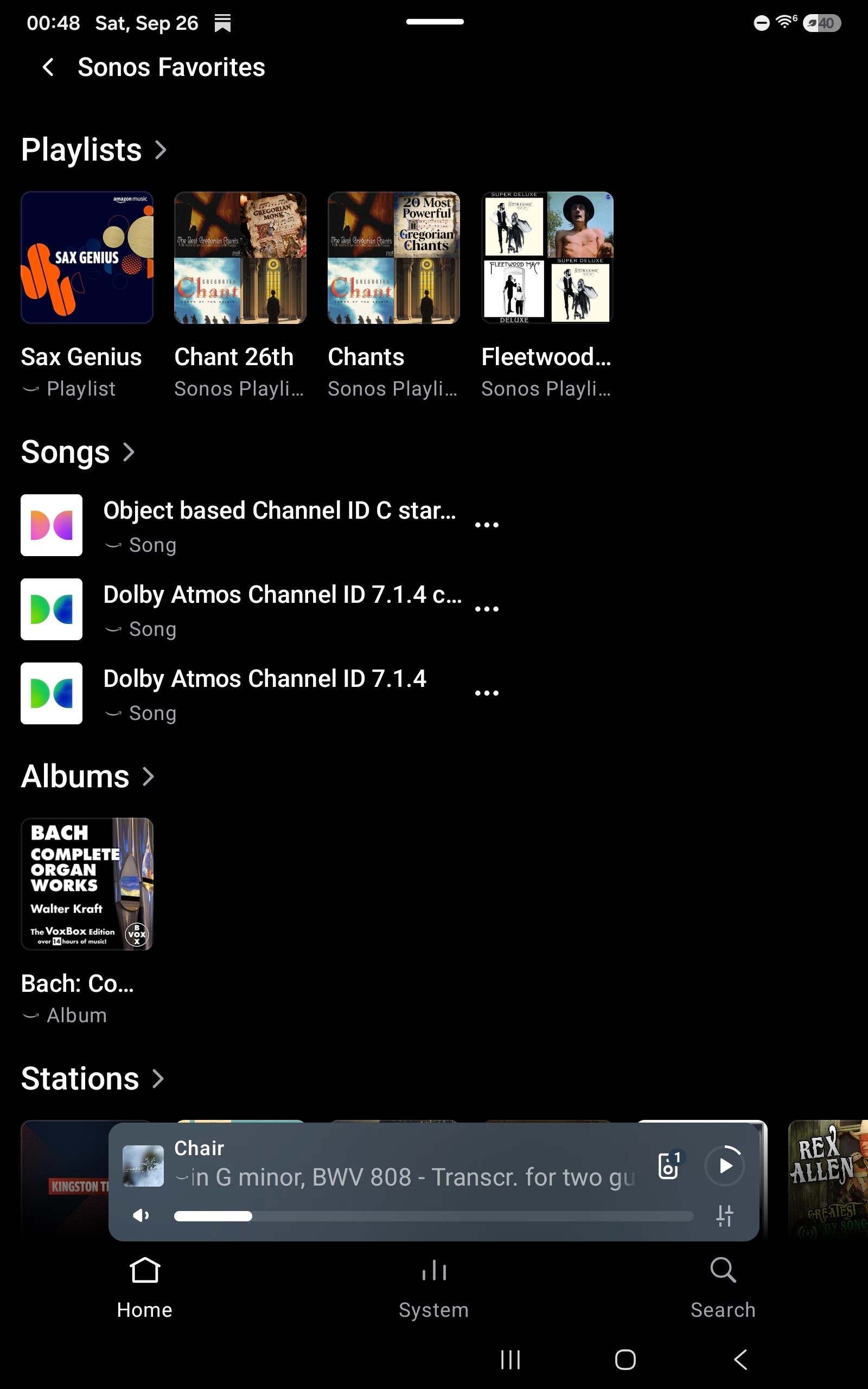
When in sonos if I search for a song I can add it to a sonos playlist... Great! But then where are my sonos playlists? I don't see any "my sonos" button in my home screen. The only way I can see my playlists is by adding a song to them and pressing on the notification I see among the lines of "the song has been added to 'your playlist'".


4 replies

Schlumpf
Forum|alt.badge.img+18
  • Virtuoso
  • September 26, 2026

​@Fede52 

On your Sonos Home Screen you can see „Sonos Favorites“. If you click this, one of the following categories is „Playlists“. There you will find your favorite playlists from your music services like Tidal and also your Sonos playlists. Unfortunately there is no separate category only for Sonos playlists.


Stanley_4
  • Grand Maestro
  • September 26, 2026

Here:


Forum|alt.badge.img+16
  • Local Superstar
  • September 26, 2026

My Sonos Playlists often don't appear and I need to wait a good while for the section to appear.  Spotify section appears ok but not the Sonos section.


controlav
Forum|alt.badge.img+24
  • Lead Maestro
  • September 26, 2026

The Desktop apps (and many 3rd party apps) show Sonos Playlists as a first class citizen.