
Contributor I
March 28, 2023

Unable to set Sonos Era 100 as Alexa-enabled device in room/group using Alexa app

  • March 28, 2023
  • 102 replies
  • 7852 views

Today I’ve upgraded my two Sonos Ones with Sonos Era 100s. After adding Alexa to the speakers, I tried to go into the Alexa app to associate them with their respective rooms. I’m able to add them as the room speaker, but I am unable to set them as the Alexa device for that room (allowing for room-specific commands like “Alexa, turn off the lights”, etc).

What’s weird is my Era 100s will show up under the Echo & Alexa devices section in the Alexa app, but they do not show up under Alexa-enabled devices when editing a room/group (see attached screenshots).

I’ve reached out to Alexa support and they were largely unhelpful, they claimed that from their resources Alexa isn’t supported on the Sonos Era 100 (maybe their documentation hasn’t been updated since this is a brand new product?). So they left the conversation there even after showing them that Sonos clearly states Alexa built-in support for the Era 100.

Has anyone else experienced this issue? Seems like a bug in the Alexa app, and their support team is unwilling to report the issue up their chain.
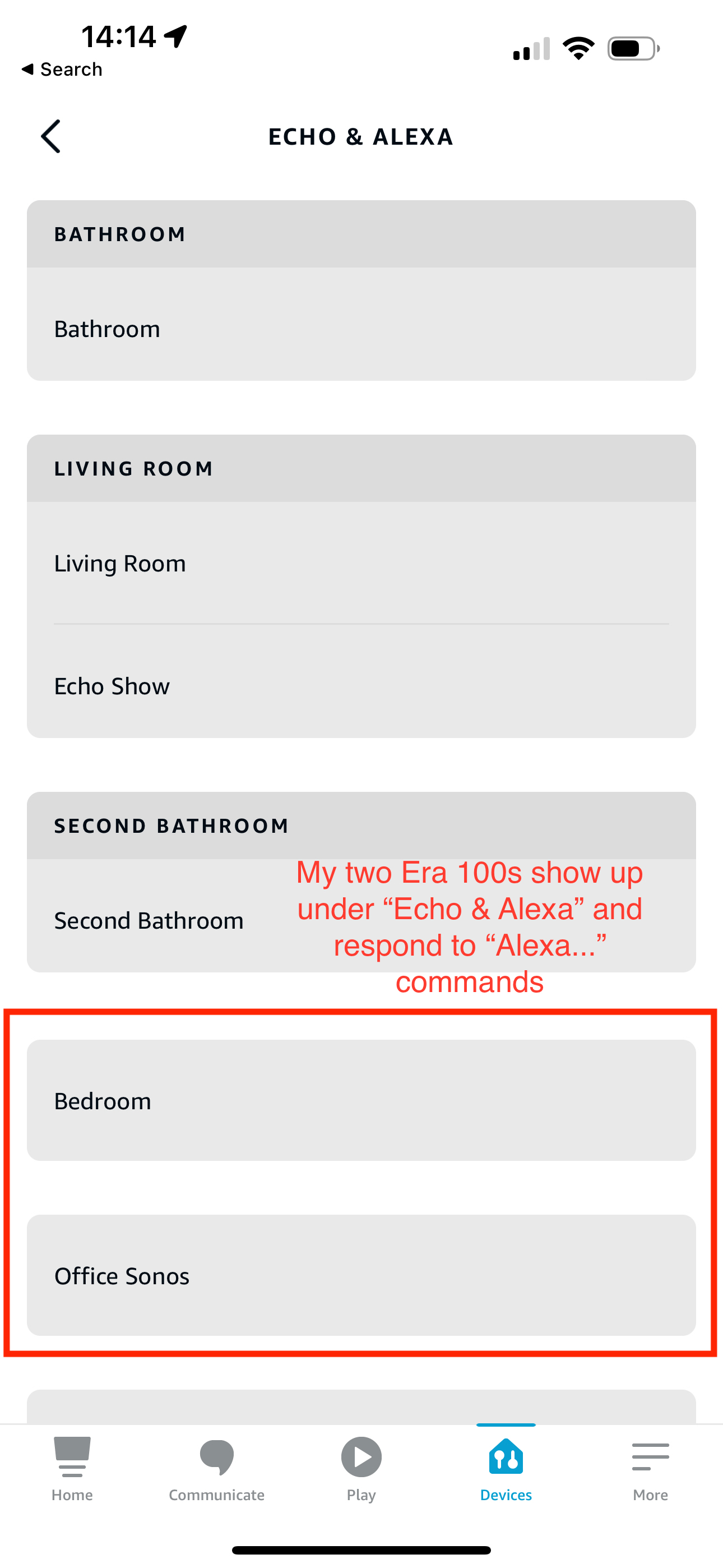
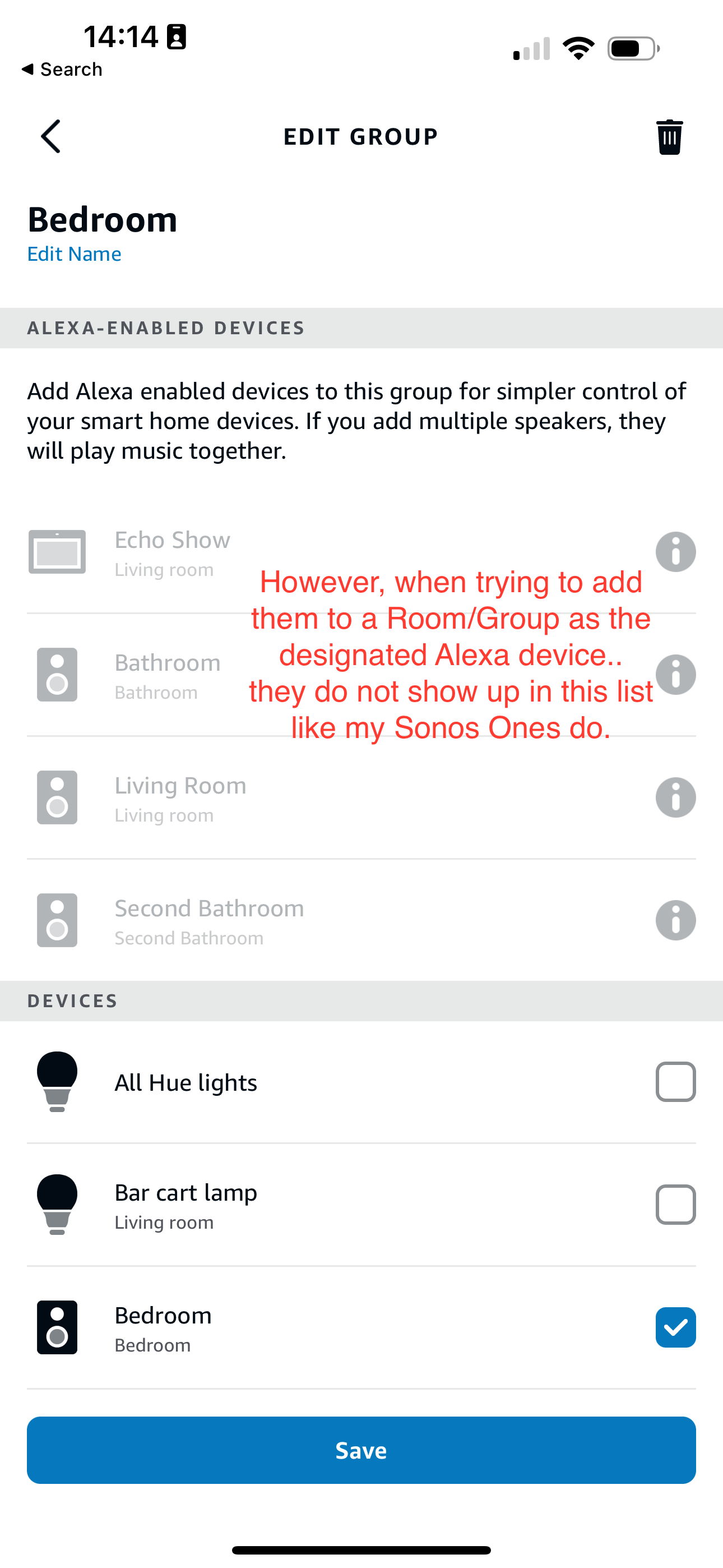
 

This topic has been closed for further comments. You can use the search bar to find a similar topic, or create a new one by clicking Create Topic at the top of the page.
Pinned Reply By Corry P

Hi Everyone

If you are still experiencing this issue (which we believed had stopped happening outside of Germany) please submit a support diagnostic and post the given number along with a screenshot of the Alexa app showing a lack of Era units under “Alexa-enabled Devices”, as above. Thank you.

102 replies

Lyricist I
May 26, 2023

Also having the exact same issue here. I got a new Sonos Era 100 to replace one of my Sonos Ones and can’t add it as an Alexa-enabled device to a group. Please fix this!

Ken_Griffiths
May 26, 2023

Based on past experience, it’s usually some weeks, or even a couple of months, after the release of a new Sonos product before Amazon certify them as an Alexa Group ‘enabling’ (controlling) device. I’m not sure what that certification process involves, but clearly each new device has to be tested by them. It clearly hasn’t happened yet. I recall it took quite a while post-release before the Roam became certified for enabling a group, but these Era products can still be used with an Alexa group, they just cannot control/enable the group at this time.

Heres hoping the Amazon certification occurs sooner, rather that later.🤞

Lyricist I
May 26, 2023

I’m having the same issue with new Era 300

Lyricist I
June 2, 2023

Has Sonos responded with anything about this issue?

Lyricist I
June 14, 2023

This is a very irritating issue for a new Sonos user. I bought these to replace some cheap Dots that have very poor sound quality. Not being able to talk to the speaker about things in the room/group breaks a basic functionality of the Alexa system. Not sure if it is Amazon or Sonos to blame, but it super sucks. 

Lyricist I
July 1, 2023

Facing the same issue with ERA 300. It’s be great if Sonos can acknowledge and provide a tentative fixing date.

Avid Contributor I
July 1, 2023

Same problem here with an Era 100. 

Lyricist II
August 16, 2023

Same issue as everyone else with my two new Era 100. Does not show up as Alexa enabled devices. Disappointing to say the least as they are sold as “Alexa devices”…

Collaborator II
August 26, 2023

Same thing here. I’m in the beta programme and got the tech support people there to look into it - result “it’s an Alexa issue”.

I bought 11 Era100s to replace my 11 Ones. Set them all up today and then discovered this issue. Will be returning all 11. Sonos can shrug and say “it’s an Alexa issue” all day long, but Sonos is one who’s losing money from it, not Amazon. I wonder how much money they lose on returned merchandise. 

Lyricist II
August 26, 2023

Had a chat with Sonos week before last where they admitted it is a Sonos software issue and it is on their side to fix. They said they are aware of the problem but could not give a resolution date…