
Contributor I
March 28, 2023

Unable to set Sonos Era 100 as Alexa-enabled device in room/group using Alexa app

  • March 28, 2023
  • 102 replies
  • 7852 views

Today I’ve upgraded my two Sonos Ones with Sonos Era 100s. After adding Alexa to the speakers, I tried to go into the Alexa app to associate them with their respective rooms. I’m able to add them as the room speaker, but I am unable to set them as the Alexa device for that room (allowing for room-specific commands like “Alexa, turn off the lights”, etc).

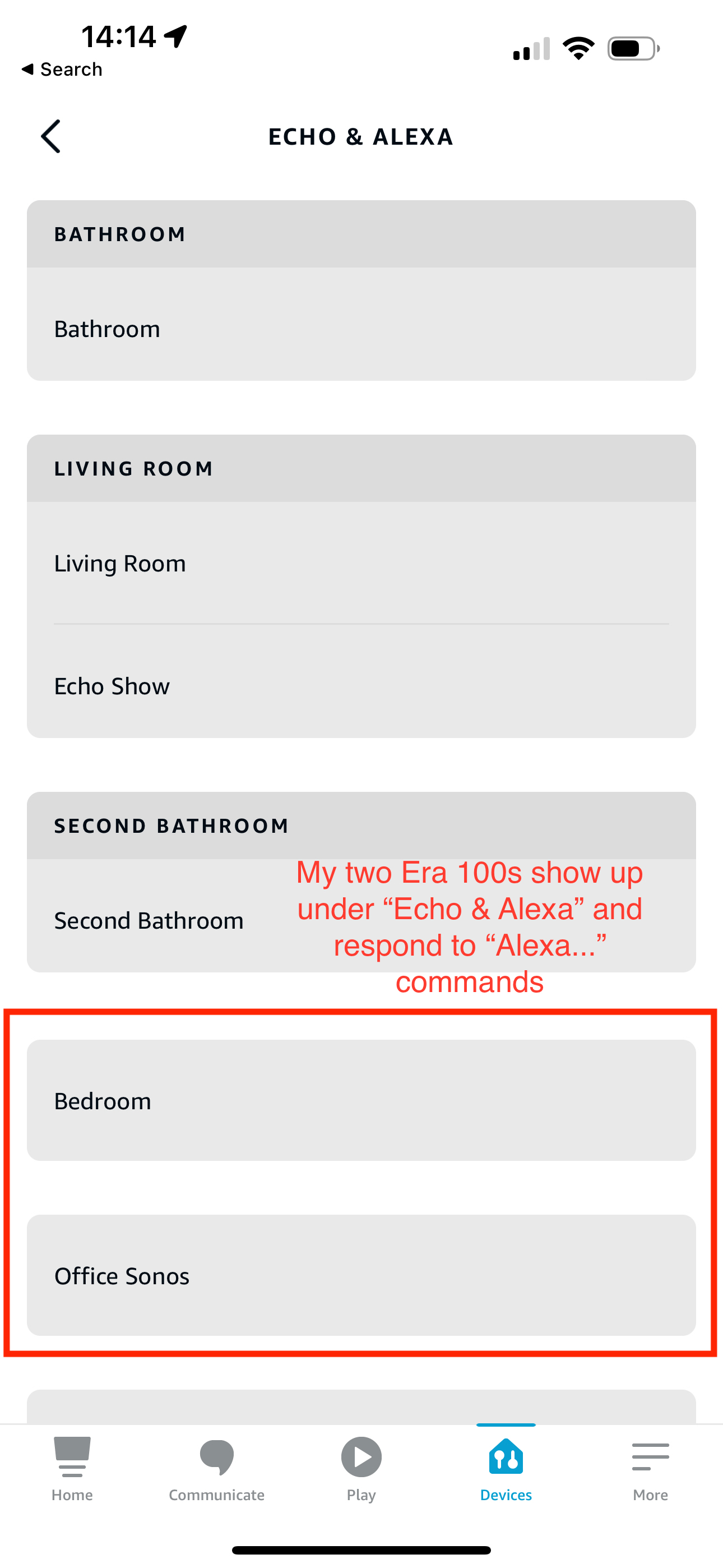
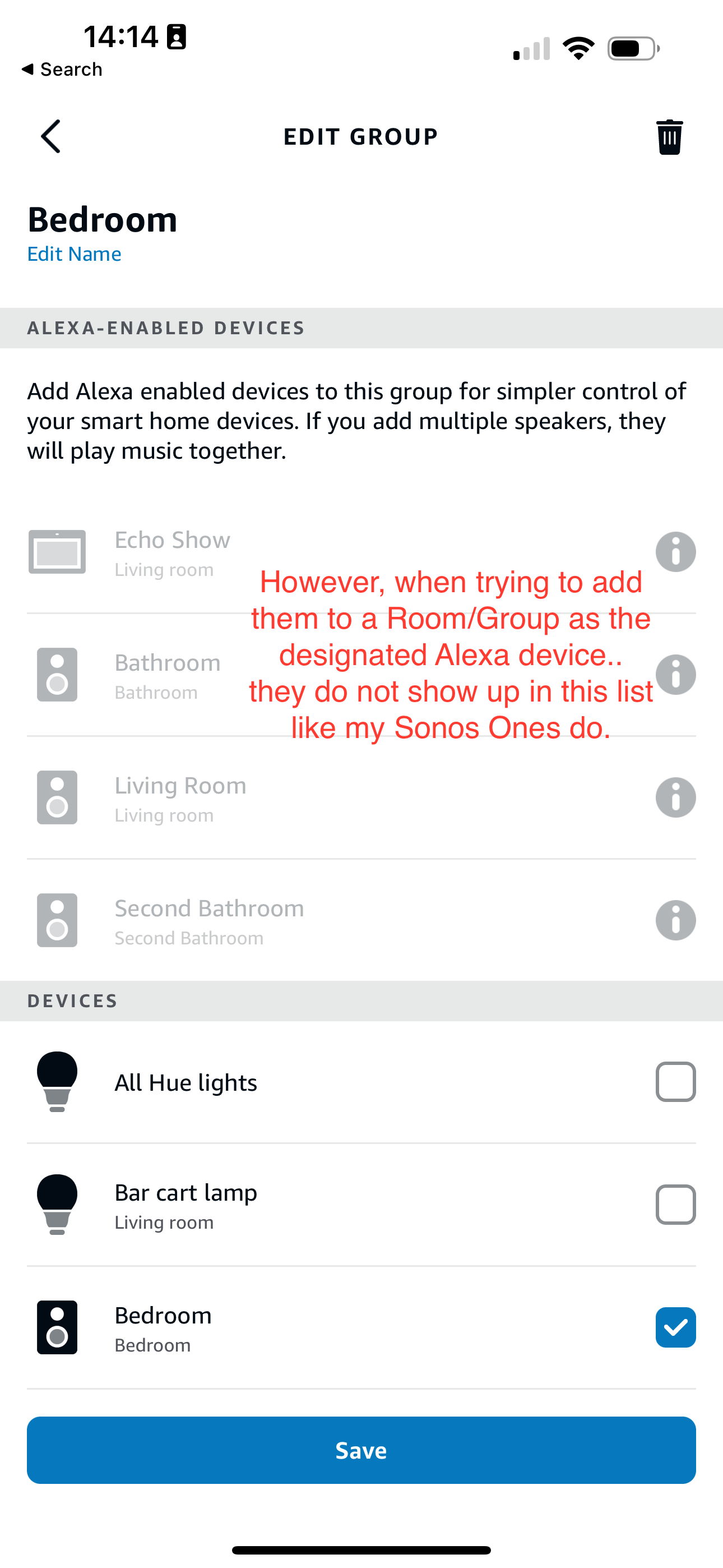
What’s weird is my Era 100s will show up under the Echo & Alexa devices section in the Alexa app, but they do not show up under Alexa-enabled devices when editing a room/group (see attached screenshots).

I’ve reached out to Alexa support and they were largely unhelpful, they claimed that from their resources Alexa isn’t supported on the Sonos Era 100 (maybe their documentation hasn’t been updated since this is a brand new product?). So they left the conversation there even after showing them that Sonos clearly states Alexa built-in support for the Era 100.

Has anyone else experienced this issue? Seems like a bug in the Alexa app, and their support team is unwilling to report the issue up their chain.
 

This topic has been closed for further comments. You can use the search bar to find a similar topic, or create a new one by clicking Create Topic at the top of the page.
Pinned Reply By Corry P

Hi Everyone

If you are still experiencing this issue (which we believed had stopped happening outside of Germany) please submit a support diagnostic and post the given number along with a screenshot of the Alexa app showing a lack of Era units under “Alexa-enabled Devices”, as above. Thank you.

102 replies

Local Superstar
March 30, 2023

Have a look here at the steps I followed, I came to conclusion an issue with Alexa discovery:

https://en.community.sonos.com/speakers-229128/new-era-100s-cannot-setup-alexa-6881415

I also replaced some P1’s & Alexa Echo device with single ERA 100.

I did rename the room with the P1s & echo in Sonos App before I added new ERA100 to Sonos ina new room with the old name.

eg rename ‘Bedroom’ in Sonos App to ‘OLD Bedroom’, add new ERA100 to ‘Bedroom’ and forced rediscover on Alexa by disabling/enabling Sonos Skill.

Lyricist III
March 30, 2023

Same problem here with Era 300.

Works basically well with Alexa, but adding to a group is not possible.

Contributor II
April 1, 2023

Today I’ve upgraded my two Sonos Ones with Sonos Era 100s. After adding Alexa to the speakers, I tried to go into the Alexa app to associate them with their respective rooms. I’m able to add them as the room speaker, but I am unable to set them as the Alexa device for that room (allowing for room-specific commands like “Alexa, turn off the lights”, etc).

What’s weird is my Era 100s will show up under the Echo & Alexa devices section in the Alexa app, but they do not show up under Alexa-enabled devices when editing a room/group (see attached screenshots).

I’ve reached out to Alexa support and they were largely unhelpful, they claimed that from their resources Alexa isn’t supported on the Sonos Era 100 (maybe their documentation hasn’t been updated since this is a brand new product?). So they left the conversation there even after showing them that Sonos clearly states Alexa built-in support for the Era 100.

Has anyone else experienced this issue? Seems like a bug in the Alexa app, and their support team is unwilling to report the issue up their chain.


I am having the same problem with my Era 100 and Beam Gen 2’s. They are not appearing as “Alexa-enabled devices” per the OP’s second screenshot, and cannot be added to the group on Alexa. The Era 100 was a recent addition to my Sonos System. The Beam Gen 2’s had been around for a while but recently dropped out from “Alexa-enabled devices”. I have tried renaming speakers on both Sonos and Alexa apps, reinstalled Alexa on the Era 100, and reinstalled the skill on Alexa, but nothing works. My Arc and Move remain unaffected as “Alexa-enabled devices”, so I can only conclude that something is wrong with the Era 100, and a recent update broke the Beam Gen 2’s.


EDIT: I observed the Beam Gen 2’s dropping out randomly and then going back into their Alexa groups. I’m not sure why. Hopefully it doesn’t drop out again. The Era 100 is still not working with Alexa.

Lyricist III
April 1, 2023

Similar discussion in the German forum:

https://de.community.sonos.com/amazon-alexa-und-sonos-223393/era-300-alexa-gruppe-hinzufuegen-6755294

It occurs to me, Era 100/300 have the same Alexa-bug.

Lyricist III
April 1, 2023

According to this thread concerning Beam gen2 authorization by amazon might be missing?


Lyricist III
April 19, 2023

Got two Era 100 today and seeing the same thing.

Lyricist III
May 5, 2023

I’ve got the exact same issue.

Had a brand new Era 100 delivered today, and can’t seem to add them to a group as an Alexa enabled device.


Has anyone managed to resolve this? Or can anyone confirm that their own Era 100 is working as expected and the can get it work?


Trying to work out it this is a global product issue or  isolated to our particular setup.

Lyricist III
May 5, 2023

It appears to be a global issue and from what I understand is this is something Amazon needs to fix, no idea if they are aware of this however and if Sonos are working with then to do that

Lyricist I
May 24, 2023

Same thing here. I’m in the beta programme and got the tech support people there to look into it - result “it’s an Alexa issue”.

Contributor II
May 24, 2023

Either way, it needs to be fixed. It’s the only thing stopping me from buying three Era 300’s to replace what I have around the house.