Contributor II
April 30, 2025
Answered

Can no longer control Sonos through Alexa (via echo dot)

  • April 30, 2025
  • 22 replies
  • 972 views

I can no longer control my Sonos system through alexa and i’m tearing my hair out. Note, i’m referring to control via an echo device linked via an alexa skill, not adding a voice controller directly to a speaker.

I request a song, alexa states the name of the song, and the zone where i’ve requested it to play, but followed immediately by “hmm, I’m having trouble playing that right now”.

I have been through the following steps multiple times based off reading people who have had similar, if not identical problems, but it has not resolved my issue.

  • Disable Alexa Skill
  • De-register all Sonos devices from my Amazon.co.uk account (4 zones in total)
    • I’ve tried this via the Amazon web UI and directly through the Alexa app
  • Remove any voice controllers configured directly onto a speaker (in my case, removing alexa from 1 Sonos Move)
  • Delete the devices from Alexa following the de-registration - did this only on my 3rd and final attempt to sort this
  • Log out of all amazon.co.uk accounts, and alexa app
  • Re-link the sonos skill
  • Re-register the devices to my alexa account (signed in via my amazon.co.uk details)

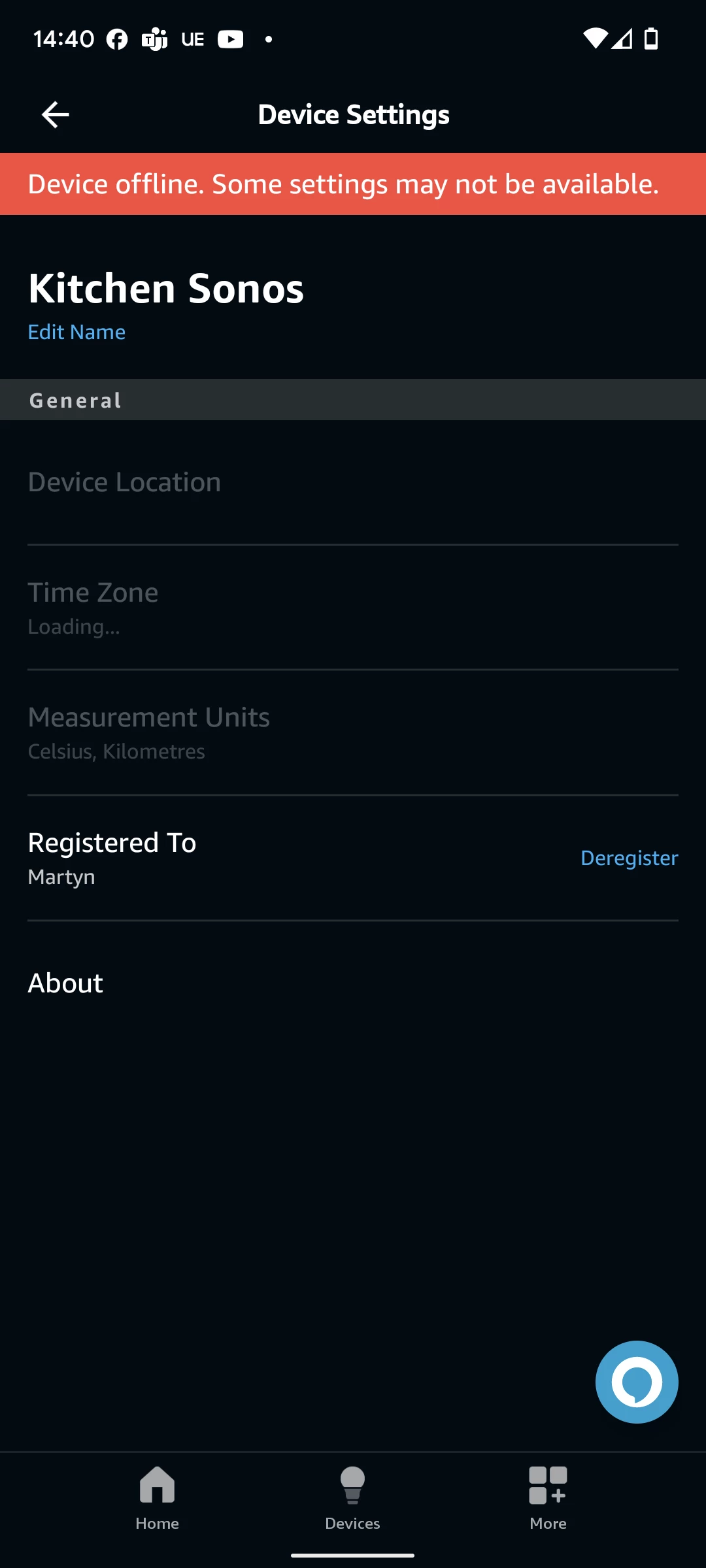
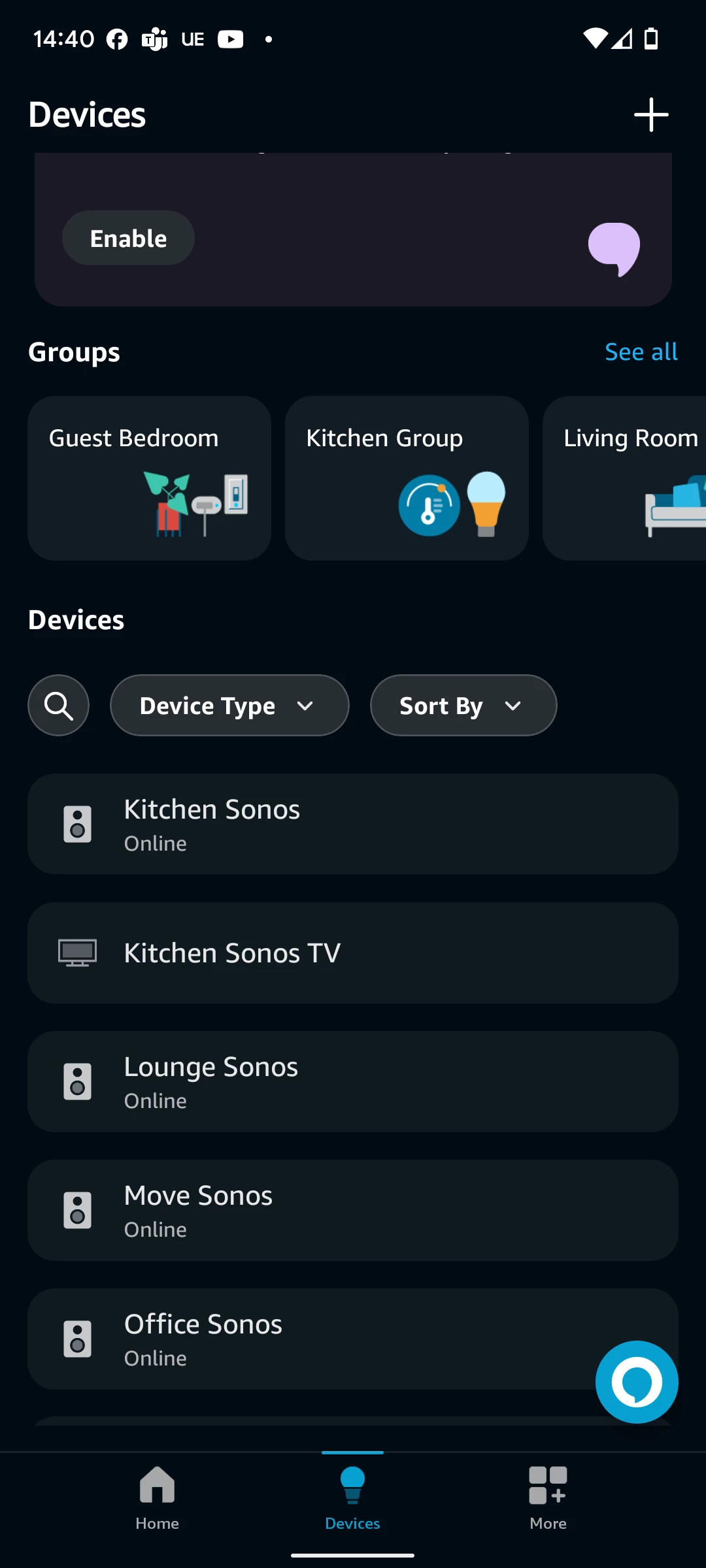
Doing this, the devices all get re-added successfully to my alexa account, and show as “Online” via the top level “Devices” menu, but when i select one of the sonos zones via the Alexa app UI, I’m presented with a “Device offline. Some settings may not be available”.

I’ve tried doing on a 2.4ghz network only, having 1 sonos device wired via ethernet, having all sonos devices connect via wifi only, but nothing has worked.

Any other suggestions for things i might try?
 

This topic has been closed for further comments. You can use the search bar to find a similar topic, or create a new one by clicking Create Topic at the top of the page.
Best answer by mart1984

Yes i always specify the sonos zone as part of the command.

Fortunately, as of this morning, it is now working again, despite still playing up yesterday. Technology.

22 replies

Contributor I
May 26, 2025

Same issue here. Apple music is my default music service. When I ask to play something via a voice command to an echo it pauses  then says “hmm I'm having trouble playing that right now." Other music services work fine. If I ask the echo to play amazon music, it works. 

Prodigy III
May 26, 2025

Looks like there’s a major issue with playing Apple Music through Alexa on the Sonos right now… This isn’t the only thread to highlight it.

Lyricist I
May 26, 2025

Not that it’s much help but having the same issue, tried the same, basically resetting everything and no luck. Playing music via the Sonos app using Apple Music is fine, playing music through an Alexa device is fine it’s just playing Apple Music through Sonos via Alexa which is pretty much half the purpose of having the Sonos smart speakers.

Lyricist II
May 27, 2025

Looks like there’s a major issue with playing Apple Music through Alexa on the Sonos right now… This isn’t the only thread to highlight it.

I agree.  I am seeing it all over “X” as well.  However, I haven’t seen a single person acknowledge it from sonos/apple music/or amazon...

Prodigy III
May 27, 2025

​@bob78 

The majority of today’s posts on the various threads about this issue have now confirmed that it has been fixed, or fixed itself. 

Lyricist II
May 27, 2025

Seems to be fixed

Prodigy III
May 27, 2025

Seems to be fixed

​@bob78 

i.e. posts such as this.

Lyricist II
May 27, 2025

​@bob78 

The majority of today’s posts on the various threads about this issue have now confirmed that it has been fixed, or fixed itself. 

Just tested and can confirmed fixed as well.  Did anyone see anything that indicated where it broke?  Was it Sonos, Amazon or Apple?

Lyricist I
May 30, 2025

No it is absolutely NOT fixed. I get tired of Sonos technical support not knowing anything about these problems and yet I come on here and find this thread.

Airgetlam
May 31, 2025

If your system isn’t fixed, but many others have been, that certainly suggests an entirely different issue your system is experiencing. Unfortunately, you’ve not told us anything concrete, so the best we can do is suggest you call Sonos Support directly to discuss it. Despite your reservations. 

When you speak directly to the phone folks, they have tools at their disposal that will allow them to give you advice specific to your network and Sonos system.

Bruce