
Contributor II
April 30, 2025
Answered

Can no longer control Sonos through Alexa (via echo dot)

  • April 30, 2025
  • 22 replies
  • 977 views

I can no longer control my Sonos system through alexa and i’m tearing my hair out. Note, i’m referring to control via an echo device linked via an alexa skill, not adding a voice controller directly to a speaker.

I request a song, alexa states the name of the song, and the zone where i’ve requested it to play, but followed immediately by “hmm, I’m having trouble playing that right now”.

I have been through the following steps multiple times based off reading people who have had similar, if not identical problems, but it has not resolved my issue.

  • Disable Alexa Skill
  • De-register all Sonos devices from my Amazon.co.uk account (4 zones in total)
    • I’ve tried this via the Amazon web UI and directly through the Alexa app
  • Remove any voice controllers configured directly onto a speaker (in my case, removing alexa from 1 Sonos Move)
  • Delete the devices from Alexa following the de-registration - did this only on my 3rd and final attempt to sort this
  • Log out of all amazon.co.uk accounts, and alexa app
  • Re-link the sonos skill
  • Re-register the devices to my alexa account (signed in via my amazon.co.uk details)

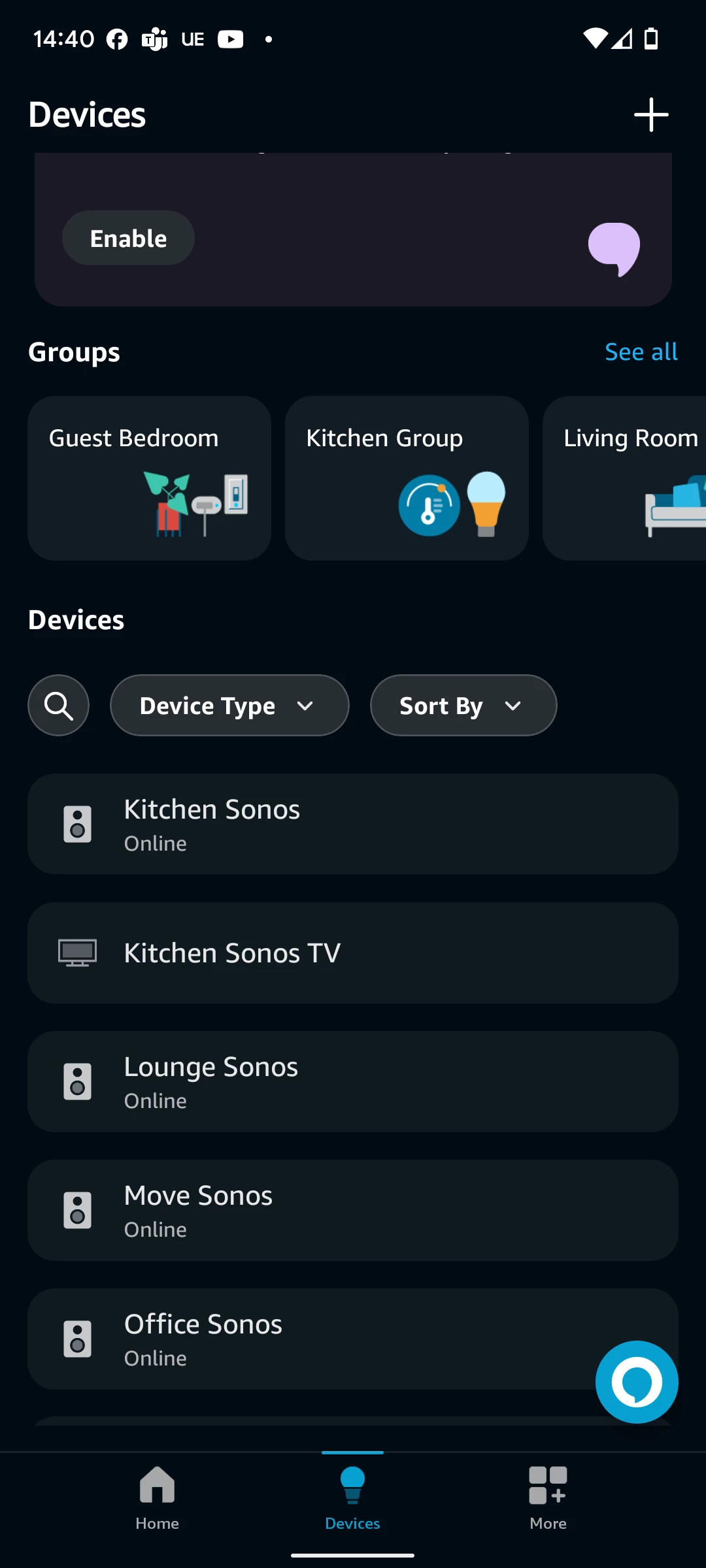
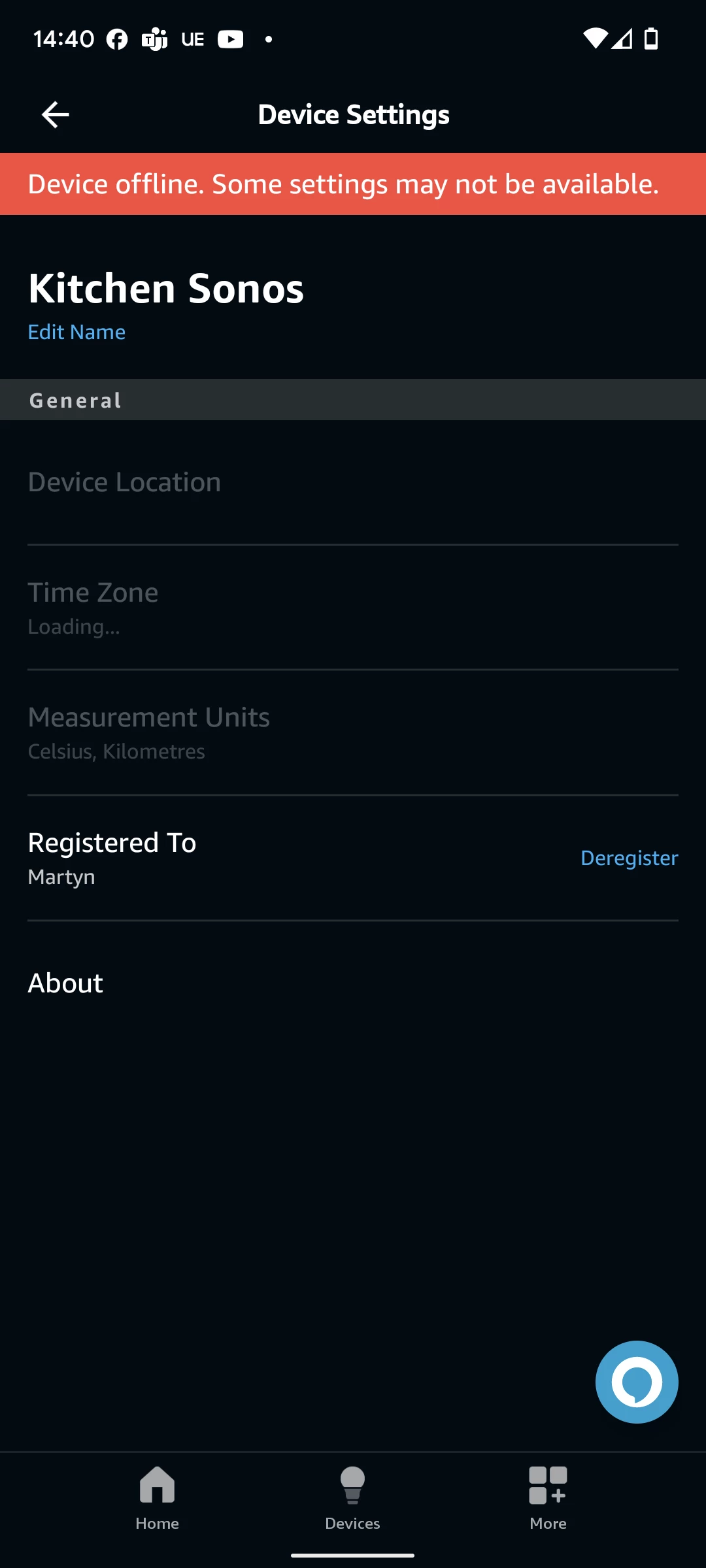
Doing this, the devices all get re-added successfully to my alexa account, and show as “Online” via the top level “Devices” menu, but when i select one of the sonos zones via the Alexa app UI, I’m presented with a “Device offline. Some settings may not be available”.

I’ve tried doing on a 2.4ghz network only, having 1 sonos device wired via ethernet, having all sonos devices connect via wifi only, but nothing has worked.

Any other suggestions for things i might try?
 

This topic has been closed for further comments. You can use the search bar to find a similar topic, or create a new one by clicking Create Topic at the top of the page.
Best answer by mart1984

Yes i always specify the sonos zone as part of the command.

Fortunately, as of this morning, it is now working again, despite still playing up yesterday. Technology.

22 replies

Local Superstar
April 30, 2025

but when i select one of the sonos zones via the Alexa app UI, I’m presented with a “Device offline. Some settings may not be available”.


IIRC this is normal for non ‘Alexa’ enabled devices, eg Sonos speakers that do not have Alexa functionality.

Have you tried to be more specific “Alexa, play xxxx in Kitchen Sonos”? ie direct function to the specific named device?


mart1984AuthorAnswer
Contributor II
May 1, 2025

Yes i always specify the sonos zone as part of the command.

Fortunately, as of this morning, it is now working again, despite still playing up yesterday. Technology.

Local Superstar
May 1, 2025

Fortunately, as of this morning, it is now working again, despite still playing up yesterday. Technology.

Even though Alexa is now working, my bet is the Sonos speaker is still showing as offline in Alexa App, if so, this is as expected, as per my previous comment.

mart1984Author
Contributor II
May 1, 2025

Fortunately, as of this morning, it is now working again, despite still playing up yesterday. Technology.

Even though Alexa is now working, my bet is the Sonos speaker is still showing as offline in Alexa App, if so, this is as expected, as per my previous comment.

Yep, you’re correct on that. Thanks for the responses.

Contributor I
May 22, 2025

I can no longer control my Sonos system through alexa and i’m tearing my hair out. Note, i’m referring to control via an echo device linked via an alexa skill, not adding a voice controller directly to a speaker.

I request a song, alexa states the name of the song, and the zone where i’ve requested it to play, but followed immediately by “hmm, I’m having trouble playing that right now”.

I have been through the following steps multiple times based off reading people who have had similar, if not identical problems, but it has not resolved my issue.

  • Disable Alexa Skill
  • De-register all Sonos devices from my Amazon.co.uk account (4 zones in total)
    • I’ve tried this via the Amazon web UI and directly through the Alexa app
  • Remove any voice controllers configured directly onto a speaker (in my case, removing alexa from 1 Sonos Move)
  • Delete the devices from Alexa following the de-registration - did this only on my 3rd and final attempt to sort this
  • Log out of all amazon.co.uk accounts, and alexa app
  • Re-link the sonos skill
  • Re-register the devices to my alexa account (signed in via my amazon.co.uk details)

Doing this, the devices all get re-added successfully to my alexa account, and show as “Online” via the top level “Devices” menu, but when i select one of the sonos zones via the Alexa app UI, I’m presented with a “Device offline. Some settings may not be available”.

I’ve tried doing on a 2.4ghz network only, having 1 sonos device wired via ethernet, having all sonos devices connect via wifi only, but nothing has worked.

Any other suggestions for things i might try?
 

Did you do anything beyond the steps you have listed or did it just magically right itself, as tech is annoyingly prone to doing? I am in the exact same situation as you at the moment and have tried all basic steps. Trying to determine if I should try some patience before I disappear down the rabbit hole. 

Lyricist I
May 25, 2025

I am having the same problem with Alexa on all my speakers. Uninstalled everything, updated modem firmware, skills disabled and reinstalled etc and still no luck 

Prodigy III
May 25, 2025

Have you (re)set up Alexa in the Sonos app, not the Alexa app?

Contributor I
May 25, 2025

After further testing, my issue seems to be limited to Apple Music. If I ask Alexa to play anything via Apple Music, the attached is the message I get in the Sonos app; after a few seconds Alexa then says “I’m having difficulty playing that”. If I ask for music via Amazon Music, it works fine. I can also start playing from Apple Music via the Sonos app with no issue, and Alexa will pause/stop that if asked. 

Lyricist II
May 25, 2025

Same issue. Amazon Music works through voice commands. Only Apple Music fails when initiated from Alexa through voice commands.

Lyricist II
May 25, 2025

Same issue playing Apple Music from Alexa.  I’ve gone through all the steps of registering the device, disabling and enabling the skill.  

The issue only occurs trying to play Apple Music from the Alexa with Sonos.  If I play songs from Apple Music directly from the Sonos app, that works perfectly fine   


posting on this thread, so that it gains additional visibility of being a wider issue.