Can no longer control Sonos through Alexa (via echo dot)
I can no longer control my Sonos system through alexa and i’m tearing my hair out. Note, i’m referring to control via an echo device linked via an alexa skill, not adding a voice controller directly to a speaker.
I request a song, alexa states the name of the song, and the zone where i’ve requested it to play, but followed immediately by “hmm, I’m having trouble playing that right now”.
I have been through the following steps multiple times based off reading people who have had similar, if not identical problems, but it has not resolved my issue.
- Disable Alexa Skill
- De-register all Sonos devices from my Amazon.co.uk account (4 zones in total)
- I’ve tried this via the Amazon web UI and directly through the Alexa app
- Remove any voice controllers configured directly onto a speaker (in my case, removing alexa from 1 Sonos Move)
- Delete the devices from Alexa following the de-registration - did this only on my 3rd and final attempt to sort this
- Log out of all amazon.co.uk accounts, and alexa app
- Re-link the sonos skill
- Re-register the devices to my alexa account (signed in via my amazon.co.uk details)
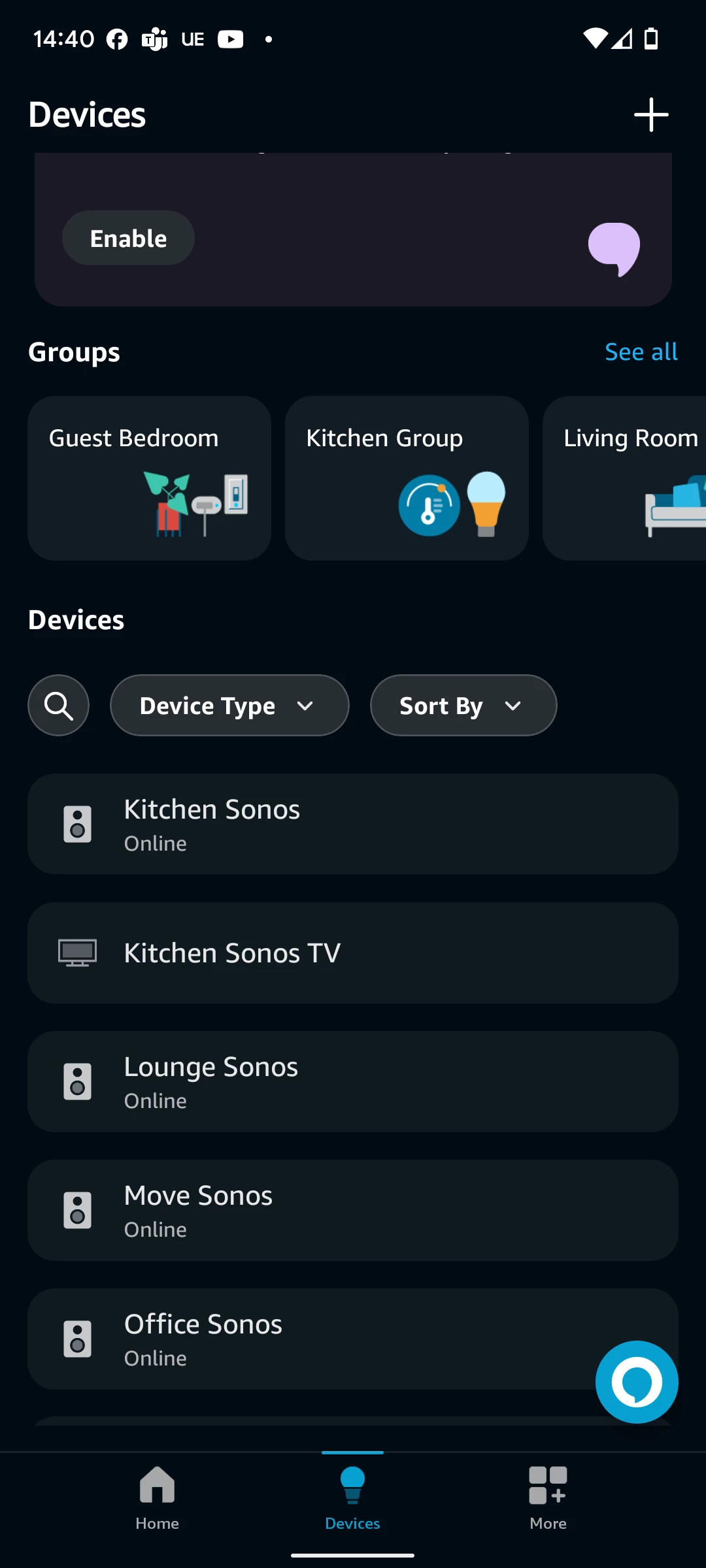
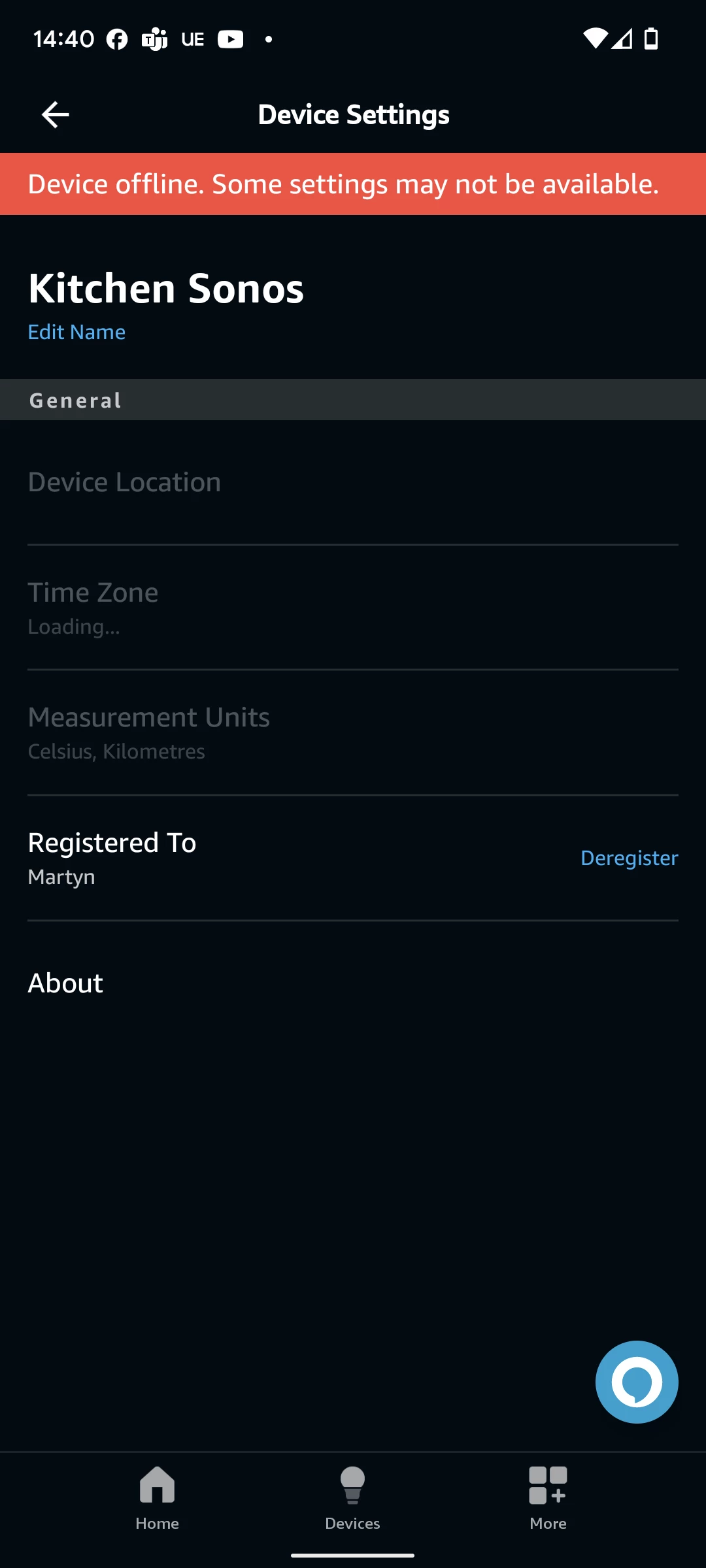
Doing this, the devices all get re-added successfully to my alexa account, and show as “Online” via the top level “Devices” menu, but when i select one of the sonos zones via the Alexa app UI, I’m presented with a “Device offline. Some settings may not be available”.
I’ve tried doing on a 2.4ghz network only, having 1 sonos device wired via ethernet, having all sonos devices connect via wifi only, but nothing has worked.
Any other suggestions for things i might try?