Question

Sonos/Alexa integration

  • March 8, 2026
  • 5 replies
  • 40 views

March ‘26 still no further. Wow!

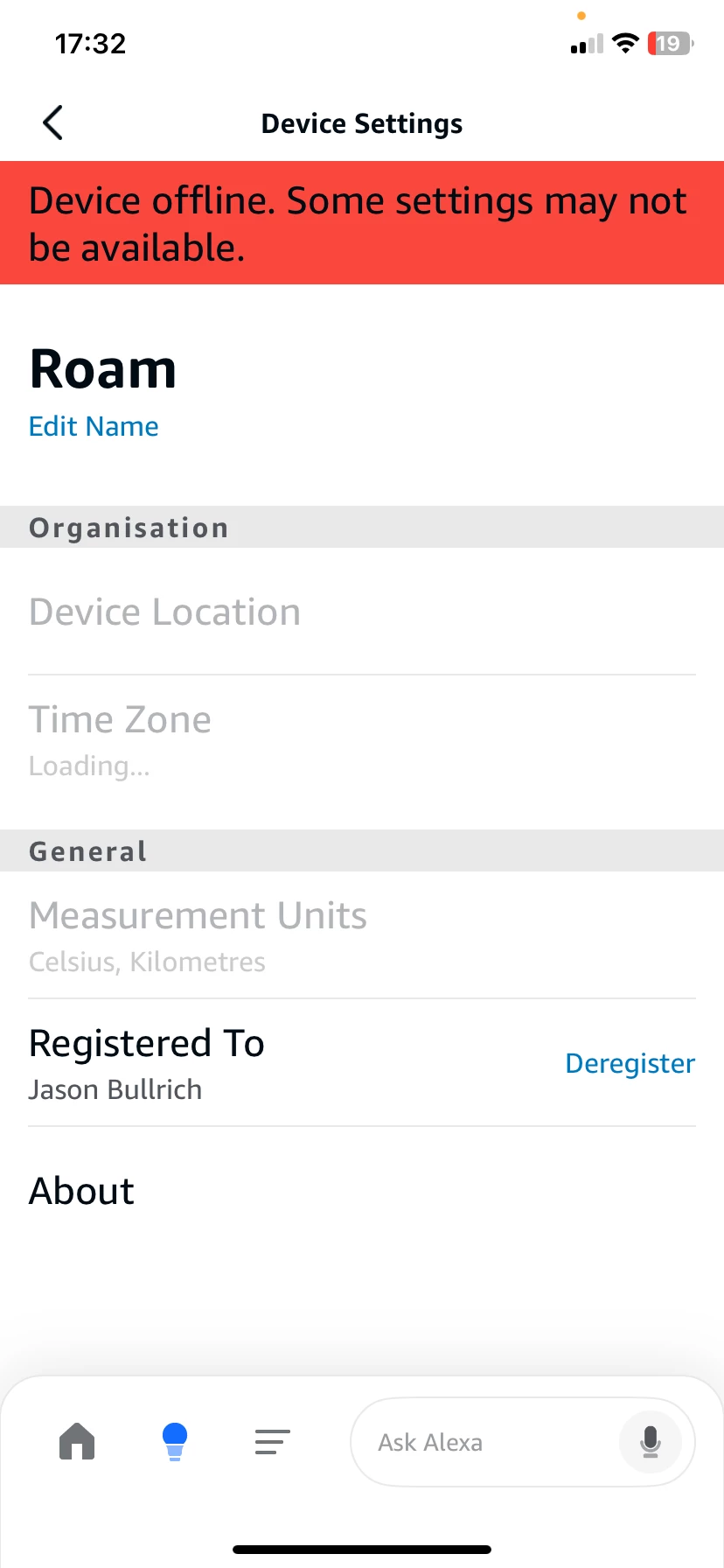
Still can’t get rid of the ‘red stripe’ device offline. Some settings may not be available.. Been ages now. Appalling! Didn’t really need to buy Alexa compatible speakers. Sonos, Alexa owes you a few...!

If anybody has any fixes that aren't online, let me know.

Jay Bullrich

5 replies

Airgetlam
  • March 8, 2026

Not sure I understand your post. What is a ‘red stripe’ device? What is the issue you’re experiencing, exactly? Have you performed a network refresh, by unplugging all Sonos devices from power, then rebooting your router, and waiting two minutes before plugging back in your Sonos devices? 


  • Author
  • Contributor II
  • March 8, 2026

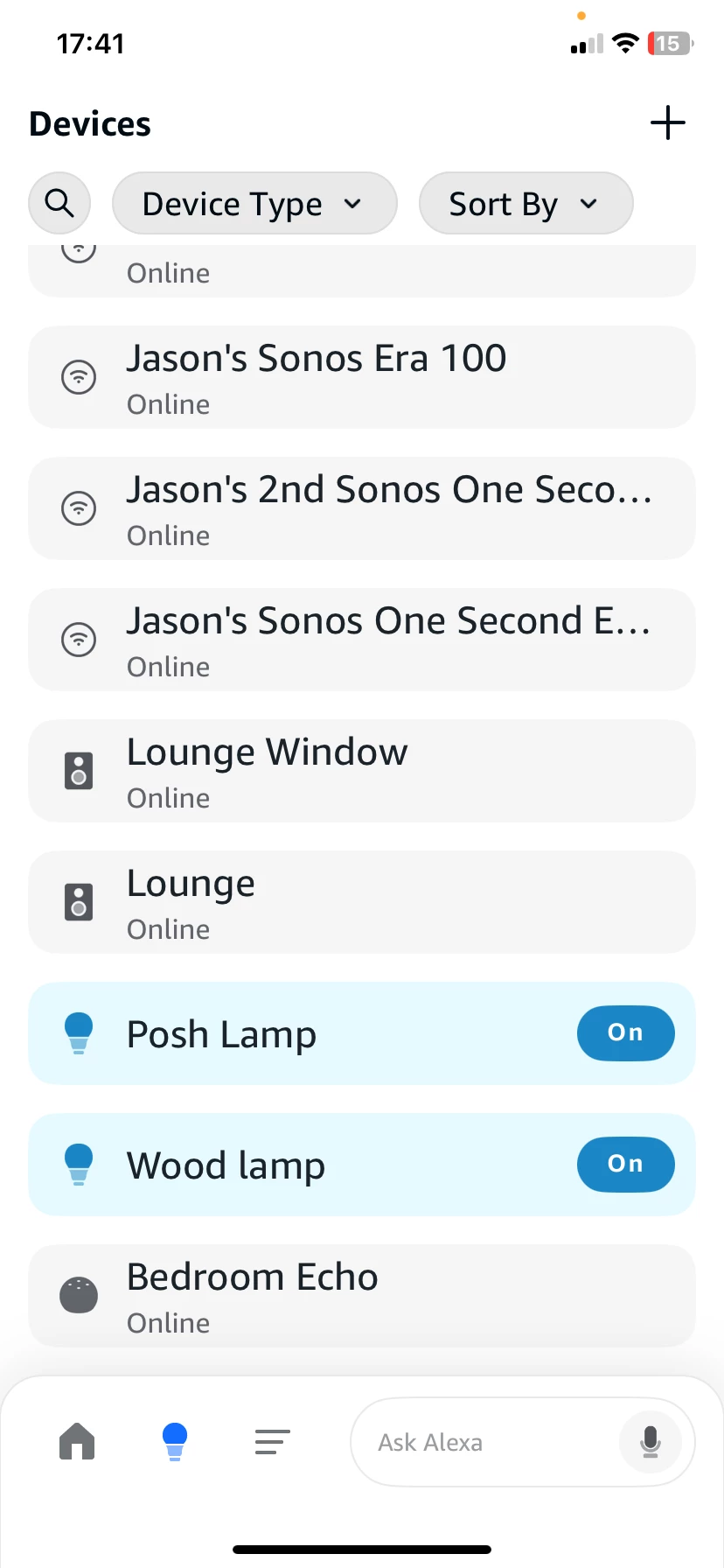
I’ve worked it out. Sort of. I’ve got my Playbar and One SLs in a group so they aren't compatible and Alexa obviously can’t read it but the single Alexa compatible speakers work on their own including the One SL’s weirdly. The Playbar also works on command but not in a group. Hey ho! As you see here, the device list shows the device is online but when you click it it shows offline. It still works though but it’s annoying. I'm just wondering if it’s because there are Alexa compatible and incompatible speakers on the list. Here's the pics:


jgatie
  • March 8, 2026

🤔


MoPac
Forum|alt.badge.img+19
  • Headliner III
  • March 8, 2026

  I get the same for all Sonos rooms.  Disabling/Enabling the Sonos skill did nothing.  Asking an Echo speaker to play a Sonos room does NOT work.  I Don’t use Alexa voice control on Sonos speakers.


AjTrek1
  • March 8, 2026

Looks like you are in the Alexa App. We nor Sonos can troubleshoot the Alexa app. Except to have you delete it and reinstall it.

So the questions are…what do you see in the Sonos app? Are all your devices active and can you control them via the Sonos app?