

Networking: Sonos Speakers are Smarter Than You
I hope the title of this post caught your attention 😊. I want to share my thoughts regarding how Sonos really doesn’t need our help to function reliably beyond configuring a stable network.
As Mesh networks are the going trend (as is mine) that is my focus. I’ve set the stage with a few generics common to mesh networks.
Typical Mesh Network
- Router (Main Node)
- Satellites Nodes (1, 2 or 3) *
Tri-Band Router (Option 1)
- 2.4Ghz
- 5Ghz (1)
- 5Ghz (2)
Tri-Band Router (Option 2)
- 2.4Ghz
- 5Ghz
- 6Ghz
All Bands should have the Same SSID
I have a stereo pair of Sonos Play portable speakers. They usually rest in my downstairs media room. I decided to bring them out to my deck.
The path to my deck is through my living room where one of my satellite nodes is located. I also have a satellite node on my deck for long distance outside coverage.
As I moved through my home to the deck the Plays decided which node they would connect to. In the pictures below you see that….
My Play (L) decided to connect to the satellite node in the Living Room.
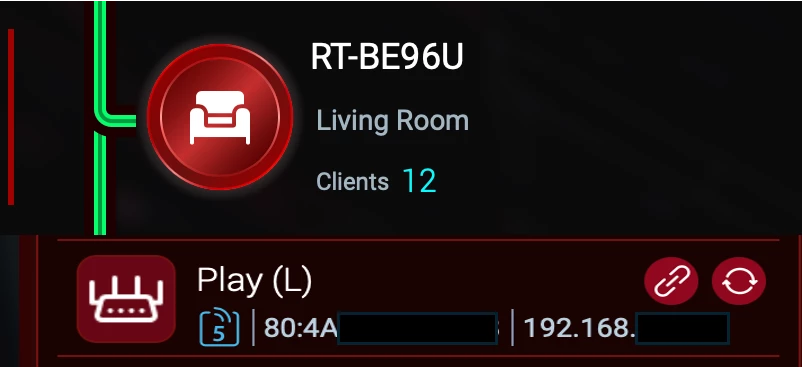
The Play (R) choose the satellite node on my deck called Yard.
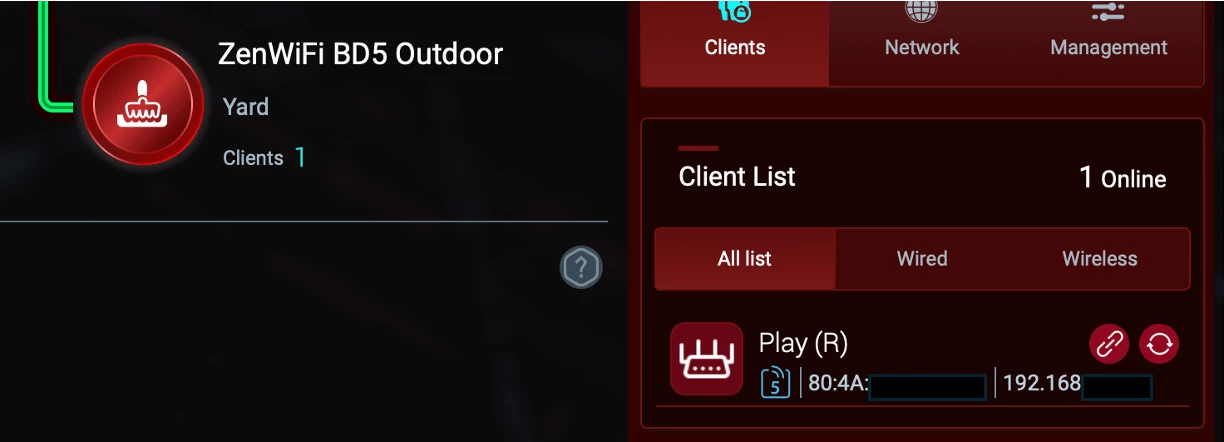
As you can see both left and right Play’s chose the 5Ghz band; although connected to different nodes. I streamed SiriusXM Watercolors for slightly over three (3) hours with no drops.
So, rather than assigning a particular band to a Sonos speaker or a particular node in your mesh….
Let Sonos...
- Decide which band to use (i.e. 2.4Ghz or 5Ghz).
- Decide which Node it will connect to
That said...Enjoy Your Sonos!
* Nodes can be full-on routers that have been configured to act as a satellite node in a mesh network