It is time for iOS Widgets

  • April 7, 2026
  • 8 replies
  • 70 views

It is time for iOS Widgets to be part of the Sonos App. Widgets have come to be part of the norm for many high-end applications on iOS. Being able to have a fixed or active widget populate when you get home and join the Sonos network to quickly and seamlessly start your favorite music would be outstanding.


I have been using LYD, but unfortunately find it a little slow and clunky since it is not native to Sonos. I want to be able to have quick access to sound and selection of music. The Sonos app as it stands is clunky to navigate, with too many swipe down and taps to change locations. Also, I would like to see the ability to set preferred locations in the app when connected to the network. For those that have physical Sonos speakers around the house, this might not be as important, but for those of us that have invested heavily into Sonos Amps along with the new and exciting Sonos Amp Multi, we don’t have play/pause and volume buttons placed around the house.


I would love for others to share ideas and solutions to continue to make Sonos THE choice in home entertainment. There is no doubt Sonos has innovated the way into whole home sound and the world's easiest Atoms system on the planet that performs. I have to say I am extremely excited for the Sonos Amp Multi and the possibilities behind it, can't wait to see what Sonos might do with these ideas and more from customers.


8 replies

Airgetlam
  • April 7, 2026

Might be challenging (not sure, I’m no programmer) because the controller on any platform (Android, iOS, Windows, Mac, web) is merely a device to send commands to the system running on the Sonos devices. Removes a direct connection, certainly, I don’t know how widgets are displaying data. 
 

@controlav , any words of wisdom, as a programmer, particularly of an app that interacts with the Sonos system?


  • Author
  • Contributor I
  • April 7, 2026

Being that Sonos has gone cloud based and not a device itself hosting the system, you would merely be interfacing with the cloud based system controlling your Sonos speaks. Kinda like how you can walk into a network, and if configured, your iPhone, iPad, etc. knows your Apple TV is playing content and allows you to control the TV without having to do anything but turn your display on and see a live widget. You can control your Sonos system from anywhere at play.sonos.com, same reason LYD allows you to do the same with the system when you're not even home


  • Lyricist III
  • April 7, 2026

invested heavily into Sonos Amps along with the new and exciting Sonos Amp Multi, we don’t have play/pause and volume buttons placed around the house.


I don’t really understand what you are asking for in terms of widgets but check out the Sonos symfonisk and new matter remotes for controls to place around your house. Super cheap and reliable 


controlav
Forum|alt.badge.img+24
  • Lead Maestro
  • April 8, 2026

@controlav , any words of wisdom, as a programmer, particularly of an app that interacts with the Sonos system?

Sadly I know literally nothing about iOS widgets. However one of the issues is that Sonos control is a two-way street, so a widget (or a background service) would have to “keep an eye” on the Sonos devices to understand their state (eg volume, track) which can change at any time.

The Sonify app author knows iOS really, really well, and Sonos pretty well, so if they can’t get an iOS widget working, then no-one can.


  • Author
  • Contributor I
  • April 8, 2026

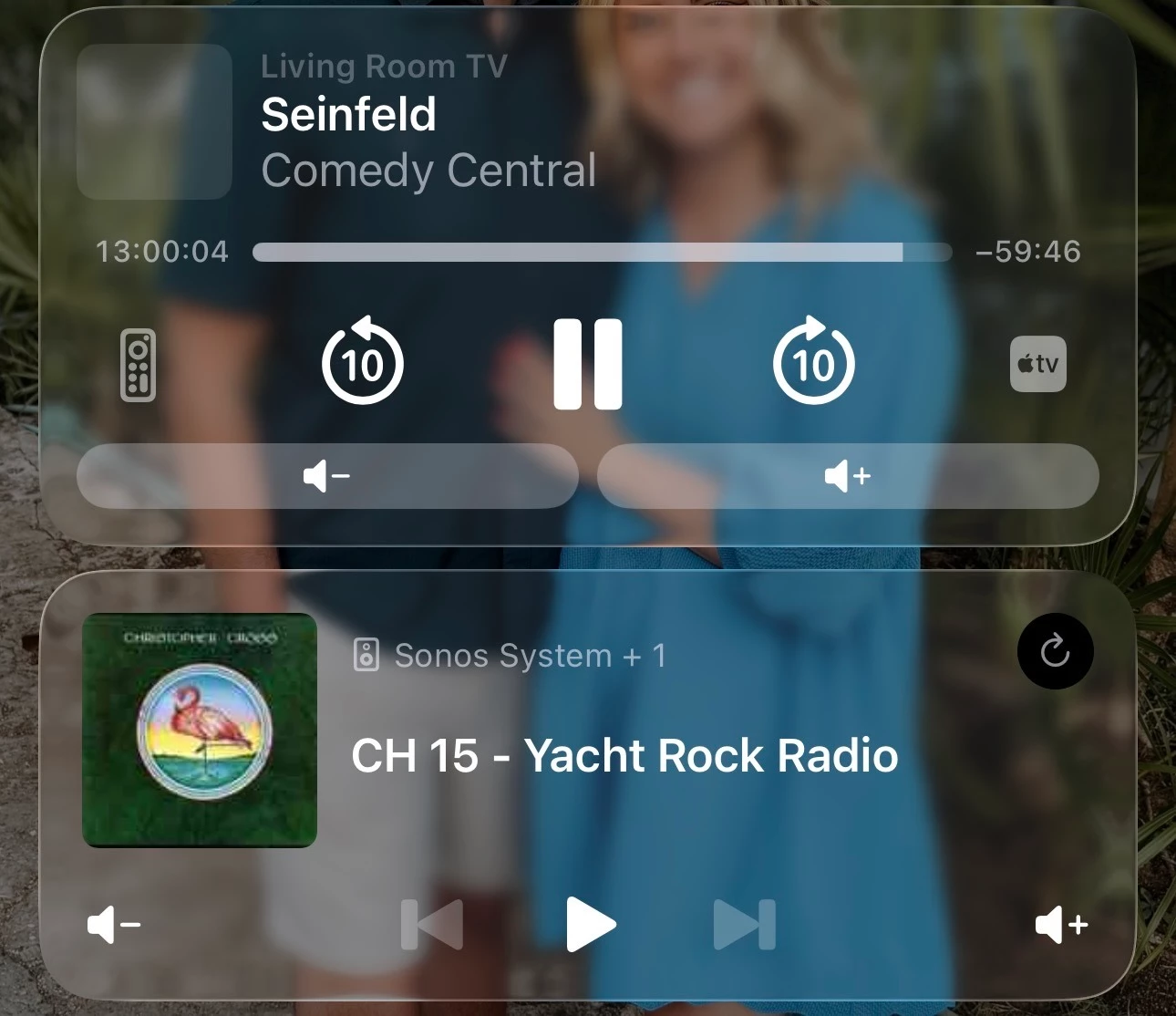
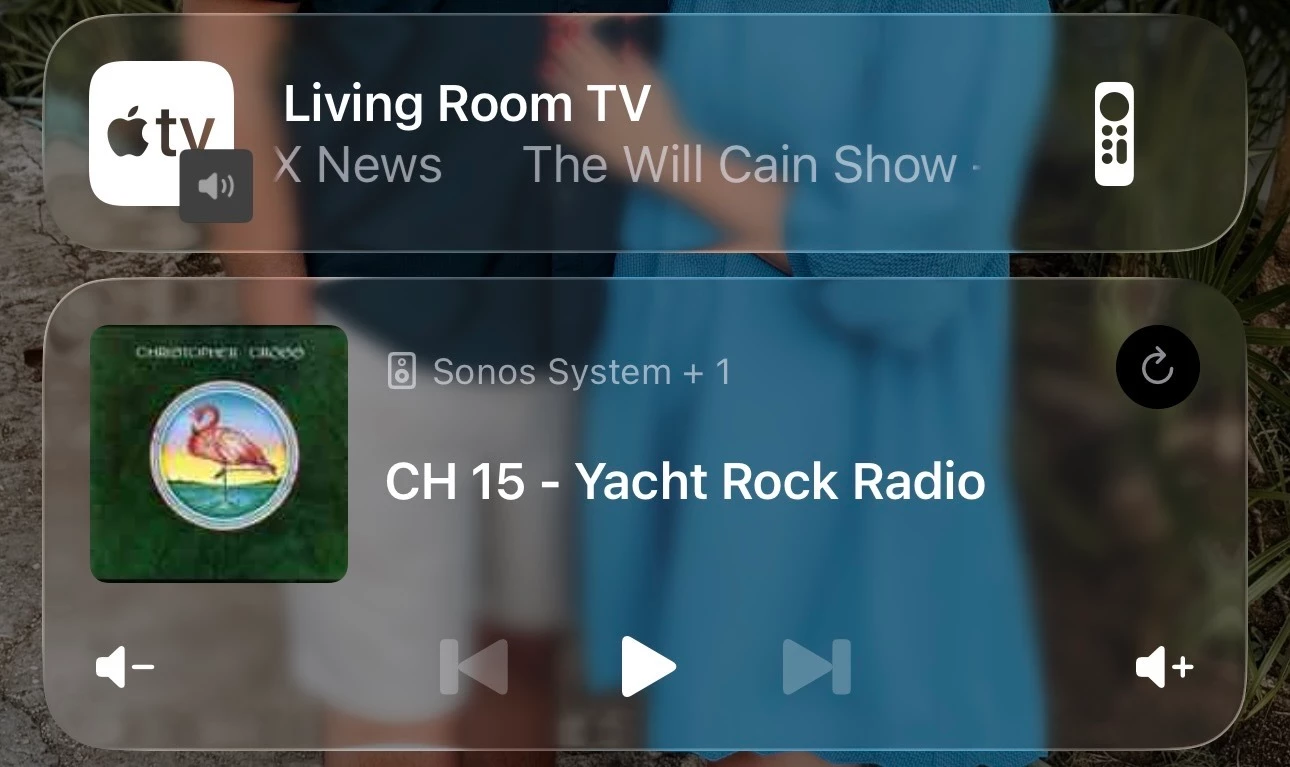
It is very possible cause Apple themselves do it with Apple TV. I'll attach a screen shot that includes Apple TV and LYD app that runs with Sonos. 

The Apple TV active widget populates any time I turn the TV on and then goes aways when the TV turns off. If the TV is on when I walk in the door, the widget appears, when I leave the house it goes away. 

When you tap on the TV control it expands and gives you more info and controls. 

As you can see the LYD active widget allows me to pause/play and volume change, and the Apple TV allows the same. This is all live update and refreshed data. The reason I want to see Sonos do it is so that it is native to the app and not a third parting pining Sonos servers. This is all very doable for Sonos, they just simply need to catch up with the times on their customer facing software. 


Airgetlam
  • April 8, 2026

Not sure I agree. In that case, the Apple TV is doing the processing. In Sonos case, it isn’t the iOS device, it is the Sonos device. 

But as said, I’m not a programmer. I suppose if you say, it is possible. It would then be a matter of priority and profitability for Sonos to do so. I just don’t see sales increasing if this became a ‘thing’, in terms of a large enough sales bump to justify the investment in programming for those (like me) who use iOS. It would be yet another thing for Android users, and desktop users to complain about, as well. 

Of course, Sonos doesn’t tell us in the public what they’re working on. For all I know, it will be in their next software release…or not. We can only speculate. It would be cool for us if it happens. I’m just not going to hold my breath. 


Mr. T
  • April 8, 2026

iOS Widgets were mentioned by the CEO in the r/sonos January Office Hours.

”…They’re tempting, but Apple’s widget model doesn’t support live, continuously updating state. That means you can’t reliably keep things like now playing information or playback state in sync with what the system is actually doing, which leads to a pretty frustrating experience.”

https://www.reddit.com/r/sonos/comments/1qofc3w/comment/o2agvhp/?utm_source=share&utm_medium=web3x&utm_name=web3xcss&utm_term=1&utm_content=share_button


  • Lyricist III
  • April 9, 2026

@RFrank13 is saying widget but his screen shots are live activity events. Sonos’ incoming lock screen controls will rely on live activities.