Sonos Amp with a Projector

  • December 11, 2025
  • 7 replies
  • 61 views

Forum|alt.badge.img

Hello,

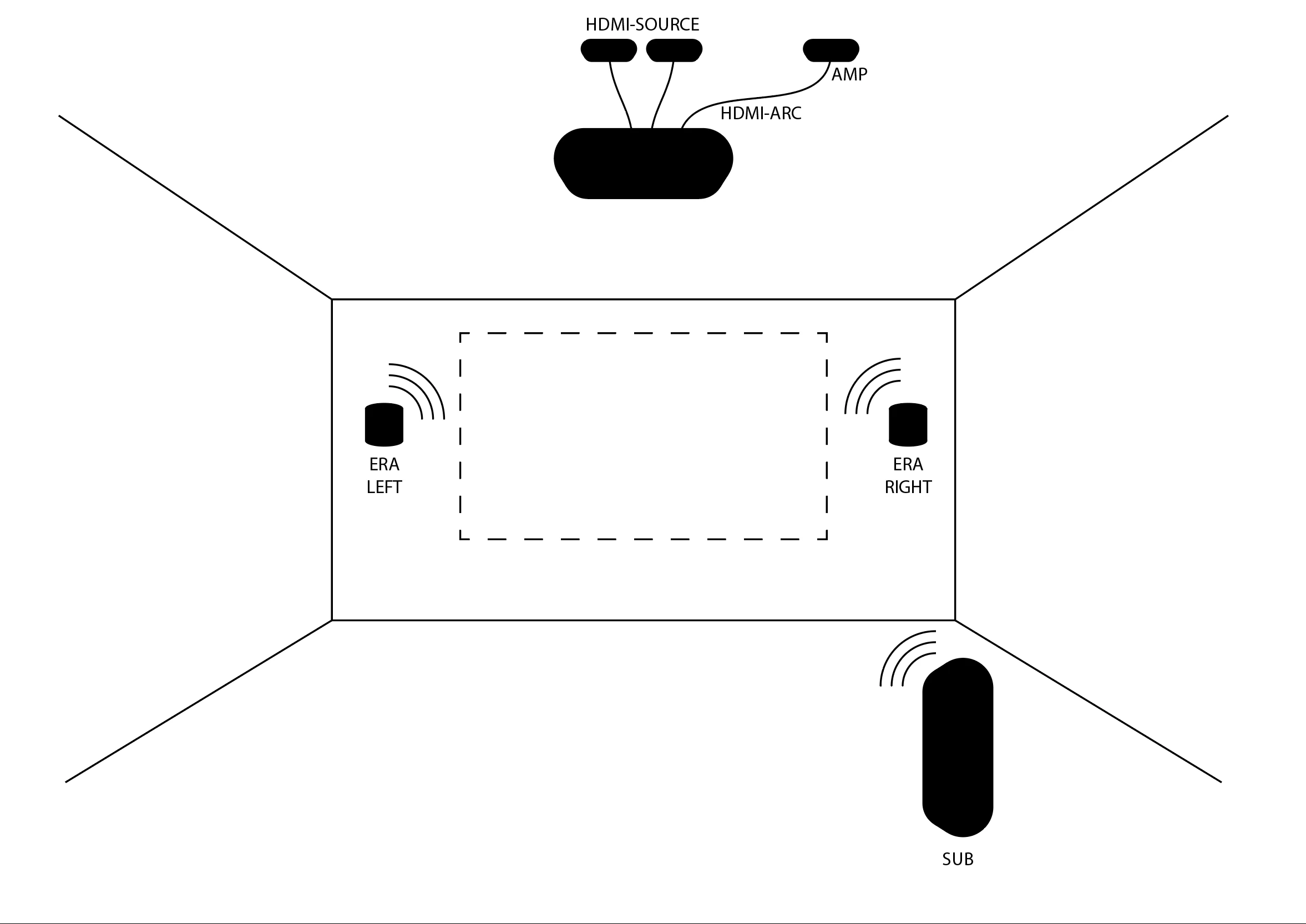
I have started to plan my speaker setup for my living room. Instead of a TV I am gonna have a projector since there is the perfect wall for it. I don’t own any Sonos products yet so I don’t know their limitations and so on.

Problem is that the projector is gonna be about 3 meters up in the ceiling 6 meters away from a wall. I don’t want to pull any cables from my projector and all the way to the soundbar (if I’m gonna have a soundbar) so I’ve been thinking about using a Sonos AMP instead with HDMI ARC.

If it turns out that I would like to use a soundbar, can I use the Projector and connect it to the Sonos Amp and wirelessly play on the soundbar? Or could I create my own 5.1 system using Eras?

Or… Is there a better way to do this. At one point I had an idea about using the Ray as a connection point for multiple Eras but that seems to be hard to make it work since it’s designed to be a master? or am I missing something.


I hope someone can shed some light on this matter.

Thank you,

Bender

7 replies

Airgetlam
  • December 11, 2025

There’s no ‘great’ way to do this, Sonos just doesn’t make equipment for projectors to use. 

No, the Sonos Amp (or any other Sonos device) will not wirelessly send a signal to a Sonos soundbar of any type. The amp will ‘receive’ surround signals from a soundbar, but won’t ‘send’ to one.

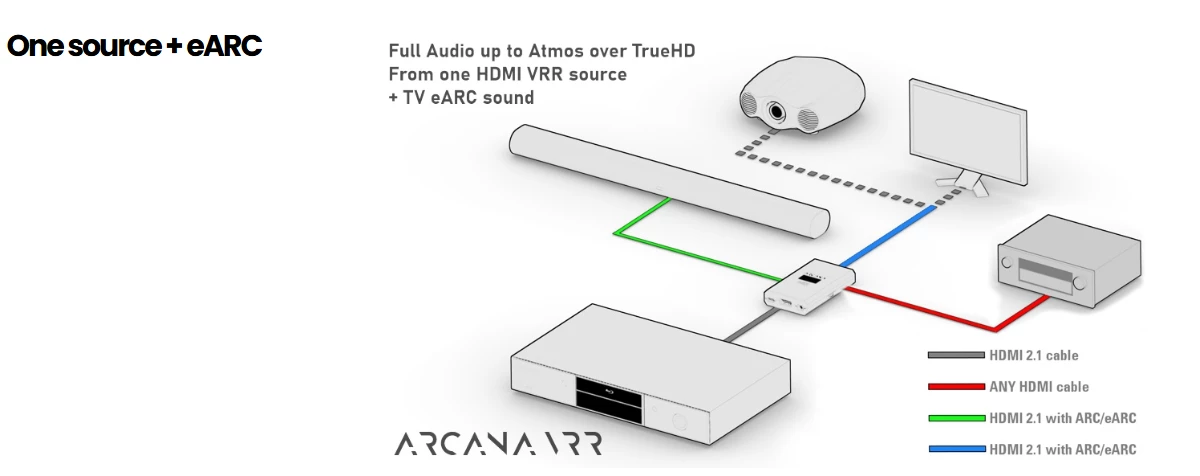
You’re going to have to either draw a cable from the ARC output of your projector, if it has one, or pull the signal off of your HDmI before it reaches the projector. If you’re interested in Dolby Digital, this can be done relatively inexpensively, using a standard HDMI switch that has an optical output. If you want Atmos, things become much more expensive, you can use the HD Fury Arcana, the Feintech VAX04101k, and the OREI HDA-935. You can also order from those links from the companies directly, or check your local retailers for availability. Amazon may carry some, depending on location. At this point, there may be more manufacturers, I haven’t been keeping track.

You may want to read up on the Sonos Amp as the front of a Home Theater system, along with its limitations. It’s certainly possible to use one, with a second one to drive your surrounds, but it doesn’t provide a dedicated center speaker. 

Honestly, if I had to go the projector route, given the difficulties involved, I’d look for some non-Sonos solution, and keep my home theater separate from the rest of my system. 


AjTrek1
  • December 11, 2025

@Airgetlam types faster than me 😊

However, there’s not much more I can add except the diagram below which is the HD Fury Arcana referenced. If you remove the soundbar shown the Sonos Amp would replace it but nothing else would change.

BTW, the HD Fury Arcana is the small box in the center. The Projector would move to the rear and the TV would be replaced by a wall or projector screen. You would still have to have a source to send the AV signal to the projector and output the audio from the projector to the Amp. No wireless transmission. What a cable mess 😂


Stanley_4
  • Lead Maestro
  • December 12, 2025

If you do go with two systems you have the option to provide Sonos connectivity to the TV system by using a Sonos Port to provide the link.


Forum|alt.badge.img
  • Author
  • Contributor I
  • December 12, 2025


Thank you so much for your replys! I think I start to get a hold of this…

I’d rather not go for dual a system so maybe I just skip the surround idea and go for a L/R setup with a sub?


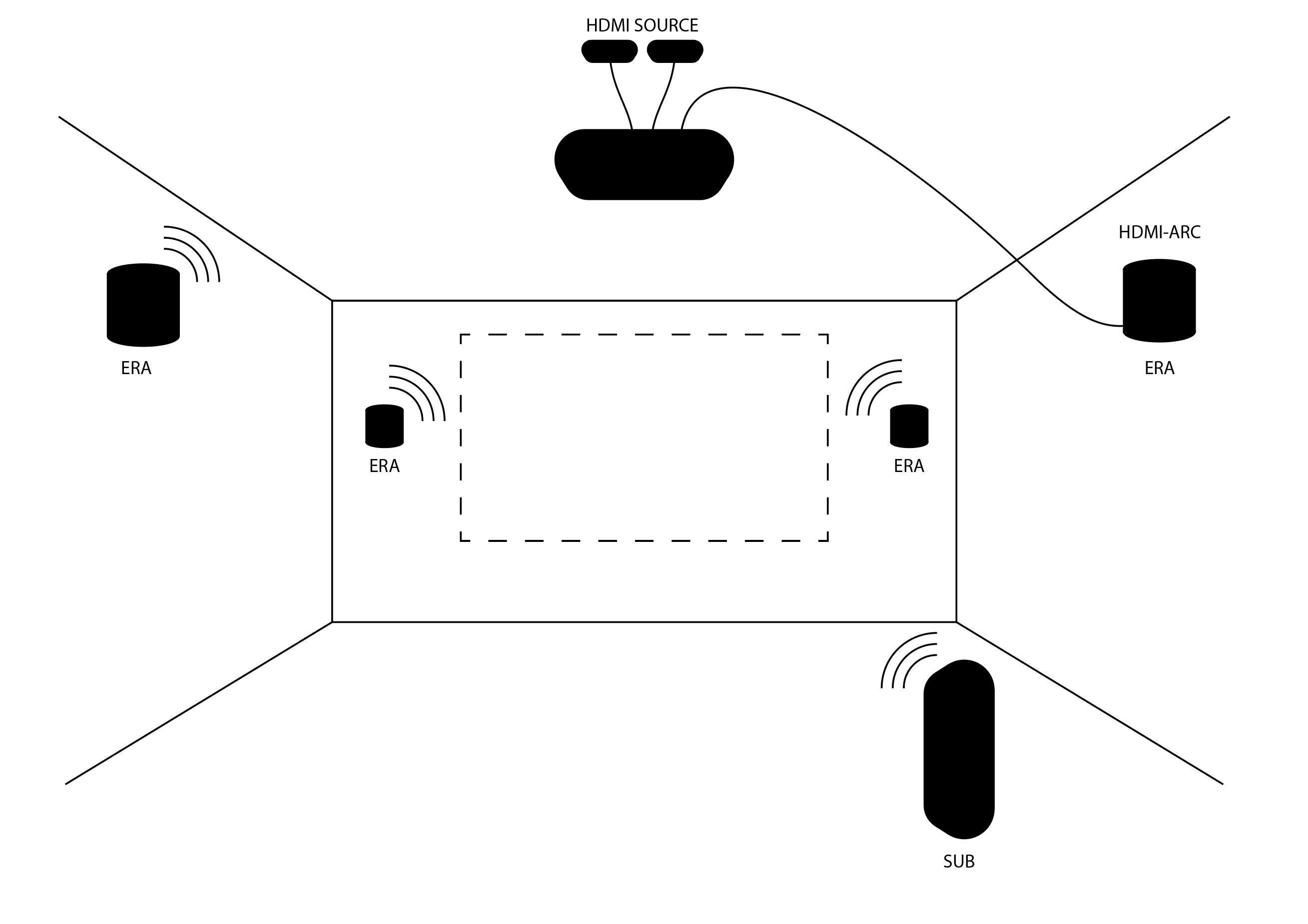
First is my initial idea that I still would like to use. Hard wire my projector from the HDMI-ARC/SPDIF to an Era speaker and then connect wirelessly to the other Eras and a Sub. But then I read that a setup like this wouldn’t work? That the Era that was hard wired to the projector only would play the sound on that single Era and not be able to wirelessly transmit it to the other speakers?


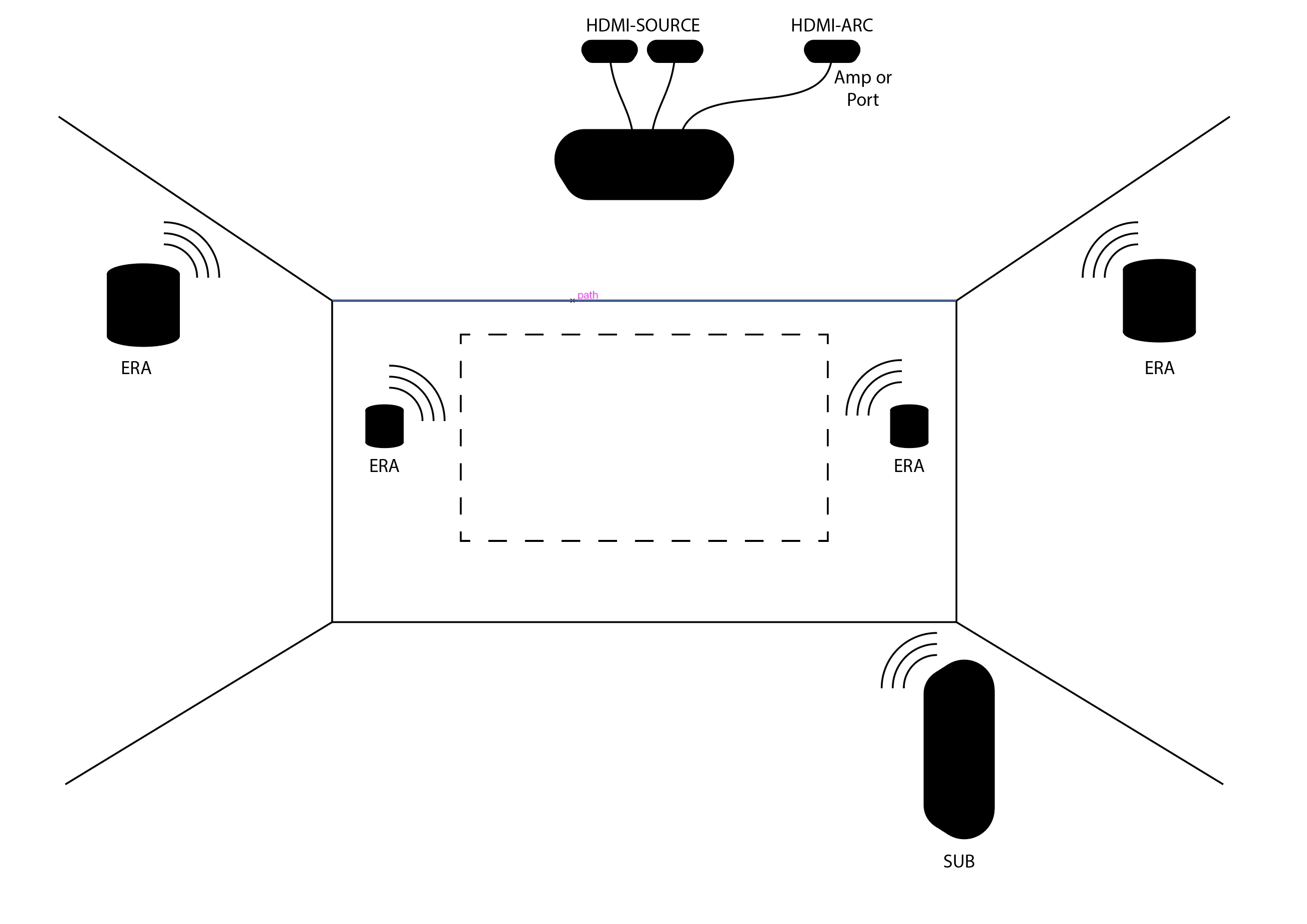
So maybe I can hard wire the projector to a Sonos Amp or a Sonos Port like this instead? And then play wirelessly on my speakers? Maybe even remove the Eras in the rear or get them later if I feel like I need them?


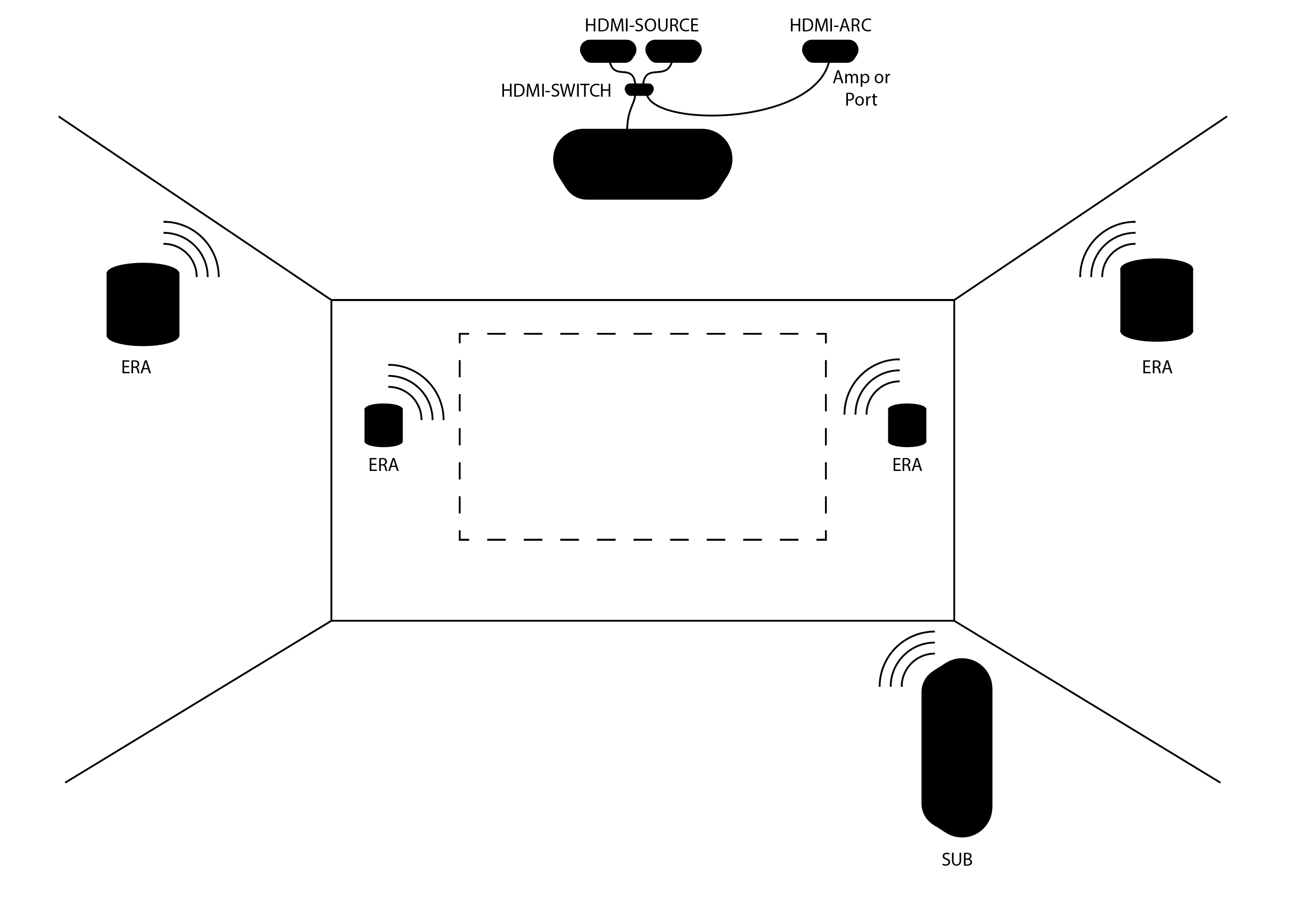
Or do I need to use an HDMI-Switch? Like the ones that were suggested here?


Thank you!


jgatie
  • December 12, 2025

Grouping Era 100 speakers to the Amp won’t work, regardless of how you wire in the HDMI.  Anything the Amp sends to grouped speakers is going to be stereo. Specifically for TV sources, the signal to the grouped rooms will be stereo downmixed from all 5 channels, L/C/R fronts, L/R surrounds, which is going to sound even worse than a pure stereo signal. It’s also going to be delayed from the Amp, causing lip sync problems.

The only real solution is a physical HDMI (or optical, for the Ray) cable between your projector and a Sonos soundbar/Amp.


Forum|alt.badge.img
  • Author
  • Contributor I
  • December 12, 2025

Thanks for the reply. 

I was thinking about ditching the 5.1 surround and just go with 2xL / 2xR for fronts and rear and a sub.

Or maybe cut it down even more and just go L/R + sub?

The projector has a Lip Sync setting so the 75ms should’nt be a problem, right?


An ARC will not be possible, I think, if I can’t put it on an angle in the roof? The wall won’t have a TV-furniture standing under the projector picture so when the projector is shut off there will only be a white wall.


buzz
  • December 12, 2025

Passive 3rd party speakers are connected to AMP speaker terminals. ERA SONOS speakers could be used as surrounds, not L/R front. Only one HDMI-ARC or HDMI-eARC output from the projector can be wired to the ARC input. 3rd party boxes or multiple inputs to the projector (if available) could be used to attach multiple input devices to the system.