Answered

Sonos Era speaker - connecting a deck not working

  • February 9, 2026
  • 8 replies
  • 82 views

Hi, Valued Community.

I’ve connected my Technics 1210 to an Eros 100. This is by a phono cable to a usb-c via my preamp

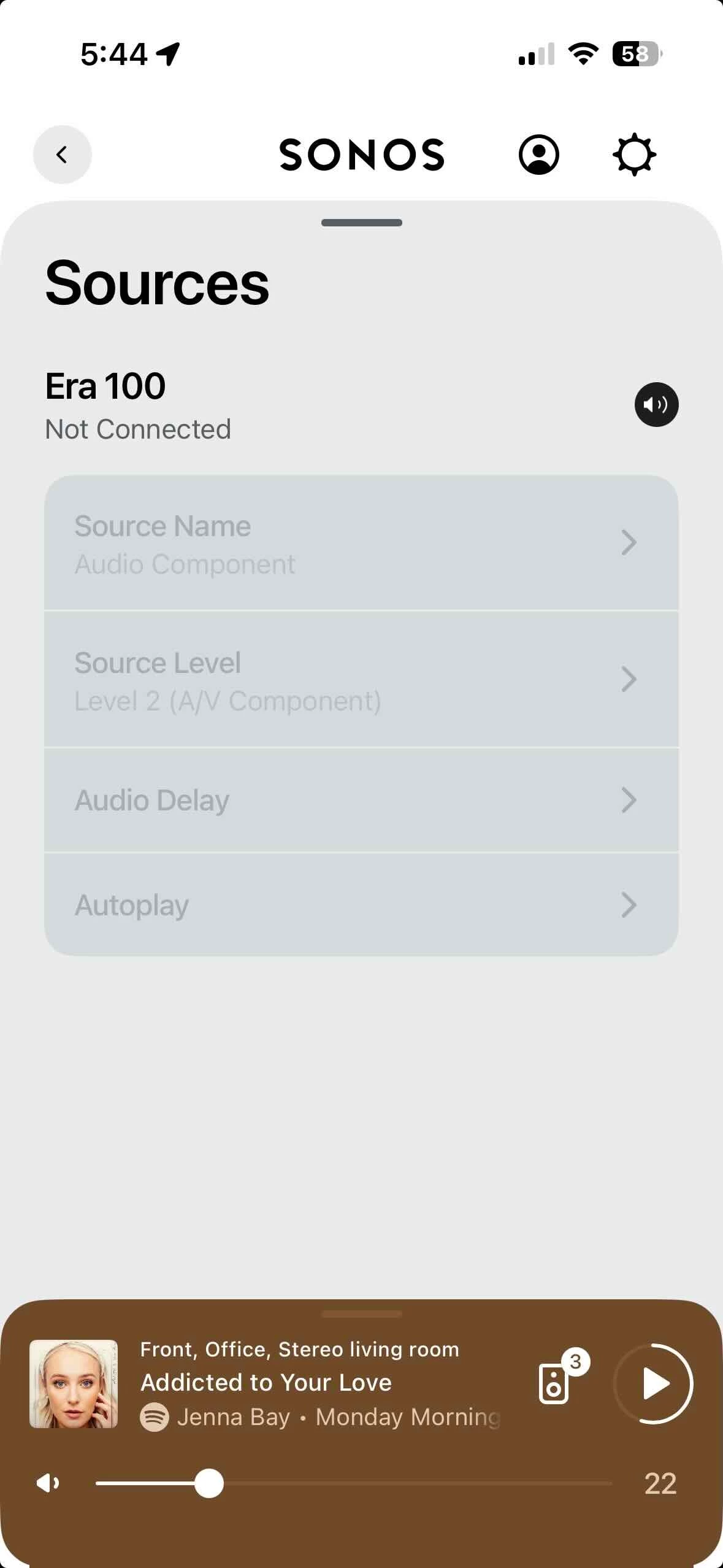
However when I check for playback options in my sonos app everything is greyed out.. 

Please help, 

Thanks


Best answer by nik9669a

You need to use the Sonos adaptor for the connection into the Era. 

8 replies

Airgetlam
  • February 9, 2026

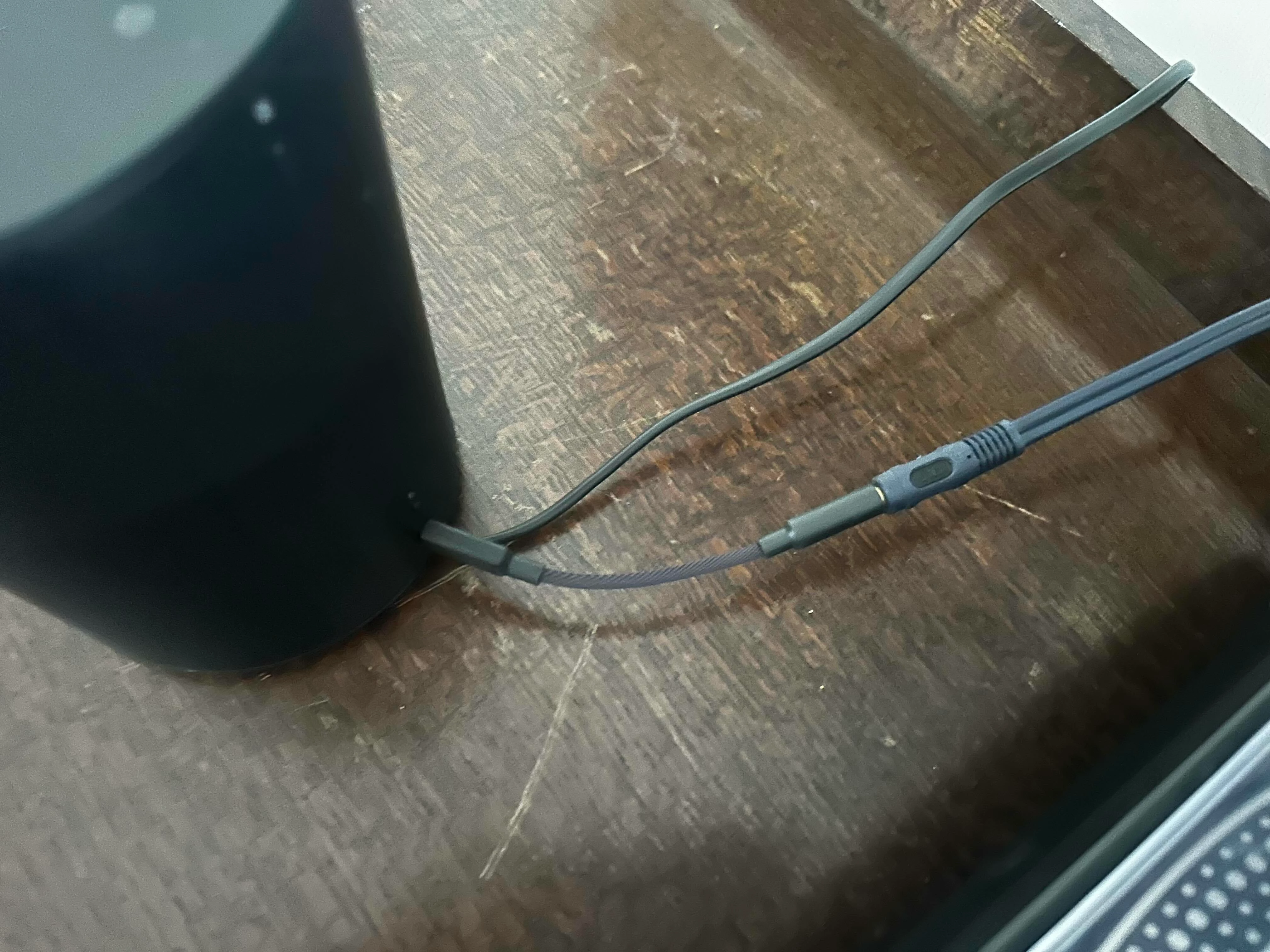
This suggests that the signal isn’t reaching the Era speaker. Are you using the Sonos adapter, or some other adapter, it’s hard to tell from the picture? Most USB-C adapters take the signal from USB-C to 3.5 mm, and not the other way around. Sonos adapters are relatively rare in the way the signal moves.

Is the speaker set up in surround mode? As indicated in your other thread, when used as a surround device, all line ins are turned off. 

Do you have a link to this Cambridge pre-amp’s manual? If it isn’t putting out a proper line level instead of phono level output, the Sonos won’t (essentially) be able to read the signal.

Do the settings on the Cambridge match the type of cartridge (MM vs MC) on the turntable? 

Have you called Sonos Support to discuss it?

When you speak directly to the Support staff, they have tools at their disposal that will allow them to give you advice specific to your network and Sonos system.


  • Author
  • Contributor II
  • February 9, 2026

Thanks.

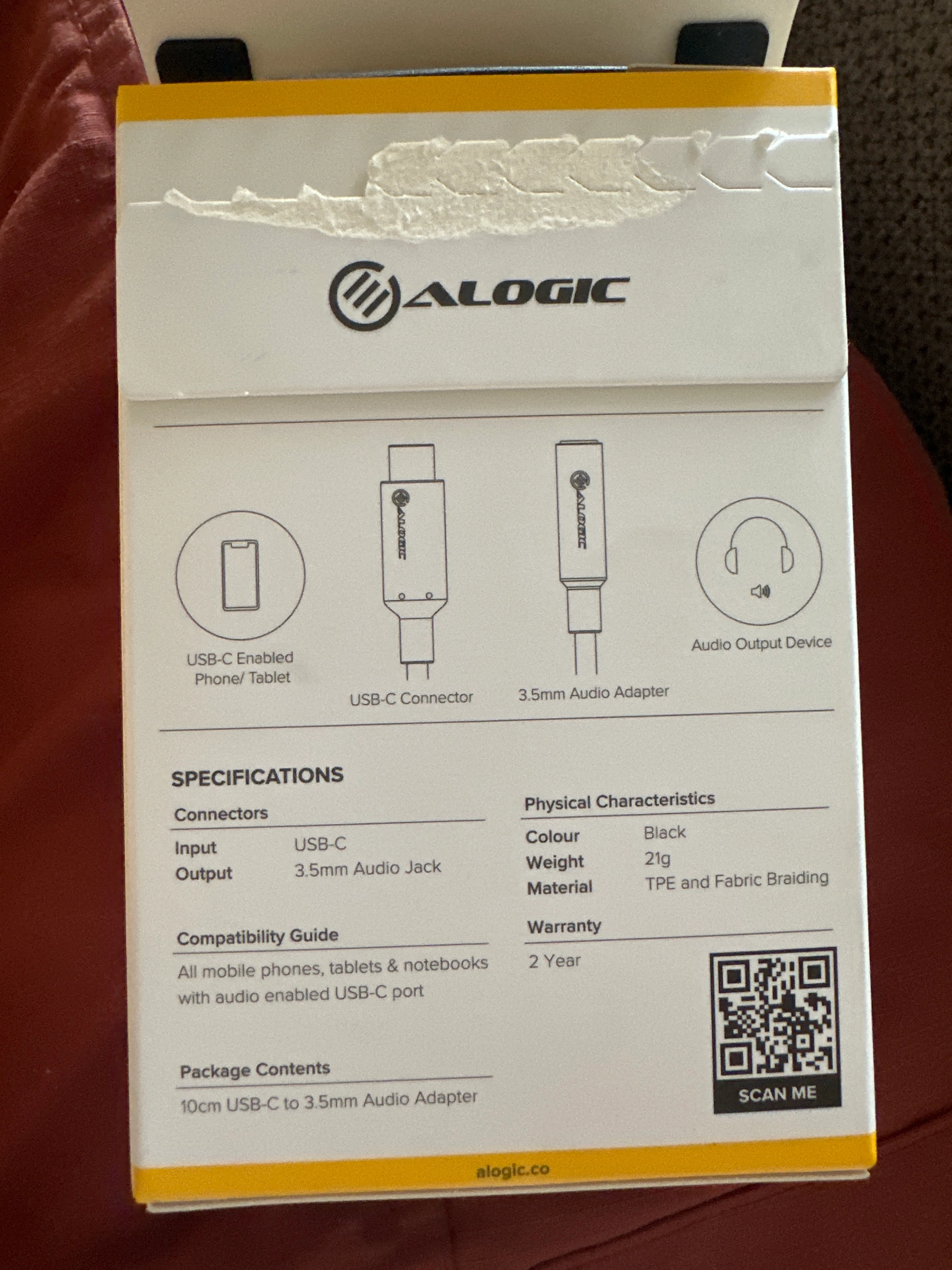
This is the adapter I’m using.


The same cable was plugged in to an old Play 5 v1 I had with the same set up and it worked no problems. The only thing I changed was the speaker to an Eros as I wanted to get the connection allowing me to play the music through my other Sonos speakers. And as such also adding the usb C adapter..

this is the adopter I’m using 


Forum|alt.badge.img+19
  • Senior Virtuoso
  • Answer
  • February 9, 2026

You need to use the Sonos adaptor for the connection into the Era. 


  • Author
  • Contributor II
  • February 9, 2026

Can I ask why? The specs for both the Sonos  adapter and this one appear to be identical. 


Forum|alt.badge.img+17
  • Local Superstar
  • February 9, 2026


bockersjv
Forum|alt.badge.img+21
  • Local Superstar
  • February 9, 2026

Can I ask why? The specs for both the Sonos  adapter and this one appear to be identical. 

As the saying goes “appearances can be deceptive!” 

The adapter specs shows input USB-C and output 3.5mm jack.  You want input of 3.5mm jack and output of USB-C as per the Sonos adapter.

Unlikely Sonos will respond as they have their own supported product that does the job and I doubt they want to get into the minutia of why 3rd party ones don’t. 


Stanley_4
  • Grand Maestro
  • February 9, 2026

Aside from the connections the USB device has internal electronics that need a matching driver on the device it is plugged into.

A PC with vast amounts of disk space loads a huge number of drivers an embedded computer, like Sonos, has a tiny amount of storage and loads only the drivers the designers designate as essential. Additional drivers are rarely an option.


Corry P
Forum|alt.badge.img+19
  • Sonos Staff
  • February 9, 2026

Hi ​@bockersjv 

Unlikely Sonos will respond as they have their own supported product that does the job and I doubt they want to get into the minutia of why 3rd party ones don’t. 

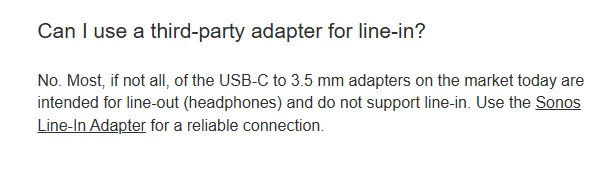
I don’t see why not:

The above was taken from the FAQ on the product page for the Era 100 but is also on all such pages for all Sonos devices that support the adaptors.

Given that Sonos players run a modified Linux kernel, and that Linux kernels have all the drivers they support embedded in them, I don’t think it’s any secret that the Sonos devices that support the Sonos Line-In Adaptors will also support any third-party device that uses the same audio chip (or perhaps family thereof) in it as ours does - they can’t not, really, unless we were to lock things down, which we have no real reason to do (it’s not like our main source of revenue is adaptors!).

As you say, such devices are typically DACs (Digital to Analogue Converter) rather than ADCs (Analogue to Digital Converter) as ours is, so the vast majority of those found for sale simply won’t serve - I think the emphatic “no” there is to just save people the bother of getting the wrong kind of device, which in 99.999% (hyperbolic, but probably not very) of cases is very likely.

I hope this helps