

Liz P.
Sonos Staff
March 25, 2026
F.A.Q.

Before You Blame the Speaker: Check Your Charger First
  • March 25, 2026
  • 36 replies
  • 1183 views

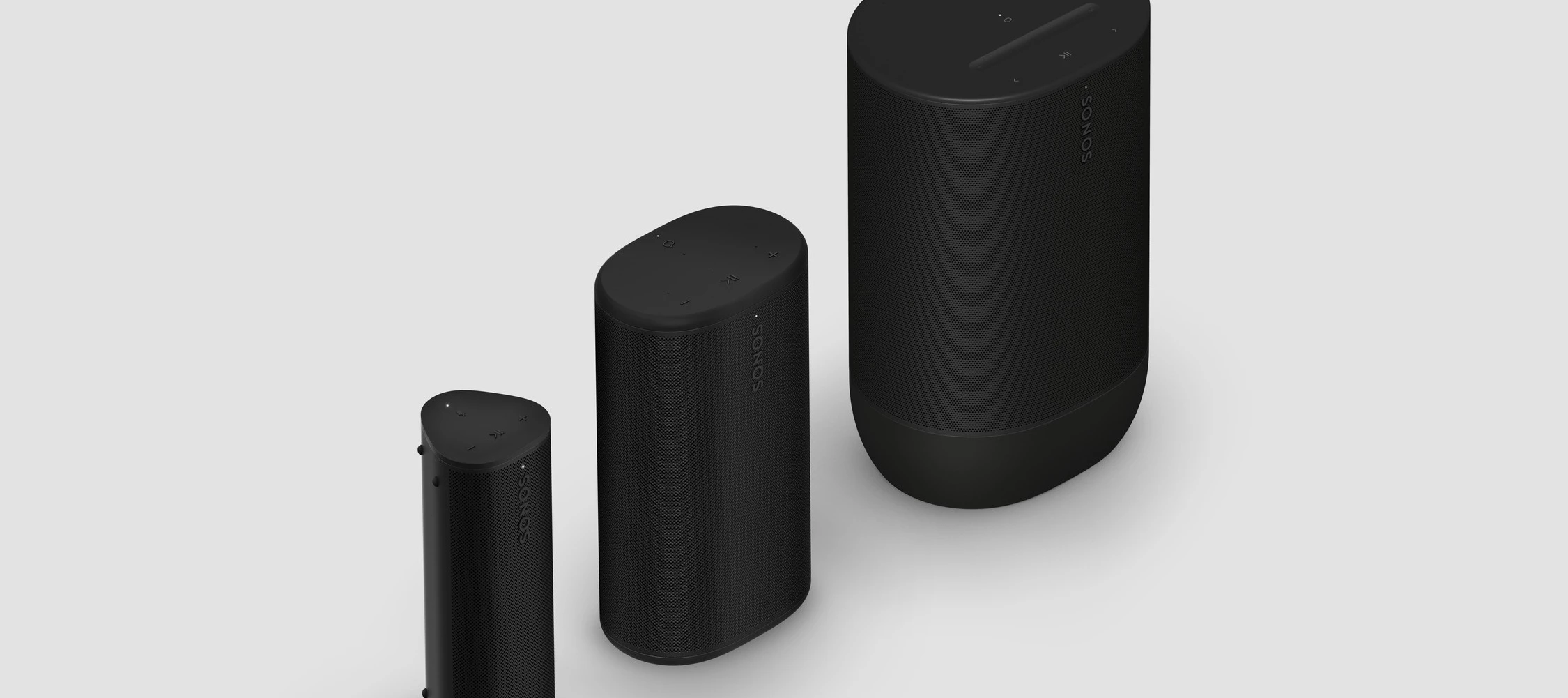
Hey all! With Sonos Play being added as the newcomer to the lineup next week I thought it would be a good time to cover some charging and power requirements, as we have quite a few devices that have these now.

Your speaker needs a power adapter and cable that is powerful enough to charge it effectively. If your device is charging slowly, it's typically because the cable or adapter is too low-power.


For smooth charging, make sure your adapter and cable meeting the following:

Product

Minimum Power/Current

Recommended Power/Current

Roam/Roam 2

5V/1.5A (7.5W)

5V/2A (10W)

Ace

5V/0.5A (2.5W)

5V/3A (15W)

Move

12V/3A OR 15V/2.4A (36W)

20V/2.25A OR 15V/3A (45W)

Move 2

20V/2.25A OR 15V/3A (45W)

20V/2.25A OR 15V/3A (45W)

Play

9V/2A (18W)

20V/2.25A OR 15V/3A (45W)


Quick Tips:

  • Check your adapter: You can usually find the voltage/amperage (V/A) or wattage (W) printed on the back of the power adapter itself or on the website where you purchased it.
  • Cables Matter: If you’re using the Sonos USB-C Power Delivery (PD) cable that came with your device, you're good to go. For third-party cables, make sure they are PD-capable and meet the charging requirements. For devices that are not Roam and Roam two we recommend a USB-C cable.
  • Ditch your old phone power adapters. Tablet power adapters are probably good enough (depending on how old your tablet is) but phone power adapters usually won’t be enough. As always, check the info on it if you can! 

How do I know my device is charging?

When your device starts charging the light will turn solid orange. If the speaker is blinking orange it means the battery has a low charge. For information on what other light colors mean, check here.

What if I’m using a multiport charging adapter? 

If you’re using a multiport changing adapter the wattage provided per device will depend on how the manufacturer distributes the wattage. For example, if you have a 45W adapter and plug in your phone, tablet, and Play it will default to provide 15W to each device. For how the wattage is distributed we recommend checking with the manufacturer. 

What if I want to fast charge my device?

To fast charge most of these devices you need a PD capable power adapter as well as a USB-C cable that is capable of fast charging.

Note: Sonos Roam and Roam 2 do not support fast charging.

Can I leave my portable Sonos device permanently connected to a charger, either wireless or USB-C?

Sonos portable devices are designed to and can be left on the charger as long as they are up to date. 


What chargers do you use that work well? Share your recommendations below.


36 replies

AjTrek1
March 25, 2026

I use this model by Pxwaxpy for my Ace and Roam2. Although not the smallest in size compared to some but; the prongs fold in for compactness. $25-USD on Amazon.


I also have this model by Anker that I’m using. Charges any device not just iOS.


Together Everyone Achieves More = T.E.A.M.
Stanley_4
Grand Maestro
March 25, 2026

Edited to add some notes:

Good luck with these chargers for several devices, haven't tried with Sonos yet.


45 Watts, full PD support. Max 25 Watts per port if both used.

https://www.amazon.com/dp/B0791W8D74?ref_=ppx_hzsearch_conn_dt_b_fed_asin_title_4


35 Watts, full PD support. Max 20 Watts if both ports used.

https://www.amazon.com/dp/B08YM1JFZ7?ref_=ppx_hzsearch_conn_dt_b_fed_asin_title_5


65 Watts, doesn't mention PD support. Max 35 Watts if other pors used.

https://www.amazon.com/dp/B09MV3M4GL?ref_=ppx_hzsearch_conn_dt_b_fed_asin_title_6


Cables

https://www.amazon.com/dp/B09LCMVB3F?ref_=ppx_hzsearch_conn_dt_b_fed_asin_title_6&th=1


SarahN
Local Superstar
March 26, 2026

I mainly use Sonos chargers for my portable speakers. I surprisingly got my new 45W Sonos charger (newly listed for sale and dispatch at the same time as the Play speaker), ready for my new Play due to be delivered next week. This arrived yesterday, so at least I now have it ready for when the new speaker arrives 😀

Can you have too many Sonos speakers? 🤔 😆
melvimbe
March 26, 2026

Is there a USB-C charging spec readily available that could potential damage any of these speakers?  For example if you use a 15V/3A (45W) charger with a Roam?

Danny
AjTrek1
March 26, 2026

It’s been my research (if I understand your question correctly) the charger could have a 15V/3A (200W)  capacity the device being charged would decide how much of that 200W it will accept.  For instance I have a cable that displays the rate of charge a device accepts regardless of the charging block fcapacity. I’ve seen as low as 2W and highs as 15W depending upon the device.

Together Everyone Achieves More = T.E.A.M.
Airgetlam
March 26, 2026

Without looking up the specs for USB C charging, I’ve always thought it was controlled by the device being charged as well, so there was no opportunity to ‘over power’ a charging session. 

Not overly excited by looking up the specs at this point. 

Bruce
AjTrek1
March 26, 2026

Just FYI, here’s a picture of the cable I mentioned in my previous post. Bought it on Amazon.


Together Everyone Achieves More = T.E.A.M.
Airgetlam
March 26, 2026

Ok, Danny, you forced my hand (somewhat). Read the https://en.wikipedia.org/wiki/USB_hardware page, particularly the USB-C section where they talk about https://en.wikipedia.org/wiki/USB_hardware#USB_Power_Delivery


Granted, Wikipedia isn’t a sacrosanct source of truth, but in this case…

Bruce
melvimbe
March 26, 2026

I asked Gemini:


Yes, USB charging can destroy a device, but it is highly unlikely when using high-quality, certified equipment. While modern devices are designed with protection circuits to prevent overcharging and damage, the risk arises from low-quality accessories, damaged cables, or, in rare cases, malicious hardware. 


Here is a breakdown of how USB charging can damage a device:

1. Poor Quality or Damaged Chargers 

  • Lack of Insulation: Cheap, uncertified "knock-off" chargers often skimp on safety components, potentially allowing high-voltage alternating current (AC) to pass through to the low-voltage direct current (DC) side, which can fry the phone's electronics.
  • Overheating: Substandard chargers can fail to regulate voltage, resulting in extreme heat that can damage the device’s charging port or battery.
  • Unstable Output: Poor-quality chargers may provide unstable current, causing long-term damage or immediate failure. 

2. Defective or Wrong Cables

  • Short Circuits: Poorly constructed USB-C cables might lack necessary resistors, which can cause them to short circuit, melting the port and destroying the device’s internal charging components.
  • Wet/Damaged Connectors: Using a cable with a wet or corroded connector can cause excessive heat and melt the plastic around the port. 


3. "BadPower" Malware (Rare)

Researchers have demonstrated that "BadPower" hacks can reprogram the firmware inside a fast charger, causing it to send too much voltage to the device, potentially making it unusable or setting it on fire. This is most common with chargers bought from unknown, non-reputable sources. 


4. Physical Damage (Port Wear)

Frequent, rough, or angled insertion of USB cables over several years can wear down or damage the USB port itself, leading to loose connections, inability to charge, or, in some cases, damage to the motherboard. 

How to Protect Your Devices

  • Use Original or Certified Chargers: Only use chargers and cables from reputable brands or the original device manufacturer (e.g., Apple, Samsung, Anker).
  • Avoid Unknown Public Ports: Be cautious using public USB charging stations. If you must, consider a "USB data blocker".
  • Check for Physical Damage: Regularly inspect your cables and charger ports for rust, lint, or bent pins.
  • Look for Certification: For USB-C, ensure cables are certified by the USB-IF (USB Implementers Forum). 


Note: Generally, plugging a phone into a high-wattage charger (e.g., a 65W laptop charger for a 20W phone) is safe because the device only takes what it needs. 


Danny
AjTrek1
March 26, 2026

​@melvimbe 

So per the footnote the likelihood of damaging devices currently made with the USB-C standard is remote. As the device only pulls what it needs.

Together Everyone Achieves More = T.E.A.M.