
Contributor I
January 18, 2023
Answered

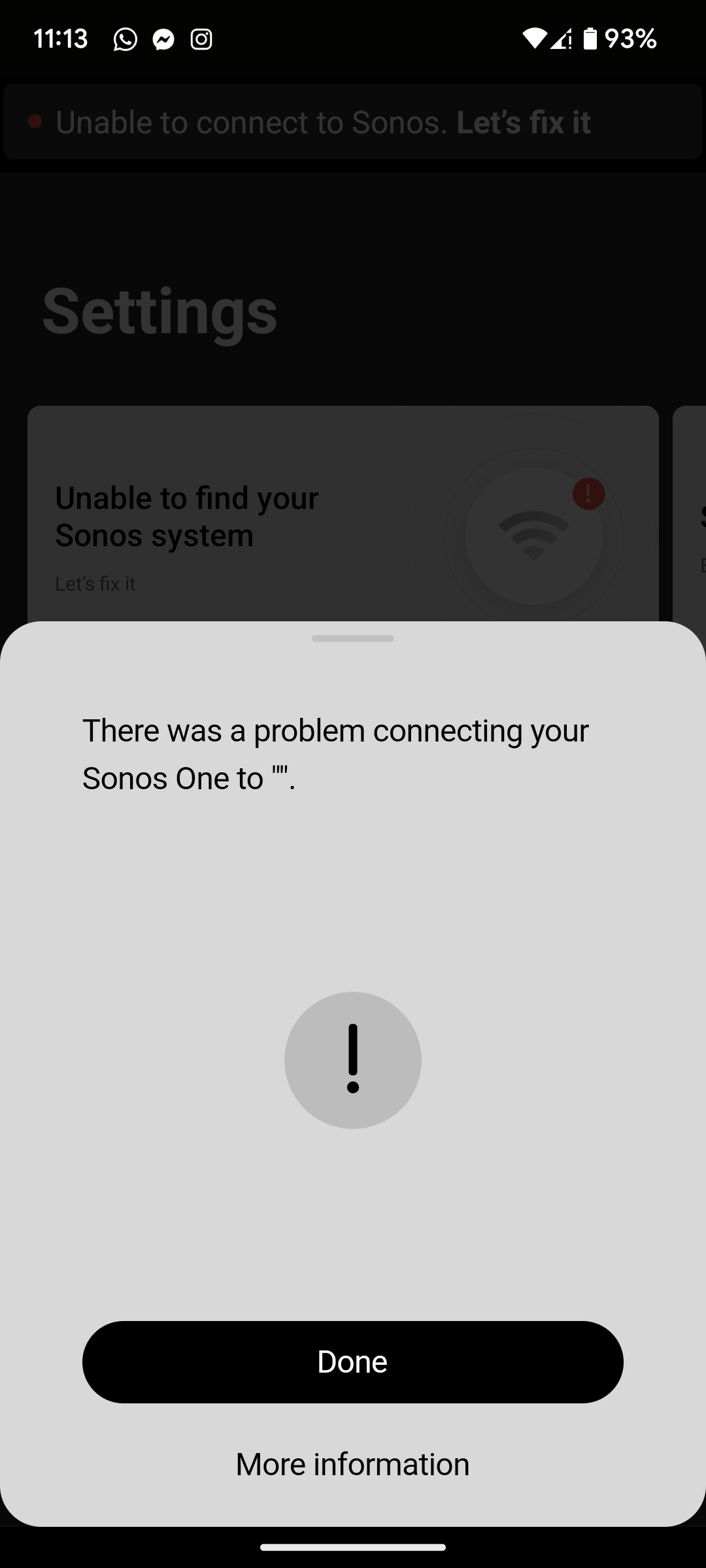
There was a problem connecting your Sonos One to ".

I've just moved house and have a new WiFi router so my network settings are different to the ones previously used on my Sonos One. I'm following the instructions on connecting my product to my new WiFi, it plays the audio chimes and I press the button when the light flashes white and green, but when it comes to putting my WiFi password in (it's definitely the correct password) it says There was a problem connecting your Sonos One to ". I'm assuming that my WiFi Network Name should be between those last quotes. The only other things I've been prompted to do to fix this is turn the product off and on, and do the same with my router, neither of which were successful.
 

This topic has been closed for further comments. You can use the search bar to find a similar topic, or create a new one by clicking Create Topic at the top of the page.
Airgetlam
AirgetlamAnswer
January 18, 2023

Wire that Sonos One directly to the router with an Ethernet cable, it should the show up in the controller. At that point, you can change the network information in the controller, it will be changed on the speaker, and you can then remove the Ethernet cable.

This is all assuming you didn’t factory reset the device, something you should never do unless instructed. 

Bruce

36 replies

Airgetlam
AirgetlamAnswer
January 18, 2023

Wire that Sonos One directly to the router with an Ethernet cable, it should the show up in the controller. At that point, you can change the network information in the controller, it will be changed on the speaker, and you can then remove the Ethernet cable.

This is all assuming you didn’t factory reset the device, something you should never do unless instructed. 

Bruce
Lyricist I
January 22, 2023

I have this exact some problem with an Arc SL. I didn’t change routers I just changed the name of my 2.4 network. It will not reconnect to the new network and it just keep getting this error:

There was a problem connecting your Sonos Arc SL to “”.

And it gets the error immediately so it appears it’s not even trying or errors out right away. Other devices like my Nest have reconnected to the network just fine. 

Please help!

Airgetlam
January 22, 2023

Changing the SSID is essentially the same as changing the router. You’d previously told Sonos to look for network ‘X’, which no longer exists. You need to connect up your speaker with an Ethernet cable so it can be found, then update the information in the Sonos controller to look for ‘Y’, then you can remove the Ethernet cable, and your speaker(s) will find the new network. 
 

Remember, the Nest has a display so that it can ‘find’ and choose a new network, Sonos doesn’t. 

Bruce
Contributor I
January 22, 2023

Hi,

Thank you for your replies.

I'll have a go with the ethernet cable, although I'll have to buy one. I also have a google nest mini (no display), which has connected to my new WiFi fine, although it is a different device completley. I'm wondering if it has something to do with my new Kcom WiFi, which has merged the 2.4ghz and 5ghz channels. It is slightly annoying but I'm not confident splitting them. 

Hopefully the ethernet cable works.

Thank you.

Contributor I
July 2, 2023

I know this is old, but did it work?

Lyricist I
July 3, 2023

Yes, hook it up to ethernet and it works great!
 

Contributor I
July 3, 2023

I know this is old, but did it work?

Took a few tries to get it set up but the ethernet cable works fine. Not able to connect over WiFi still but it just sits near my router which is fine :)

Ken_Griffiths
July 3, 2023

I know this is old, but did it work?

It’s often a case of wiring one Sonos device only to the router (temporarily) and waiting 5-10 minutes for the other wireless Sonos products to switchover to what is often called ‘wired mode’, or SonosNet. All products should appear in the original Sonos controller App when one device is wired, that’s as long as you do not factory reset any of your devices.

If for any reason a device does not show up after 10 minutes then try rebooting it.

Once you have the devices showing, it’s then a case of navigating to ‘Settings/System/Network/Manage Networks’ in the Sonos App where you can select and remove any old WiFi network credentials and also go onto select the option to ‘Update Networks’ and follow the onscreen instructions to add your new WiFi network (cAsE SenSiTivE) credentials (SSID/Password) to all your Sonos devices. Once that’s complete you should then be able to uncable the wired Sonos device and if all is successful, after a short wait all your devices will switchover to using the new WiFi network.

Hope that assists.

Lyricist I
August 25, 2023

I know this is old, but did it work?

Yes, plug speaker into router-delete old network settings from it in app-unplug from router-add new network settings 

Lyricist I
August 28, 2023

I will confirm this option worked for me well.
I changed the router and wasn't be able to connect my sonos one to the network until I:
1. Connected one of my sonos directly to the router via ethernet cable
2. Opened the app and in settings > system > network > manage networks    deleted the old network and add a new one.
3. Unplug the ethernet cable

p.s. Merged 2.4hz and 5hz network still works. no need to separate it just for Sonos.
✅ Done