

caroline-harper
Trending Lyricist II
December 24, 2025
Answered

Speaker sometimes disappears from the app after standby

Hi,
I am having an issue where one of my speakers does not always show in the app after it has been idle for some time.Restarting the app usually fixes it, but it keeps happening again. The speaker is powered on and connected to the same network. Is this a known behaviour, or are there settings I should check to keep it visible?

This topic has been closed for further comments. You can use the search bar to find a similar topic, or create a new one by clicking Create Topic at the top of the page.
Stanley_4
Stanley_4Answer
Grand Maestro
December 24, 2025

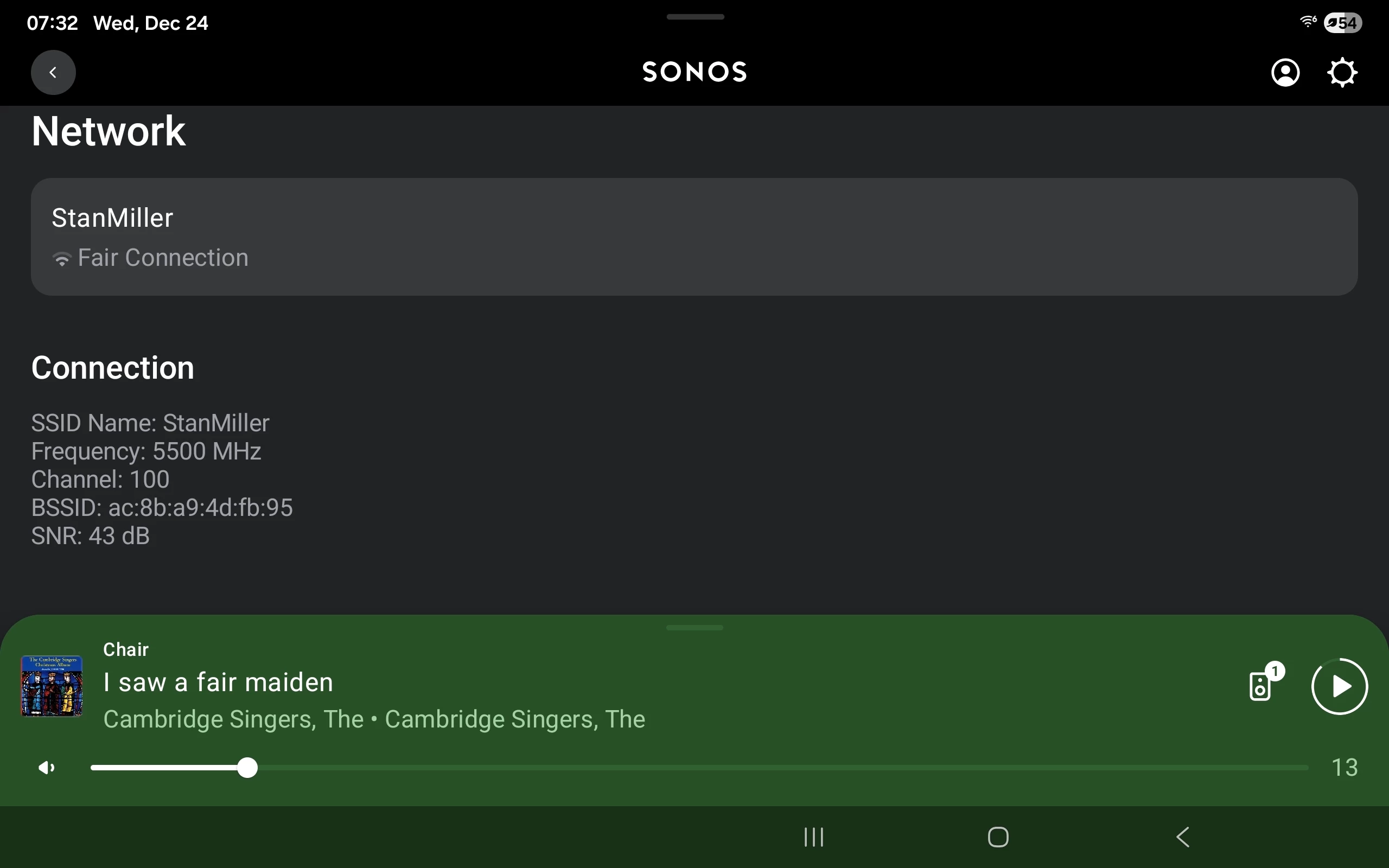
This is the network information I was asking about.

Go to: Settings, Room, Products, then the speaker. Then select Network.


6 replies

Stanley_4
Grand Maestro
December 24, 2025

Do you have your controller device set to force the Sonos app to sleep?

If you check the Network section of Settings what does it show about the missing speaker's connection?

buzz
Grand Maestro
December 24, 2025

Which model speaker? Controller App? If you wait a few more seconds will the player then show up?

caroline-harper
Trending Lyricist II
December 24, 2025

Do you have your controller device set to force the Sonos app to sleep?

If you check the Network section of Settings what does it show about the missing speaker's connection?

Thanks for checking in. The controller device isn’t set to force the Sonos app to sleep. In Network settings, the missing speaker sometimes shows as disconnected, but it reappears after a refresh or restart. I’m trying to understand what’s causing the connection to drop intermittently.

caroline-harper
Trending Lyricist II
December 24, 2025

Which model speaker? Controller App? If you wait a few more seconds will the player then show up?

It’s a Sonos One, using the Sonos app on Android. Waiting a bit doesn’t always help sometimes it shows up after a restart, but other times it stays missing until I reconnect it.

Stanley_4
Stanley_4Answer
Grand Maestro
December 24, 2025

This is the network information I was asking about.

Go to: Settings, Room, Products, then the speaker. Then select Network.


caroline-harper
Trending Lyricist II
December 24, 2025

This is the network information I was asking about.

Go to: Settings, Room, Products, then the speaker. Then select Network.


That helps, thanks. Seeing the network status directly on the speaker is useful to confirm it’s connected and not going to sleep or dropping off the network.