Question

Speaker sometimes disappears from the app after standby

  • December 24, 2025
  • 5 replies
  • 31 views

caroline-harper
Forum|alt.badge.img

Hi,
I am having an issue where one of my speakers does not always show in the app after it has been idle for some time.Restarting the app usually fixes it, but it keeps happening again. The speaker is powered on and connected to the same network. Is this a known behaviour, or are there settings I should check to keep it visible?

5 replies

Stanley_4
  • Lead Maestro
  • December 24, 2025

Do you have your controller device set to force the Sonos app to sleep?

If you check the Network section of Settings what does it show about the missing speaker's connection?


buzz
  • December 24, 2025

Which model speaker? Controller App? If you wait a few more seconds will the player then show up?


caroline-harper
Forum|alt.badge.img
  • Author
  • Contributor I
  • December 24, 2025

Do you have your controller device set to force the Sonos app to sleep?

If you check the Network section of Settings what does it show about the missing speaker's connection?

Thanks for checking in. The controller device isn’t set to force the Sonos app to sleep. In Network settings, the missing speaker sometimes shows as disconnected, but it reappears after a refresh or restart. I’m trying to understand what’s causing the connection to drop intermittently.


caroline-harper
Forum|alt.badge.img
  • Author
  • Contributor I
  • December 24, 2025

Which model speaker? Controller App? If you wait a few more seconds will the player then show up?

It’s a Sonos One, using the Sonos app on Android. Waiting a bit doesn’t always help sometimes it shows up after a restart, but other times it stays missing until I reconnect it.


Stanley_4
  • Lead Maestro
  • December 24, 2025

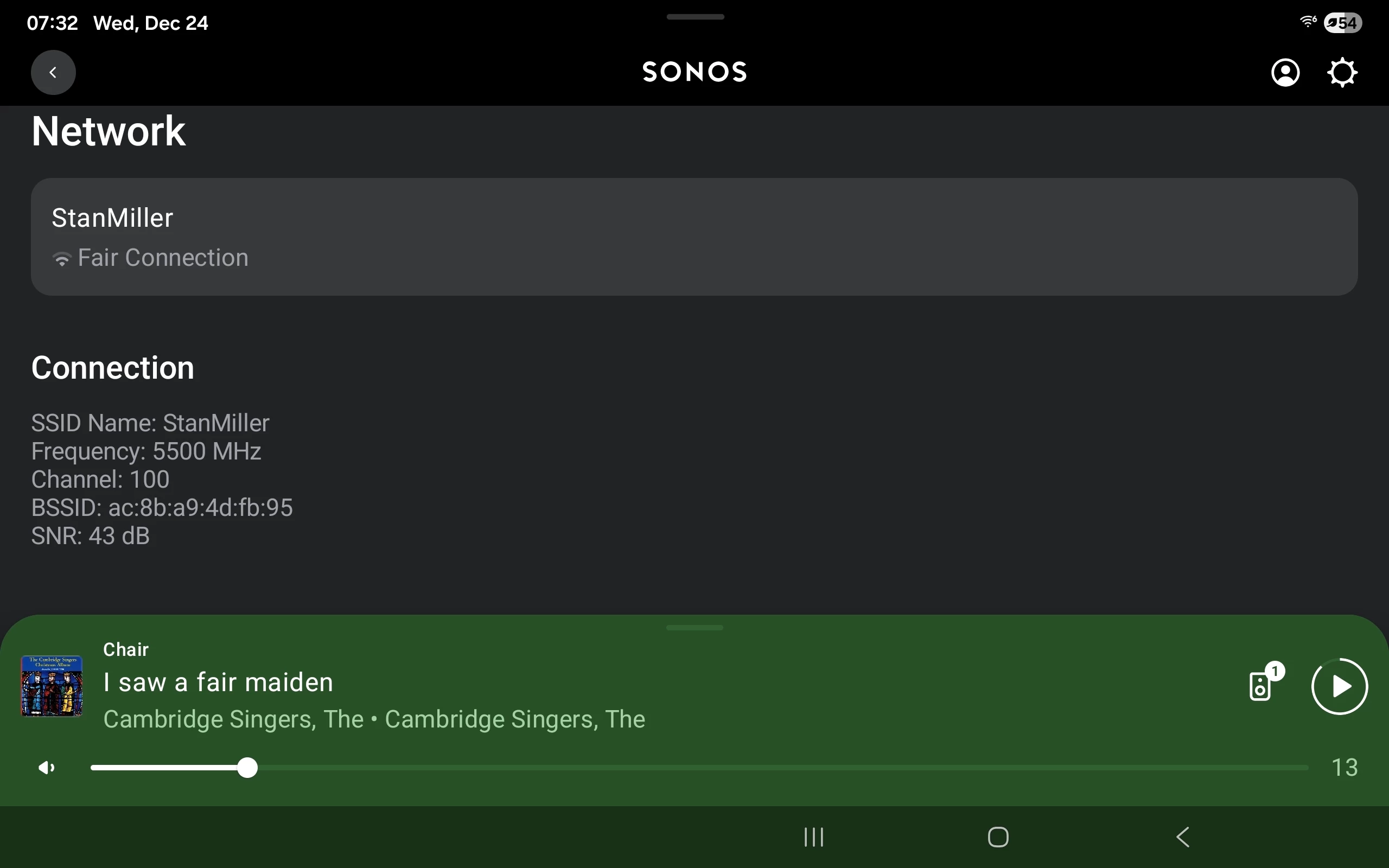
This is the network information I was asking about.

Go to: Settings, Room, Products, then the speaker. Then select Network.


caroline-harper
Forum|alt.badge.img
  • Author
  • Contributor I
  • December 24, 2025

This is the network information I was asking about.

Go to: Settings, Room, Products, then the speaker. Then select Network.


That helps, thanks. Seeing the network status directly on the speaker is useful to confirm it’s connected and not going to sleep or dropping off the network.