
Contributor I
October 6, 2025

Sonos has SHUTDOWN ALL NETWORK again and again ...

Any chance to repair it by SONOS ?

Before you start to blame my network (like I’ve seen this mostly on this forum) check this :
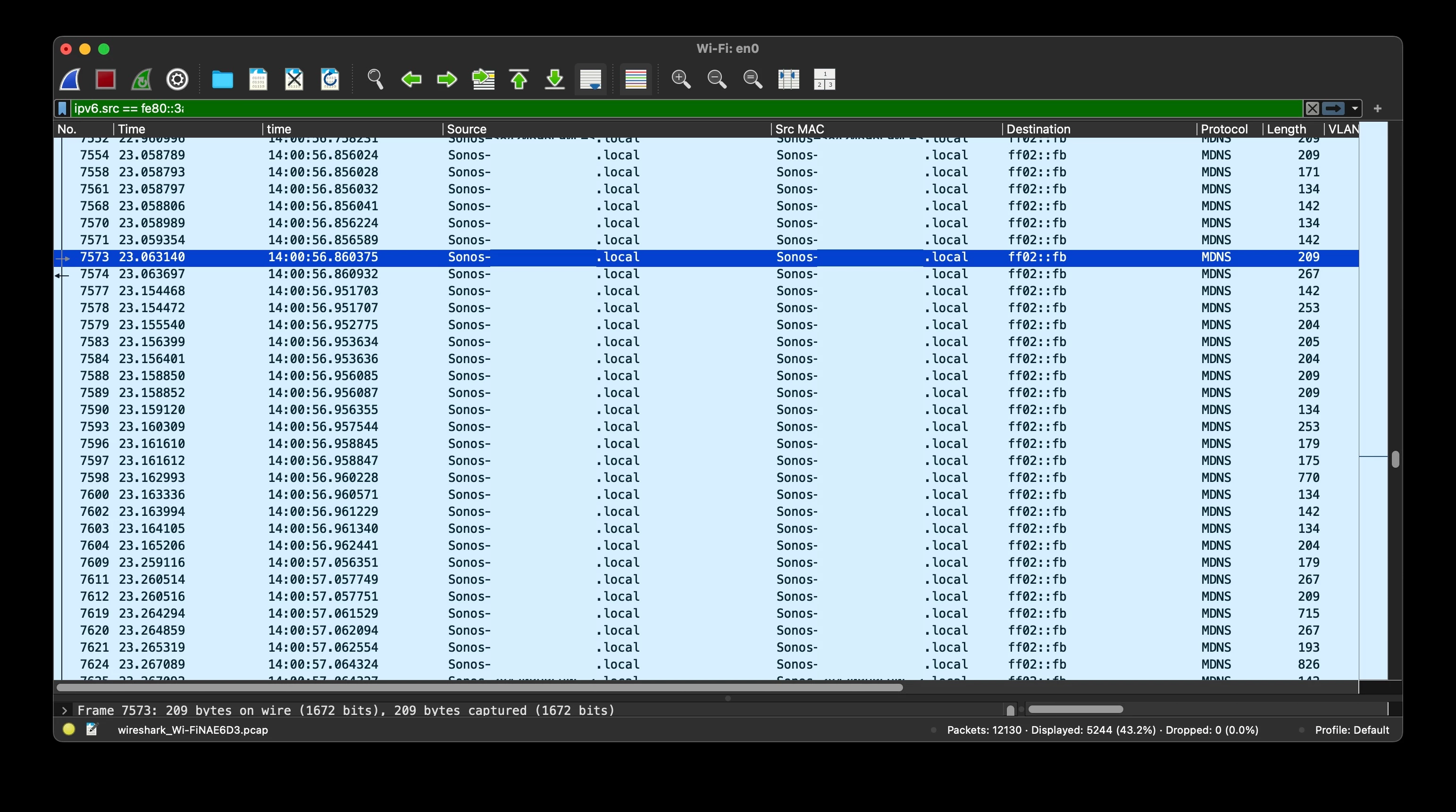
 

 any chance to write a firmware in normal way  or should I get rid of sonos and buy something which works …? 

This topic has been closed for further comments. You can use the search bar to find a similar topic, or create a new one by clicking Create Topic at the top of the page.

14 replies

jgatie
October 7, 2025

I should've stopped at 'I won't help you."

eRAVAuthor
Contributor I
October 8, 2025

and this is the only one good answer!

please stick with this approach in the future
thank you


now we can close this topic

buzz
Grand Maestro
October 8, 2025

Have you resolved your issue? If so, how? Sold the SONOS?

eRAVAuthor
Contributor I
October 8, 2025

Hi,
“Sold sonos” - not yet ;^)

I would not call it solution but one of the suggested modus operandi 

So, you should :

-have already installed sonos app in your (i?)phone

-power down all speakers and have disconnected wired-ethernet ports

-power up SINGLE Sonos speaker. the default connection is over WiFi, so you need to add speaker inside the app, until its visible there (it might take couple of steps -including upgrade of the firmware).
Sometimes reset of the speaker might be required (i.e. if it was configured before and/or does not show up in the app): disconnect power cable → press “PLAY/PAUSE and -” buttons together, power up the speaker but keep pressing both buttons until LED at the back will change to  red→ orange→ green /blinking white (PLEASE CHECK the manual for your type of speaker)

-connect the Ethernet- wire (you have to have DHCP running on your router/switch), check the switch if “link LED” for connected port starts blinking, if not check/replace the cable.

-inside the app choose “disable wifi” and wait until app confirms it. check the connectivity by play some music.

Repeat with all speakers one by one.
Regroup to stereo-pairs and / or surround speakers as needed. 
 

I did not check mixing wifi-connected and wire-connected speakers -maybe it works.

If LEDs on your switch/router start to blinking very fast and in “synchronized” matter you missed something and broadcast storm just begun and your ALL network is just down … :(  → disconnect the last connected Ethernet wire of the sonos speaker and try again.

If you have “better” network devices installed - I would create a separate VLAN + subnet and proper rules on the firewall … as sonos is “only” IoT device - meaning source of potential danger, the same like “security” cameras and others ... 


Regards,

eRav