Answered

Sonos Beam Surround Issues

  • December 26, 2024
  • 20 replies
  • 396 views

Forum|alt.badge.img

Hi,

having a complete nightmare, setup a Sonos Beam Gen 2 with no problem attached via HDMI on a Samsung TV.  All works fine on its own controlling tv and channels, sounds good.    however i cant add my 2 older Sonos Play:1 as surrounds, what am i doing wrong?

just cant get the beam to find them or link up?

Best answer by 106rallye

Well, you’ve got them in one system now. Next move will be to ad the Play 1ks as surrounds to the Beam. See https://support.sonos.com/en-us/article/add-surround-speakers-to-a-sonos-home-theater

This topic has been closed for further comments. You can use the search bar to find a similar topic, or create a new one by clicking Create Topic at the top of the page.

20 replies

UKMedia
  • December 26, 2024

Are the two Play:1s setup as a stereo pair? If yes then you need to remove this linking first.  Also, can you confirm that you haven't turned WiFi off on the Beam?


Forum|alt.badge.img
  • Author
  • Trending Lyricist I
  • December 26, 2024

Thanks for your reply,

in the app the Beam says strong WiFi connection, Play:1s are NOT setup as a stereo pairing 


Forum|alt.badge.img
  • Author
  • Trending Lyricist I
  • December 26, 2024

Every time I click set up surrounds within the Sonos app it responds with - two compatible Sonos speakers are required to add surrounds……I’ve checked the properties of the Play:1s to make sure they are on S2 system and they are so baffled as to why they won’t connect 


UKMedia
  • December 26, 2024

Every time I click set up surrounds within the Sonos app it responds with - two compatible Sonos speakers are required to add surrounds……I’ve checked the properties of the Play:1s to make sure they are on S2 system and they are so baffled as to why they won’t connect 

Have you tried adding them to your system first and then creating a stereo pair?


Airgetlam
  • December 26, 2024

Do the PLAY;1s show up in your controller as separate ‘rooms’? They should be so, to start. 

As an aside, the WiFi/Radio has to be on for both the Beam, and the PLAY:1s, turning it off on either makes connection a lot harder, requiring Ethernet cabling. 


Airgetlam
  • December 26, 2024

Ooops. Sorry, stepping out ;)


Forum|alt.badge.img
  • Author
  • Trending Lyricist I
  • December 26, 2024

All of the above is happening, WiFi on and in seperate rooms 


Stanley_4
  • Lead Maestro
  • December 26, 2024

Run an update cycle then confirm (version is shown in Settings) that all are on the latest version.


Forum|alt.badge.img
  • Author
  • Trending Lyricist I
  • December 26, 2024

Sorry how do you run an update cycle?


AjTrek1
  • December 26, 2024

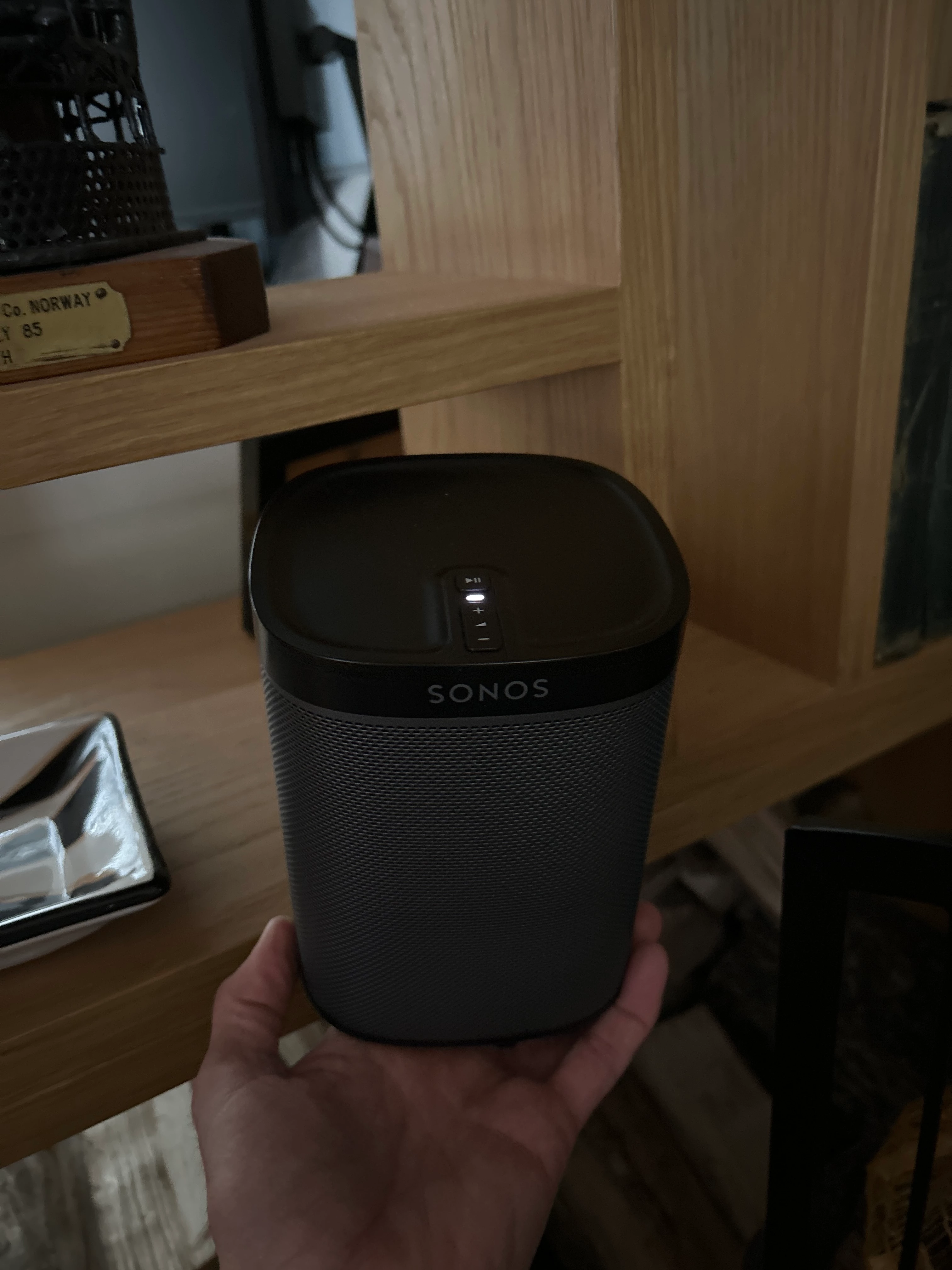
Short of factory resetting the Play 1’s are you certain that they are both Play 1’s and not a Play 1 and a Sonos One. The Sonos naming convention can be confusing. If the latter they cannot be used as a stereo pair nor surrounds. If unsure post a picture of both.


Stanley_4
  • Lead Maestro
  • December 26, 2024

Sorry how do you run an update cycle?

Settings.

Manage

System Updates

Check for Updates.


Confirm they were all done:

Settings

Manage 

About Your System

Scroll down to each Room and look for: Version: 82.x-xxxxx


Forum|alt.badge.img
  • Author
  • Trending Lyricist I
  • December 27, 2024


Forum|alt.badge.img
  • Author
  • Trending Lyricist I
  • December 27, 2024

Both play:1’s


Forum|alt.badge.img
  • Author
  • Trending Lyricist I
  • December 27, 2024

system all up to date

Version: 16.5 (build 82.2-59204)


Moderator Note - Removed image showing device serial numbers.


Forum|alt.badge.img
  • Author
  • Trending Lyricist I
  • December 27, 2024

So after more checking I have started again and it shows 2 systems on my network, system 1 contains the plays and system 2 the beam, guessing this is the issue but how do I get them on the same system 


106rallye
Forum|alt.badge.img+18
  • December 27, 2024

If you have a lot of Sonos playlists or music services set up on your Play 1’s, reset the Beam (https://support.sonos.com/en-us/article/reset-your-sonos-product) and when setting it up again, choose “Ad to existing system” in the app. Then ad the Play 1’s as surrounds to the Beam.


Forum|alt.badge.img
  • Author
  • Trending Lyricist I
  • December 27, 2024

Get that man a beer, I was so focused on the plays when it was the beam that had dropped off 


Forum|alt.badge.img
  • Author
  • Trending Lyricist I
  • December 27, 2024

Annoyingly I have had to leave the house so haven’t actually tested it out but that looks better than it was before; hopefully it’s all fine now 


106rallye
Forum|alt.badge.img+18
  • Answer
  • December 27, 2024

Well, you’ve got them in one system now. Next move will be to ad the Play 1ks as surrounds to the Beam. See https://support.sonos.com/en-us/article/add-surround-speakers-to-a-sonos-home-theater


Forum|alt.badge.img
  • Author
  • Trending Lyricist I
  • December 31, 2024

This has sorted the issue and all works perfectly now, thank you so much for everyone’s help