Question

Sonos and Unifi issues, STP Loops and drop outs

  • April 1, 2026
  • 6 replies
  • 34 views

I’m reaching out for some clarification on the recommended network setup for our Sonos system, as we’ve been experiencing some stability issues and want to make sure we’re configuring everything correctly.


Our setup:

• 15 speakers across 3 floors (~1,500 sqm)

• Mix of Play:1 and Sonos One

• UniFi network with RSTP enabled (we do not want to turn this off just because Sonos only works with STP)


We’ve tested a few configurations and are seeing conflicting results:


1. All speakers wired (Wi-Fi disabled)

• This caused STP loops on our switches

• We’re unsure if Wi-Fi is truly disabled, or if speakers are still communicating via SonosNet in the background


2. One speaker wired, rest on Wi-Fi

• This resulted in frequent dropouts

• We currently do not run a 2.4GHz network, only 5GHz+


3. All speakers on Wi-Fi (split system by floor)

• This has been the most stable so far, though only tested for a few days


Given the above, could you please advise:

• Do you recommend wiring all speakers in a setup like ours, or keeping them on Wi-Fi?

• When a speaker is wired and Wi-Fi is disabled, does SonosNet still operate in any form?

• Is 2.4GHz required for stable Sonos operation, even in modern environments?

• What is the recommended approach to avoid STP loops when integrating with managed networks like UniFi (RSTP)?

• For a multi-floor setup like ours, is it better to run separate systems per floor or a single system?

• Is there an issue using old Play Models with One SLs?


We’re trying to balance stability with network integrity, and would really appreciate your guidance on best practice for a deployment of this size.


Thanks in advance for your help.

6 replies

buzz
  • April 1, 2026

If you must use RSTP, don’t wire any units. Here are some UNIFI suggestions.


Stanley_4
  • Grand Maestro
  • April 1, 2026

Most of that is beyond my skill level.

1. When Ethernet is connected and the poorly named disable-wifi is selected the 2.4 gHz Sonosnet is disabled. If a glitch occurs in the Ethernet then the 2.4 gHz Sonosnet will appear.

2. Doesn't work quite that way, if one speaker is wired and disable-wifi is not selected then Sonosnet is created. All Sonosnet capable speakers in range will drop Wi-Fi and move to the Sonosnet. Often not very stable as distant speakers may switch connections based on changing signal levels.

3. How are you splitting the system by floors? Might upset Sonos as it is usually suggested to let each device pick the best connection it sees. Still all-wifi is the Sonos recommendation for most systems.


Given the above, could you please advise:

• Do you recommend wiring all speakers in a setup like ours, or keeping them on Wi-Fi?

All on Wi-Fi 

When a speaker is wired and Wi-Fi is disabled, does SonosNet still operate in any form?

The 2.4 gHz Sonosnet is disabled if disable-wifi is selected unless there is a Ethernet connection issue.

• Is 2.4GHz required for stable Sonos operation, even in modern environments?

I'm not sure, I run both and let each device pick the most stable connection, I don't see any good reason to not use the 2.4 gHz band.

What is the recommended approach to avoid STP loops when integrating with managed networks like UniFi (RSTP)?

Don't know, there are good Ubiquity posts here that cover that.

• For a multi-floor setup like ours, is it better to run separate systems per floor or a single system?

Sonos demands to be on a single LAN segment so splitting could be an issue. Explain more on how you are planning on forcing the split and someone may have an answer.

Is there an issue using old Play Models with One SLs?

Many of us have a wide mix of devices, until recently I had Play 1s and One SLs with no issues. My SLs and Play 3s have no issues.


  • Author
  • Contributor I
  • April 1, 2026

To further explain, we are a co-working space with 200 members, most members use newer devices which is why we have 2.4ghz of as we see faster speeds when members are forced to 5 or 6ghz. 


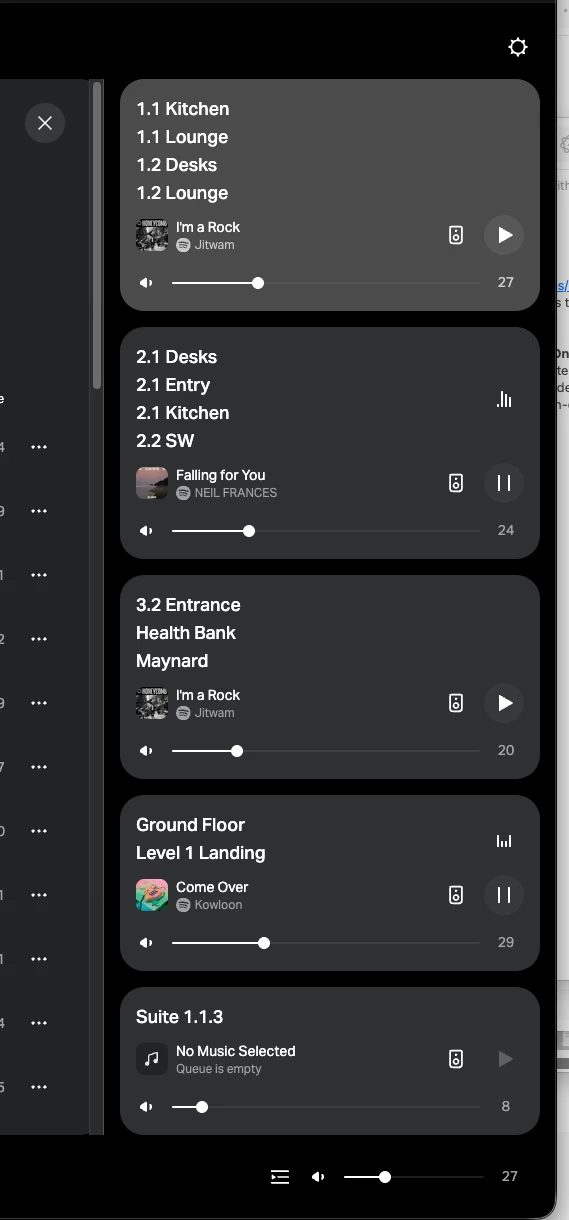
With split Sonos system, I mean like this. You pair speakers with other speakers on the same floor, which seem to help them connect with each-other more stable than when all 15 speakers are played together. 


Stanley_4
  • Grand Maestro
  • April 1, 2026

I see the problem, we aren't communicating using the same terms.

Pair: Joining two matching Sonos speakers to create a right/left stereo Pair.

Splitting doesn't describe what you are doing, what you are doing is Grouping. All are still part of the same Household, they are just split into Groups, all playing the same music stream.

Grouping can be tricky, the speaker you start the group from is designated the Group Coridinator function. It picks up the streamed music and passes it to the other Group members. It is good to make the Coridinator the speaker with the strongest connection.

Sonos Terminology: 

https://en.community.sonos.com/tutorials-and-how-to-s-229149/sonos-terminology-6905527


On 2.4 gHz being too slow, that doesn't impact Sonos as the needed transfer rates are quite low and easily met.


Forum|alt.badge.img+18
  • Local Superstar
  • April 1, 2026

We’re trying to balance stability with network integrity, and would really appreciate your guidance on best practice for a deployment of this size.


Thanks in advance for your help.

Without knowing your network and use case in detail, I would follow the best practice:

Sonos Networking Best Practice

Best Practice for Sonos Devices on UniFi Network

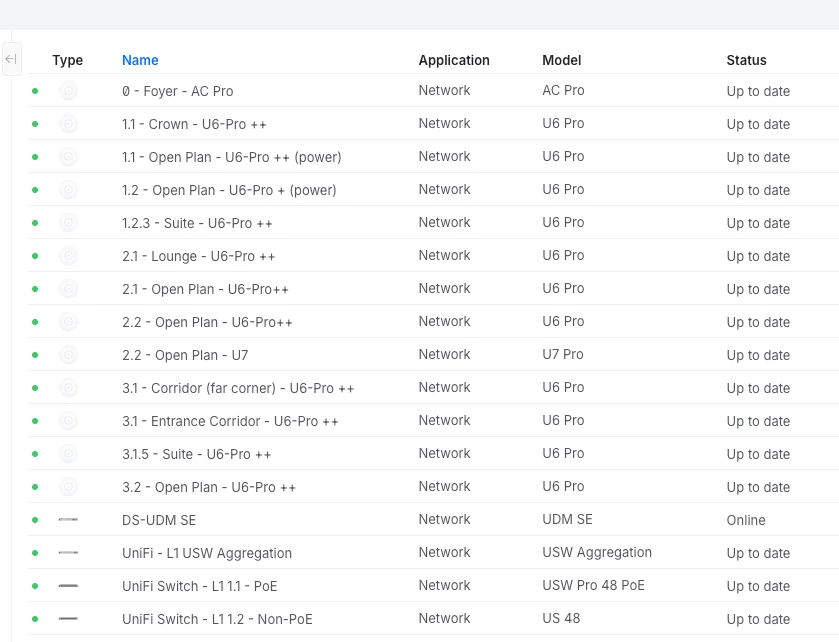
As they are older devices, I would lean towards hardwiring all devices back to the SAME switch, and disable Wi-Fi on EVERY device. The ratio of APs to players as almost 1:1, if you do go down the Wi-Fi route, I would ensure your Wi-Fi is optimized, radio power is balanced with 2.4GHz enabled.


Forum|alt.badge.img+18
  • Local Superstar
  • April 1, 2026

To further explain, we are a co-working space with 200 members, most members use newer devices which is why we have 2.4ghz of as we see faster speeds when members are forced to 5 or 6ghz. 

I’m guessing the power on your 2.4GHz radios is too high (auto?) on your APs, and the client(s) will stay on a 2.4GHz, rather than roam to a 5GHz. Check the Cell overlap section in this link:

https://support.apple.com/en-gb/guide/deployment/dep98f116c0f/web