
Answered

Can't add a 2nd speaker to my `room

  • February 11, 2025
  • 8 replies
  • 449 views

Today one of my speakers stopped playing music. I managed to connect it again but it wouldn’t allow me to add it to the existing room. I went around in circles trying everything I could find on the forums and then followed these steps.

  1. Factory reset both speakers
  2. Added the first one to the new room
  3. Added the 2nd speaker to the new room
  4. After this step there is only 1 speaker in the room
  5. When you select setup a stereo pair this screen displays and the product can’t be found:
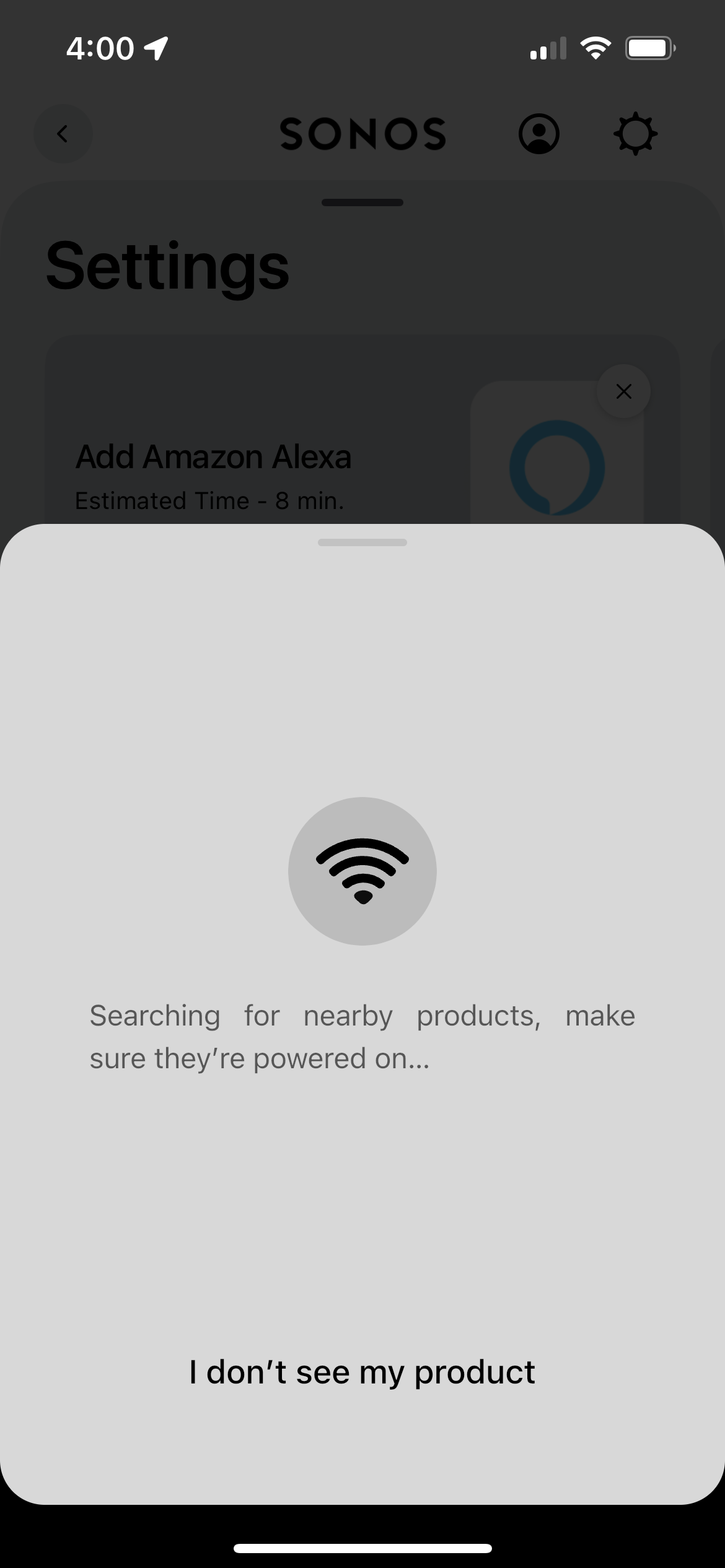
 

When I go to the App Both speakers exist in other settings, e.g.  I can locate them in the settings to update the Network (they update fine and are both on the same network).

I still have the problem with only 1 speaker working and not being able to add a pair.
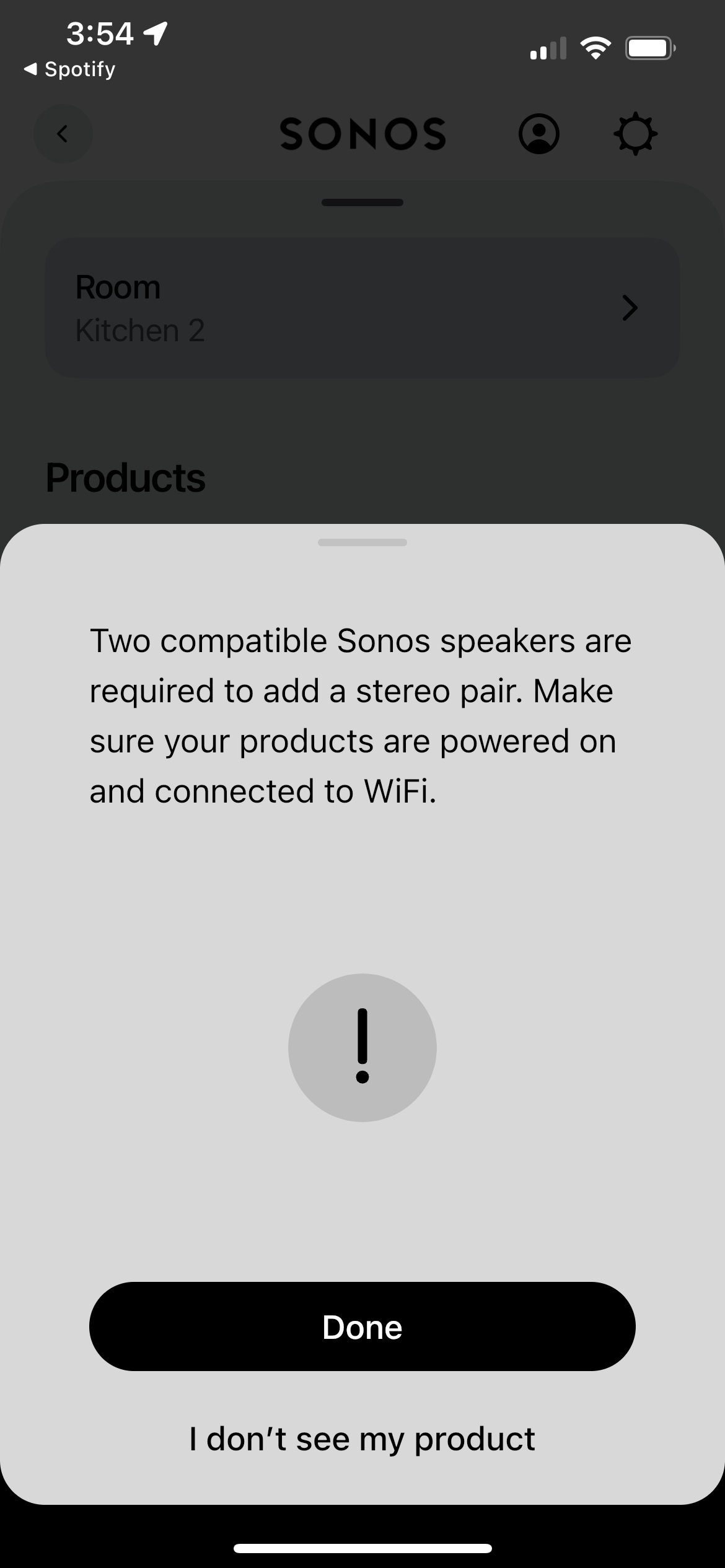
When I select I don’t see my product, it asks me to factory reset them again, which I have done 5 times now.

The other issue is that neither is showing up in Spotify (and music is only coming out of the one speaker when you use spotify from within the Sonos app).
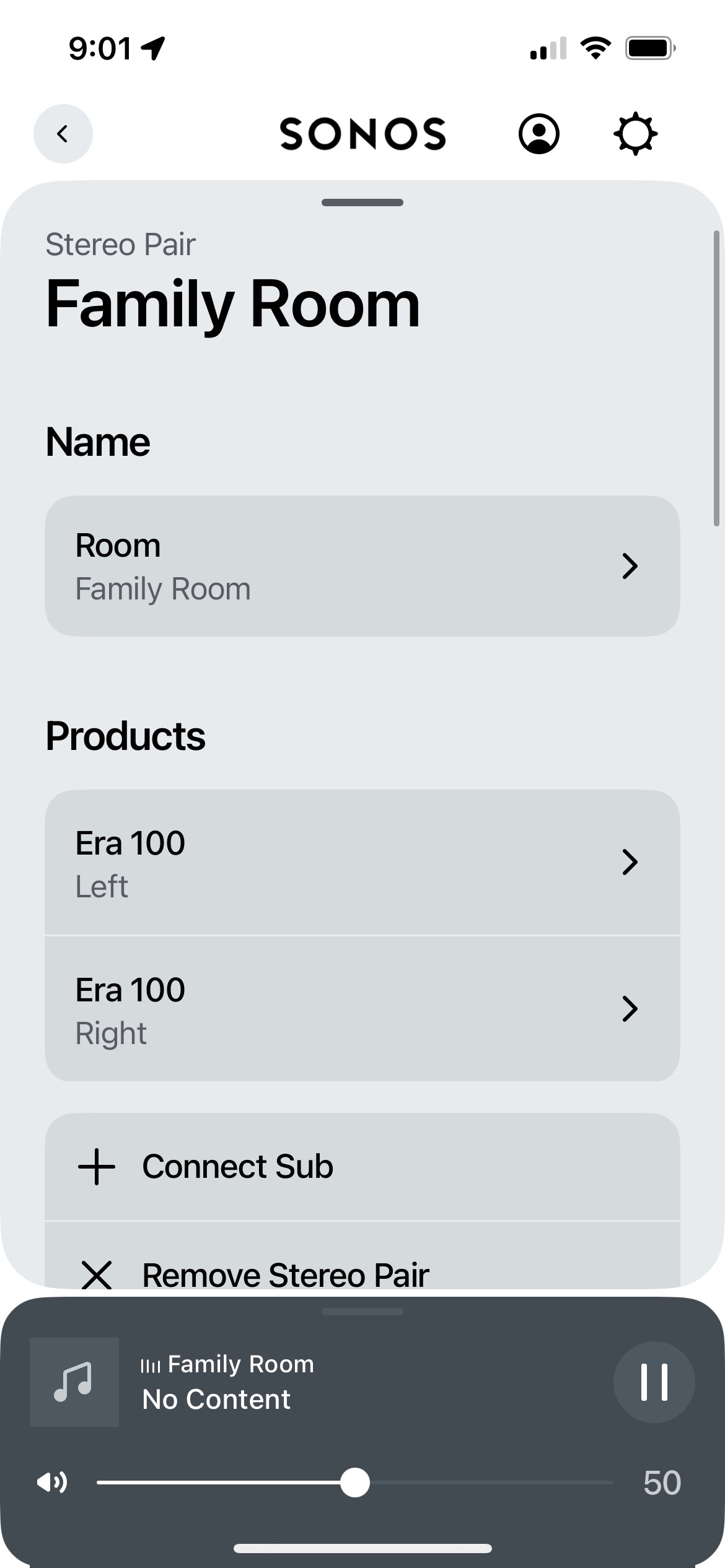
 

Best answer by Johnmccann_newy

So… I spoke to a friend and it turns out he also had the exact same issue with his Era speakers pair.

It turns out it was a DHCP IP issue relating to Google Home (using Nest).


Problem

Because of some unknown technical issue relating to DHCP the 2nd speaker was not displaying the ‘Groups’. The first speaker was in ‘Family Room’ and the 2nd speaker was assigned to a 2nd Group called ‘Family Room 2’ (even though ‘Family Room’ had been selected during the setup.

Steps to Resolve

  1. Go to Google Home
  2. Select the Wifi devices
  3. Select the Eras (one a time)
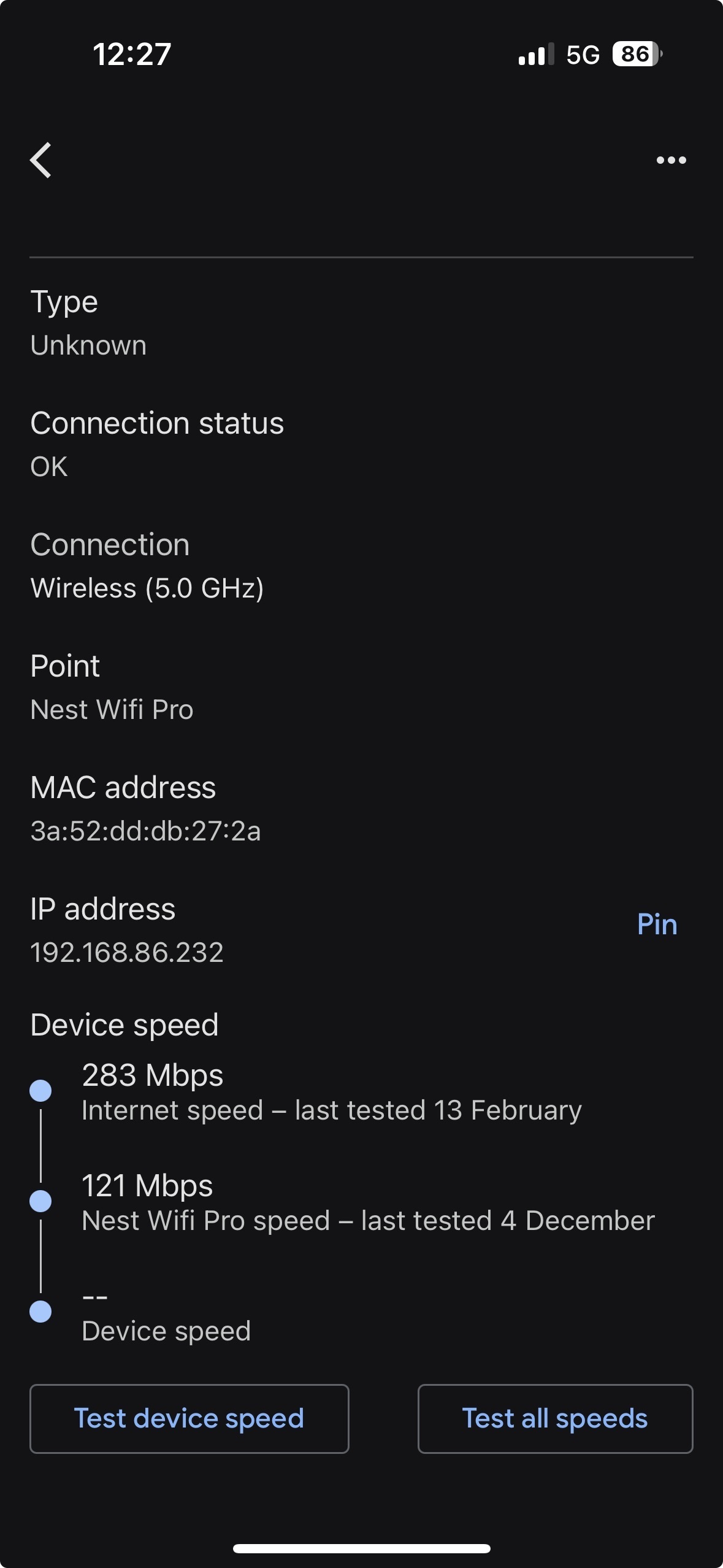
  4. Navigate to the IP address - select PIN
  5. Restart the Sonos app (you can now see both speakers and the duplicate rooms)
  6. Go to settings > groups > delete the 2nd group
  7. Repair the speakers without any issues (the first speaker is not in the correct group)

I hope this helps someone else as it was driving me crazy.

I also think my response should be voted as best answer 😅

👇


This topic has been closed for further comments. You can use the search bar to find a similar topic, or create a new one by clicking Create Topic at the top of the page.

8 replies

Airgetlam
  • February 11, 2025

What are the two speakers? 


  • Author
  • Contributor I
  • February 11, 2025

Both Era 100

Recently updated to the latest iOS (could be related?)


Pools-3015
Forum|alt.badge.img+17
  • Prodigy I
  • February 11, 2025

Have you tried rebooting your router/network?

If not, give that a try and reboot your phone while you are at it.


Airgetlam
  • February 11, 2025

And, if that doesn’t work, I’d call Sonos Support directly to discuss it.

When you speak directly to the phone folks, they have tools at their disposal that will allow them to give you advice specific to your network and Sonos system.


Airgetlam
  • February 11, 2025

Oh, and for whatever it’s worth, I haven’t noticed an issue using the latest iOS, although I’ve not tried adding a speaker from it, either. The controller continues to work as it always has. 


  • Author
  • Contributor I
  • Answer
  • February 14, 2025

So… I spoke to a friend and it turns out he also had the exact same issue with his Era speakers pair.

It turns out it was a DHCP IP issue relating to Google Home (using Nest).


Problem

Because of some unknown technical issue relating to DHCP the 2nd speaker was not displaying the ‘Groups’. The first speaker was in ‘Family Room’ and the 2nd speaker was assigned to a 2nd Group called ‘Family Room 2’ (even though ‘Family Room’ had been selected during the setup.

Steps to Resolve

  1. Go to Google Home
  2. Select the Wifi devices
  3. Select the Eras (one a time)
  4. Navigate to the IP address - select PIN
  5. Restart the Sonos app (you can now see both speakers and the duplicate rooms)
  6. Go to settings > groups > delete the 2nd group
  7. Repair the speakers without any issues (the first speaker is not in the correct group)

I hope this helps someone else as it was driving me crazy.

I also think my response should be voted as best answer 😅

👇


106rallye
Forum|alt.badge.img+18
  • February 15, 2025

For future reference. Where you say “group” Sonos uses “room”. You had speakers in two “room”. Now they are in one “room”. In Sonos speak rooms can be “grouped”, so a “group” is a number of “rooms” put together.

Since a few weeks (some) Sonos speakers (forming a “room” on their own) can be bonded together into “zones”.


  • Author
  • Contributor I
  • February 15, 2025

Yes but I could only see 1 x room