Question

AirPlay grouping/playing on Sonos: best practices

  • January 31, 2026
  • 3 replies
  • 42 views

Hi everyone, 

I use both Apple Music and I listen a lot to podcasts via Apple Podcasts. For Apple Music I most of the time use the Sonos App (because of the streaming quality and direct streaming). For podcast I obviously  use AirPlay 2 from my iPhone (iPhone 16 - iOS 26). 

I’ve read a few articles on AirPlay, including on this forum, and I was wondering which are the best practices. 

In this support article they say: 

Select one or more Sonos products to stream the same audio across all of them using AirPlay.


But in some posts and articles I read it’s better to do grouping an ungrouping via the Sonos App (all my speakers are AirPlay 2-compatible). 

My question:

  1. Is it better to just initiate the AirPlay 2 stream and then switch back to Sonos App for other controls (grouping and ungrouping, volume) or does it make no difference anymore if using the controls from iOS). 
  2. What is the difference between grouping with iOS and with Sonos? 

3 replies

AjTrek1
  • January 31, 2026

I don't use AirPlay much at all as the Sonos App fulfills my needs for music and I don’t listen to podcasts. Therefore, my thoughts maybe less than what you need.

As far as sound quality you shouldn’t notice a difference...at least I can’t with music. However, there are UI differences that may or may not matter to you.

I’ve used Apple Music via the native app and via Sonos for the following examples. Take a look at the pictures below and preceding comments:


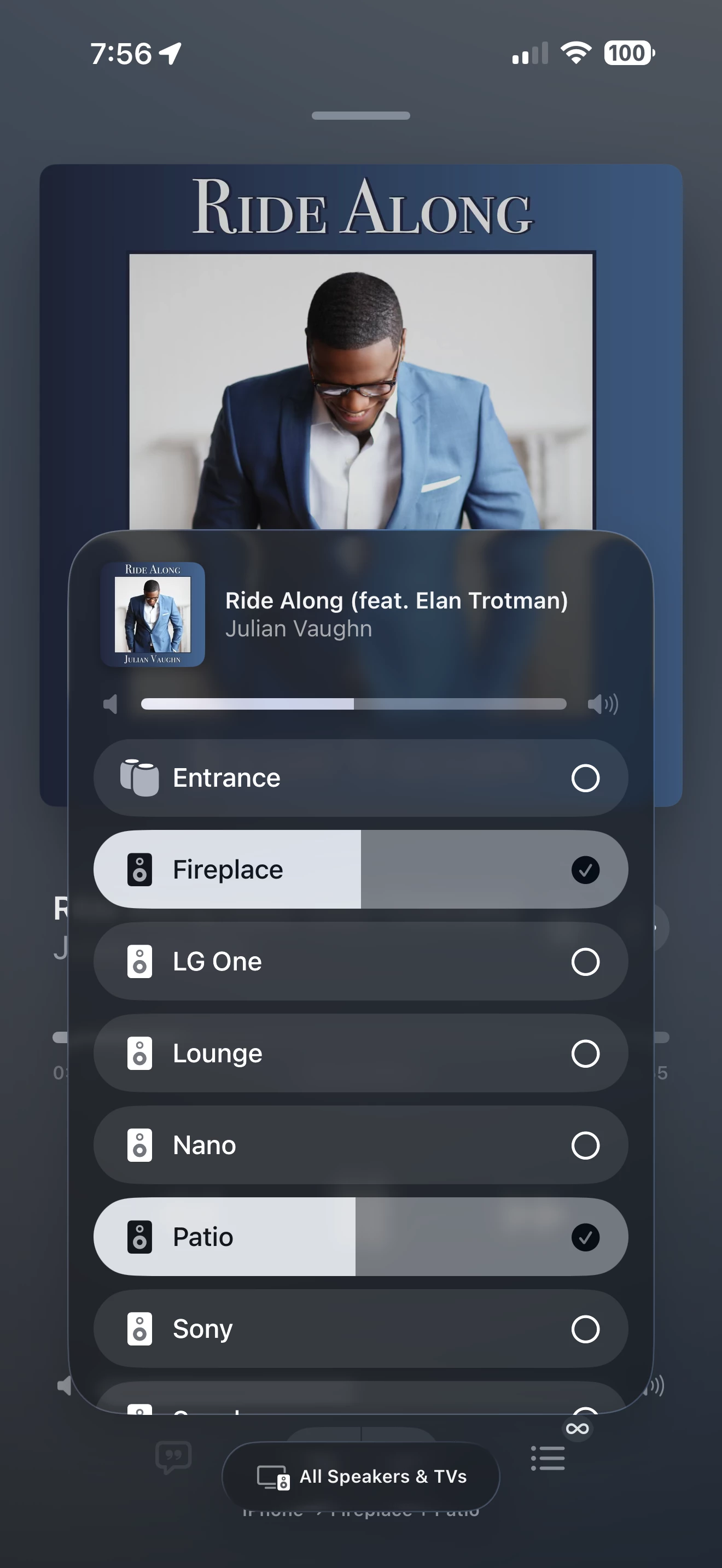
#1_Apple Music app grouping via AirPlay. Nothing really remarkable as the basic information showing speakers, audio codec, play/pause, back/forward and volume control. 


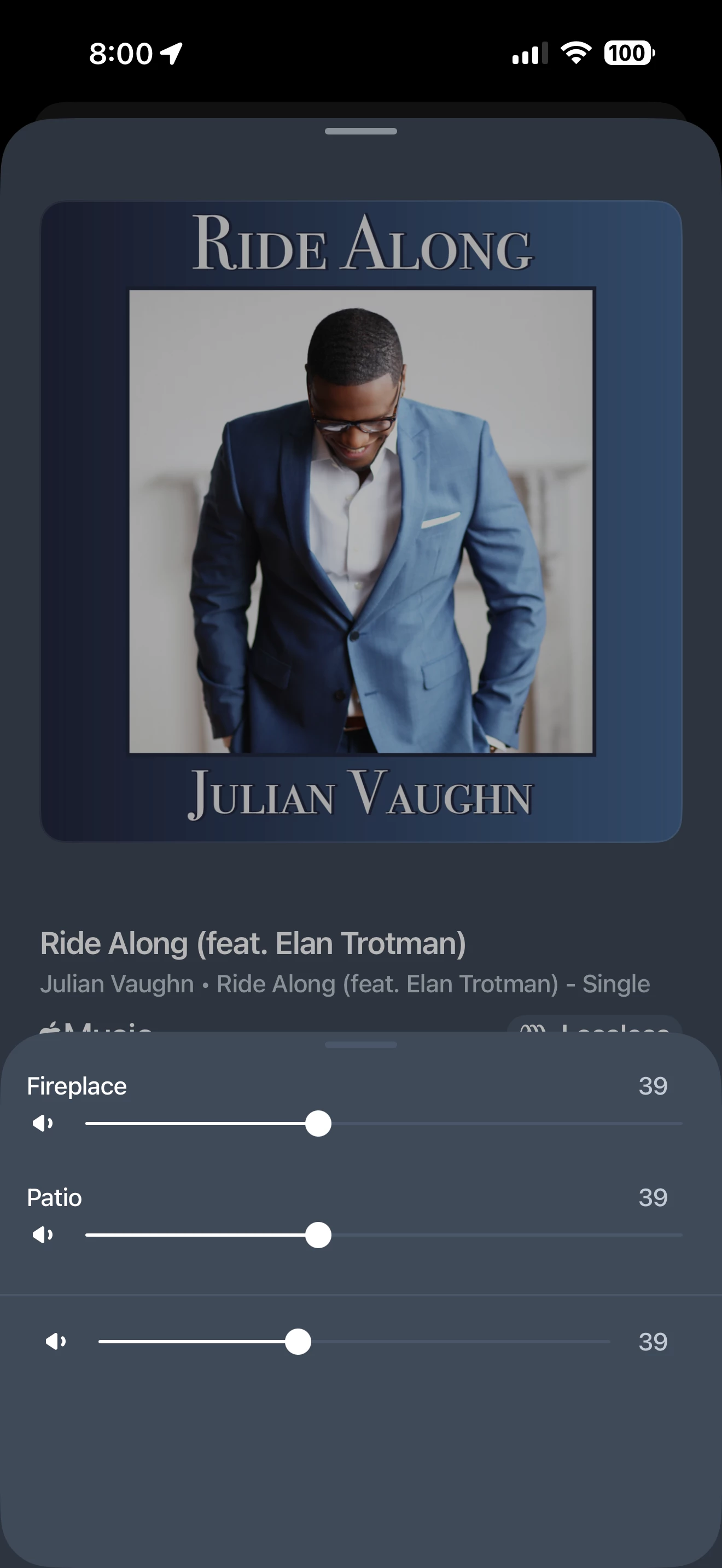
#2_Apple Music grouping via Sonos App. Shows the same information as in picture #1 with a few minor differences. Only you can decide if those differences matter.


#3_Apple Music app speaker selection via AirPlay. You are able to select Sonos speakers as well as any other Airplay capable speaker. In this picture you also see my Apple HomePods labeled as Entrance. I’ll not show a picture of speaker selection within the Sonos app as I feel the differences mentioned here tell what you would or wouldn’t see.


#4_Volume Control within the Sonos app. Within the Sonos app you have the ability to control the individual volume of each speaker in the group using the Volume Slider. That feature is not available inside Airplay. In Airplay you must bring up the grouping as shown in #3 above.


So, all said it really comes down to personal choice. However, Airplay can be finicky as it piggy-backs on your home Wi-Fi. Meaning that Airplay can be slower to react to volume changes especially in speaker groupings.


  • Author
  • Contributor I
  • January 31, 2026

@AjTrek1 Thank you very much for your feedback and very appreciated explanation. It helps me a lot to make a choice. It makes the previous posts and the article on Sonos support more comprehensive. 

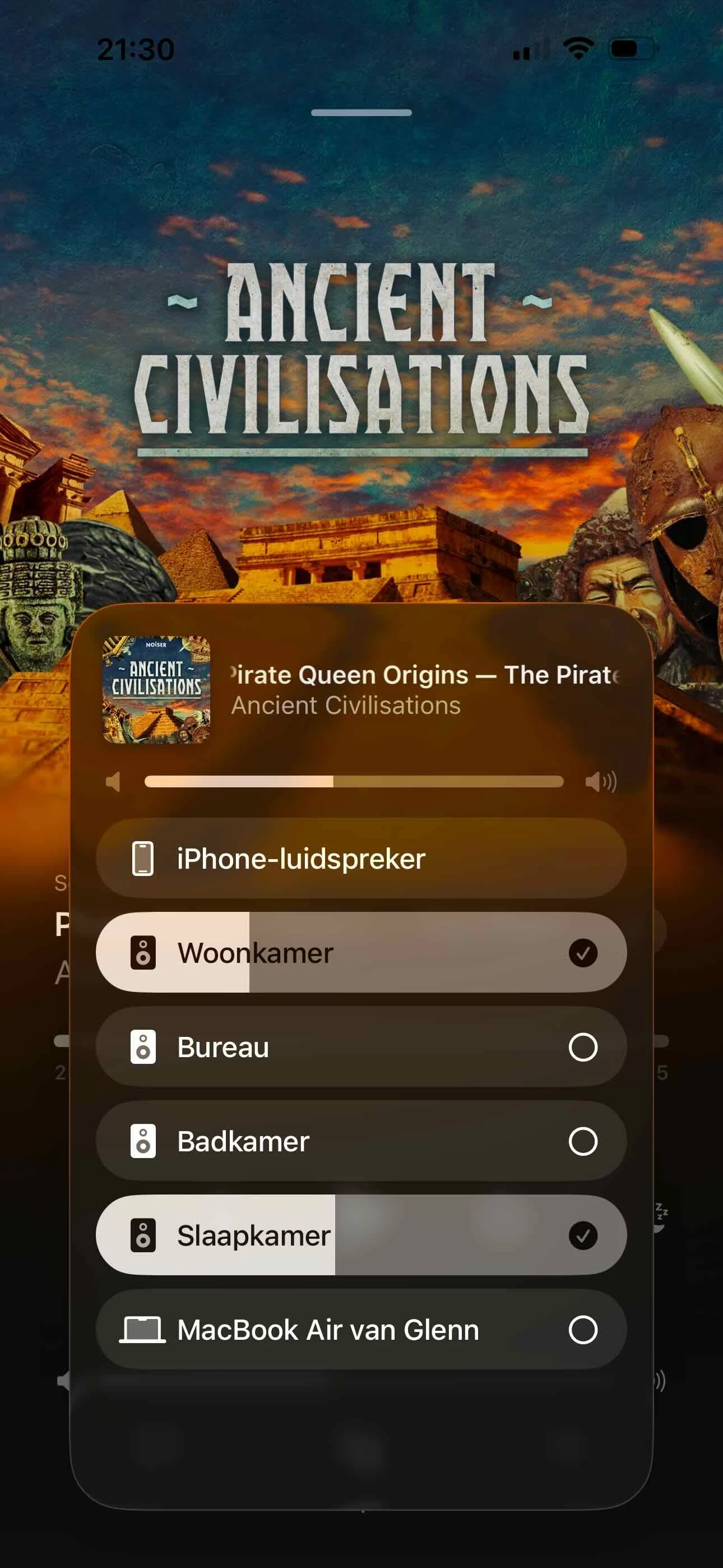
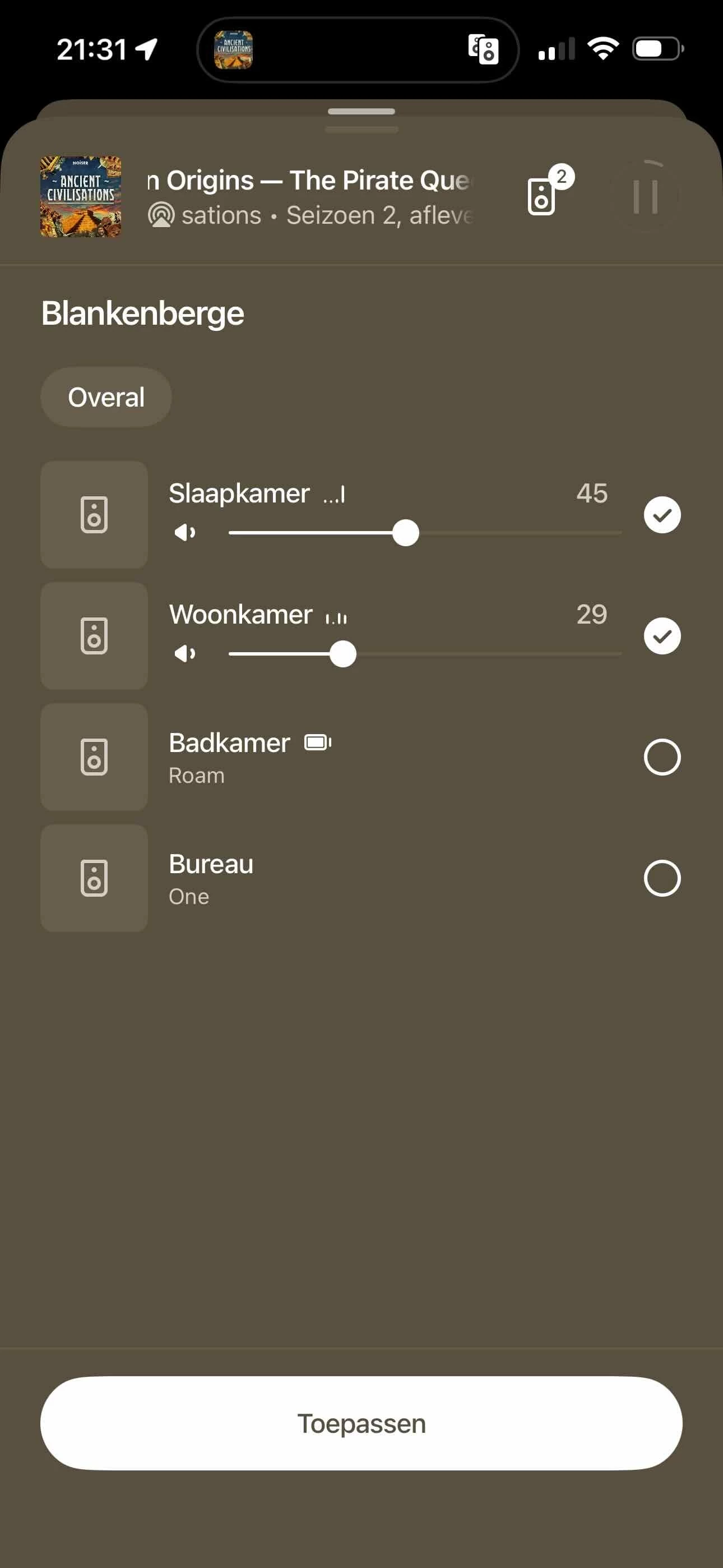
As there should be no real difference in quality and I have only four rooms in my apartment, I can pick the method that seems most convenient for the situation. For starting a stream it can be more convenient to start the podcast in two rooms over AirPlay. But even with only four speakers the Sonos-interface is cleaner in groups. In the screenshots I have the situation for my system, and in this example the living room (woonkamer) and bedroom (slaapkamer) are grouped. 

#1 - The Apple Podcasts App in my setup:

#2: My Sonos App: 

On exception might be the bathroom (badkamer), where I have a roam and slightly less wifi coverage. Maybe for the bathroom I should start the stream in an other room and group with Sonos, if I want the podcast in more than one room (including the bathroom).

I’ll try things out. Thank you again!


Airgetlam
  • February 1, 2026

Just as a recommendation, I would never use AirPlay 2 to send two streams to Sonos, as you have done in your screencap #1. This requires twice the bandwidth from the originating device ( which looks like an iPhone…) Instead, I would use half the bandwidth from my Apple device, and send one stream to the Sonos (pick your own room, I’d choose the one closest to me) and then use the Sonos controller to ‘group’ the rooms that I want to play in sync. The Sonos is designed (moreso) for this type of use, and the software is written to keep things in sync. And the attraction is half (or better, if more than two rooms are involved) the bandwidth being used by the Apple device.