
Contributor I
September 7, 2023

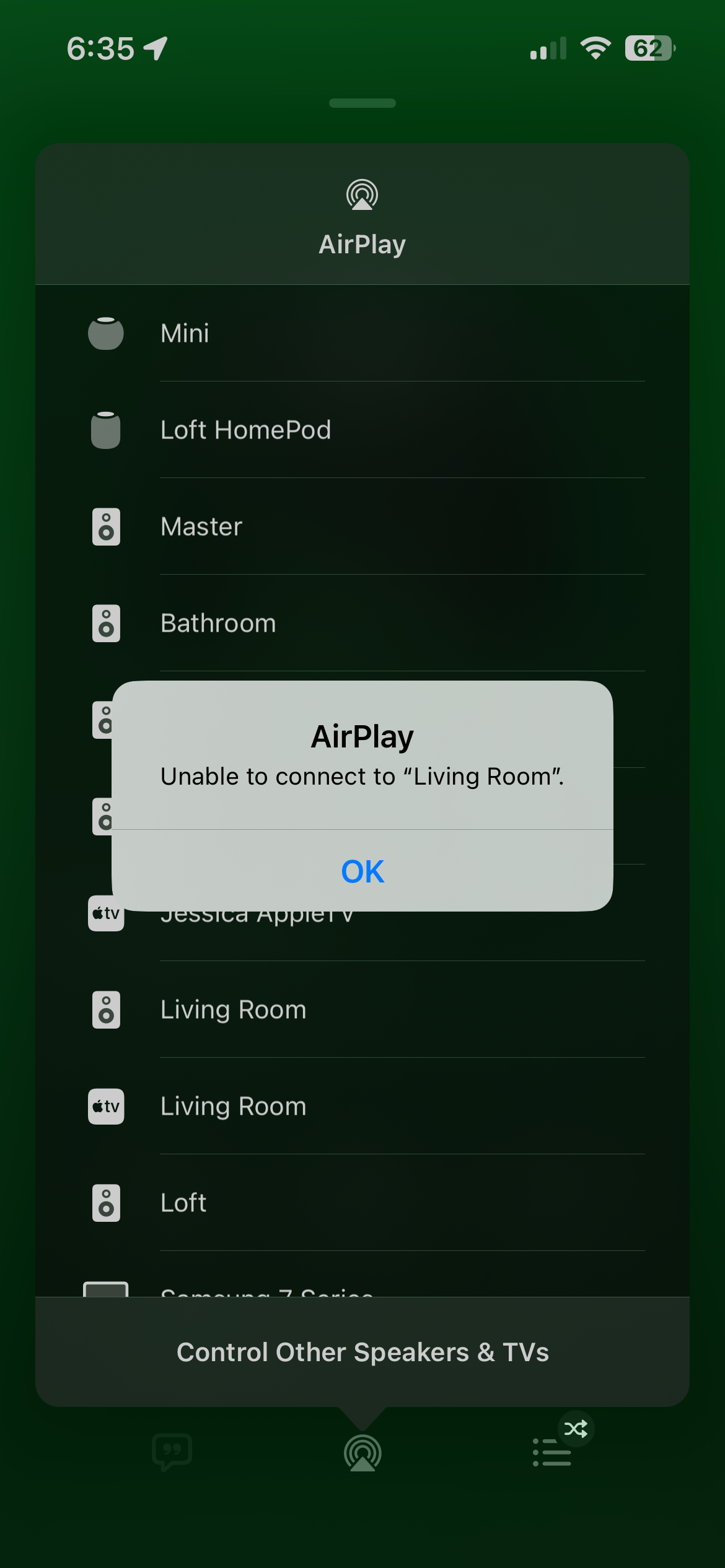
Airplay 2 unable to connect to Sonos
  • September 7, 2023
  • 52 replies
  • 16493 views

I have around 11 sonos speakers and 3 Apple HomePods. The HomePods work flawlessly for Airplay. But only certain speakers work on the Sonos side for Airplay and no matter what I do, (unplug all speakers and reboot router and modem and finally hard reset most speakers, nothing seems to work I consistently get “unable to connect to “speaker name””. However they all lseem to work on the Sonos V2 app. Has anyone found a fix to this issue?

This topic has been closed for further comments. You can use the search bar to find a similar topic, or create a new one by clicking Create Topic at the top of the page.

52 replies

Lyricist I
February 1, 2024

i’m having the same problem. i only have 1 Sonos, and only my iphone has a problem connecting thru airplay. Using the Sonos app on my phone will play on the Sonos. My ipad can still connect to the Sonos using airplay. It’s only when i want to play audio from my iphone using airplay that doesn’t work. 

Airgetlam
February 1, 2024

I’ve had success by rebooting the Apple device. Right now, my iPad works without issue, but the Apple TV disconnects often (I have a contractor that is frequently cutting power, which doesn’t help, either). 

Bruce
Contributor II
February 7, 2024

This has something to do with a recent iOS update for the Apple Vision Pro goggles. Everything worked fine until they pushed that update, and now all of my iOS devices either wont connect, or connect and then drop after a brief period of time. There are reports of this issues from numerous people in the past week. 

Airgetlam
February 7, 2024

That’s interesting. I’ve applied all of the updates to the iPhone, iPad, Mac’s, and Apple TV, but will admit I’m not a huge fan of the Vision Pro. While I needed to reboot many of these devices (and sometimes wait a bit), they’re all connecting to my Sonos AirPlay 2 speakers at this point. I’m not experiencing this dropping at all (other than when my contractor cuts the power!)

I’d still be tempted, in your case, to reboot the Apple devices, and at the same time, reboot the Sonos speaker. I certainly have noticed that software updates to either cause interruptions in the connection, so they need to be re-set up. 

 Unfortunately, I suspect Sonos can only see successful attempts of connection to their devices, but I would hope that they might see a reason for a disconnect, at least more than just a cessation of signal from the Apple device, so you may want to submit a system diagnostic within 10 minutes of experiencing this problem, and call Sonos Support to discuss it.


Bruce
Lyricist I
March 24, 2024

I use Itunes on 2 PC’s for streaming different things. I could not connect via airplay to one PC but I could on the other. I read the Q&A’s about the ‘unable to connect’ issues. On the PC that wasn’t working I simply turned off the AVG firewall and it is immediately working !!! I now need to find a way to configure AVG to allow access to my Sonos Roam - All help gratefully received !

Lyricist I
March 25, 2024

 This has something to do with a recent iOS update for the Apple Vision Pro goggles. Everything worked fine until they pushed that update, and now all of my iOS devices either wont connect, or connect and then drop after a brief period of time. There are reports of this issues from numerous people in the past week. 
 

Not saying this can’t be the case but I’ve had the issue for a fairly long time - pre Visio  Pro release. Have other apple and  non-apple gear with zero issues playing AirPlay 2 content. 


Lyricist I
April 7, 2024

Add me to this list going on at least a half year (def pre anything to do with Vision OS). Multiple other non-Apple vendors working with no issues. Many Sonos speakers reachable, and others not - have done power recycles on all components. 
 

One observation currently is that my Arc is the only one which has been unable to connect at all. The other components when alone and/or unpaired from an HT setup  have managed to keep or regain their AirPlay reachability (Sonos One SLs, Sonos Roams). 
 

I have wondered if it was room naming and some form of sync malaise but I’ve also tried renames - those that were connected stay connected and reachable but the Arc does not. 
 

I have tried connecting the Arc via Ethernet and then WiFi - both had no impact. 
 

I’ll keep tinkering as I get annoyed but I sincerely think this is a (likely complex) Sonos networking issue given that no other vendor I use has this issue and I view them generally dumb as bricks compared to Sonos. 

Lyricist I
April 14, 2024

The cause of this problem, for me, was that my Sonos One was the master of the network and it had outdated code that it wasn’t telling me about. I now have everything working with AirPlay, even though the Sonos app no longer works and complains that my iPhone 7 is outdated. I can still use the Sonos app on my newer iPhone, but I use the iPhone 7S as my home jukebox.

Here’s my solution:

  1. Turn off all of your Sonos equipment. 
  2. Power down your network and let it boot up clean with no Sonos devices. 
  3. Pick a Sonos device to add to your network, but not the Sonos One. I chose my Sonos Amp, because it is not using Wifi and is hard wired to my network.
  4. Do a Factory Reset on this device and add it to your Sonos network.
  5. When it has completed, confirm that AirPlay connects to the device.
  6. Do a factory reset on the Sonos 1 (hold the infinity button while connecting to power, then continue to hold the button down until the light flashes GREEN) and add it to your Sonos network. At this point, my Sonos One said it needed a software update. Why it never updated before is a mystery.
  7. Continue to add any other Sonos devices, I suggest doing a full Reset on each of them just to make sure they get updated. I also had a Roam that kept falling off the network and it updated during this and has finally quit disappearing!
  8. Confirm AirPlay connects to the new devices as they are added.

My system is working better than ever now. The Sonos support guy said that my Roam kept dropping because of ‘network interference,’ but it was actually because of outdated software! Apparently, the Sonos app isn’t showing real version info for the network, because the devices can report current versions even if they aren’t on the current version. They only update when you do a factory reset. But you don’t know they are outdated, so you never know you need an update.

THAT would be a good glitch to fix. 

Lyricist I
April 24, 2024

I created an account just to say that I've had this problem for months and the steps that dh1966 describes seem to have solved it for me. Going well for the past 2 days.