
Contributor I
September 7, 2023

Airplay 2 unable to connect to Sonos
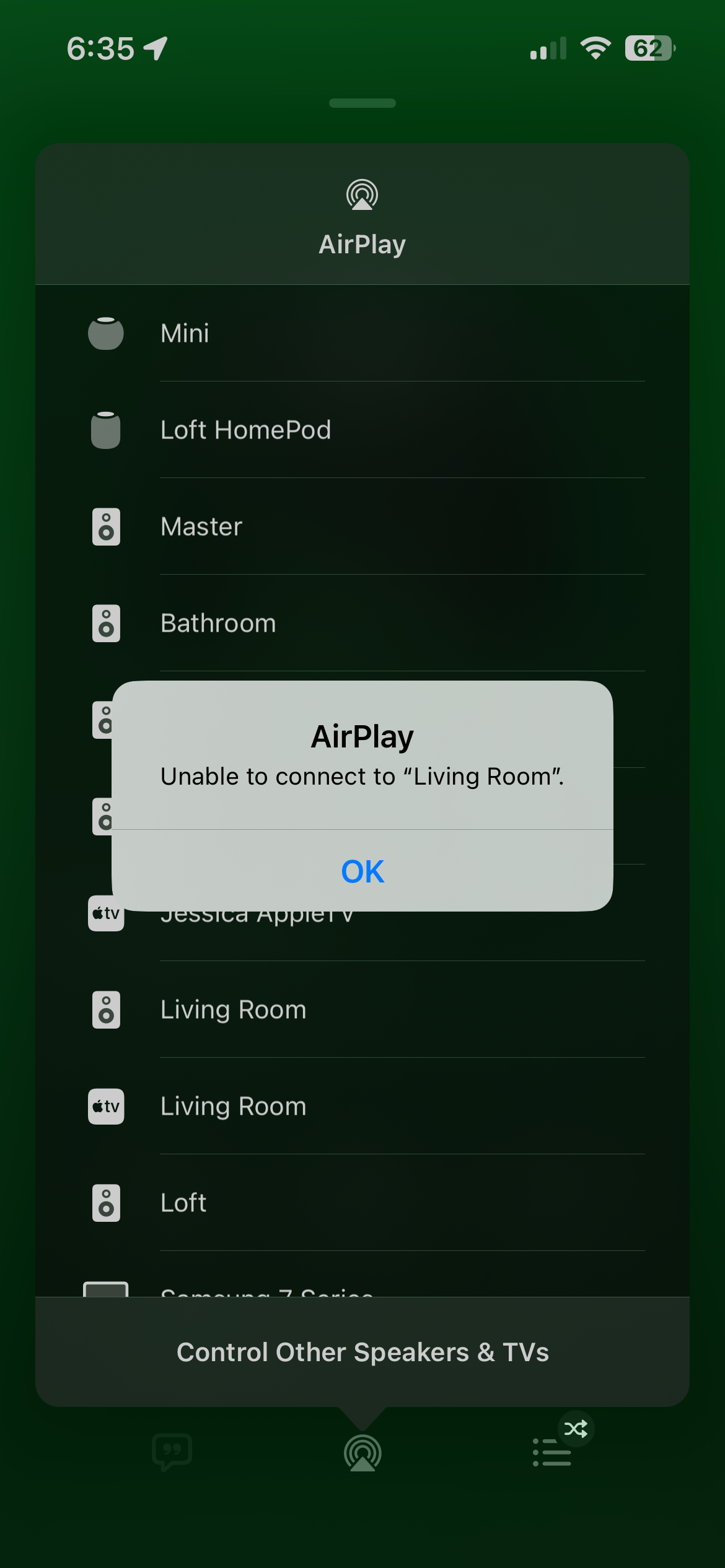
I have around 11 sonos speakers and 3 Apple HomePods. The HomePods work flawlessly for Airplay. But only certain speakers work on the Sonos side for Airplay and no matter what I do, (unplug all speakers and reboot router and modem and finally hard reset most speakers, nothing seems to work I consistently get “unable to connect to “speaker name””. However they all lseem to work on the Sonos V2 app. Has anyone found a fix to this issue?

This topic has been closed for further comments. You can use the search bar to find a similar topic, or create a new one by clicking Create Topic at the top of the page.

52 replies

Airgetlam
September 7, 2023

Not all Sonos speakers are AirPlay2 capable, is there some possibility you’re trying to send a signal to an older device? See https://support.sonos.com/en-us/article/stream-airplay-audio-to-sonos

That being said, you can always do what I do…send the AirPlay 2 signal to a device that can receive it, then go into the Sonos controller and ‘group’ your older speakers. It’s the way I get an AirPlay 2 signal to play on a pair of PLAY:1s frequently.

Bruce
Contributor I
September 7, 2023

Hi Bruce,

 None of my speakers are older models. I have the Beam 1st Gen. The play 5 2nd Gen. 3 One SLs a Gen 2 sub. 2 Symfonisk table lamps 2nd Gen and 3 Symfonisk book shelf speakers. 2 gen 1 and 1 Gen 2. Does that change anything?

Airgetlam
September 7, 2023

Not really, just suggests that you have potential wifi interference issues. Have you submitted a system diagnostic within 10 minutes of experiencing this problem, and called Sonos Support to discuss it?

There may be information included in the diagnostic that will help Sonos pinpoint the issue and help you find a solution.

When you speak directly to the phone folks, they have tools at their disposal that will allow them to give you advice specific to your Sonos system and network.


Bruce
Contributor I
September 7, 2023

Hello again Bruce, 

Yeah, I submitted diagnostics and  while on hold with a support specialist. During that 10 minute call I screen shared my phone with her so she saw the same errors as I did. Then we unplugged all of my sonos speakers in order and reset my routers. And continued to get the same issue. 
 

Thanks for your replies,


Doug

Lyricist II
September 12, 2023

Same here.

Homepod and AppleTV works. My Sonos Roam is also working.

But my Beam, One SL, Symphonisk and Port are « unable to connect ».

This speakers that are not working had know the S1 version. The roam is only 2 month old.

Lyricist II
September 12, 2023

Did an annoying factory reset on a One SL and it is now working like a charm with AirPlay… Hope to get a fix and not have to reset all others speakers.

Airgetlam
September 13, 2023

It’s pretty unusual to have to do a factory reset on a speaker, unless instructed by Sonos.

Bruce
Contributor I
September 13, 2023

I’m trying a new whole home router and getting rid of my mesh system to see if that helps. I will keep you all updated. 

Lyricist II
September 13, 2023

I tried just before to shutdown everey Sonos and mesh access point, restart the router. Start only the main access point and one sonos connected to it, with no result. That is a bug in the sonos operating system, not with the WiFi or router. It has maybe been introduced with subsequent updates.

It was working well before and now, only my new Roam is working. After a factory reset, they work again. I was driving crazy, looking at my network, but you’ll not find anything as it is obviously not a network problem.

Lyricist I
October 14, 2023

I’m having the same issue from months now. It’s infuriating. After resetting the device, it works for a day and then again same issue.

I thought it breaks after firmware update, so stopped updating, but that theory is wrong.

Did anyone find a long term solution?