

Answered

Sonos iOS app groups

  • April 25, 2024
  • 2 replies
  • 88 views

SonnyJ1987
Forum|alt.badge.img

Hi,

Today I have added an Sonos Era 100 to my setup at home, I already had a Sonos One.

Now I’ve read and googled until I was crossed eyed but for the love of my I just don’t seem te be able to play everywhere.

I’ve found a manual stating I should go to the System and Then the box on the right where i can select “everywhere” or create a new group but I just don’t get that menu option.

Anyone experienced that before? Screenshot below :-) 
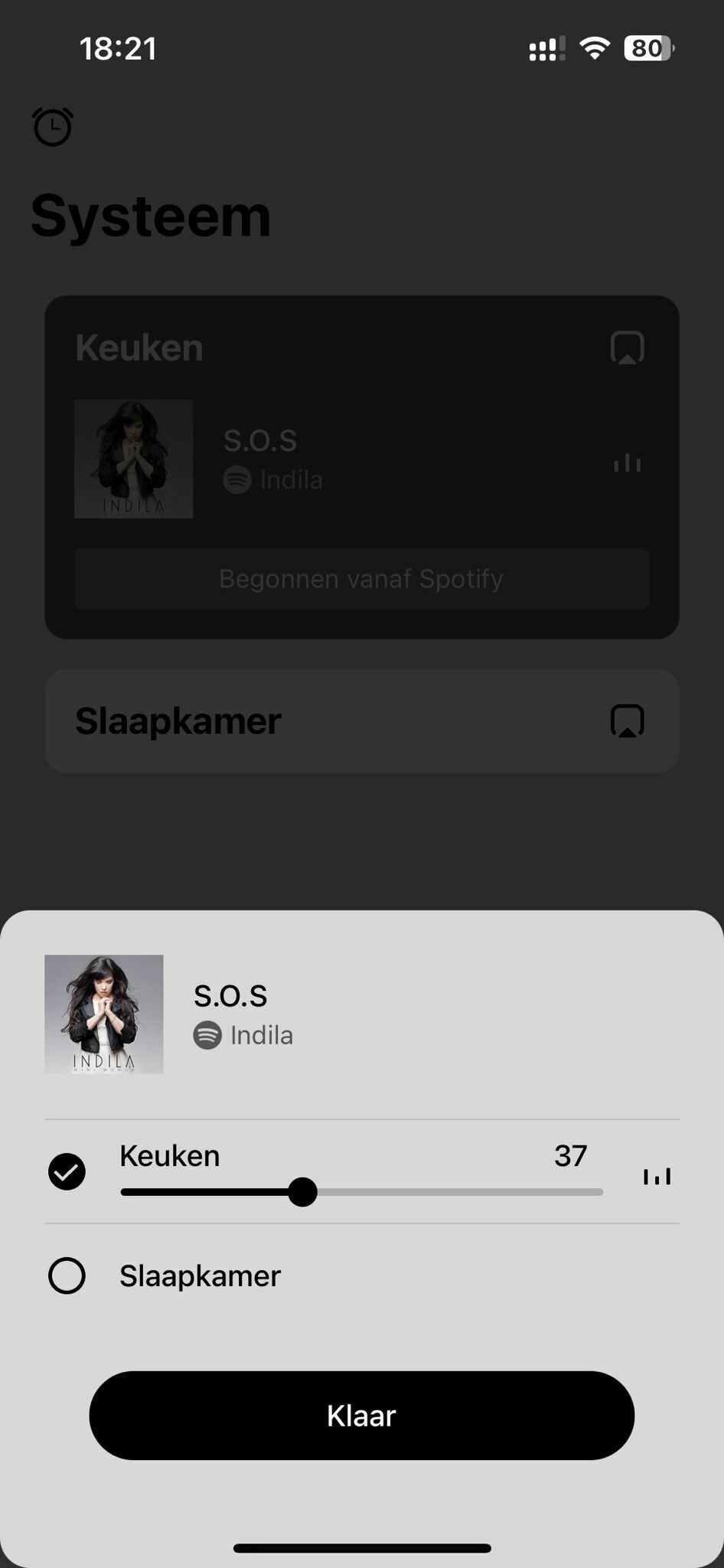
p.s. I just got the message there’s a new update coming may 7th, should I just wait that one out?


Thanks everyone!

Cheers!
Sonny

Best answer by nik9669a

When you only have two rooms, there’s no “everywhere”. Just select the other room - click the selection circle to the left of Slaapkamer. 

This topic has been closed for further comments. You can use the search bar to find a similar topic, or create a new one by clicking Create Topic at the top of the page.

2 replies

Forum|alt.badge.img+19
  • Senior Virtuoso
  • Answer
  • April 25, 2024

When you only have two rooms, there’s no “everywhere”. Just select the other room - click the selection circle to the left of Slaapkamer. 


SonnyJ1987
Forum|alt.badge.img
  • Author
  • Contributor I
  • April 26, 2024

Hi Nik,

Thanks, I wasn’t sure about this so I figured I was doing something wrong.
But now that you mention it, it makes perfectly sense..


Good excuse to the Mrs. to buy more Sonos 😃