

End of Software Support - Clarifications
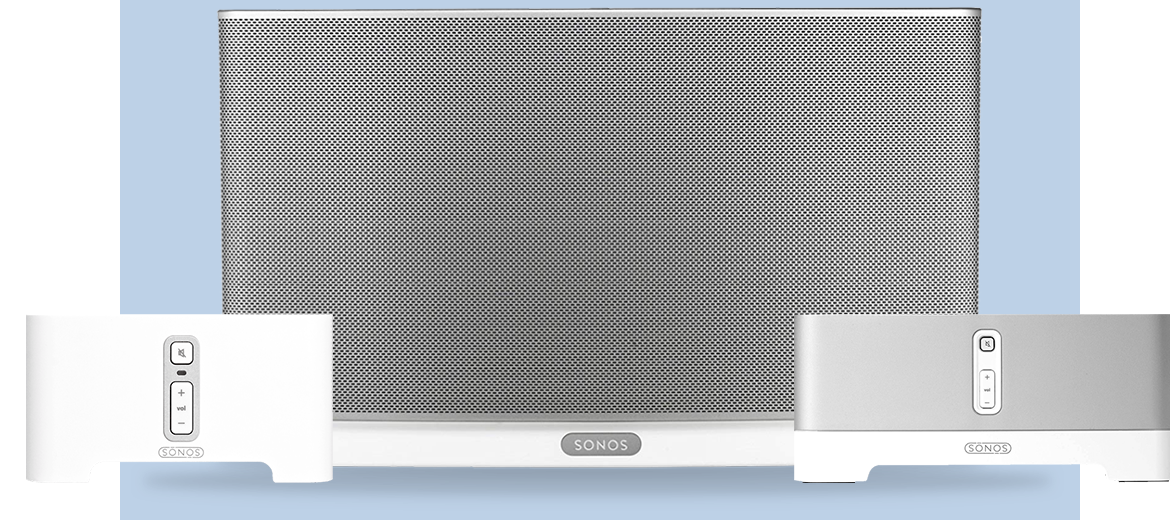
We announced yesterday that some of our oldest Sonos products will be moving into a legacy mode in May of 2020. Our commitment is to support products with regular software updates for a minimum of five years after we stop selling them, and we have a track record of supporting products far longer.
Here is some public information we’ve shared, gathered into one place to respond to some of your questions in one easy thread, so that people can find the correct information easily.
Beginning in May, software updates and new features from Sonos will only be delivered to systems with only modern products.
After May, systems that include legacy products will continue to work as before - but they will no longer receive software updates or new features.
Sonos will work to maintain the existing experience and conduct bug fixes, but our efforts will ultimately be limited by the lack of memory and processing power of these legacy products.
We don’t expect any immediate impact to your experience, but access to services and overall functionality will eventually be disrupted, particularly as partners evolve their own services and features.
Customers with both legacy and modern products have time to decide what option is best for them. You can continue to use your whole system in legacy mode - in this case, it will stop receiving updates and new features.
You will also be able to separate your legacy products from your modern products, so that the modern products can still receive updates and new features, and legacy products can still be used separately. We’ll have more information on how to do this in May when you can take that action.
Another option available to all customers with legacy products is to take advantage of the Trade Up program, which allows you to upgrade older Sonos products to modern ones with a 30% discount. Trade Up will be open to customers at any time should they decide to upgrade.
We recognize this is new for Sonos owners, just as it is for Sonos. We are committed to help you by making options available to you to support the best decision for your home.
If you have any further questions, please don’t hesitate with asking.
Update 2/22: A message from our CEO
We heard you. We did not get this right from the start. My apologies for that and I wanted to personally assure you of the path forward:
First, rest assured that come May, when we end new software updates for our legacy products, they will continue to work as they do today. We are not bricking them, we are not forcing them into obsolescence, and we are not taking anything away. Many of you have invested heavily in your Sonos systems, and we intend to honor that investment for as long as possible. While legacy Sonos products won’t get new software features, we pledge to keep them updated with bug fixes and security patches for as long as possible. If we run into something core to the experience that can’t be addressed, we’ll work to offer an alternative solution and let you know about any changes you’ll see in your experience.
Secondly, we heard you on the issue of legacy products and modern products not being able to coexist in your home. We are working on a way to split your system so that modern products work together and get the latest features, while legacy products work together and remain in their current state. We’re finalizing details on this plan and will share more in the coming weeks.
While we have a lot of great products and features in the pipeline, we want our customers to upgrade to our latest and greatest products when they’re excited by what the new products offer, not because they feel forced to do so. That’s the intent of the trade up program we launched for our loyal customers.
Thank you for being a Sonos customer. Thank you for taking the time to give us your feedback. I hope that you’ll forgive our misstep, and let us earn back your trust. Without you, Sonos wouldn’t exist and we’ll work harder than ever to earn your loyalty every single day.
If you have any further questions please don’t hesitate to contact us.
Patrick Spence
CEO, Sonos