

Sonos Welcomes the Google Assistant
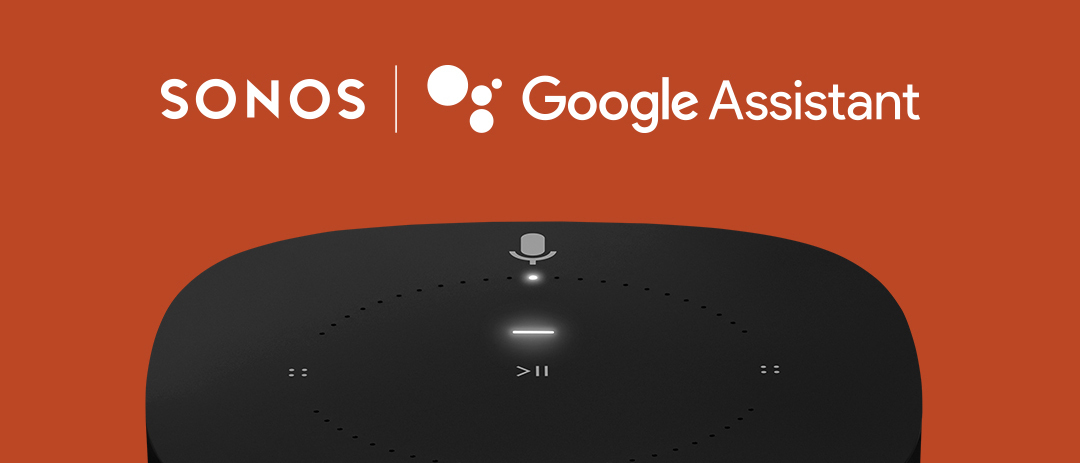
Sonos 10.2 brings the Google Assistant to Sonos. Your Sonos One and Sonos Beam, once updated, will have the Google Assistant built-in, bringing a new voice to your home. With this update, you can now link your Google Assistant enabled devices to control Sonos hands free with the Google Assistant.
Control your music, get answers to questions, manage everyday tasks, and more— simply by using your voice. Find out more about the Google Assistant with Sonos on our website here and on our blog, “12 Ways the Google Assistant Will Enhance Your Sonos Listening Experience”..
The Google Assistant is available on Sonos starting with the US only, with expanded availability this year. As of July 2nd, 2019, Australia, Canada, Germany, France, the Netherlands, and the United Kingdom now have support for Google Assistant on Sonos.
To get started, check out our setup pages for controlling Sonos with Google Home devices or adding the Google Assistant to a Beam or One. The directions are below as well.
Once you’ve got it set up, try out some basic commands with “Hey Google…” or “Ok Google…”
“Hey Google, play my morning news.”
“Hey Google, play some music in the Living Room.”
“Hey Google, turn it up.”
The Google Assistant can control basic playback, such as skipping or pausing music on Sonos, and can start music from Deezer, Google Play Music, Pandora, Spotify, and YouTube Music.
With the Google Assistant on Sonos you can play music, find answers courtesy of Google Search, plan your day, set timers, and easily control smart devices around your home. You’ll also be able to use features specific to Google Assistant, like continued conversation, meaning you can ask the Google Assistant a series of questions without having to say “Hey Google” every time.
We’ll continue to bring more actions and functionality to the experience over time through software updates.
We have a pretty comprehensive list here of basic commands, but there are always more to discover.
In the Sonos app for iOS or Android, tap the More tab at the bottom, then tap Voice Services. Choose Google Assistant from the list. This will take you to the Google Assistant app, where you’ll sign in to your Sonos account.
Once you’ve connected your Sonos account, check to make sure you’ve added your music service accounts in the Google Assistant app by tapping your profile icon at the top right, then choosing Services > Music. You can also set your default service from this menu.
To learn more about how you can control Sonos with Google Assistant, see our article, Sonos with Google Assistant.
If you run into any trouble, there are some helpful tips and tricks here and on our community here to start with.
Control your music, get answers to questions, manage everyday tasks, and more— simply by using your voice. Find out more about the Google Assistant with Sonos on our website here and on our blog, “12 Ways the Google Assistant Will Enhance Your Sonos Listening Experience”..
The Google Assistant is available on Sonos starting with the US only, with expanded availability this year. As of July 2nd, 2019, Australia, Canada, Germany, France, the Netherlands, and the United Kingdom now have support for Google Assistant on Sonos.
To get started, check out our setup pages for controlling Sonos with Google Home devices or adding the Google Assistant to a Beam or One. The directions are below as well.
Once you’ve got it set up, try out some basic commands with “Hey Google…” or “Ok Google…”
“Hey Google, play my morning news.”
“Hey Google, play some music in the Living Room.”
“Hey Google, turn it up.”
The Google Assistant can control basic playback, such as skipping or pausing music on Sonos, and can start music from Deezer, Google Play Music, Pandora, Spotify, and YouTube Music.
With the Google Assistant on Sonos you can play music, find answers courtesy of Google Search, plan your day, set timers, and easily control smart devices around your home. You’ll also be able to use features specific to Google Assistant, like continued conversation, meaning you can ask the Google Assistant a series of questions without having to say “Hey Google” every time.
We’ll continue to bring more actions and functionality to the experience over time through software updates.
We have a pretty comprehensive list here of basic commands, but there are always more to discover.
Setting Up Google Assistant
Enhance your Sonos experience with the Google Assistant by adding it to the Sonos One and Beam or by linking your Google Home devices to Sonos.Adding the Google Assistant to Sonos One and Beam
To add the Google Assistant to the Sonos One or Beam, go into your Sonos App (on iOS or Android) and tap on More > Room Settings > Voice Services and you can select the Google Assistant to be added. Please note that you can only have one voice service added to a Sonos player at one time, however multiple voice services can be used on the same household if you have more than one compatible device.Set up Google Home to control Sonos
If you don’t have any voice-enabled Sonos speakers in your system, you can still set up Google Assistant to control Sonos through a Google Home or other Google Assistant-enabled device.In the Sonos app for iOS or Android, tap the More tab at the bottom, then tap Voice Services. Choose Google Assistant from the list. This will take you to the Google Assistant app, where you’ll sign in to your Sonos account.
Once you’ve connected your Sonos account, check to make sure you’ve added your music service accounts in the Google Assistant app by tapping your profile icon at the top right, then choosing Services > Music. You can also set your default service from this menu.
To learn more about how you can control Sonos with Google Assistant, see our article, Sonos with Google Assistant.
If you run into any trouble, there are some helpful tips and tricks here and on our community here to start with.