
Ditte
March 13, 2023

Sonos introduces New Search
Related content:Software
Sonos introduces New Search

 Hi all,

Last week we started rolling out New Search, a new feature that will make it easier to find content in the Sonos app.

What’s New Search?

We’re introducing a new single search box that searches across all categories (Artists, Songs, Albums, Playlists etc), to improve your overall search experience. This means that you no longer need to select a category to search in ahead of time. Instead, the search results will be broken down by category, and aggregated across all your content services, which you can easily switch between at the top of the search menu. 

When performing a search, you will be able to narrow your search results by content service, rather than by category.
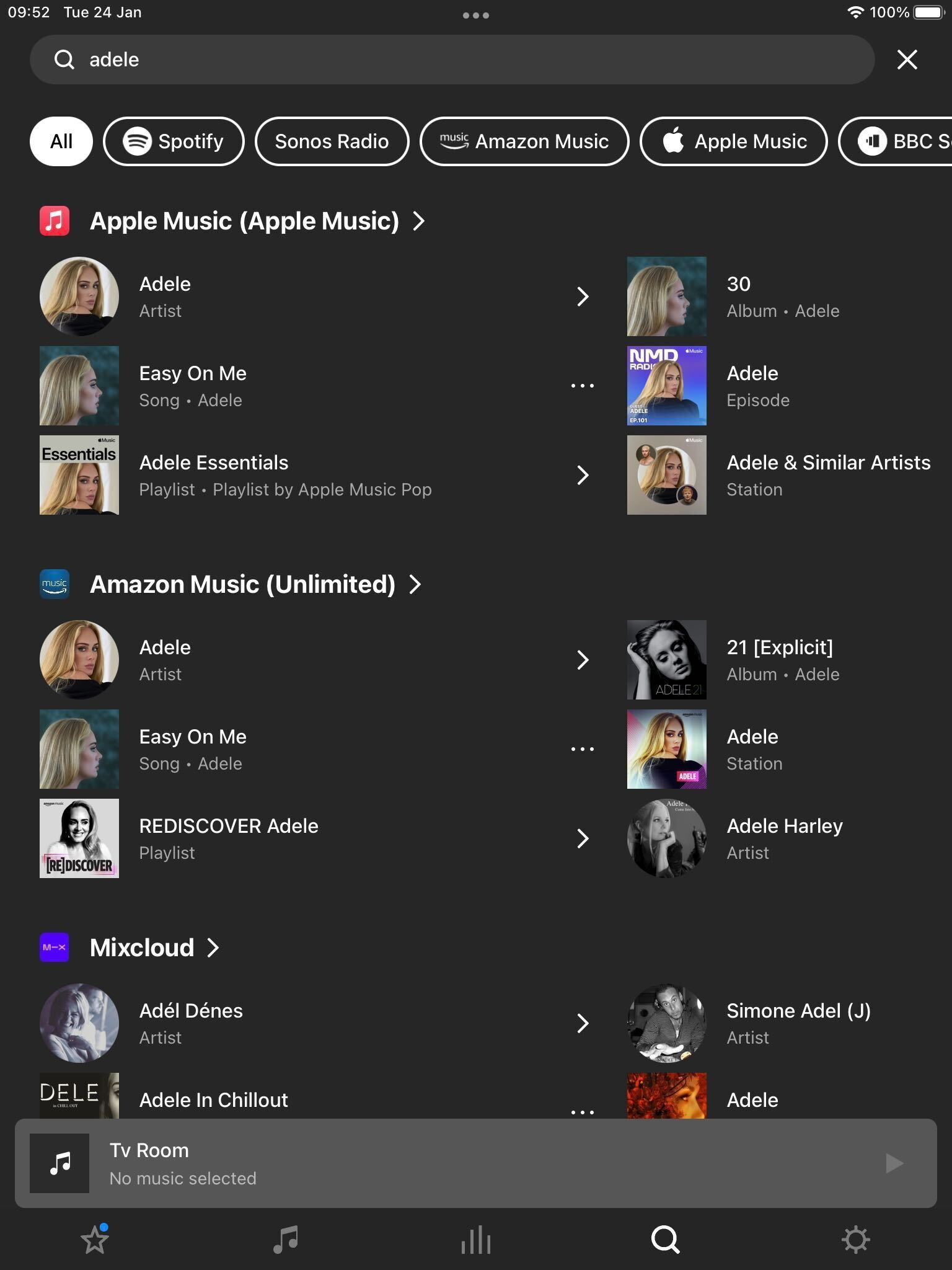
 

New Search on Sonos

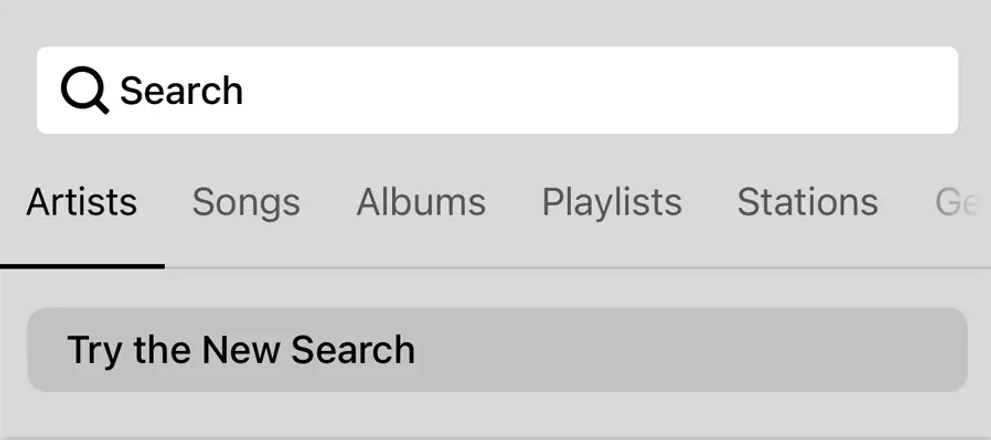
To try New Search, tap on “Try the New Search” in the search menu.

New Search will be rolling out to all users over the coming weeks, with all users receiving the feature by 25th April [edited from 18th April].

This means that not all of you will have access to New Search right away, but you can expect it soon. 

Will New Search look through all of my audio sources?

New Search does not currently support searching through personal music libraries, “On this Device” (Android) content, or music services with library functionalities.


Why is my specific music service not being searched?

While the vast majority of content services on Sonos are available in New Search, there are some that are not yet compatible. We’re working with our partners to add more music services to New Search and look forward to rolling these out over time. In the meantime, all music services continue to be compatible with classic search.


I liked the classic search option, can I use that instead?

You can switch between Classic Search and New Search by navigating to the search menu and tapping the buttons labeled “Switch to Classic Search” and “Try the New Search” respectively.


Is Classic Search going away? 
No, users will continue to have the option to use classic search .

 Please note: We can’t grant you access to New Search prior to it being available to you.


For further information, please see how to switch between New Search and Classic Search.

129 replies

Ken_Griffiths
July 18, 2024

Where on Earth is SEARCH on Sonos Controller for Mac 16.3?!!?!
What happened?
No search and no choice to make background a different color? Black only?
Do you think we all have X-Ray vision? 

The Windows and Mac desktop controllers have not been updated for years and are in ‘maintenance’ only mode. The search referred to here is for the mobile Apps only.

Multiculti
Avid Contributor I
July 18, 2024

@Ken_Griffiths  Thanks for your input, however:
I updated Sonos’ S2 MacOs controller this morning to version 16.3 (build 80155014)
SEARCH as in cross-index search was available in my previous version, I used it yesterday. 
I create temporary album playlists on Sonos for new releases, I use more than one streamer, I have used SEARCH for years on Sonos for macOS. 

Ken_Griffiths
July 18, 2024

@Ken_Griffiths  Thanks for your input, however:
I updated Sonos’ S2 MacOs controller this morning to version 16.3 (build 80155014)
SEARCH as in cross-index search was available in my previous version, I used it yesterday. 
I create temporary album playlists on Sonos for new releases, I use more than one streamer, I have used SEARCH for years on Sonos for macOS. 

It’s still nothing to do with this thread and the 16.3 (build 80155014) recent update was a firmware change, just to clarify. The Windows/MAC Apps are just in maintenance mode as mentioned and many users expect those Apps to go and be replaced with the new Sonos Web App in the coming months. Anyway let’s wait and perhaps see what happens. 

Multiculti
Avid Contributor I
July 18, 2024

@Ken_Griffiths thanks for enhancing my knowledge on Sonos. I think they have some strategic communications to improve across their blogs, forum and tutorials for consumers with wide diversity of knowledge levels understand where they are trying to get to, instead of everyone guessing. A firm vision at times lacking as demonstrated in recent times (making many loyalists -of all knowledge levels- upset). 

Besides the web-app -with plenty of space for improvement ..in general and by service/platform: Do you recommend a reliable third party app (for iOS) that will bring some of the former S2 functionality?

Ken_Griffiths
July 18, 2024

@Ken_Griffiths thanks for enhancing my knowledge on Sonos. I think they have some strategic communications to improve across their blogs, forum and tutorials for consumers with wide diversity of knowledge levels understand where they are trying to get to, instead of everyone guessing. A firm vision at times lacking as demonstrated in recent times (making many loyalists -of all knowledge levels- upset). 

Besides the web-app -with plenty of space for improvement ..in general and by service/platform: Do you recommend a reliable third party app (for iOS) that will bring some of the former S2 functionality?

I still just use the new Sonos App on iOS as it’s been okay here. Library playback is fine, volume control is fine and all my devices and music services work.

All I’ve done is ensured my LAN subnet supports mDNS discovery and set the speaker SNR levels (as seen in the App) to greater than 45dB and steered my devices, where practicable, onto the 5Ghz WiFi band and reduced interference.

A quick example from my iPad controller…


press250
Prodigy III
July 18, 2024

Besides the web-app -with plenty of space for improvement ..in general and by service/platform: Do you recommend a reliable third party app (for iOS) that will bring some of the former S2 functionality?

Hi @Multiculti, check out SonoPad. It’s a bargain at $3.99. More information at https://sonopad.de/

One of the great things about SonoPad (and SonoPhone) is that you can install it side-by-side with the Sonos app, and use the one that minimizes frustration and maximizes functionality.

Multiculti
Avid Contributor I
July 18, 2024

Taking notes here @Ken_Griffiths !

My ipad mini is newer than my old iphone SE2 (waiting for iphone 16) so the new Sonos app performance is considerably different.

I am a multi-multi-platform user like yourself (international household) and at times, however, even on the ipad, the “home tab”, does not upload all the rows or lanes beyond “Recently Played”, “Your Services” and “Sonos Favorites”, e.g. the pinned collections from different platforms like Audible, Apple Music, BBC Sounds, even Sonos Radio, etc. so I have to swipe away and reload. 

Also, it is random, but at times the cue on my Apple Music playlists simply won’t load up and setting a sleep timer takes a 3-5+ second wait if one’s lucky.

ETC, etc. 


I appreciate you have shared your knowledge here for I am bookmarking for future reference. 

ps great Genesis album choice by the way.


Lyricist III
July 18, 2024

We were promised:

  • “Local music library search and playback: mid-June”

Did it happen because I haven’t found it yet?

Ken_Griffiths
July 18, 2024

In my case the Sonos Controller App(s) work okay on my Network setup, whereas if things were not working, I would personally prefer to take the time to report the matter to Sonos Customer Support and give them the details and diagnostic data. If they find the problem is something on their side, then their Staff will often file a report, presumably with the data and information supplied to their developers and will get the matter fixed.

I think if we all just chose to not report the matter directly and just switched to using other 3rd-party Apps instead, then some things may never come to Sonos’ attention and perhaps never get fixed.

So if you do go onto try other ‘controller’ software @Multiculti, because of any problems seen with the Sonos App, then I would still go onto report the issue to Sonos.

In the past, I’ve seen some users in the community go to report an issue and have discovered it’s just an issue with their local network setup and the Staff have resolved the issue quickly over the phone, so it’s always worth a shot.

Ken_Griffiths
July 18, 2024

We were promised:

  • “Local music library search and playback: mid-June”

Did it happen because I haven’t found it yet?

It got pushed back to this month (link) and the rumours are that it ‘might’ be in the next Sonos App update, due shortly, but it is just a rumour at this moment in time.