
Ditte
March 9, 2021

Meet Sonos Roam, the ultra-portable smart speaker
Related content:Hardware
Meet Sonos Roam, the ultra-portable smart speaker

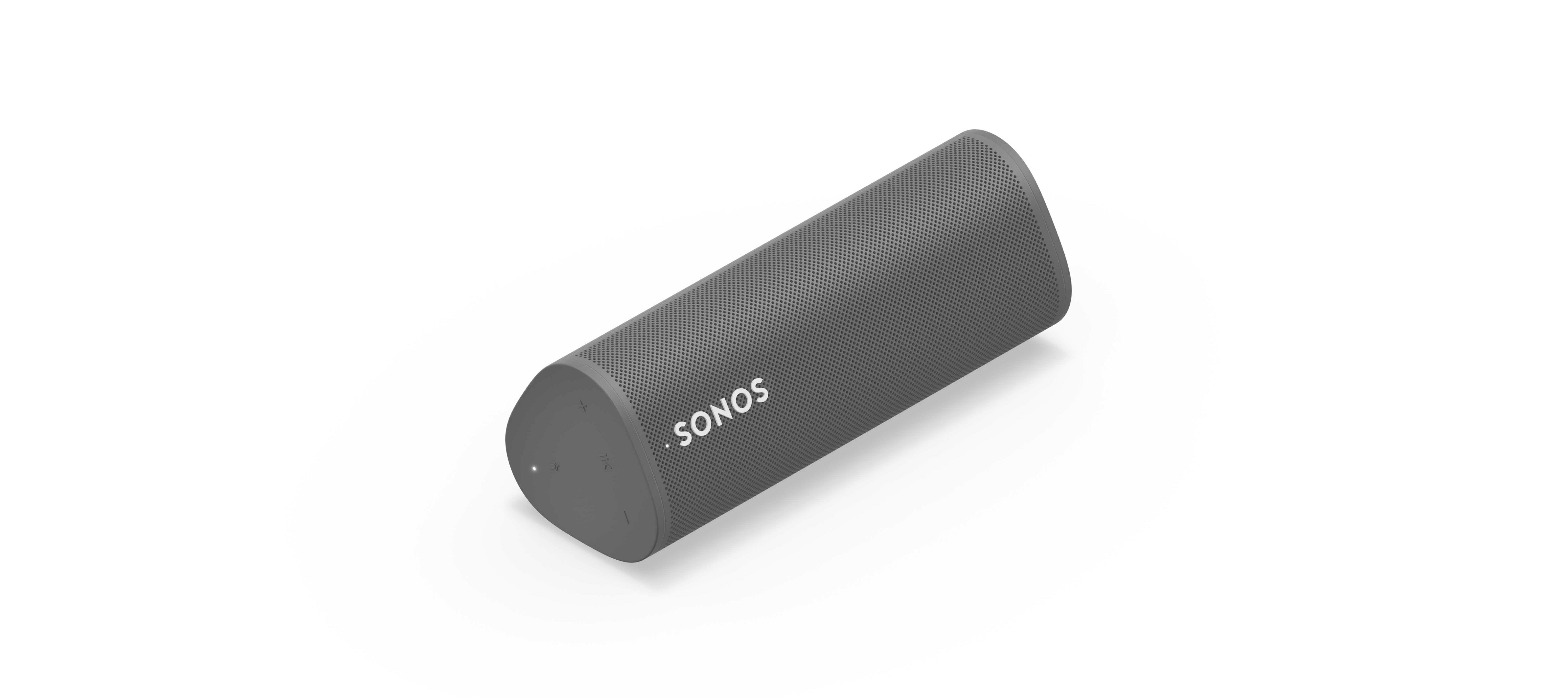
We’re happy to introduce you all to Sonos Roam, the ultra-portable smart speaker built to deliver great sound at home and on any adventure. Fully connected to your Sonos system on WiFi at home and automatically switching to Bluetooth when you’re on the go, Roam’s powerful, adaptable sound defies expectations for a speaker of its size. Effortless set-up and control and new smart features make it easier than ever to enjoy music and more from anywhere. Weighing less than a pound (450g), Roam’s elegant yet durable design is perfect for your home, the backyard, and wherever you go.

Get to know Sonos Roam

A simultaneous connection to both WiFi and Bluetooth makes streaming wherever you are seamless. When you’re listening at home Roam connects to your system and streams on WiFi, and when you leave it intuitively switches to Bluetooth and automatically re-pairs with your mobile device.

With an all-new feature called Sound Swap, you can hold the play/pause button on the speaker to switch the music to the nearest speaker on your system, making it easy to move music from room-to-room.
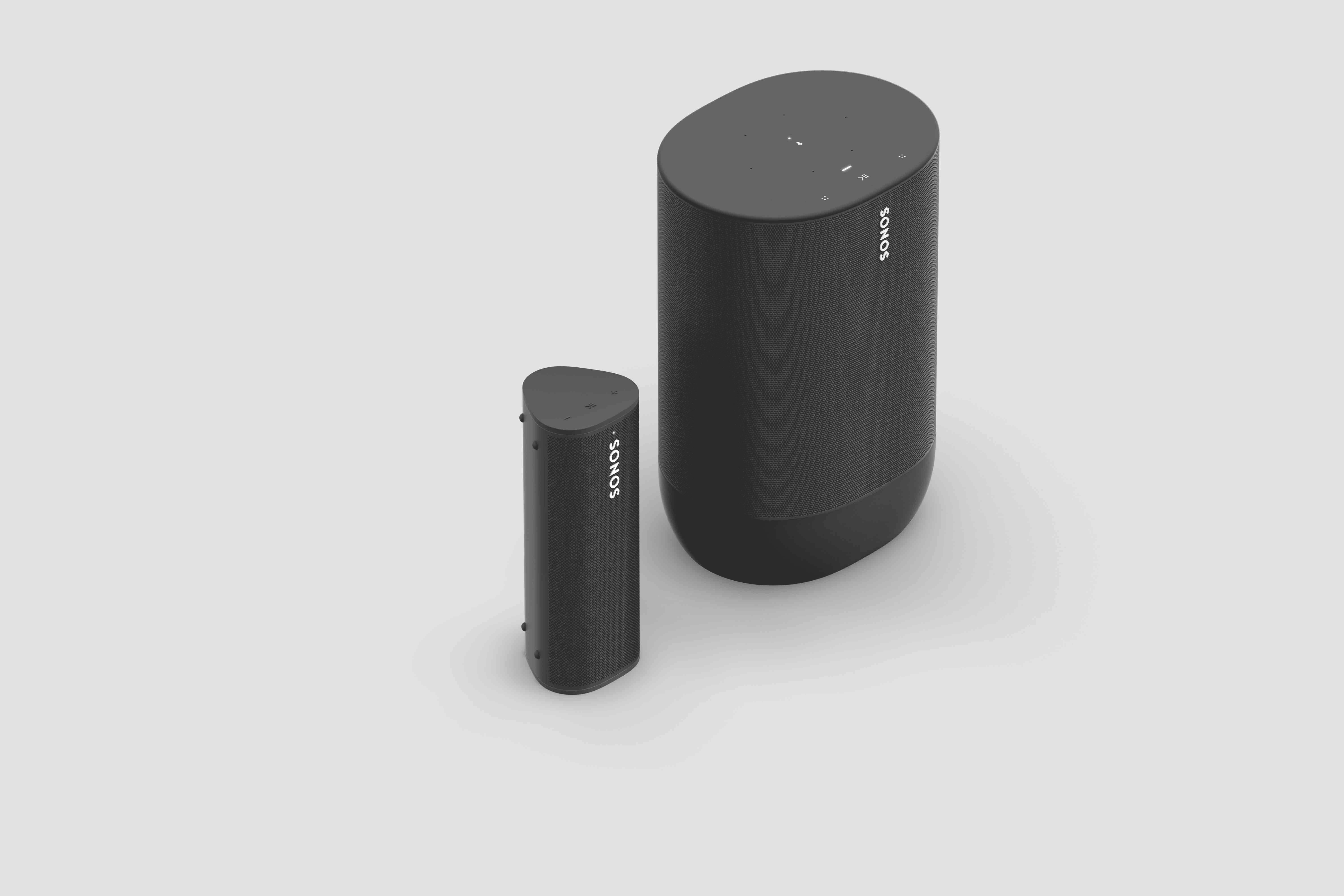
Sonos Roam (left) and Sonos Move (right)

Seamless connectivity also unlocks Bluetooth streaming for your entire system, with the Sonos app allowing you to group any of your Sonos speakers to Roam when streaming with Bluetooth. Roam works with more than 100 streaming services, including Sonos Radio, and is easily controlled with the Sonos app, your voice with Amazon Alexa or Google Assistant, Apple AirPlay 2, or directly from your favorite music service app.

Roam was created to deliver an incredible sound experience no matter where you are. Like all Sonos products, Roam was tuned by industry leaders across music and film to ensure the speaker reproduces content exactly how the creator intended. A carefully designed acoustic architecture delivers rich, detailed sound with the clarity, depth, and fullness you’d expect from a larger speaker.

Automatic Trueplay is now available when streaming via Bluetooth as well as Wi-Fi, and means Roam is always tuned for the best listening experience in any environment.

Available in shadow black or lunar white, Roam’s tactile triangular shape and soft profile is comfortable to pick up and looks great inside the home. Combining elegance and durability, Roam is dust proof and fully waterproof with a rigorously tested IP67 rating, and features silicone end caps and physical buttons to protect against drops or bumps.

Roam is ready for any adventure with up to 10 hours of continuous playback on a single charge and up to 10 days of battery life when not in use.

To recharge, Roam connects to a custom magnetic wireless charger from Sonos sold separately, any Qi wireless charger, or with the USB-C cable included in the box.

 

Sonos Roam

Roam’s compact size will fit into any bag or the smallest corner of your living space. Listeners can place Roam vertically for a smaller footprint or horizontally to provide added stability on uneven surfaces outdoors. Even the packaging leaves a light footprint, with a structure that is made of 100% sustainably-sourced paper, minimizes the use of inks, and includes no single-use plastics. 

Roam is available starting April 20 for $169, €179, £159, NOK1799, SEK1999, DKK1349. You can pre-order today on sonos.com.

This topic has been closed for further comments. You can use the search bar to find a similar topic, or create a new one by clicking Create Topic at the top of the page.

394 replies

Prominent Collaborator I
May 31, 2021

It’s actually worse - that quote above is one of several suggested ways to fix things - it doesn’t work.  So then there is the product removal tool:

“Remove products using the removal tool
Open the Sonos S1 Controller app for iOS or Android.
From the Settings tab, tap System.
Tap System Tools, then tap Remove Products.
Follow the on-screen steps to select and remove your incompatible products.”

It doesn’t work either because the incompatible units make the app unusable and it wants to upgrade first, then fails.

So then you are down to: If Remove Products is grayed out or missing, you can remove any products that are not compatible with S2 by resetting them to their factory settings."  I.e., remove power and repower while holding a play/pause button of the link button.

That’s a pain if any of your units are in difficult to reach places or if you have stereo pairs or if you have eq tuned them or any combination of theses.  And then there’s the Playbase which refuses to reset using the online instructions.

All this for trying out a stupid portable speaker. Jesus!  If you have an S1 system and want to keep it, do not bother with any S2 only products - it’s a mess.

Xander P
Retired Sonos Staff
May 31, 2021

Hi @stevepow, thanks for reaching out to the Sonos Community!

I took a quick look at your account, and it looks like the Playbase, as well as the rest of the S1 system, are still running the S1 software - it sounds like the S2 app was just unable to find the Roam at the time, and it certainly shouldn’t have updated your S1 system without being told to.

I’d recommend getting in touch with our Support Team via live chat or phone call so they can take a closer look, and go through some live troubleshooting with you :)

ollieoftheuk
Lyricist I
May 31, 2021

Please support two Roams over Bluetooth, like competitors do!


I’m an audiophile. I have iterated five time on my home theater setup, and avoided Sonos until they released the Sonos Arc. Since then, I’ve transitioned almost completely to Sonos, with the Arc in the living room, a beam for the master bedroom, three Amps powering Bowers and Wilkins surround sound speakers in different rooms, and a Port for when anyone wants to perform.

The Roam was a device I was excited for and waiting for. The Move is heavy and hard to transport, as wonderful as it sounds. I therefore ordered two. 

Given it’s 2021, I assumed I could use two together over Bluetooth, like almost any other competitor’s device. After configuring, the user interface changed. It was easy to connect both, and they both showed in the app.

But I can’t play with two Sonos Roams together!

I understand that you must be prioritizing features that work well before launch, but given the competitive landscape, I do think this is a table-stakes feature for a mid to high range priced device.

If it’s close to completion, please let us know when it will be released. I am close to returning both of them at this point, as I could instead purchase a competitor device that released this feature years ago.

Prominent Collaborator I
May 31, 2021

Hi @stevepow, thanks for reaching out to the Sonos Community!

I took a quick look at your account, and it looks like the Playbase, as well as the rest of the S1 system, are still running the S1 software - it sounds like the S2 app was just unable to find the Roam at the time, and it certainly shouldn’t have updated your S1 system without being told to.

I’d recommend getting in touch with our Support Team via live chat or phone call so they can take a closer look, and go through some live troubleshooting with you :)
 

Yes, they are all running S1 now as I had to reset every S1/S2 component to get them back - climbing up ladders several times (reset, then setup, then pair - up and down to do all that on 3 systems).  But yes, it is all back now.  I did most resets last night, all except a Play:3 that was in our bedroom up high.  I agree that the S2 shouldn’t hijack my S1/S2 components, but in “finding my system”, that is what it did and there was no way to get it back right without doing a reset on each component that was showing an “incompatible” error in the S1 app - the app wouldn’t function with those devices showing an error.  Still no idea why the S2 app suddenly couldn’t not see the Roam.  On Windows, I had to reset that app and create a new system to get it back.  We’ve had this system for 10 years, gradually expanding it, and this was the first time anything like this has happened. Of course, it is also the first time we ever tried out any S2 stuff.

SirDigitalKnight
Enthusiast I
June 1, 2021

Can the Roam be paired to another BT speaker? 

melvimbe
June 1, 2021

Can the Roam be paired to another BT speaker? 


No.  It can paired with another Roam while in ‘WiFi mode’, but not while using bluetooth.

Danny
BrentATL
Lyricist I
June 3, 2021

Impressive!

How’s its power compared to a One/SL/Play1? And its sound?

Does it work with any Qi charger?

I pair Roam with One SL in my pool area directly across from each other and i find the sound quality and power to be equal (at levels 30-60%, as to not tick off my neighbours). The test was to close my eyes and turn multiple times and try to decipher which was which. I couldn’t!  

BrentATL
jgatie
June 3, 2021

I pair Roam with One SL in my pool area directly across from each other and i find the sound quality and power to be equal (at levels 30-60%, as to not tick off my neighbours). The test was to close my eyes and turn multiple times and try to decipher which was which. I couldn’t!  


In Sonos parlance, that is ‘grouping’.  Meaning you are grouping two rooms to play in sync.  ‘Pairing’ is when you semi-permanently link two like models together in a stereo pair, so one plays the left channel and the other the right channel of a stereo signal.  Then there is ‘bonding’  which is used to add a Sub or surrounds to a room.

melvimbe
June 3, 2021

I pair Roam with One SL in my pool area directly across from each other and i find the sound quality and power to be equal (at levels 30-60%, as to not tick off my neighbours). The test was to close my eyes and turn multiple times and try to decipher which was which. I couldn’t!  


In Sonos parlance, that is ‘grouping’.  Meaning you are grouping two rooms to play in sync.  ‘Pairing’ is when you semi-permanently link two like models together in a stereo pair, so one plays the left channel and the other the right channel of a stereo signal.  Then there is ‘bonding’  which is used to add a Sub or surrounds to a room.


To add to this, the main difference between a One SL and Roam would be at the lower bass frequencies.  Those are omnidirectional, meaning you aren’t going to easily tell where the source of the sound is coming from.  If you did a test where you played the Roam and then played the One SL separately, you likely would notice the missing bass when playing the Roam alone.

Danny
Lyricist I
June 21, 2021

Bonjour, Je viens juste d’acheter une paire de Sonos Roam. Pour leur taille très compacte, le son est vraiment bon, et permet de diffuser sur le système installé via bluetooth, ce qui est une bonne chose.


L’autonomie (9h) est un peu juste, certains concurrents font mieux. Mais le gros point noir est l’impossibilité de diffuser le son en bluetooth sur 2 Sonos Roam (et pas de possibilité non plus d’appairer 2 Sonos Roam en stéréo via bluetooth!). Cela est vraiment dommage, car la majorité des enceintes nomade bluetooth (Sony, Anker, Bose etc) permettent d’appairer 2 enceintes en bluetooth pour bénéficier de la stéréo. J’espère que cela sera amélioré par une mise à jour !


Hi ! I just bought 2 Sonos Roam. For their very little size, the sound is amazing. You can play your music via bluetooth on your home based system. 

Battery only allow 9h of use, this is quite less than some other similar products. But the big lack is that you cannot pair 2 Roams via bluetooth for stereo. You cannot even not play music via bluetooth on 2 Roams :-( This Is soooo bad ! Almost all competing nomadic speakers (Sony, Anker, Bose, etc) even less expensive offer this feature! Hope this will be implemented with a future update!