
Ditte
March 9, 2021

Meet Sonos Roam, the ultra-portable smart speaker
Related content:Hardware
Meet Sonos Roam, the ultra-portable smart speaker

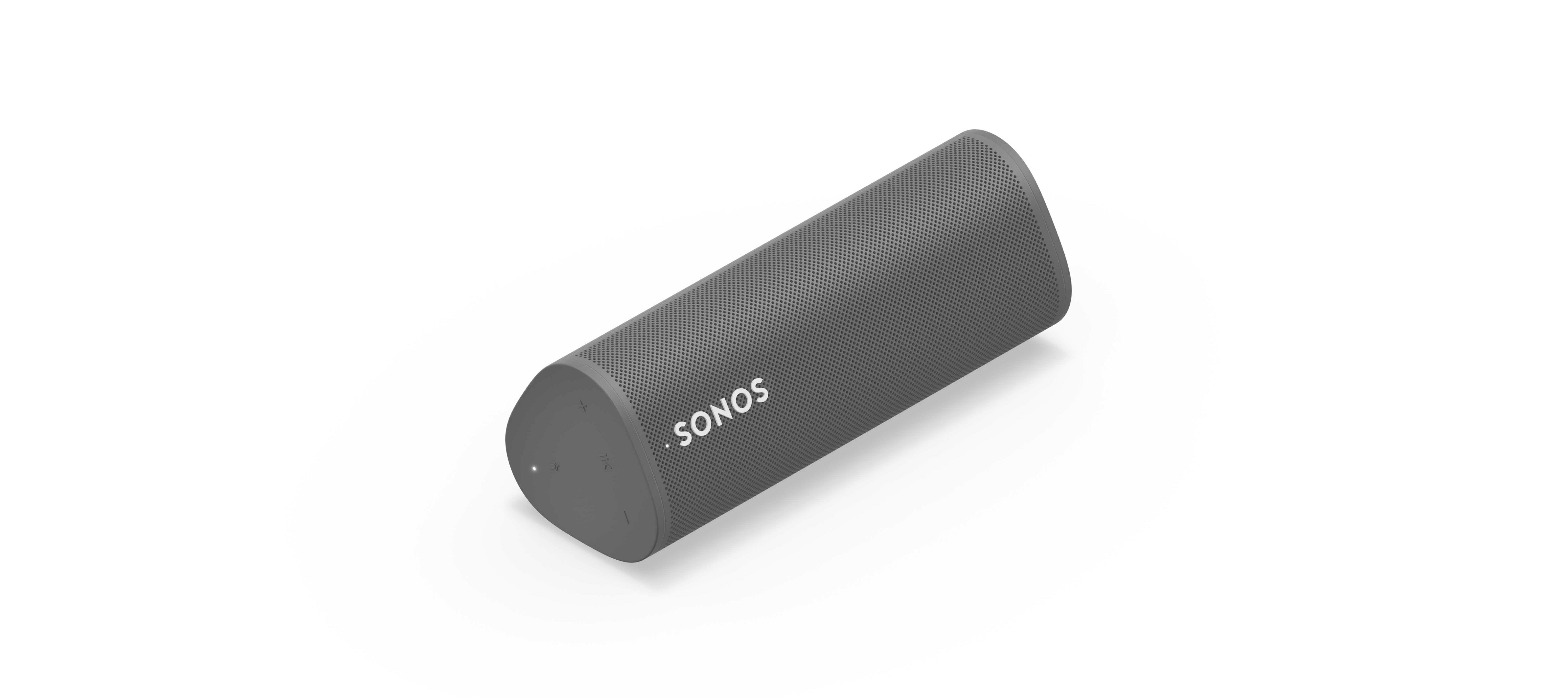
We’re happy to introduce you all to Sonos Roam, the ultra-portable smart speaker built to deliver great sound at home and on any adventure. Fully connected to your Sonos system on WiFi at home and automatically switching to Bluetooth when you’re on the go, Roam’s powerful, adaptable sound defies expectations for a speaker of its size. Effortless set-up and control and new smart features make it easier than ever to enjoy music and more from anywhere. Weighing less than a pound (450g), Roam’s elegant yet durable design is perfect for your home, the backyard, and wherever you go.

Get to know Sonos Roam

A simultaneous connection to both WiFi and Bluetooth makes streaming wherever you are seamless. When you’re listening at home Roam connects to your system and streams on WiFi, and when you leave it intuitively switches to Bluetooth and automatically re-pairs with your mobile device.

With an all-new feature called Sound Swap, you can hold the play/pause button on the speaker to switch the music to the nearest speaker on your system, making it easy to move music from room-to-room.
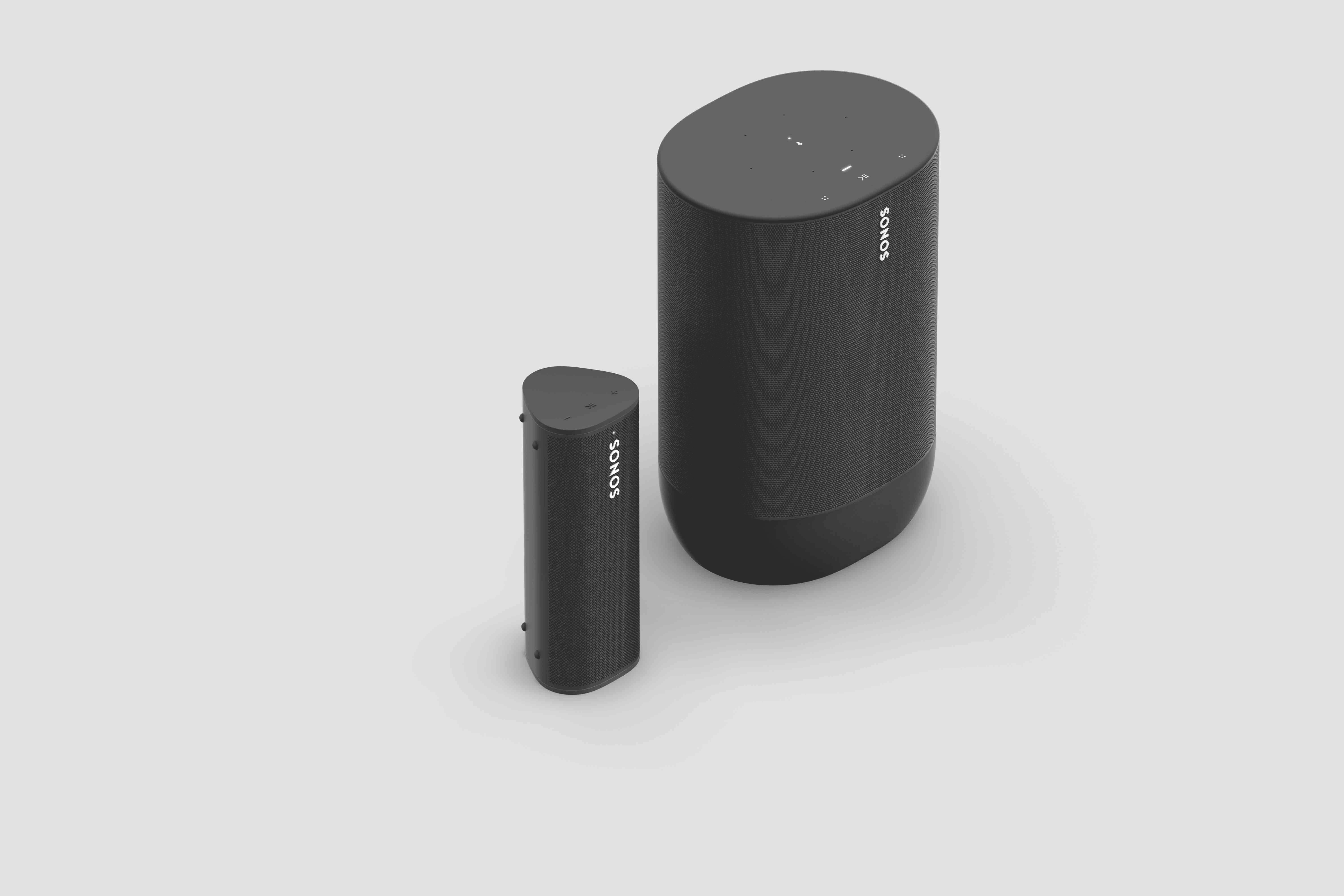
Sonos Roam (left) and Sonos Move (right)

Seamless connectivity also unlocks Bluetooth streaming for your entire system, with the Sonos app allowing you to group any of your Sonos speakers to Roam when streaming with Bluetooth. Roam works with more than 100 streaming services, including Sonos Radio, and is easily controlled with the Sonos app, your voice with Amazon Alexa or Google Assistant, Apple AirPlay 2, or directly from your favorite music service app.

Roam was created to deliver an incredible sound experience no matter where you are. Like all Sonos products, Roam was tuned by industry leaders across music and film to ensure the speaker reproduces content exactly how the creator intended. A carefully designed acoustic architecture delivers rich, detailed sound with the clarity, depth, and fullness you’d expect from a larger speaker.

Automatic Trueplay is now available when streaming via Bluetooth as well as Wi-Fi, and means Roam is always tuned for the best listening experience in any environment.

Available in shadow black or lunar white, Roam’s tactile triangular shape and soft profile is comfortable to pick up and looks great inside the home. Combining elegance and durability, Roam is dust proof and fully waterproof with a rigorously tested IP67 rating, and features silicone end caps and physical buttons to protect against drops or bumps.

Roam is ready for any adventure with up to 10 hours of continuous playback on a single charge and up to 10 days of battery life when not in use.

To recharge, Roam connects to a custom magnetic wireless charger from Sonos sold separately, any Qi wireless charger, or with the USB-C cable included in the box.
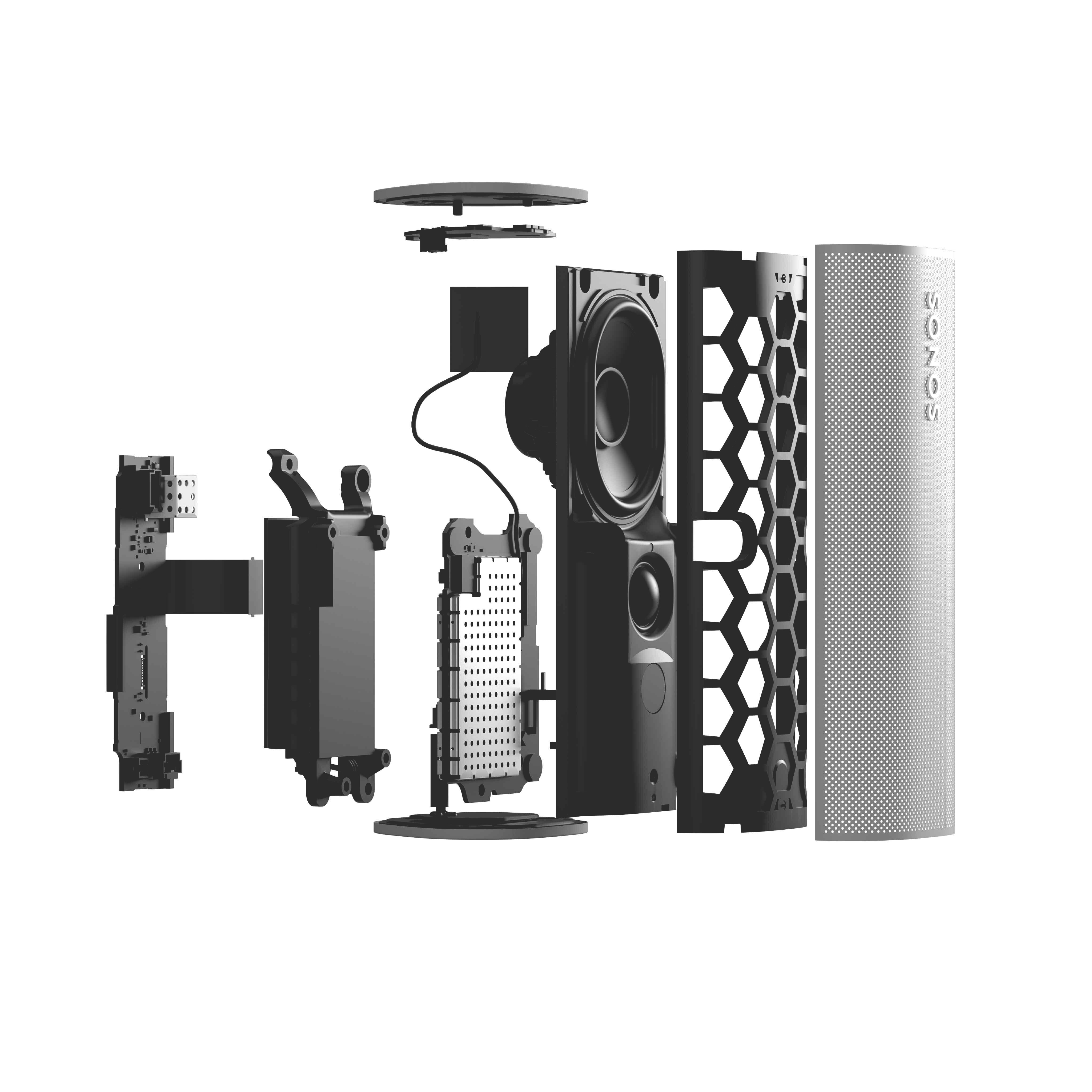
 

Sonos Roam

Roam’s compact size will fit into any bag or the smallest corner of your living space. Listeners can place Roam vertically for a smaller footprint or horizontally to provide added stability on uneven surfaces outdoors. Even the packaging leaves a light footprint, with a structure that is made of 100% sustainably-sourced paper, minimizes the use of inks, and includes no single-use plastics. 

Roam is available starting April 20 for $169, €179, £159, NOK1799, SEK1999, DKK1349. You can pre-order today on sonos.com.

This topic has been closed for further comments. You can use the search bar to find a similar topic, or create a new one by clicking Create Topic at the top of the page.

394 replies

Airgetlam
May 25, 2021

Odd. Sonos has never sold, nor advertised, that as a feature for their networked home music speaker system. 

Bruce
Lyricist II
May 25, 2021

Odd. Sonos has never sold, nor advertised, that as a feature for their networked home music speaker system. 

If you are replying to me, I understand and agree, it has not been offered. Perhaps it is important that they hear from their customers what they actually want, and I want my portable speaker to be able to be used as a speakerphone for my phone and I want it to work transparently on any app that does modern communications: Zoom, Teams, WhatsApp, Facetime, Telegram, anything. You have all the hardware you need in the device, it can’t be such a hard thing to do. 

BMF
Prodigy III
May 25, 2021

I just set my first Sonos ever, a Roam.


Im not so sure I’m happy with the feature set, though. In today’s world, it is ESSENTIAL to be able to use your speaker as a speakerphone for conferencing on Zoom, Teams, even WhatsApp, Facetime. I find it RIDICULOUS that this isn’t a supported feature.

Speakers that are good for voice conference are usually terrible for music and speakers that are good for music usually are terrible for voice conferences.


In Teams you can separate the mic device from the speaker…. I do this all the time and have the best of both.


I seem to remember you can do the same in Zoom, not sure about the others though

Lyricist II
May 25, 2021

I just set my first Sonos ever, a Roam.


Im not so sure I’m happy with the feature set, though. In today’s world, it is ESSENTIAL to be able to use your speaker as a speakerphone for conferencing on Zoom, Teams, even WhatsApp, Facetime. I find it RIDICULOUS that this isn’t a supported feature.

Speakers that are good for voice conference are usually terrible for music and speakers that are good for music usually are terrible for voice conferences.


In Teams you can separate the mic device from the speaker…. I do this all the time and have the best of both.


I seem to remember you can do the same in Zoom, not sure about the others though

What particular reason powers this opinion? in my opinion, a good speaker is a good speaker period. The roam has a far field microphone, i don’t see why this would be so hard.

I happen to have a speaker, the Creative iRoar Go (https://us.creative.com/p/speakers/creative-iroar-go), that does this without a problem, and it isn’t even a new design. I don’t particularly find excuses unsupported by science a good explanation.

BMF
Prodigy III
May 25, 2021

I just set my first Sonos ever, a Roam.


Im not so sure I’m happy with the feature set, though. In today’s world, it is ESSENTIAL to be able to use your speaker as a speakerphone for conferencing on Zoom, Teams, even WhatsApp, Facetime. I find it RIDICULOUS that this isn’t a supported feature.

Speakers that are good for voice conference are usually terrible for music and speakers that are good for music usually are terrible for voice conferences.


In Teams you can separate the mic device from the speaker…. I do this all the time and have the best of both.


I seem to remember you can do the same in Zoom, not sure about the others though

What particular reason powers this opinion? in my opinion, a good speaker is a good speaker period. The roam has a far field microphone, i don’t see why this would be so hard.

I happen to have a speaker, the Creative iRoar Go (https://us.creative.com/p/speakers/creative-iroar-go), that does this without a problem, and it isn’t even a new design. I don’t particularly find excuses unsupported by science a good explanation.

Well, I can’t quote science.


but I have used quite a few speakerphones from plantronics, Cisco, Philips etc


I have used Bluetooth speakers from Sony, Jambox, Anker, JBL etc


All did their thing in their primary field, but we’re not great in the other field.


I spend a lot of time on conference calls and have done for decades….. not saying it can’t be done, just saying I have tried a lot of them and I have not found one that does both well…. YMMV 

Lyricist III
May 25, 2021

Odd. Sonos has never sold, nor advertised, that as a feature for their networked home music speaker system. 

Seriously? I should now look if speaker with microphone will work in particular apps? I though I am buying speaker and microphone and they should do, what they are expected to do - hence work as a speaker and microphone. It should not matter if I am playing my favourite song or listening to zoom call. Yes, sound might not be super optimised for voice or music, but I can’t find any excuse why it shouldn’t work as a speaker or microphone. When it essentially is a speaker and microphone. Just quite expensive one (for what it is).

BMF
Prodigy III
May 25, 2021

Genuine question…. Can Echo speakers or Google nest hub’s be used as speakerphones when connected to a laptop?


not tried, I have an echo plus I no longer use, might test it

melvimbe
May 25, 2021

Odd. Sonos has never sold, nor advertised, that as a feature for their networked home music speaker system. 

Seriously? I should now look if speaker with microphone will work in particular apps? I though I am buying speaker and microphone and they should do, what they are expected to do - hence work as a speaker and microphone. It should not matter if I am playing my favourite song or listening to zoom call. Yes, sound might not be super optimised for voice or music, but I can’t find any excuse why it shouldn’t work as a speaker or microphone. When it essentially is a speaker and microphone. Just quite expensive one (for what it is).


While I understand why the assumption is made, perhaps consider some of the potential complications.

  • Device is speaker with microphone
  • Device  can connect to phone via bluetooth
  • Device can connect to WiFi
  • Device can connect to bluetooth and WiFi at the same time.
  • Device can share (group) audio from bluetooth with other speakers in your network
  • Device uses microphone for voice assistant while on WiFi.
  • Device can continue to play bluetooth audio while responding to voice request (I tested to confirm)
  • Sonos app can play/pause bluetooth audio.  Does not need to be on same phone as bluetooth source (I tested to confirm)
  • Device uses microphone for auto trueplay in WiFi or bluetooth mode.
  • From what I’ve seen, when a device is enabled for bluetooth calling, the ‘receiving’ device (speaker) can be use for voice control in the sending device (phone)
  • Roam can be stereo paired while on WiFi, but not if it’s also connected via bluetooth.

Now, considering these features, do you see any problems when you add speaker phone to the mix?  The primary problem is that while you are on a call, someone in a different room can listen in to your call...without you knowing it.  They can also turn off the audio entirely.  The second issue is that it may get rather confusing when using voice assistant.  If on WiFi and Bluetooth, should the command be carried out by Roam or the device it's connected to via Bluetooth?  As far as auto trueplay, I’m not sure how that would work if Roam mic needs to pass audio back to your phone as well as process it for tuning.  Maybe tuning can be off during a phone, but not completely sure if the Roam can know that it’s currently on a phone call.

I’m not saying this issues can’t be worked around, or that Sonos can’t give options to turn off certain features if you want to enable speaker phone use. Just that perhaps it may not be as easy for the Roam to do speaker phone the way a bluetooth only speaker could.  Sonos also tries to keep things simple, and perhaps they felt it was better just to not implement speaker phone feature than add complication to an already complicated device

Danny
BMF
Prodigy III
May 26, 2021

Genuine question…. Can Echo speakers or Google nest hub’s be used as speakerphones when connected to a laptop?


not tried, I have an echo plus I no longer use, might test it

@Hobbit_CZ just as an FYI…..

I tested the echo plus and the answer is no. The speaker can be used, but the microphones are not visible in teams.


(Tested on Windows 10)

Prominent Collaborator I
May 31, 2021

So I got one.  It only works with S2 and I didn’t want to break my S1 setup, so I thought I’d use is as a separate system - just portable.  And this worked at first and sounded surprisingly good.  The next day, the S2 app couldn’t find my “system”, so I let it “look for it” and it proceeded to, with no warning, update all my S1/S2 components to S2 breaking my setup while also never finding the Roam.  And it looks like I cannot use the software to “downgrade” (repair) the chaos. I’ll probably have to reset and reset up most of my system.

“While we don’t recommend downgrading your products to S1 after updating to S2, it is possible to downgrade cross-compatible products by resetting them and adding them to an existing S1 system.”  - even though the S1 app is telling me to update back to S1, then it errors out. Great.  So reset is probably the only option.

Between this and the annoying nag screen on S1 to update to S2 which won’t work for me and that I have dismissed numerous times it seems like Sonos is hell bent on pushing users to S2 to the point of screwing them over and wrecking the S1 setup.  I’m boxing the Roam up and sending it back.  This entire S1/ to S2 mess is the end of Sonos purchases for me - I’ll just ride out what I have until it becomes obsolete or dies and find whatever has moved in to take its place.