
Liz P.
Sonos Staff
September 29, 2026
News

29th Sept 2026 📲 New Sonos App & Update Now Available! 🔊
Related content:Software

Hey all! 👋🏻 We've got a new update live for both iOS and Android, here's a quick breakdown of what's changed. Want the full history of what we've been up to? Check out our App Release Notes here and System (Player) Release Notes here.


As always, this is a Phased Rollout, think of it like a wave, not everyone gets it at the same time. If you're on iOS and want to nudge it along, head to the App Store, pull down on your Account page (the one showing pending updates), and give it a refresh. That usually does the trick.


What's New:


App Update

Android & iOS - Sonos 27.0 / 89.1

  • Ace Ultra support - The app now works hand in hand with our all new Ace Ultra headphones.
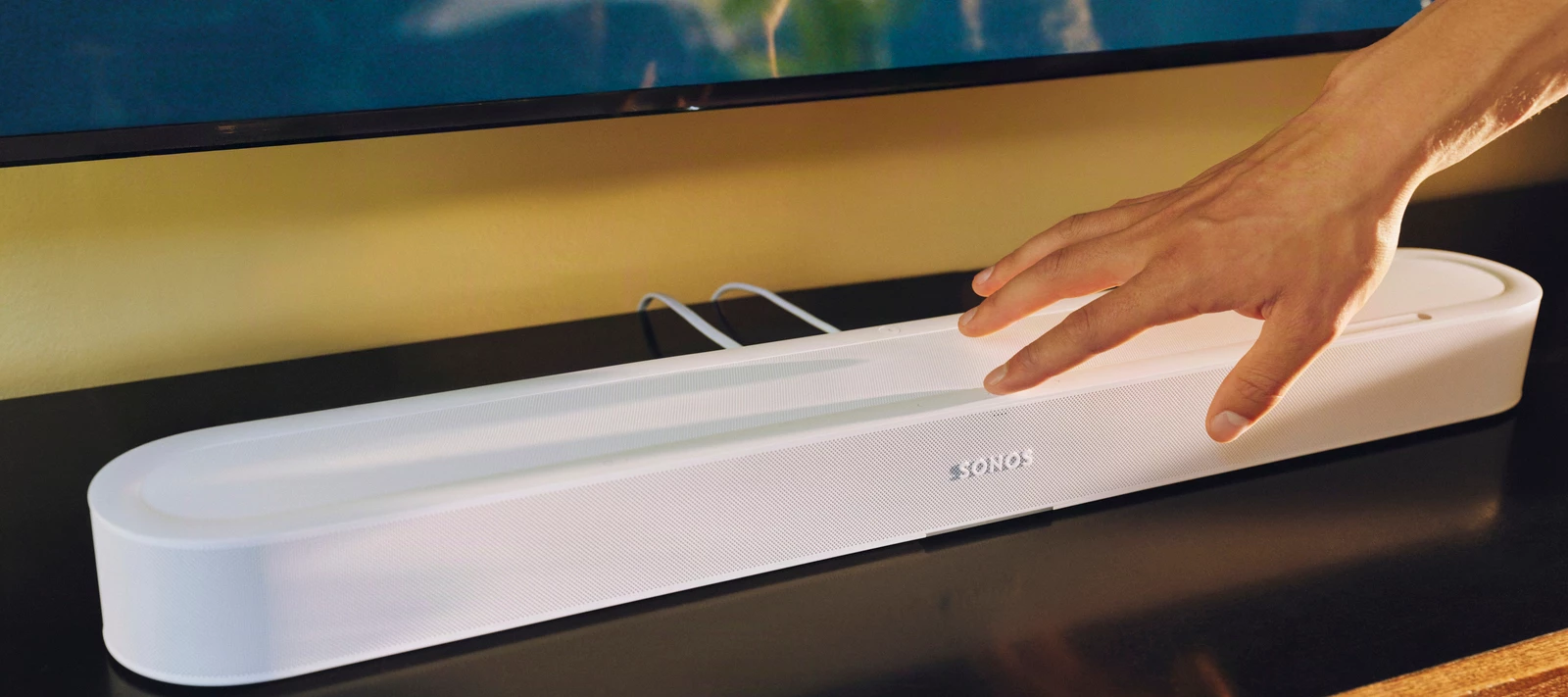
  • Beam Ultra support - Full compatibility with the new Beam Ultra soundbar.


As always, feedback and questions are welcome. We read it all. 🙏


24 replies

Smilja
September 30, 2026

Any way to get an early update option for Android users or does Google make that too difficult?


Answering myself after a couple hours reading Google tech stuff: Nope, not something Google's system allows.


The Google Play Store does not always show all actually available updates right away. You have to wait until all apps have been updated and then check for updates again. Often, additional updates that were initially missed will show up afterward.

»And the world is like an apple whirling silently in space, Like the circles that you find in the windmills of your mind.« (›Windmills Of Your Mind‹ [1967]. Music by Michel Legrand ; English lyrics written by Alan & Marilyn Bergman)
Stanley_4
Grand Maestro
September 30, 2026

You are addressing a different issue.

According to the Google documentation no amount of checking, or any other activity can force a staged update (rolling release) to appear before it is scheduled for your account.

kdowling
September 30, 2026

Your update upgraded my speakers from S1 to S2 without my initiation. FYI: I had downgraded to S1, since Music Library support is still a work around when adding, and indexing a nightmare. After years…. Why don't you fix these issues first??? And why did my speakers update anyways?

I’m not sure how that happened. I also run S1 & S2 here. It did not upgrade any S1 devices to S2. As far as I know, there is no way for that to happen unless someone (accidentally) initiated it.

Smilja
September 30, 2026

At the end of the day, it doesn't really matter. What's the point of having the latest app version if features are being unlocked gradually through the firmware update?

»And the world is like an apple whirling silently in space, Like the circles that you find in the windmills of your mind.« (›Windmills Of Your Mind‹ [1967]. Music by Michel Legrand ; English lyrics written by Alan & Marilyn Bergman)
Stanley_4
Grand Maestro
September 30, 2026

If you don't have the latest app version there are no new features to unlock. Once you get the new app you are in the queue to get things unlocked. 

 As a user I dislike both but I can see how it is a bood thing for Sonos. 

Enthusiast I
October 1, 2026

Your update upgraded my speakers from S1 to S2 without my initiation. FYI: I had downgraded to S1, since Music Library support is still a work around when adding, and indexing a nightmare. After years…. Why don't you fix these issues first??? And why did my speakers update anyways?

I’m not sure how that happened. I also run S1 & S2 here. It did not upgrade any S1 devices to S2. As far as I know, there is no way for that to happen unless someone (accidentally) initiated it.

If it was an accident, then it was due to the upgrade button constantly being present on the S1 controller - we had a party and someone or myself must have clicked on it. But the strange thing is that we had the music on all night, and there was no interruption. I only noticed in the morning. And now I am either stack with again not having access to most of my Music Library’s albums as the indexing still does not work on S2, or downgrading again, which is a painful endeavour. Why is the Music Library issue not fixed after all these years??? And I do not have time to spend hours of hours again on this forum and with support. BTW: When you google the issue, then other also had the same problem in the past, not just me. And no solution still.

Schlumpf
Virtuoso
October 1, 2026

If you don't have the latest app version there are no new features to unlock. Once you get the new app you are in the queue to get things unlocked. 

 As a user I dislike both but I can see how it is a bood thing for Sonos. 

And sometimes there are „only app“ updates that just bring new features without need of a firmware update. So in general I think it would be nice to have the chance of forcing updates in the Google Play Store. 

Ralf
Smilja
October 1, 2026

According to the Google documentation no amount of checking, or any other activity can force a staged update (rolling release) to appear before it is scheduled for your account.


As far as I can tell, “Pull down on your [iOS store] account page” and “In the Google Play Store, check for updates” sets off the same background process. Who knows, maybe Optimizely is staggering the rollout of the app updates as well. Either way, my Android app is up to date; the update was triggered by using the 'Check for Updates' feature mentioned earlier.

»And the world is like an apple whirling silently in space, Like the circles that you find in the windmills of your mind.« (›Windmills Of Your Mind‹ [1967]. Music by Michel Legrand ; English lyrics written by Alan & Marilyn Bergman)
kdowling
October 1, 2026

Your update upgraded my speakers from S1 to S2 without my initiation. FYI: I had downgraded to S1, since Music Library support is still a work around when adding, and indexing a nightmare. After years…. Why don't you fix these issues first??? And why did my speakers update anyways?

I’m not sure how that happened. I also run S1 & S2 here. It did not upgrade any S1 devices to S2. As far as I know, there is no way for that to happen unless someone (accidentally) initiated it.

If it was an accident, then it was due to the upgrade button constantly being present on the S1 controller - we had a party and someone or myself must have clicked on it.

That is annoying that it can’t be removed.


Why is the Music Library issue not fixed after all these years??? 


Which is one of the reasons I still run S1. That and the fact that S2 really doesn't do well if you don’t have great internet service. So I downgraded all my music playing devices back to S1 and home theater stays on S2 (and a pair of Ones for testing). If you don’t have newer devices and/or you’re not interested in the newer features, it continues to work great, like it always did.


Enthusiast I
October 1, 2026

Yep, will probably downgrade again when I have time, and hope that the speakers do not upgrade again at some point. SONOS is hell when it comes to punishing users for their desire to just listen to their own music...