Answered

setup finished but music won’t play

  • June 4, 2026
  • 9 replies
  • 69 views

I had to restart/setup my Roam after changing WiFi network. I went through the factory reset process and everything was connected and set up and my password worked and I got Spotify pulled up in the app, but it won’t play the music.?

Best answer by Stanley_4

What problem changing the Wi-Fi prompted you to do the factory reset?

9 replies

Airgetlam
  • June 4, 2026

Seems odd, but a factory reset just erases any logs that Sonos support would read to help you. 
 

Is there any error coming up when you look at your Roam in the controller, and then attempt to play Spotify? Have you called Sonos Support to discuss it?

When you speak directly to the Support staff, they have tools at their disposal that will allow them to give you advice specific to your network and Sonos system.


MoPac
Forum|alt.badge.img+19
  • Headliner III
  • June 4, 2026

Does Spotify Connect see the Roam?


Stanley_4
  • Grand Maestro
  • Answer
  • June 4, 2026

What problem changing the Wi-Fi prompted you to do the factory reset?


  • Author
  • Contributor I
  • June 11, 2026

OK when I open the S2 app that I have already played music on, it goes to not connected to my Wi-Fi. Then it gives me the prompt to update the network so I put in my password and it says you’re connected, your Roam is connected to the network. 
then it continues to go to the you’re not connected to my Wi-Fi again! It has nothing to do with Spotify because everything, including Sonos radio doesn’t work.


  • Author
  • Contributor I
  • June 11, 2026

I closed and opened the app again and it showed a music playlist. Then when I go to play the playlist, it says could not connect to speaker! I’m pulling my hair out here kids this is nuts. It tells me I’m connected and then goes to not connected.


Stanley_4
  • Grand Maestro
  • June 11, 2026

Update the network or connect to the network?

You might try powering all Sonos down, rebooting router and controller then power the Sonos back up. Sometimes the networking gets confused and needs to refresh the network connections.

You might then check the network connection status entries for each device in the app's Settings section.


MoPac
Forum|alt.badge.img+19
  • Headliner III
  • June 11, 2026

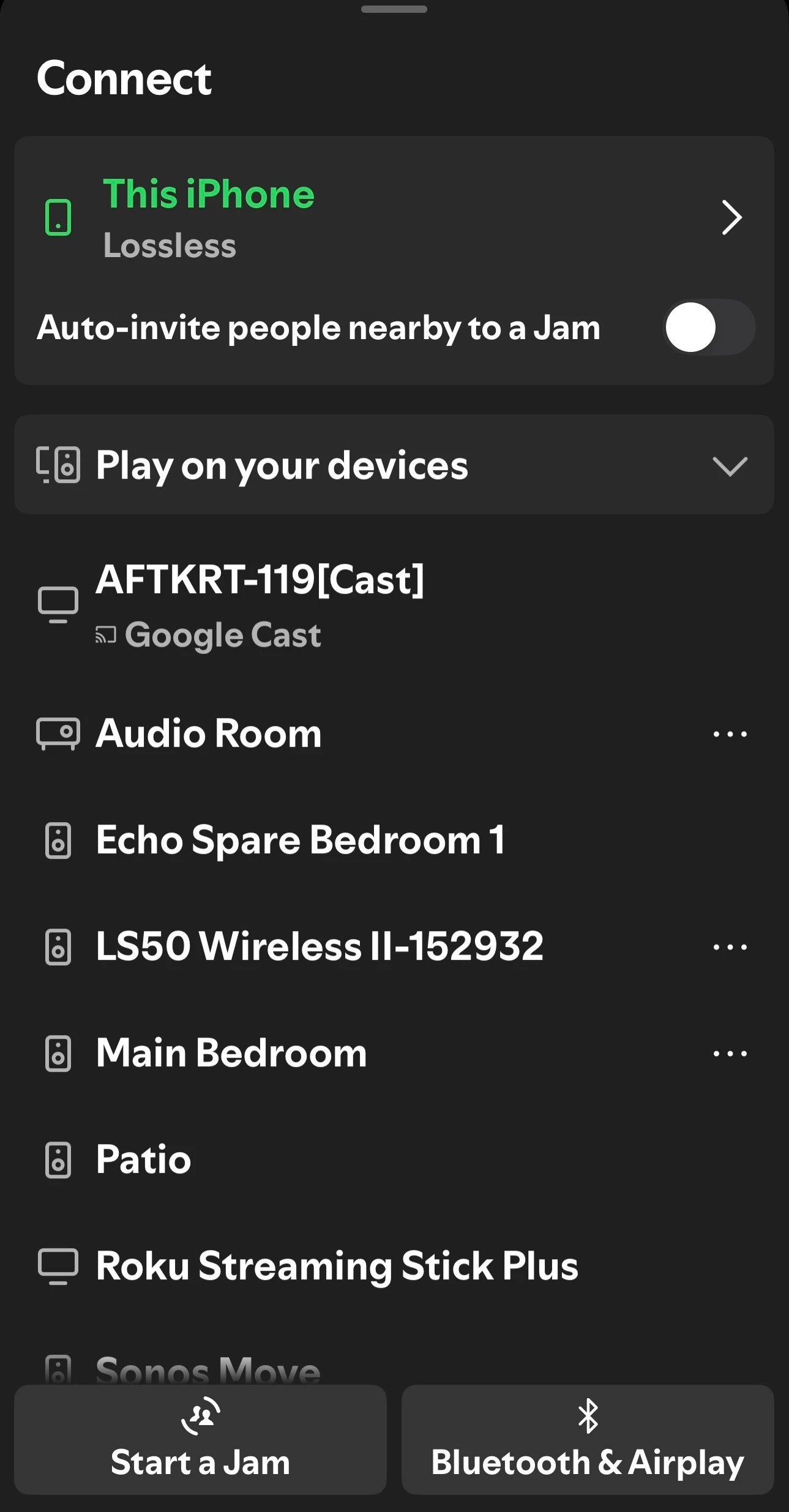
Again…, when you are in the Spotify app ( Not the integrated Spotify app in the Sonos app ) is the Roam listed in Spotify as one of the devices you can play to.  If the Roam is listed as a device in the Spotify app and you start play is the stream stable.


  • Author
  • Contributor I
  • June 12, 2026

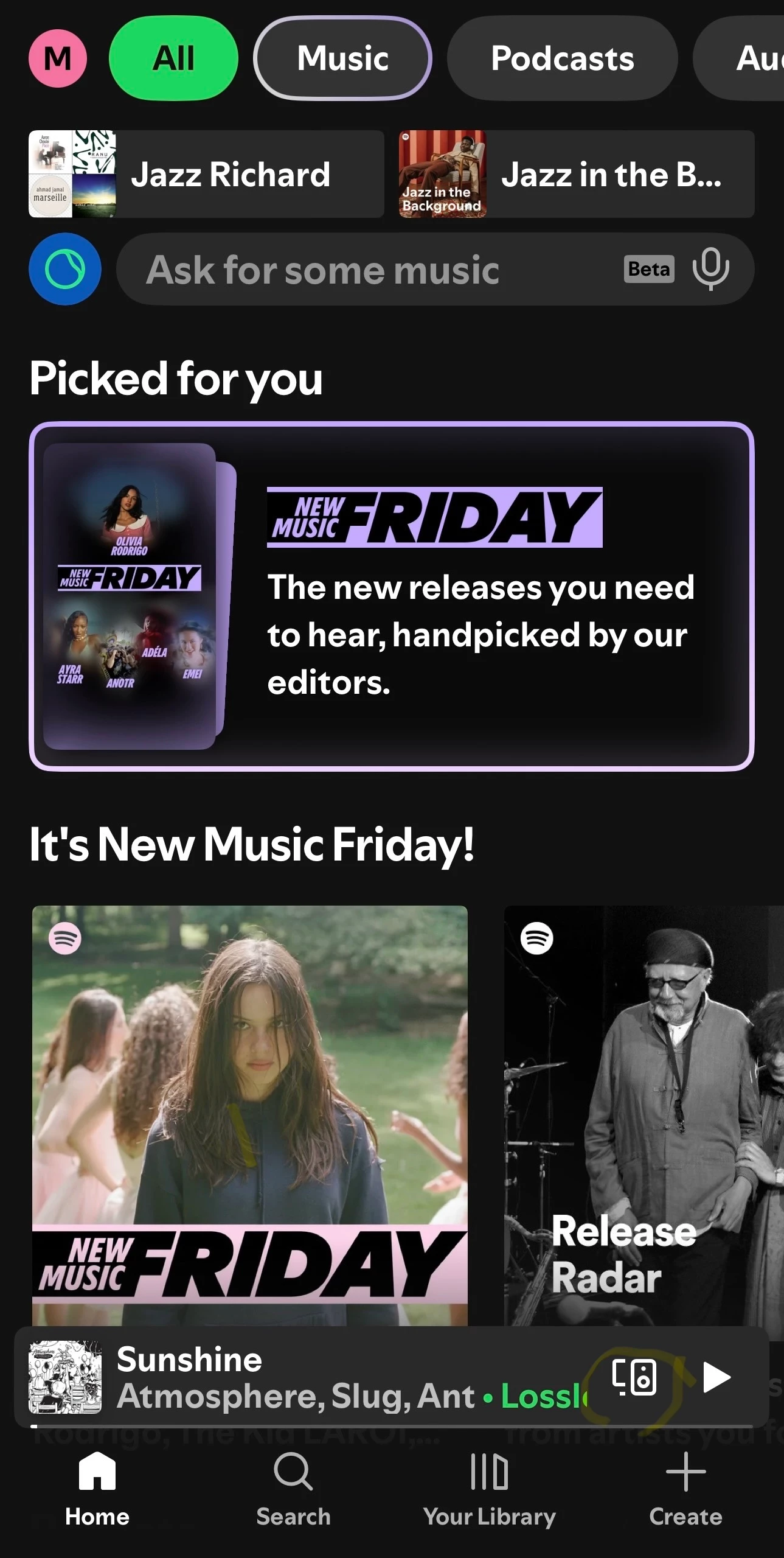
When I open Spotify there’s no Devices to play to. where would I find that?


MoPac
Forum|alt.badge.img+19
  • Headliner III
  • June 12, 2026

It’s on the bottom right of the Spotify screen.  Looks like small speaker.  Touch it and all available devices will show.