
Contributor II
June 22, 2025
Answered

Connecting Roam to holiday caravan WiFi

Trying to connect Roam to WiFi while we’re away. After going into the initial set up it says ‘No products found for (name of WiFi)’ which is fine, so I go into system settings but all I’m getting is this, (see picture)
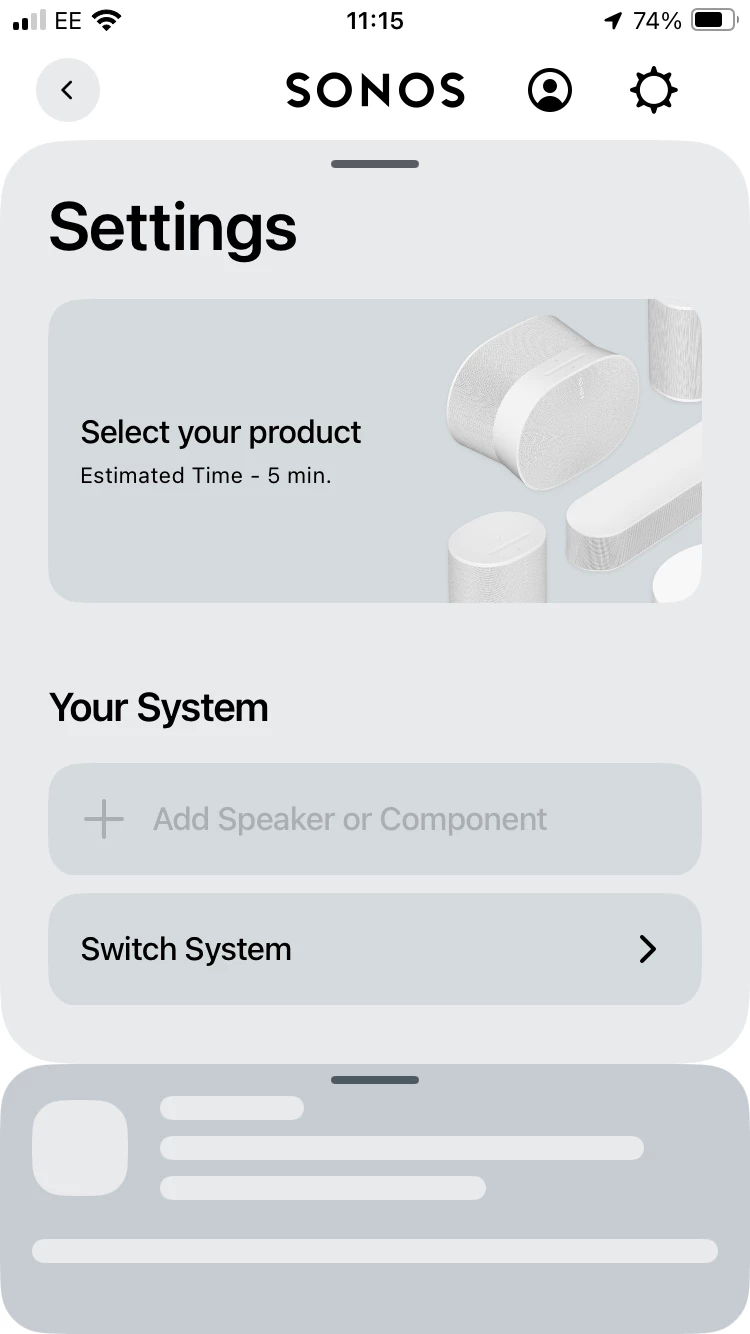
If I choose select your product I have to log in which I already am. If I go into switch system and then set up new system it searches constantly for the Roam but doesn’t find it. Currently using it as a Bluetooth speaker which isn’t ideal. 

This topic has been closed for further comments. You can use the search bar to find a similar topic, or create a new one by clicking Create Topic at the top of the page.
Corry P
Corry PAnswer
Sonos Staff
June 26, 2025

Hi ​@RandS 

Welcome to the Sonos Community!

Sorry to hear about this issue that you are having with getting your Roam online in your holiday caravan.

I think I may have found the issue - you mention that when you tap on “Select your Product” (which is the correct step to take) you get asked to sign in - if you are signing in with the email address that you are using to post here on the Community, that is the wrong email to use - there are no Sonos speakers registered on that account, and to connect your Roam to a new WiFi, you must use the account to which the Roam is registered. If you use the account with which the Roam is registered, you should be able to continue to the next step.

I hope this helps.


"Common sense is the collection of prejudices acquired by age eighteen." - Albert Einstein

14 replies

Lyricist I
July 28, 2025

I trink I face the same issue with a Roam SL. I am at a vacation house with a private WiFi, but not able to connect my roam SL to the WiFi. Tried the steps above but nothing works. And technically I cannot change WiFi settings to mirror my home configuration (only landlord can do this). What can I do?

Corry P
Sonos Staff
July 28, 2025

Hi ​@Phil1579 

Sorry to hear of the issue you are having with connecting your Roam SL to a new network.

Is it possible that the network is of the Guest variety? It may be rather likely in a vacation home, and if it is the case, the two devices (the Roam and the device running the Sonos app) will not be permitted to communicate with each other. You would need to use a travel router or Bluetooth in this circumstance.

I hope this helps.

"Common sense is the collection of prejudices acquired by age eighteen." - Albert Einstein
Lyricist I
July 28, 2025

Hi ​@Phil1579 

Sorry to hear of the issue you are having with connecting your Roam SL to a new network.

Is it possible that the network is of the Guest variety? It may be rather likely in a vacation home, and if it is the case, the two devices (the Roam and the device running the Sonos app) will not be permitted to communicate with each other. You would need to use a travel router or Bluetooth in this circumstance.

I hope this helps.

What is Guest variety in terms of a network?

Airgetlam
July 28, 2025

It’s a setting on the router’s software, that defines the type of network. In most cases, guest networks only allow communication with the outside world, and not other devices that exist ‘inside’ the network. Which essentially kills the way Sonos works. Here’s a link to how Netgear defines it, but it’s the same across most other brands. 

Bruce