
Trending Lyricist I
Dec 28, 2022 4:55 PM UTC
Answered

Stereo PCM

Losing the will to live here. I Have Sonos Beam Gen2 and I cannot have any sound other than stereo pcm. My tv is PHILIPS - 50PUS7855 50" 4K . I have a hdmi 4k cable. I am using both the standard TV, Netflix and 4k blu Ray player and they're all playing stereo pcm only. I have set the audio to multichannel (bypass). Why is this happening?


Any help greatly appreciated. 


This topic has been closed for further comments. You can use the search bar to find a similar topic, or create a new one by clicking Create Topic at the top of the page.
t00tAnswer
Trending Lyricist I
Dec 28, 2022 9:38 PM UTC

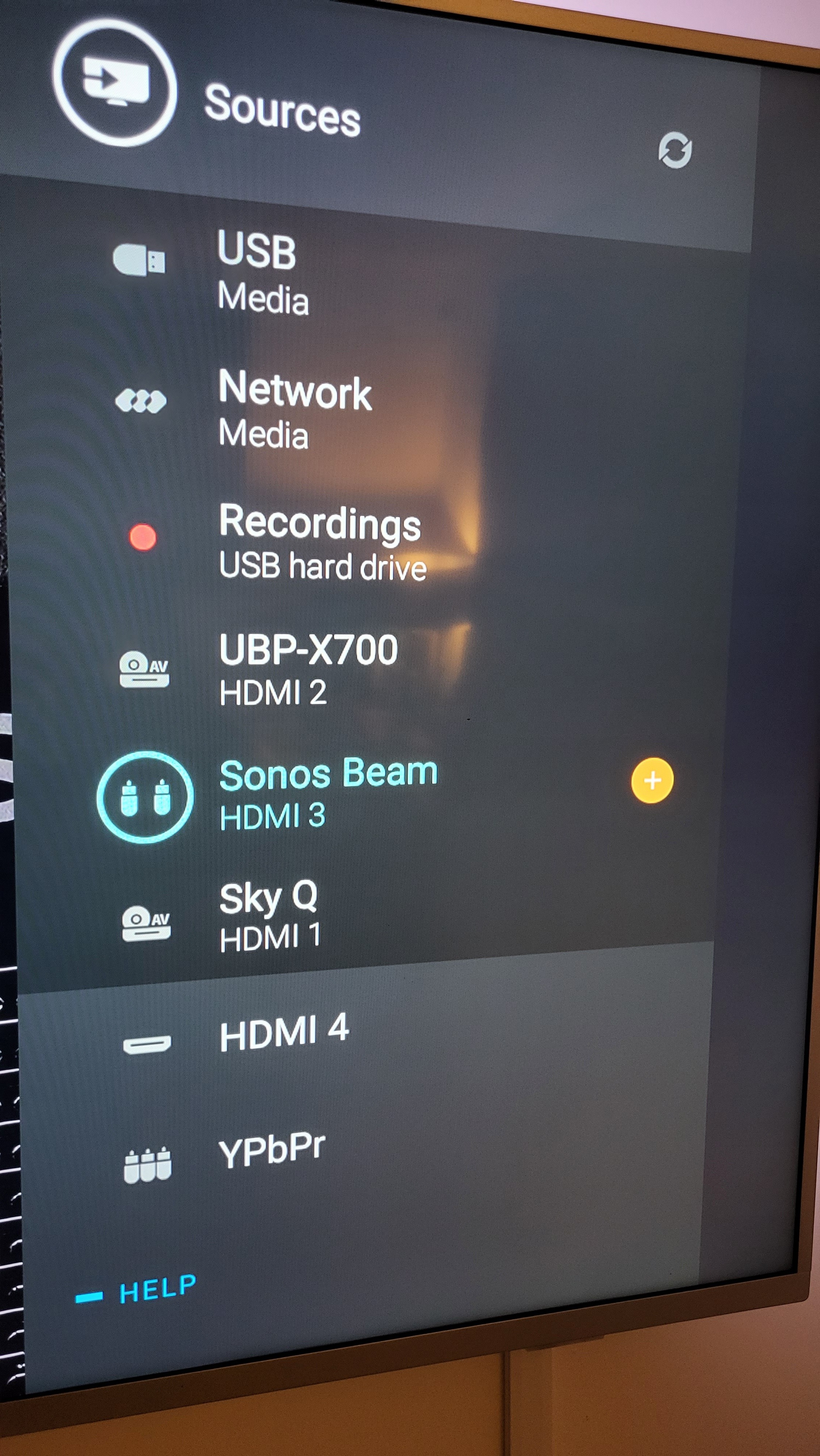
I've attached a photo of all the hdmi connections, not sure if this helps in anyway. 

47 replies

Ken_Griffiths
Dec 29, 2022 10:56 PM UTC

@t00t 

It’s probably going to be easier to maybe speak with Philips Support Desk, as I’m sure this is a TV Settings issue, but …

  • What are the choices available in ‘Digital Out Format’ (below ‘Audio Out’) in your earlier screenshot?
  • Also what options are shown in the ‘advanced sound’ settings?
Translate
Lyricist III
Feb 20, 2023 1:36 PM UTC

On further investigation 'personal mode settings' is completely greyed out and I'm unable to select 

I have the same kind of phillips tv The sound personal modes are for the Tv speakers. When the TV speakers are off they will naturally be greyed out due to HDMI sound system being connected because now yr tv is outputting sound to an external audio system 

Translate
Lyricist III
Feb 20, 2023 1:43 PM UTC

I did already. It allows me to turn the TV speakers off but the same issue, only sound is stereo pcm

 multichannel option does is encode audio to common format like 5.1 or ac3.. watever yr soundbar understands
Multichannel ( bypass) does not re encode the source audio but sends out the bitstream to the soundbar or receiver. If u choose DD+ or atmos  and u choose bypass option but yr soundbar  do not have DD+ or atmos , u will have no sound because the Receiver in yr soundbar does not understand these formats when its sent the bitstream

the last option stereo uncompressed sends 2 channel PCM to the soundbar ( i am not sure if the tv somehow re encodes or downmixes dolby to stereo ect>)

Since HDMI ARC cant do 5.1 /7.1 uncompressed multichannel PCM ( LPCM) ony stereo uncompressed is possible

Translate
t00tAuthor
Trending Lyricist I
Feb 20, 2023 6:26 PM UTC

I did already. It allows me to turn the TV speakers off but the same issue, only sound is stereo pcm

 multichannel option does is encode audio to common format like 5.1 or ac3.. watever yr soundbar understands
Multichannel ( bypass) does not re encode the source audio but sends out the bitstream to the soundbar or receiver. If u choose DD+ or atmos  and u choose bypass option but yr soundbar  do not have DD+ or atmos , u will have no sound because the Receiver in yr soundbar does not understand these formats when its sent the bitstream

the last option stereo uncompressed sends 2 channel PCM to the soundbar ( i am not sure if the tv somehow re encodes or downmixes dolby to stereo ect>)

Since HDMI ARC cant do 5.1 /7.1 uncompressed multichannel PCM ( LPCM) ony stereo uncompressed is possible


Translate
t00tAuthor
Trending Lyricist I
Feb 20, 2023 6:27 PM UTC

Thanks for the info. How did you get around this? Do I need to buy a new TV or are there settings that work? I still haven't fixed

Translate
Lyricist III
Feb 20, 2023 10:59 PM UTC

Thanks for the info. How did you get around this? Do I need to buy a new TV or are there settings that work? I still haven't fixed

I do not have  Sonos. Only Yamaha SR-B20A. But since this topic  interested me I replied to clarify things. With Phillips TVs,  there is confusion in the audio settings of the tv because they do not have options to select the type of sound like LG or Samsung tvs.

It's more of automatic settings but I have tried 3 soundbars , 2 of them high end ones on the tv and all of them do work in either one of the 3 options available in the tv audio settings.

Multichannel option is for soundbars that do not understand specific formats so the tv will output by downmixing to general dolby digital 2.0 or ac3 core  by stripping out the specific metadata from DD plus or Atmos to solve compatibility issues. 


The multichannel bypass option is for av receiver or higher end soundbars and standalone receivers with Atmos , DTS X or DD plus   I am not sure why  the Sonos behaves in that's way  but to me it looks like it only outputs stereo (2.0) even though in the website it's stated that it does a variety of multichannel formats. I think it's a sonos firmware problem OR I think it only outputs multichannel sound in E-ARC connections . ( Came across such discussion in other forums about the Sonos firmware defect) 


I have the Yamaha soundbar (SR-B20A) supports Dolby digital and DTS multichannel formats and outputs in virtual surround . I assume the Sonos is only giving  pcm 2.0 which is why u getting only stereo? In  this case u are getting stereo uncompressed which is a pcm signal. It should be clearer in quality than Dolby digital 2.0 or 5.1 which are equivalent to compressed audio like mp3 or AAC . So the problem here is yr Sonos . In my Yamaha soundbar when stereo uncompressed (PCM) is detected , the sound bar applies pro logic 2 to give a  surround like effect which in my opinion works great too .


As to yr question, yes the only solution is multichannel or stereo uncompressed should able to work with Sonos if u  have ARC only Phillips tv. The other alternative is to get different soundbar like LG or Samsung or JBL  with Dolby Atmos or DTS capability to output surround sound or an E-ARC TV for  Sonos. 


Translate
Lyricist III
Feb 20, 2023 11:52 PM UTC

Tried on Netflix, sky, and 4k blu Ray player with dolby selected within the settings of the blu Ray player. All has the same result. When I initially setup a few weeks ago I did see dolby 5 in the sonos app but I can't for the life of me get it to return. I would be happy with that even if I can't get dolby atmos. I didn't pay this money to listen to stereo

Does the Sonos remote or app had options to choose stereo or other surround formats? If u had chosen stereo in the Sonos remote or app it will play only stereo. Check that. 

Tried on Netflix, sky, and 4k blu Ray player with dolby selected within the settings of the blu Ray player. All has the same result. When I initially setup a few weeks ago I did see dolby 5 in the sonos app but I can't for the life of me get it to return. I would be happy with that even if I can't get dolby atmos. I didn't pay this money to listen to stereo

If I am not wrong, there could be a problem with the Sonos firmware. Try update it . Since u stated that u were able to get Dolby once , yr settings set in both the tv and devices should be correct . 


Translate
Lyricist III
Feb 21, 2023 2:04 AM UTC

1) One more thing u can try is under inputs , switch to the HDMI that your sonos is connected to. U will see a blank screen 

Then go to the general settings  and set HDMI to "ultra" . 


2) The other thing u can try is changing HDMI cables ,  get a branded premium high speed HDMI cable and try


Though this shouldnt make a difference in some cases it does especially when connection of PC scenarios where  both audio and video signal is transmitted together. And in certain cases the chipset of the tv has been designed to switch modes of transmission or due to some bugs at the engineering level, OS bugs ,firmware bugs  ect can all contribute to HDMI transmission problems.


Translate
Lyricist III
Feb 21, 2023 5:12 AM UTC

lastly get something like nvidia shield tv or another set top box that can handle multichannel sound and try replicate the problem with the sonos by first connection to tv and then directly to soundbar ( if HDMI/IN is on the sonos)

Translate
106rallye
Feb 21, 2023 8:06 AM UTC

The last won’t work. Sonos needs HDMI-ARC that the Nvidia does not do.

Translate