Contributor I
January 21, 2025
Answered

Speaker Balance Adjustment

How do I adjust the output balance between my main Arc soundbar and my 2 surround sound speakers? The predominant sound is emitting from the sound bar and I want to increase the bias to the back of my room.

This topic has been closed for further comments. You can use the search bar to find a similar topic, or create a new one by clicking Create Topic at the top of the page.
Airgetlam
AirgetlamAnswer
January 22, 2025

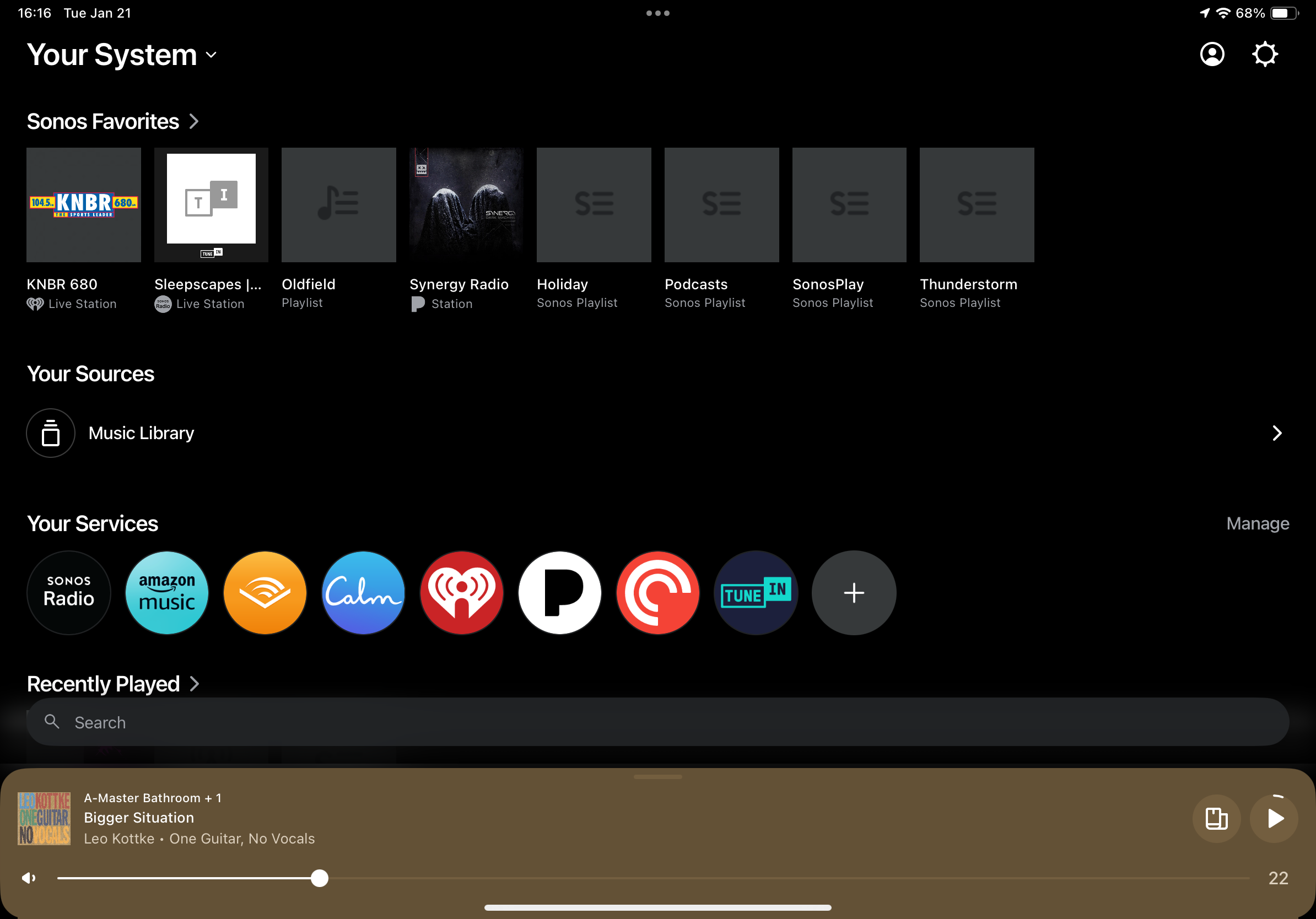
Go to ‘system settings, which would be the gear icon from your home page. 
 

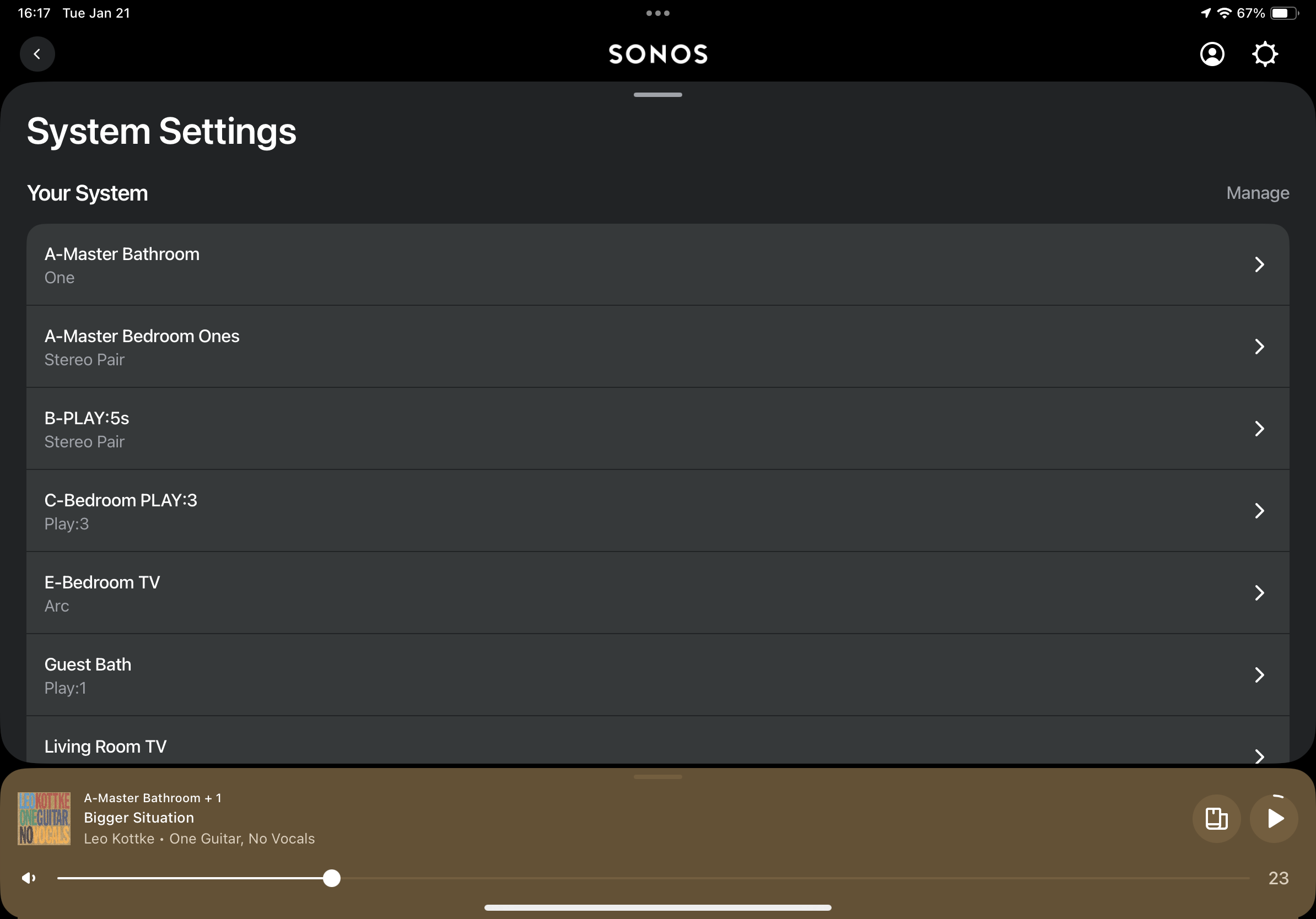
Then select the room that has the Arc in it.

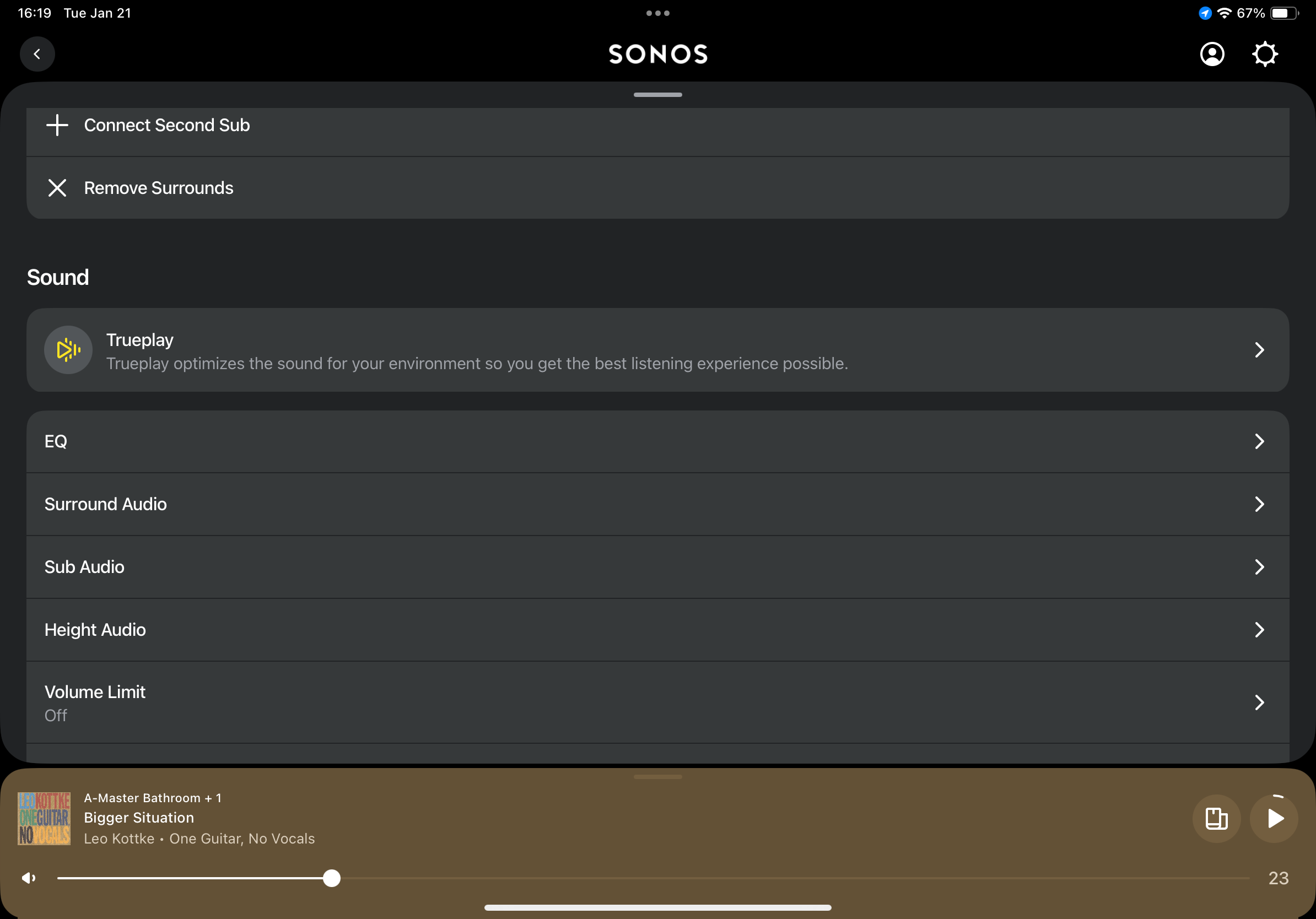
Then select ‘Surround Audio’…note, you’ll likely need to scroll down to find it.

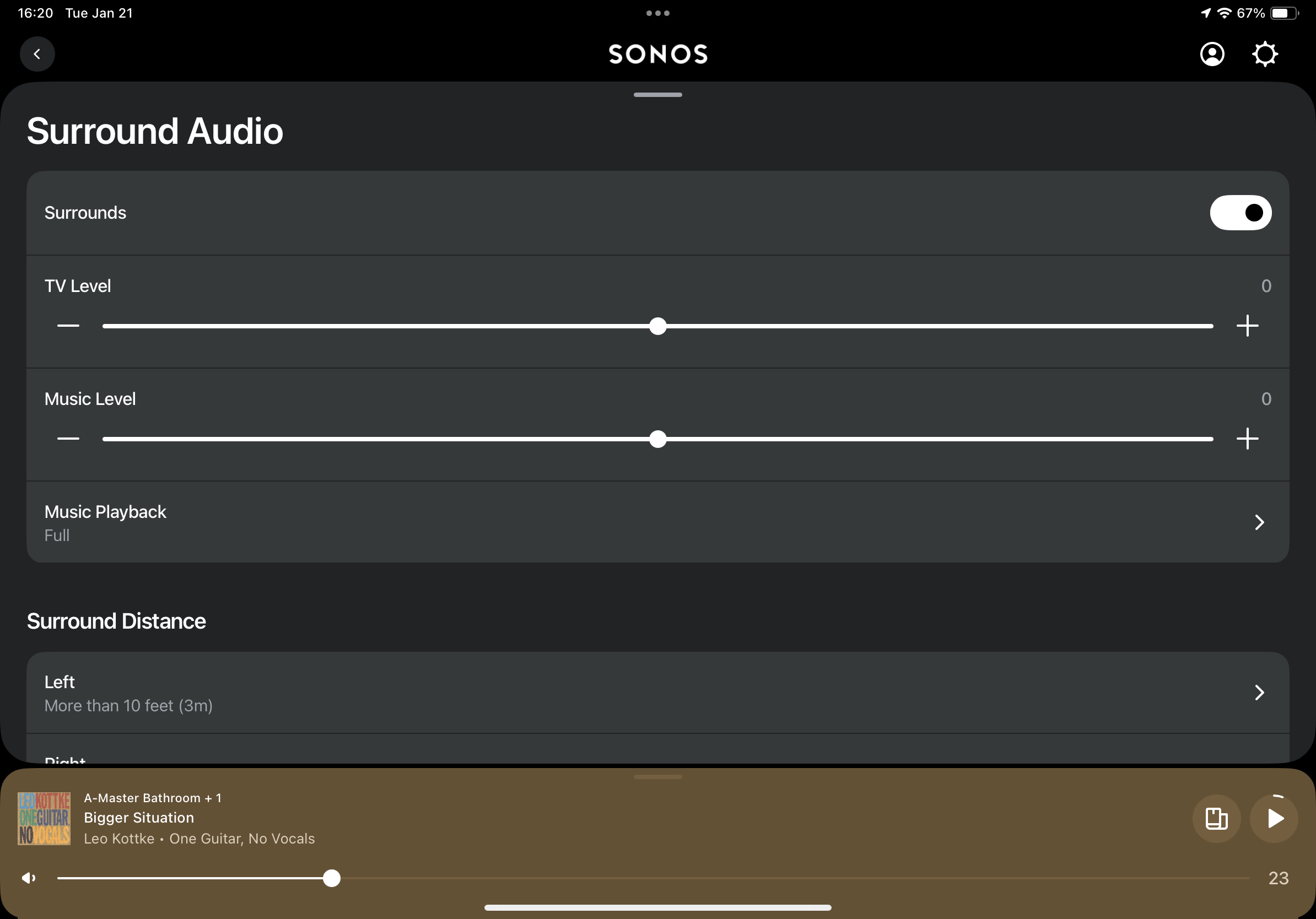
Adjust the sliders as necessary

Note, I used an iPad to take these screenshots, but the app should be the same on your iPhone. 

Bruce

6 replies

Airgetlam
January 21, 2025

Go in to the surround settings for the Sonos ‘room’ that contains your Arc. There is a slider there to adjust the volume of the surrounds relative to the Arc.

Bruce
Senior Virtuoso
January 21, 2025

The surrounds are effects speakers, so you’re not going to replicate the front channels on the rear speakers, if that’s what you’re hoping to do? 
But to increase their volume for the sounds they’re intended to play, use the app  and in Settings for the room there’s a Surrounds TV Volume slider - increase it. 

jgatie
January 21, 2025

The predominate sound is always going to come from the front of the room. That’s where the display is, hence most of the dialog and action sounds are going to emanate from the front.  Surround speakers are used for off-screen sounds, directional effects, and atmospherics like rain or thunder, and thus aren’t used as much as the fronts. 

Pads100Author
Contributor I
January 21, 2025

Thank you Airgetlam but, excuse my ineptitude ‘cos I can’t seem to locate the ‘controls’ you cite as enabling me to adjust the surround volume.


Airgetlam
AirgetlamAnswer
January 22, 2025

Go to ‘system settings, which would be the gear icon from your home page. 
 

Then select the room that has the Arc in it.

Then select ‘Surround Audio’…note, you’ll likely need to scroll down to find it.

Adjust the sliders as necessary

Note, I used an iPad to take these screenshots, but the app should be the same on your iPhone. 

Bruce
Pads100Author
Contributor I
January 22, 2025

Many thanks Bruce