Sonos Surrounds not Connecting even after multiple restarts of the Beam, Surrounds and the Router
This is honestly occurring to me so often that I’m kind of put off by the sonos “all things wireless” system.
I have two Sonos Surrounds and 1 Sonos Beam, all wireless.
Every so often the system loses the surrounds and they either show in the app as +?+? as surrounds and no sound playing or are showing as if everything is good but no sound playing.
Today they just refuse to connect no matter how many times I reset the system.
Things I tried:
- Rebooted the Beam and both surrounds
- Reboot the router
- Turned off the router, turned off all sonos, turned on the router, waited 5 minutes, turned on the sonos products.
- Removed the surrounds from the app, factory reset the surrounds, reconnected them to the network.
- I moved the 2.4Ghz Channel from 6 to 11.
Now the surrounds don’t even show up in the app. Also during the setup, it was taking a long time and it was saying at the end that they are connected but they might not show up in the app and I need to restart the surrounds. I DID, MANY TIMES.
I submitted a diagnostics: 584945453.
Please Sonos, fix your products.
I see tens of threads with this issue. No, there’s no WIFI interference at my house. These surrounds are literally 3 feet away from the router and I don’t have that many devices connected to my router. No neighbors around either.
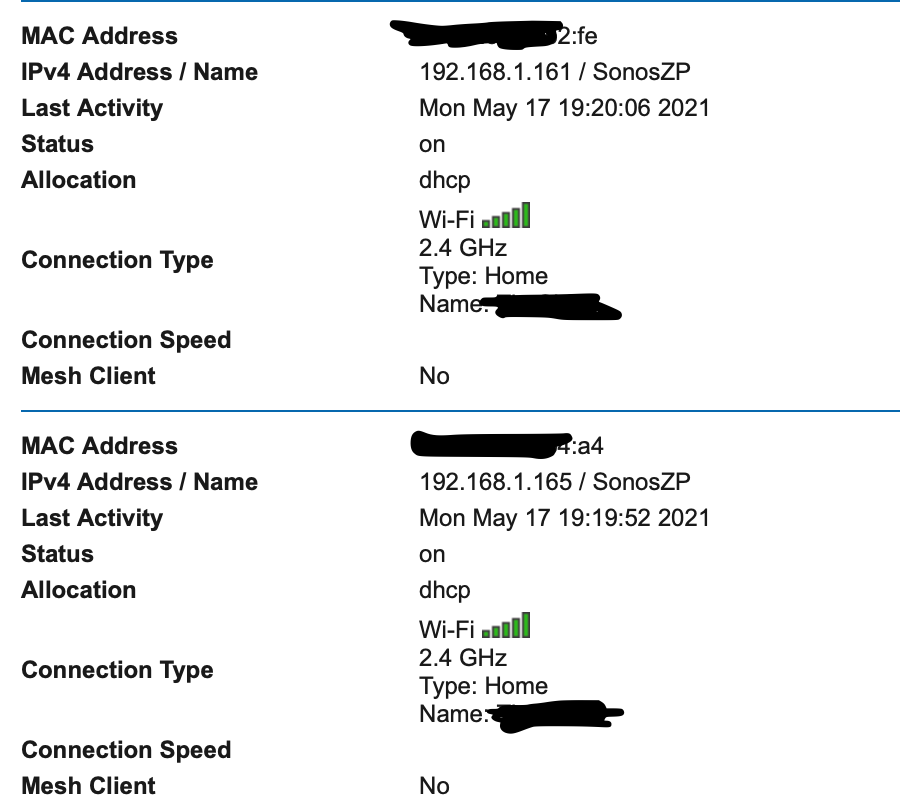
Here are the surrounds in my router’s device list.