
April 13, 2023
Answered

Sonos Arc with Samsung TVs (HDMI-eARC message)

Everytime I turn on my TV I get the following popup message “Audio device connected via HDMI-eARC. The screen may flicker as the audio settings are changed.”

I think this only happens with Sonos Soundbars when connected with eARC. I suppose it is because the soundbar HDMI-port gets in some sort of sleep mode when TV is off. Is it possible to fix this so we don’t get this message everytime?

As a note I also want to add that sporadically I get disconnects during this handshake. I get following messages:

  1. Audio device connected via HDMI-eARC…
  2. Audio device disconnected from HDMI-eARC…
  3. Audio device connected via HDMI-eARC…

This causes the HDMI port to flash number of times each time I turn on the TV.

I think this should be low hanging fruit for Sonos to fix for Samsung TV users.
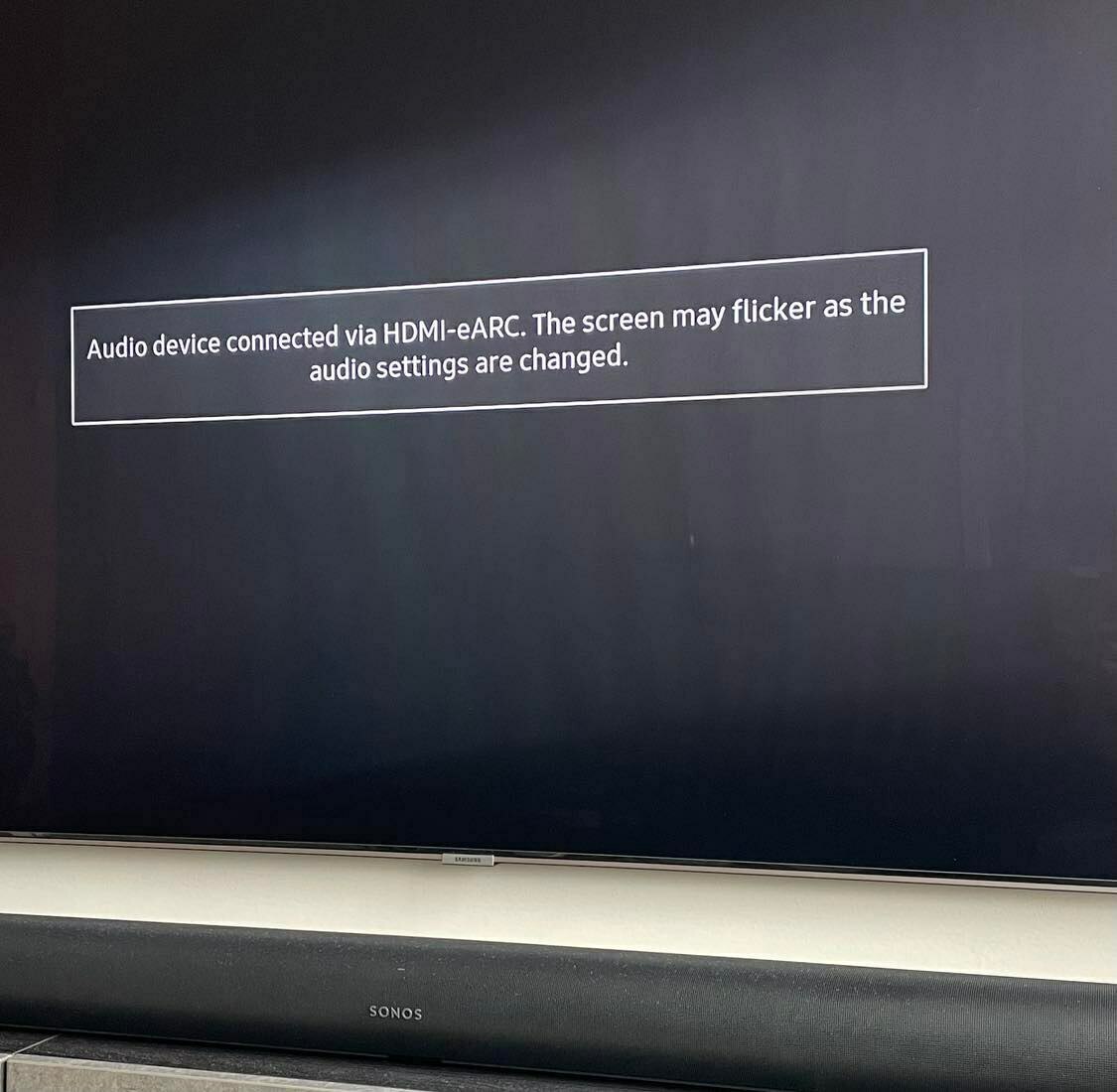
When using HDMI-ARC (no eARC) I get no popups whatsoever. This only applies for eARC.

For reference I have a Samsung Q90R from 2019.

Hope anyone from Sonos can help!

This topic has been closed for further comments. You can use the search bar to find a similar topic, or create a new one by clicking Create Topic at the top of the page.
Answer
April 14, 2023

@Chillout_ 

If I search for "Samsung Q90R" here in the forum, there are 124 hits returned, but I can’t see anyone mentioning the same issue - If it’s not the cable, then perhaps there’s a fault, but the Technical Support Team should be able to assist with that and support maybe able to pinpoint if it’s the Sonos Arc or maybe the TV. I’m thinking it’s CEC (AnyNet+) related, but clearly it needs some further investigation.

Technical support team checked logs, no fault on the Arc they said. It’s a bit diffused this issue if not anyone else have seen this message. It happens with any cable I try. Probably a TV-thing but then I would like to see other people having the same popup.

Edit: Samsung forum states that this popup happens with everyone else also. So it’s a “feature”!

Thank you for all the help.

24 replies

Airgetlam
November 23, 2023

I would recommend that you submit a system diagnostic within 10 minutes of experiencing this problem, and call Sonos Support to discuss it.

There may be information included in the diagnostic that will help Sonos pinpoint the issue and help you find a solution.

When you speak directly to the phone folks, they have tools at their disposal that will allow them to give you advice specific to your network and Sonos system.

Bruce
Lyricist I
November 29, 2023

I recently added a Sonos Arc to my Samsung Q90R and have been having the exact same problem.  Every time I turn the system on, the tv spends a long period of time (two to three minutes) connecting to eArc and then disconnecting and then reconnecting and then disconnecting again, over and over and over.  Most of the time it eventually connects properly and then displays the picture,  but sometimes it never does connect properly and I have to turn everything off and start over.  I’ve tried all the standard solutions (confirmed have latest software, changed hdmi cables, rebooted everything, etc., etc), all to no avail.  Has anyone found a solution to this?

I also have the exact same issue I’m pretty sure it’s on Samsung’s side. Before the Arc I used to have a Samsung soundbar and this tv just decided it wouldn’t connect to it for a month.  Do you by any chance ouse a PS5 or XBOX on port 4? Because when you put 120Hz on it sometimes the PS5 has visual issues. I still have warranty but I want to try to fix this before having to truck this tv out to the repairs due to complaints. 

Lyricist I
January 18, 2024

I came here hoping for a good solution. This message is driving me crazy. Even thinking about replacing the TV. There is still no possibility to resolve this?

Lyricist I
January 21, 2024

Morning All, 


I have been having this problem for some time now as well. 

I have fixed the problem for my set up. Whether it will work on anyone else's I don't know, but am sharing for all to see. 

System:

Samsung QE65Q90RATXXU

Sonos Arc, Sub and One SL surrounds

Yesterday I was updating the firmware on my router and noticed when the router rebooted the connecting as discussed above message appeared. Very odd. This made me think that actually the issue might be linked to the network as much to the connectivity between the TV and Soundbar. I also knew that whenever I was listening to the radio and then switched the TV on, the same connecting issue did not happen very much.


I had already fixed the IP address of the TV, but made two further changes to my network settings

  1. I fixed the IP address of the SONOS Arc
  2. I fixed the sonos net channel to channel 6.

https://support.sonos.com/en-gb/article/change-your-sonos-system-s-wireless-channel


I switched the TV on this morning as a test, and low and behold the TV went straight on, connected to the ARC and there was none of the very irritating messages. 

So for me, it is fixed, maybe this will help other people

good luck


Neil