
April 13, 2023
Answered

Sonos Arc with Samsung TVs (HDMI-eARC message)

Everytime I turn on my TV I get the following popup message “Audio device connected via HDMI-eARC. The screen may flicker as the audio settings are changed.”

I think this only happens with Sonos Soundbars when connected with eARC. I suppose it is because the soundbar HDMI-port gets in some sort of sleep mode when TV is off. Is it possible to fix this so we don’t get this message everytime?

As a note I also want to add that sporadically I get disconnects during this handshake. I get following messages:

  1. Audio device connected via HDMI-eARC…
  2. Audio device disconnected from HDMI-eARC…
  3. Audio device connected via HDMI-eARC…

This causes the HDMI port to flash number of times each time I turn on the TV.

I think this should be low hanging fruit for Sonos to fix for Samsung TV users.
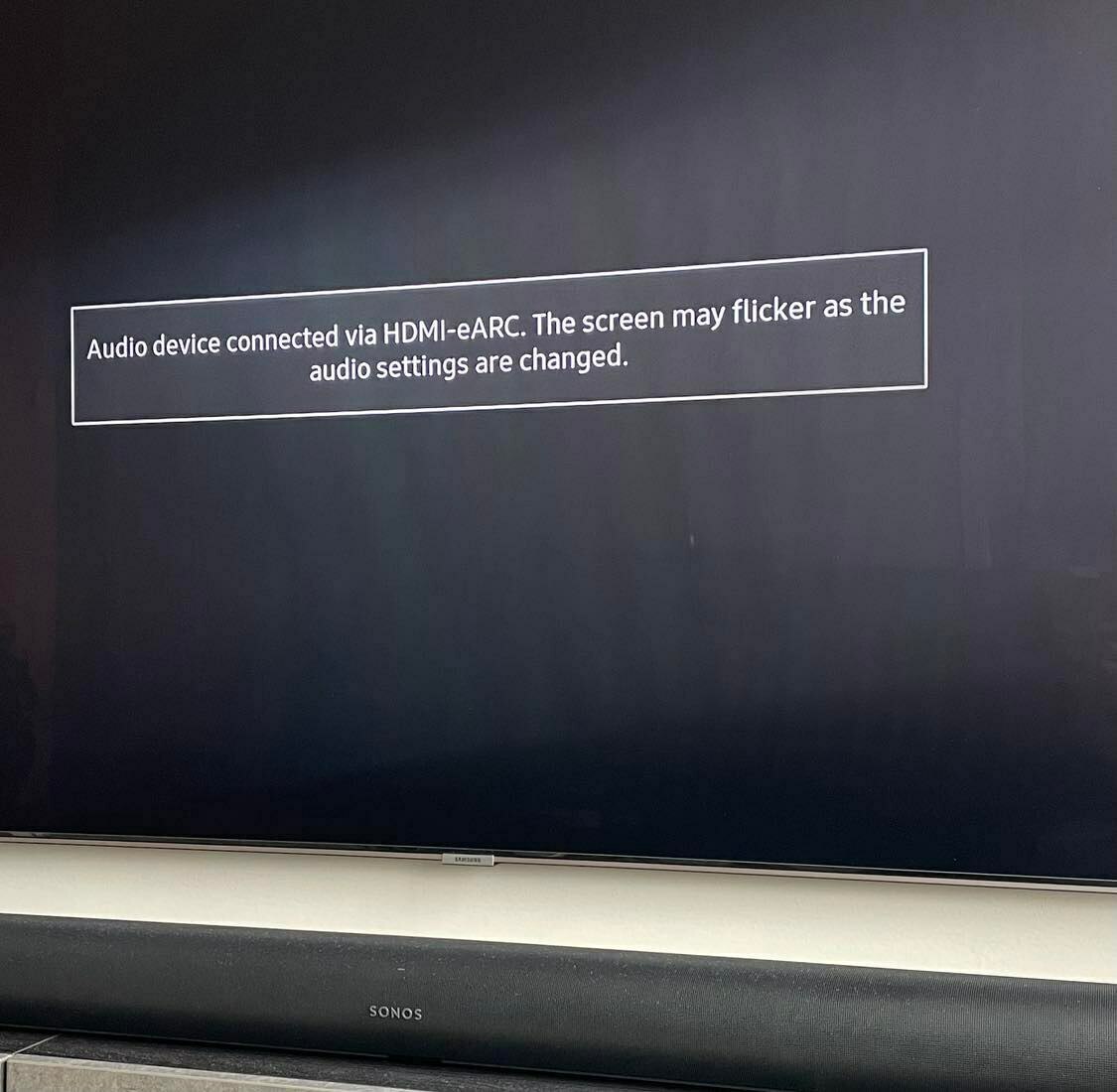
When using HDMI-ARC (no eARC) I get no popups whatsoever. This only applies for eARC.

For reference I have a Samsung Q90R from 2019.

Hope anyone from Sonos can help!

This topic has been closed for further comments. You can use the search bar to find a similar topic, or create a new one by clicking Create Topic at the top of the page.
Answer
April 14, 2023

@Chillout_ 

If I search for "Samsung Q90R" here in the forum, there are 124 hits returned, but I can’t see anyone mentioning the same issue - If it’s not the cable, then perhaps there’s a fault, but the Technical Support Team should be able to assist with that and support maybe able to pinpoint if it’s the Sonos Arc or maybe the TV. I’m thinking it’s CEC (AnyNet+) related, but clearly it needs some further investigation.

Technical support team checked logs, no fault on the Arc they said. It’s a bit diffused this issue if not anyone else have seen this message. It happens with any cable I try. Probably a TV-thing but then I would like to see other people having the same popup.

Edit: Samsung forum states that this popup happens with everyone else also. So it’s a “feature”!

Thank you for all the help.

24 replies

UKMedia
April 13, 2023

Yes I tried different HDMI cables, not the issue. I think this is software-related. Easy to blame Samsung but this does not happen with other eARC Soundbars on the same TV. So I guess its related to HDMI port going into some power saving mode and then handshake needs to be reestablished.

I dont know if Sonos monitor this forum or if I should create a ticket based on this thread as this is a technical issue. I am new to the forums.

Sonos definitely monitor these forums, I’ll flag for someone to investigate.

Remember: Sometimes Red Wine helps :)
Ken_Griffiths
April 13, 2023

It certainly seems to me to be a TV CEC issue too, I think..

Does this message disappear if you detach all other devices from the TV HDMI ports (obviously leaving just the Sonos soundbar only attached) I’m thinking if the issue does go away, then it might be easily fixed by switching off the CEC protocol on those ‘other’ connected peripherals before reconnecting them back to the TV - or maybe use a CEC-less adapter if they do not allow CEC to be disabled.

Corry P
Sonos Staff
April 14, 2023

Hi @Chillout_ 

Welcome to the Sonos Community!

While I too think this is probably your TV at work, @Ken_Griffiths makes an excellent suggestion - it could very well be caused by a CEC conflict with another device connected to the TV. I recommend you get in touch with our technical support team, who have tools at their disposal that will allow them to give you advice specific to your Sonos system and what it reports - there should be some indication in the CEC logs.

I hope this helps.

"Common sense is the collection of prejudices acquired by age eighteen." - Albert Einstein
April 14, 2023

It certainly seems to me to be a TV CEC issue too, I think..

Does this message disappear if you detach all other devices from the TV HDMI ports (obviously leaving just the Sonos soundbar only attached) I’m thinking if the issue does go away, then it might be easily fixed by switching off the CEC protocol on those ‘other’ connected peripherals before reconnecting them back to the TV - or maybe use a CEC-less adapter if they do not allow CEC to be disabled.

Tried this. Still the same. Does not seem to be other devices interfering.

Ken_Griffiths
April 14, 2023

It certainly seems to me to be a TV CEC issue too, I think..

Does this message disappear if you detach all other devices from the TV HDMI ports (obviously leaving just the Sonos soundbar only attached) I’m thinking if the issue does go away, then it might be easily fixed by switching off the CEC protocol on those ‘other’ connected peripherals before reconnecting them back to the TV - or maybe use a CEC-less adapter if they do not allow CEC to be disabled.

Tried this. Still the same. Does not seem to be other devices interfering.

In that case @Chillout_  I would perhaps still go onto follow @Corry P’s suggestion and contact the Sonos Technical Support Team as they have the tools to investigate the matter further. 

April 14, 2023

Will do.

Still, anyone else having a 2019-2020 Samsung QLED TV that use eARC functionality who has this popup message every time you turn on TV? This will be useful info for me.

Thanks!

Ken_Griffiths
April 14, 2023

@Chillout_ 

If I search for "Samsung Q90R" here in the forum, there are 124 hits returned, but I can’t see anyone mentioning the same issue - If it’s not the cable, then perhaps there’s a fault, but the Technical Support Team should be able to assist with that and support maybe able to pinpoint if it’s the Sonos Arc or maybe the TV. I’m thinking it’s CEC (AnyNet+) related, but clearly it needs some further investigation.

Answer
April 14, 2023

@Chillout_ 

If I search for "Samsung Q90R" here in the forum, there are 124 hits returned, but I can’t see anyone mentioning the same issue - If it’s not the cable, then perhaps there’s a fault, but the Technical Support Team should be able to assist with that and support maybe able to pinpoint if it’s the Sonos Arc or maybe the TV. I’m thinking it’s CEC (AnyNet+) related, but clearly it needs some further investigation.

Technical support team checked logs, no fault on the Arc they said. It’s a bit diffused this issue if not anyone else have seen this message. It happens with any cable I try. Probably a TV-thing but then I would like to see other people having the same popup.

Edit: Samsung forum states that this popup happens with everyone else also. So it’s a “feature”!

Thank you for all the help.

UKMedia
April 15, 2023

Thanks for updating the thread.

Remember: Sometimes Red Wine helps :)
Lyricist I
November 22, 2023

I recently added a Sonos Arc to my Samsung Q90R and have been having the exact same problem.  Every time I turn the system on, the tv spends a long period of time (two to three minutes) connecting to eArc and then disconnecting and then reconnecting and then disconnecting again, over and over and over.  Most of the time it eventually connects properly and then displays the picture,  but sometimes it never does connect properly and I have to turn everything off and start over.  I’ve tried all the standard solutions (confirmed have latest software, changed hdmi cables, rebooted everything, etc., etc), all to no avail.  Has anyone found a solution to this?