This topic has been closed for further comments. You can use the search bar to find a similar topic, or create a new one by clicking Create Topic at the top of the page.
You haven’t set up the Ones as surrounds with the Beam yet.
Under System > Products, select “Basement (+Sub)” and look for the “Set up Surrounds” option. Then follow the app instructions to add your Ones as surrounds.
"Receive with simplicity everything that happens to you." - Rashi
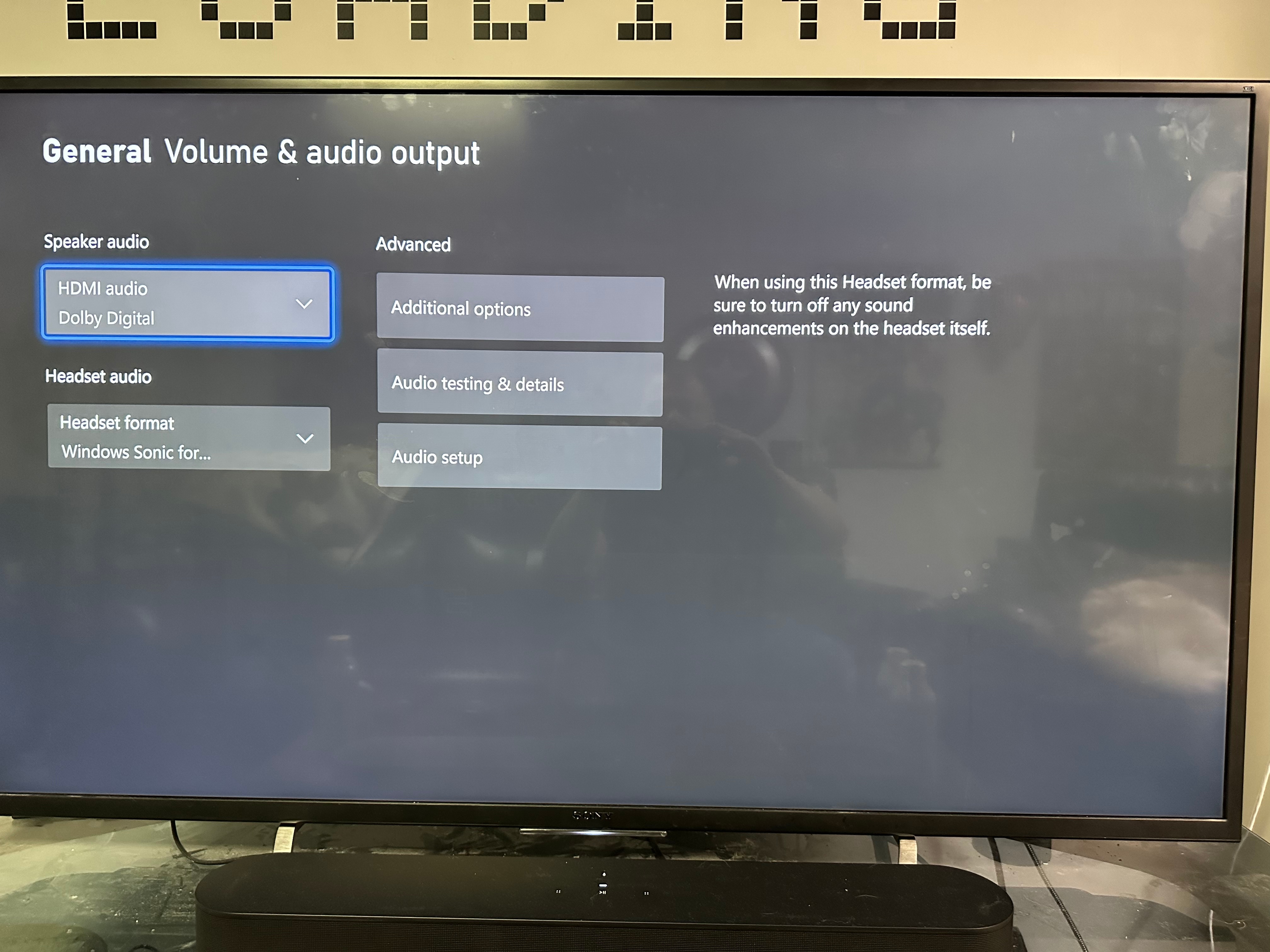
We need more information to assist you. What Sonos sound bar do you have? What model TV do you have? What exactly are you watching\playing on the Xbox? What audio format is displayed in the Sonos app?
Translate
"Receive with simplicity everything that happens to you." - Rashi
Do the surround speakers play any audio from other sources like when you stream a movie in 5.1?
If there is an HDMI Audio Source setting on your TV, set it to Auto. If there is a Digital Audio Out setting on your TV, set it to Auto 1. Both settings might be available on your TV.
Translate
"Receive with simplicity everything that happens to you." - Rashi
You haven’t set up the Ones as surrounds with the Beam yet.
Under System > Products, select “Basement (+Sub)” and look for the “Set up Surrounds” option. Then follow the app instructions to add your Ones as surrounds.
Translate
"Receive with simplicity everything that happens to you." - Rashi
You haven’t set up the Ones as surrounds with the Beam yet.
Under System > Products, select “Basement (+Sub)” and look for the “Set up Surrounds” option. Then follow the app instructions to add your Ones as surrounds.
I can’t believe I did that lol- I thought I just needed to add the speakers. This was it, thanks!!