Answered

can't get dolby atmos

  • January 3, 2025
  • 7 replies
  • 169 views

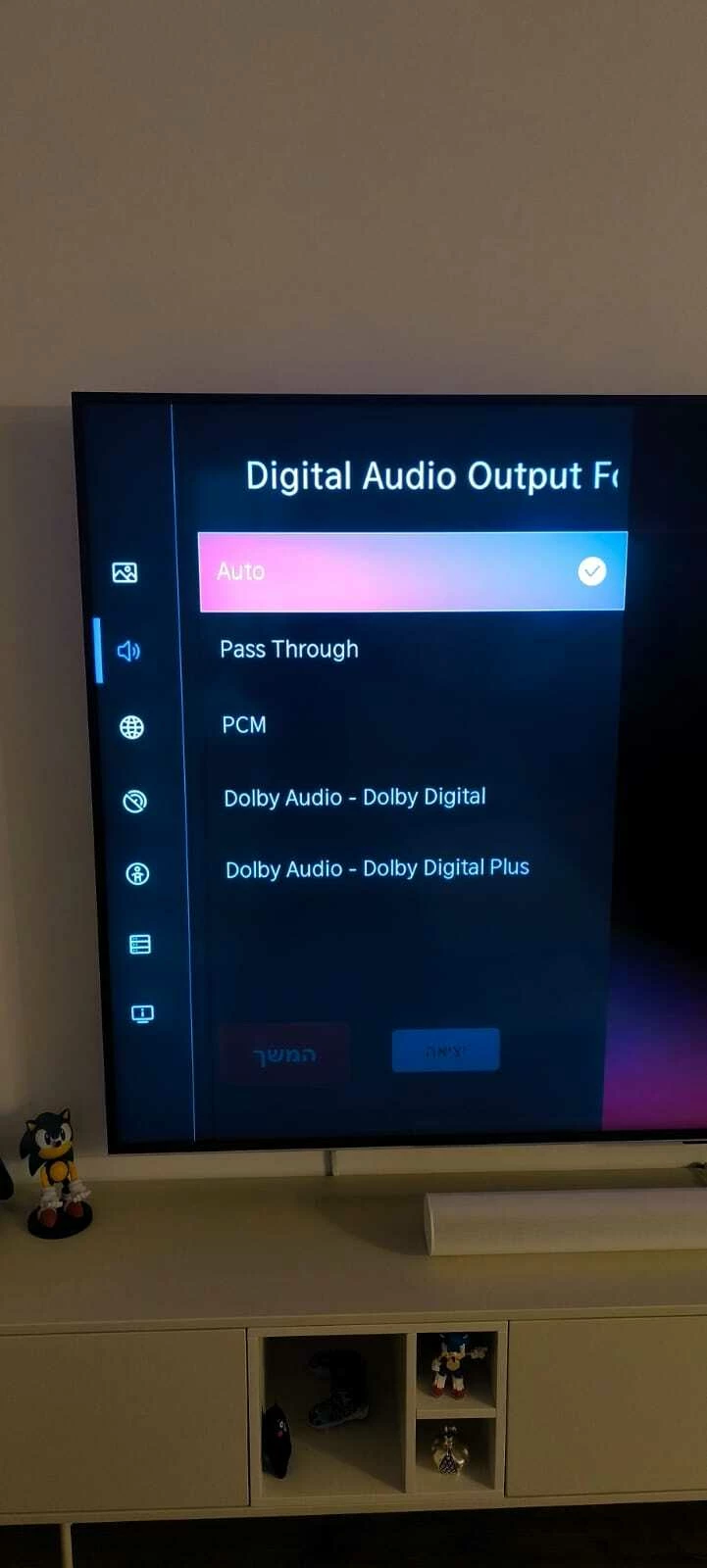
hi, these are the oprions i have for audio output in my tv (eARC) - 


and on the app, this what i get for each option (same order):


dolby multichannel pcm 2.0

dolby digital plus 2.0

stereo pcm 

dolby digital 5.1

dolby digital plus 5.1


tried tidal, and what not..


what to do?


Thanks!!

Best answer by hellomanhello

Your question is on spot, apparently non of my sources were Dolby Atmos. I downloaded a bunch of video I found on Google (demos) and some (not all) indeed were shown as Dolby Atmos on the app.


Given the fact I don't have a lot of Dolby Atmos options , which is better , dolby multichannel pcm 2.0 or

dolby digital plus 2.0?

This topic has been closed for further comments. You can use the search bar to find a similar topic, or create a new one by clicking Create Topic at the top of the page.

7 replies

Stanley_4
  • Lead Maestro
  • January 3, 2025

What service/program are you using for your source?


  • Author
  • Contributor I
  • Answer
  • January 3, 2025

Your question is on spot, apparently non of my sources were Dolby Atmos. I downloaded a bunch of video I found on Google (demos) and some (not all) indeed were shown as Dolby Atmos on the app.


Given the fact I don't have a lot of Dolby Atmos options , which is better , dolby multichannel pcm 2.0 or
dolby digital plus 2.0?


Airgetlam
  • January 3, 2025

Either one is 2.0 channels, so whatever sounds better to your ears. 
 

If you can get a source that can send 5.1, that would ultimately be better for your Arc.


  • Author
  • Contributor I
  • January 3, 2025

I see. Thanks. Does tidal (music streaming) sends 5.1 / Dolby Atmos? 


Airgetlam
  • January 3, 2025

No idea, I don’t use Tidal. Have you checked the Sonos FAQ on Tidal?


  • Author
  • Contributor I
  • January 3, 2025

Nope. Will do

 Thanks


Stanley_4
  • Lead Maestro
  • January 4, 2025

If you have or can borrow an Amazon Firestick it has a very nice Atmos test down in the setup menus. You can play the demo directly from:

Settings -> Display & Audio -> Audio and Video Diagnostics -> Play Dolby Atmos and Vision content

I kind of like it as a screensaver when things are noisy, the water noises really help mask the annoying noises.