Mikkel Rossing
Contributor I
September 24, 2022
Answered

Can't add surrounds to Arc (There was a problem adding your surrounds)

Hi all! 


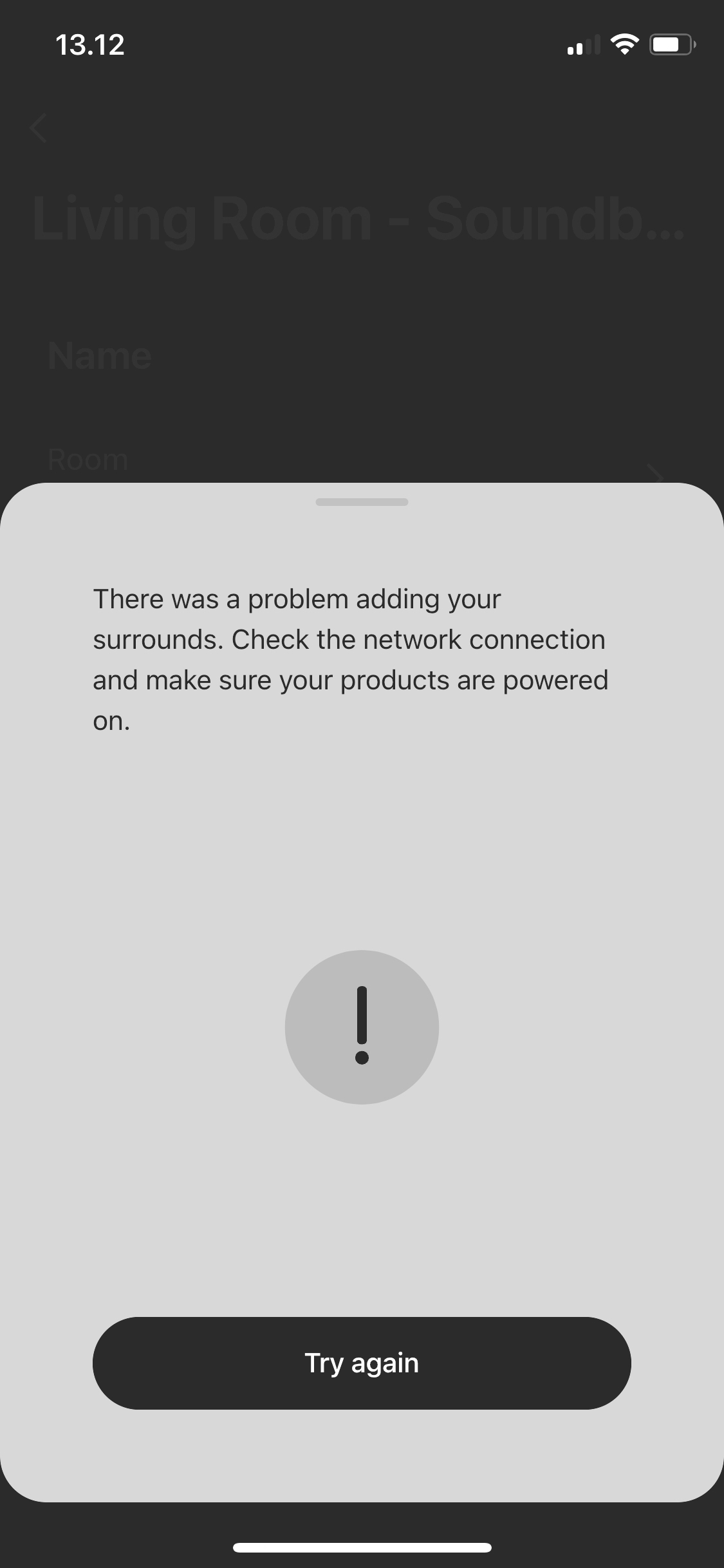
I feel I've tried a million things to get my surround system up and running, but I haven't succeeded. The error message I get is this: 


"There was a problem adding your surrounds. Check the network connection and make sure your products are powered on".


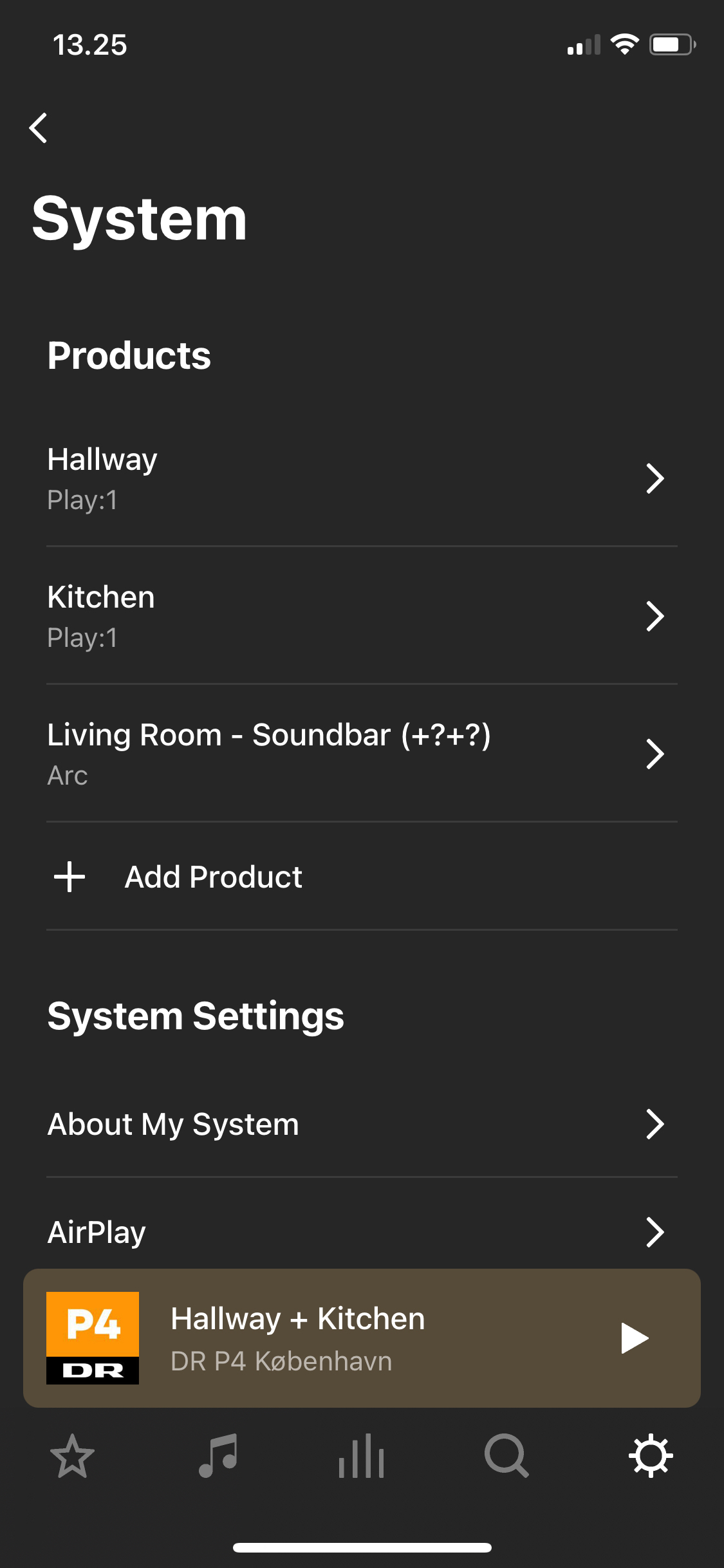
I have the following products:

  • Arc
  • One
  • One SL


All three works individually, and the two Ones work as a stereo pair. 


I've tried rebooting speakers and wifi without any luck. I've also tried factory resetting without any luck. 


I've researched quite a lot but haven't found any fixes. As far as I understand, some Sonos issues are due to the router, but without knowing what the issue is, in my case, it seems overkill to buy a new one, especially if it doesn't solve the problem. 


I've sent diagnostics if this helps in any way (Sonos support): 2049259484


This topic has been closed for further comments. You can use the search bar to find a similar topic, or create a new one by clicking Create Topic at the top of the page.
Ken_Griffiths
September 24, 2022

Hi @Ken_Griffiths - thanks a lot for your reply!


If I kill the access point the wifi dies :( Is it supposed to be like that?


BUT! When the Arc is wired to the router, it freaking works!! Problem now is the router is far away from the tv+speakers and when I unwire router+Arc the connection to the speakers is lost again. 


Any idea how to solve that?

Yes, when the speakers are bonded to a Sonos HT master device they (mainly) connect to that (Sonos Arc in your case) over an ad-hoc 5Ghz connection. Their IP addresses on the network are proxied via the Arc from your routers DHCP server and in your case it looks like your router is not liking that on its own WiFi network, so it refuses to hand out the IP addresses to those two (unseen) players… via the request from the Arc.

The simple answer is to take all Sonos devices off your routers WiFi signal and instead switch the players to use SonosNet instead - to get them onto SonosNet you simply wire just one Sonos player.

However, you should never cable a HT surround speaker or sub for a variety of reasons.. so best way to solve it, is to either add a Sonos Boost, or another Sonos speaker that can be easily wired to the router but keep it about one metre away from the router. All should then work in the same way as when you wired the Arc to the router.

Hope that assists.

13 replies

AjTrek1
September 24, 2022

Hi

Give us some info about your network.

Do you have a mesh network with main node and satellites (1 or more)… or do you have a standard network with Router and Modem with range extenders?


Together Everyone Achieves More = T.E.A.M.
Mikkel Rossing
Contributor I
September 24, 2022

Hi

Give us some info about your network.

Do you have a mesh network with main node and satellites (1 or more)… or do you have a standard network with Router and Modem with range extenders?


Hi AjTrek1, thanks for the quick reply. 


I’m no network specialist myself. I believe I have a standard router+modem:


Cisco Linksys EA4500

(looks like this one: https://www.amazon.com/Linksys-Wireless-Dual-Band-Anywhere-EA4500/dp/B007IL7AKM)


Cisco AIR-CAP37021-E-K9

(looks like this one https://www.amazon.co.uk/Cisco-AIR-CAP3702I-2-4GHz-Gigabit-Access/dp/B00HEXFTGG)

Ken_Griffiths
September 24, 2022

@Mikkel Rossing,
Assuming the WiFi Adapter has not been switched ‘off’ on the Arc by yourself, this sounds like an issue with the router allowing the Arc to proxy the IP addresses to the bonded surrounds.. perhaps try this first of all. 

  1. See if the surrounds will setup/work if you power off the access point, leaving devices running on the router wifi signal only.
  2. If that doesn’t work, then try wiring the Arc to the router (if practicable) and try the bonding of the speakers to the Arc again. If it’s impractical to wire the Arc to the router, then just as a temporary test (only) see if wiring either the One/One-SL to the router will work, but note this is just a test and your setup should not be left in this configuration.

Report back if any of the above work for you.

Trending Lyricist II
September 24, 2022

Have you checked whether the ARC has WiFi enabled?

Mikkel Rossing
Contributor I
September 24, 2022

Hi @Ken_Griffiths - thanks a lot for your reply!


If I kill the access point the wifi dies :( Is it supposed to be like that?


BUT! When the Arc is wired to the router, it freaking works!! Problem now is the router is far away from the tv+speakers and when I unwire router+Arc the connection to the speakers is lost again. 


Any idea how to solve that?

Mikkel Rossing
Contributor I
September 24, 2022

Hi @RussJK, thanks for your reply! Normally the Arc works fine (on wifi). 


If you have time please read the comment I just posted to Ken: When Arc is wired to the router it works, problem is it can’t be wired all the time and when I unwire the connection between arc+speakers is lost again :( 

Mikkel Rossing
Contributor I
September 24, 2022

Btw sorry @AjTrek1 I didn’t tag you in my reply to you - not sure if you get notifications anyway.


If you have time please read the comment I just posted to Ken: When Arc is wired to the router it works, problem is it can’t be wired all the time and when I unwire the connection between arc+speakers is lost again :( 

Trending Lyricist II
September 24, 2022

Hi Mikkel,

The ARC has its own Wi-Fi capability - Sonosnet independent of your router. If you ensure that Wi-Fi is enabled for the ARC in the Sonos app then you may establish the link to your other speakers.

Mikkel Rossing
Contributor I
September 24, 2022

@RussJK just tried and it looks like wifi is enabled on the Arc. Can’t connect to the speakers without being wired to the router though.

Ken_Griffiths
September 24, 2022

Hi @Ken_Griffiths - thanks a lot for your reply!


If I kill the access point the wifi dies :( Is it supposed to be like that?


BUT! When the Arc is wired to the router, it freaking works!! Problem now is the router is far away from the tv+speakers and when I unwire router+Arc the connection to the speakers is lost again. 


Any idea how to solve that?

Yes, when the speakers are bonded to a Sonos HT master device they (mainly) connect to that (Sonos Arc in your case) over an ad-hoc 5Ghz connection. Their IP addresses on the network are proxied via the Arc from your routers DHCP server and in your case it looks like your router is not liking that on its own WiFi network, so it refuses to hand out the IP addresses to those two (unseen) players… via the request from the Arc.

The simple answer is to take all Sonos devices off your routers WiFi signal and instead switch the players to use SonosNet instead - to get them onto SonosNet you simply wire just one Sonos player.

However, you should never cable a HT surround speaker or sub for a variety of reasons.. so best way to solve it, is to either add a Sonos Boost, or another Sonos speaker that can be easily wired to the router but keep it about one metre away from the router. All should then work in the same way as when you wired the Arc to the router.

Hope that assists.