Answered

Arc ultra not connecting

  • June 7, 2025
  • 57 replies
  • 984 views

Show first post
This topic has been closed for further comments. You can use the search bar to find a similar topic, or create a new one by clicking Create Topic at the top of the page.

57 replies

Forum|alt.badge.img+1
  • Author
  • Trending Lyricist I
  • July 19, 2025

The Sonos private 5 gHz link still has to get data from your network and if that is strangling throughput there is nothing the private net can do to fix that.

So if I understand correctly, if my wifi is out, the whole system is out even if I'm just streaming some bluetooth music to it? ufff, that was no issue at all with my Samsung soundsystem

Even stranger that the Arc has no problem streaming music from wifi or bluetooth (tried both directly in the sonos app from youtube, as just connecting my phone with bluetooth to the arc and play some offline music) but then does have trouble sending it through its own network to its other speakers...


AjTrek1
  • July 19, 2025

Also, STOP re-setting your speakers. It erases any useful data in a diagnostic that would be helpful to Sonos tech support.


Forum|alt.badge.img+1
  • Author
  • Trending Lyricist I
  • July 19, 2025

Also, STOP re-setting your speakers. It erases any useful data in a diagnostic that would be helpful to Sonos tech support.

it is not that I like to do that, but if I don't, then I can't get them connected anymore if I delete them, always ends in error or doesn't find anything


Stanley_4
  • Lead Maestro
  • July 19, 2025

I haven't had a network outage since the App update so I really don't have a personal perspective on what works or not with it down also don't do Bluetooth other than from my tablet to Ace.


AjTrek1
  • July 19, 2025

Given new information you provided here are some additional thoughts….

You mentioned that you have a new router; however, you failed to mention the following:

  1. Brand Name/Type (i.e. WiFi 5-ac, WiFi 6-ax or WiFi 7-be)
  2. Is this your personal router or one supplied by your ISP?
  3. If your personal router did you place the ISP router in bridge mode assuming the ISP provided a combination modem/router box? 
  4. If yourISP provided a separate modern and router discount the router and put it away
  5. Are there other access points used to extend your network?

For now I'm going to assume you have your own router and are only using the ISP modem. You mentioned that you setup a separate IoT network and a main network.

Personally, I have 31 Sonos units and a multitude of other WiFi devices. My network will host as many as 60 clients at a time with no issues. I don’t bother with a separate IoT network but each to their own. 

However, I digress from the point(s) I'm going to make….

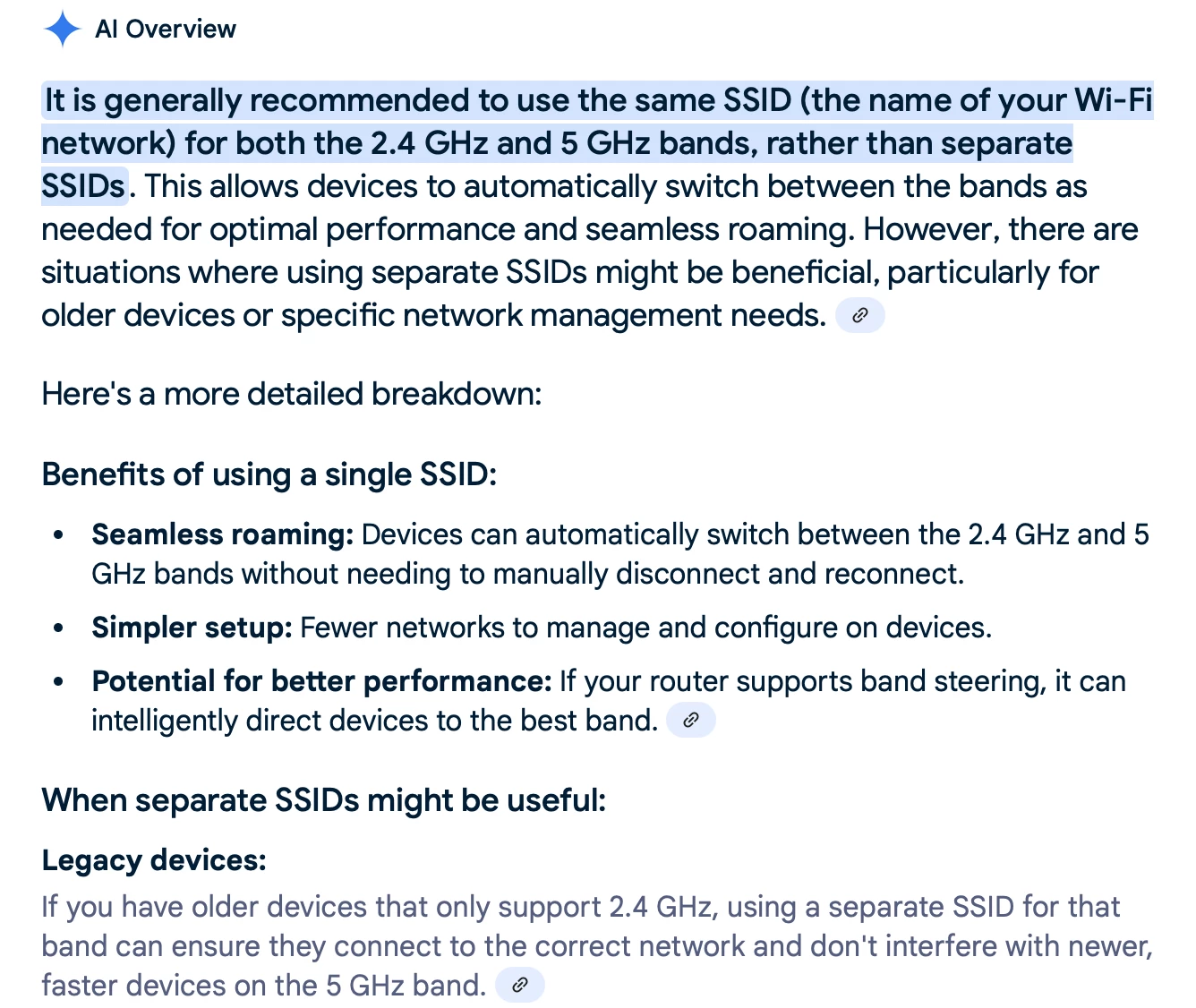
There is no need to use separate SSID’s for 2.4Ghz and 5Ghz bands for Sonos. In fact it’s recommended not to use separate SSID’s unless absolutely necessary for older products. Products that old probably need to be  retired. 😂

OK...back to my point  about separate IoT and main networks….

You should setup your main network first with a single SSID  for all bands and allow all products that can link to it first. This is especially important for Sonos during setup. Your Sonos will only see one network and connect to it and auto select 2.4Ghz or 5Ghz as required. Your device will also be on the same network. 

After Sonos is fully configured on your main network you can later setup an IoT network with a different SSID. You can switch your device over to the IoT network and force products you want to over to it.

You’ll have to keep your device on the main network to control Sonos via the App.

FYI, I suggest you do more research on the necessity of building an IoT network. You may find it unnecessary

Here’s some info (although AI generated) on using separate SSID’s….


Forum|alt.badge.img+1
  • Author
  • Trending Lyricist I
  • July 20, 2025

ok, I'll be a bit more informative:

First I had a ASUS RT-AX88U router, this was connected directly to the media converter of my ISP, so no bridge mode or other router involved. This router worked fine, I had reception from the garage to the attic, so not much issues there.

You'd be surprised how many devices still can't connect to combined 2G4/5G networks, even still new kitchen appliances although it keeps getting better, but this is the reason I had it setup to split networks.

I didn't even use the 5G network that much since the range wasn't that good, so mainly for phone or tablet (my pc has a wired connection).

So when I bought the Sonos system, I had a lot of trouble connecting it, I first connected the Arc ultra to the 5G network, then to find out that the sub and the era's wouldn't, I even got an error in the app saying it needed a 2G4 connection, so I resetted the Arc (since it didn't work just changing the network), and tried to connect everything to 2G4, but I couldn't connect the Era's or even when it did, it wouldn't update, after a long time trying, resetting, trying etc I finally managed to only connect 1 Era first and update it first, then do the second, then the sub, then delete everything again, then the arc, sub and era's in the correct order, and then everything worked. Apparently they don't connect if you don't update them first. So then someone on the forum told me that it should also work at 5G, so I tried to change the network settings in the Arc, that worked, but it wouldn't connect to the rest anymore, so I resetted everything again, and spending another few hours to get it working again, ending up with everything working on 5G.

Now a bit off topic, my son is just too addicted to gaming so he can only connect to the guest network, so that I can sometimes disconnect it while the rest keeps working, so I thought...but when I disconnect the guest network, for some reason all the time the main 2G4 network disappeared completely even though it was still on in the router, many messages to ASUS without solution (last answer was maybe downgrade the firmware….), so finally I started looking for a different router and saw that the newer ASUS routers have guest network pro, so I thought since for the rest this router worked fine I gave it another chance and bought the RT-BE88U which is essentially almost the same router just a wifi 7 type, but with more configurable networks.

So here we are now, I have a combined 2G4/5G network again, I use this for my main devices, I have a separate 2G4 network for my Iot devices (roughly 50), and a separate guest network that has a time schedule, and all seems to work fine.

So I tried to change the network settings in the Arc to the new network which didn't work again, or actually it did for the Arc, but when trying to do the same for the sub or era's it failed. 

Apparently there were updates again, so I probably should have updated before trying to change the network, but it didn't give me any message before so I really didn't know there were any.

So I tried many times to connect but as mentioned before to no result, finally I did the same as I did the first time, connected the separate device to be able to update them, and then everything in the correct order again, everything went fine, moved the sub and the era's to the arc, and all seemed fine.

I can send music via bluetooth to the sonos, it sounds good, I use the in-app youtube music, all seems okay, but then I started listening and noticed the sub and era's do not produce any sound, now I now sending music via bluetooth is not 5.1 or whatever, but before I always had sound on the rear speakers and sub, no matter what I send to the Arc, also when watching movies with my projector which also connects through bluetooth (since it is on the other side of the room I connect with bluetooth, and yes I know this is not optimum, I probably will connect some long HDMI cable in the future, but for now this is not an issue)

So then I thought maybe I have to start trueplay first so that it knows where everything is etc, but I can no longer find this in the app, so I think there is still something wrong with the configuration or so.

I actually thought before I saw some option in one of the menu's (I find the app structure incredibly un-userfriendly but that's just preference) to determine if you want sound on the rear and sub even when it is not a surround signal that the arc receives, but maybe I'm mistaken, in any case I can't find that either.


Forum|alt.badge.img+1
  • Author
  • Trending Lyricist I
  • July 24, 2025

have been chatting 2 times with support and for some reason when I connect everything to wifi, the sub and surround don't work, support says they are connecting to a different private subnet and they do not know how to fix it, very strange since I only have one router with 1 subnet (even though I have 3 SSID's), and I force all devices to use a fixed IP based on MAC, so the only thing I could do is connect the Arc to LAN, because apparently that is the only way to force the sub and surround speakers to use the Sonos network. 

All is working great now, but it still sucks that I have to connect with a cable to the router.

That said, I bought a (way too expensive) active HDMI cable like many advised to use instead of streaming via Bluetooth, but this doesn't work at all, the sound stutters and every few seconds, so I went back to bluetooth again for now, any ideas why this might happen anyone?

The projector supports Dolby Digital Plus, Dolby TrueHD, DTS-HD Master Audio, Dolby Atmos, and DTS X , so I guess it should work without issues. I connected the cable to the HDMI Arc port on the projector directly to the Sonos Arc, and selected to output the sound on the HDMI port instead of bluetooth in the projector, so I don't see anything else I could do, the cable isn't bend anywhere, it is not even tucked away yet.