Contributor I
March 24, 2021

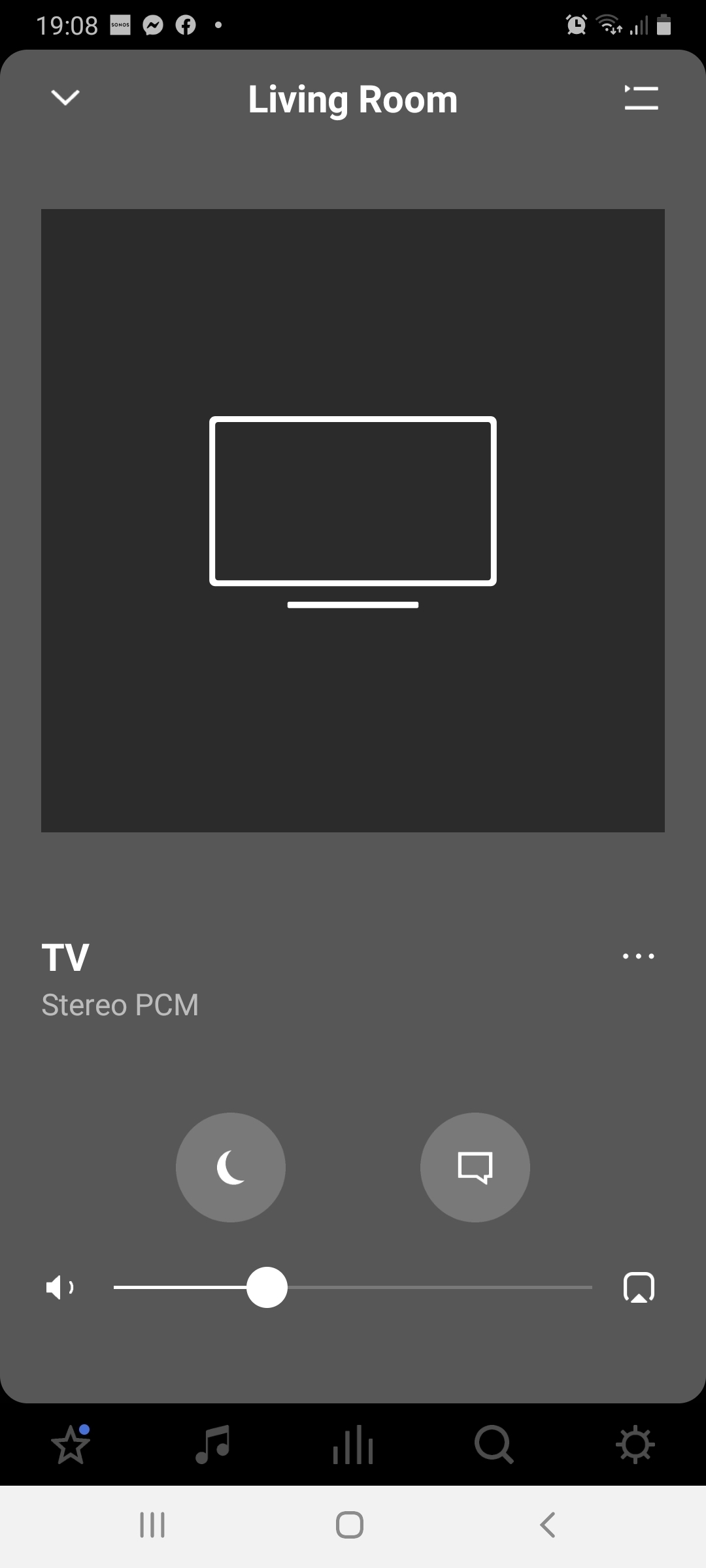
app shows stereo pcm / 2.0, but using eARC and surrounds

Hi


I have a sonos Arc and 2 Sonos one SL as surrounds 


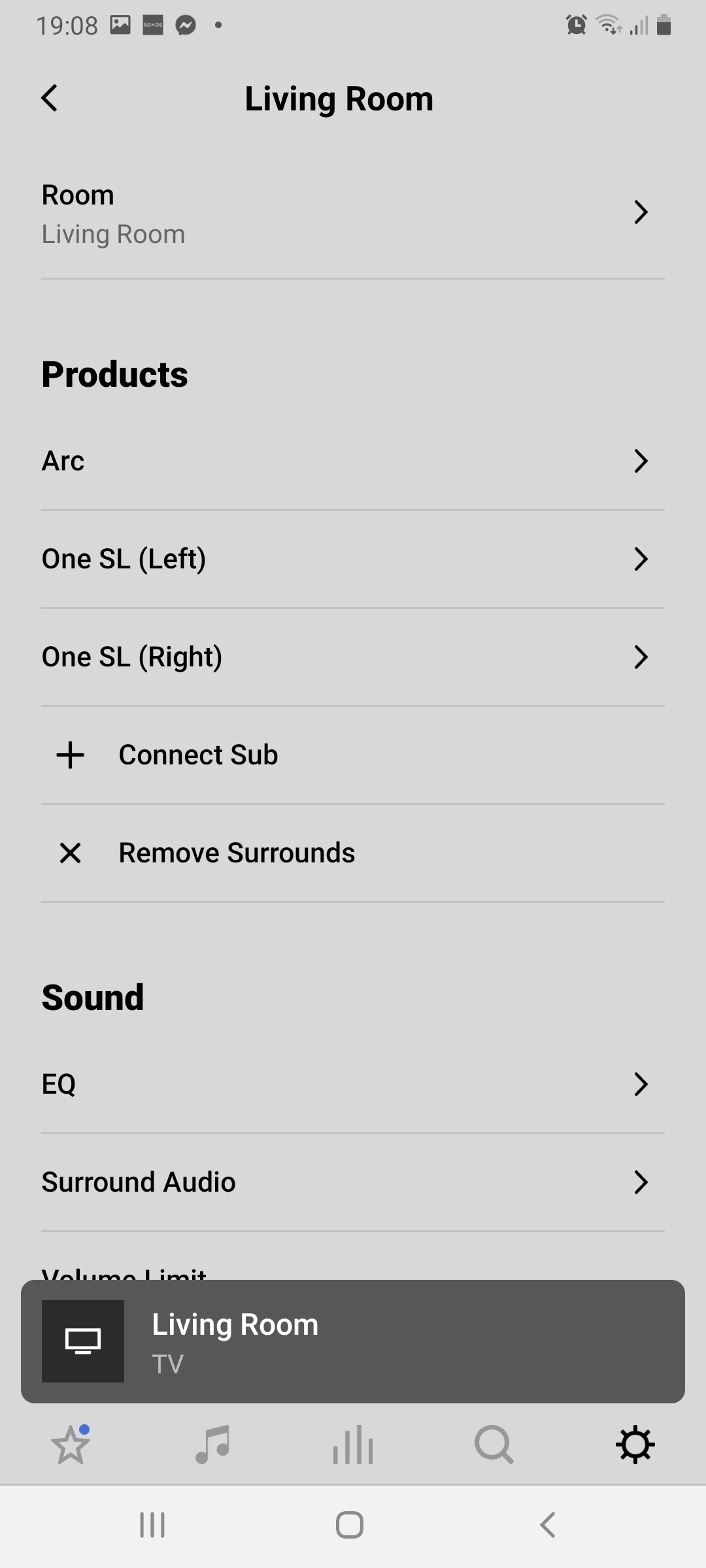
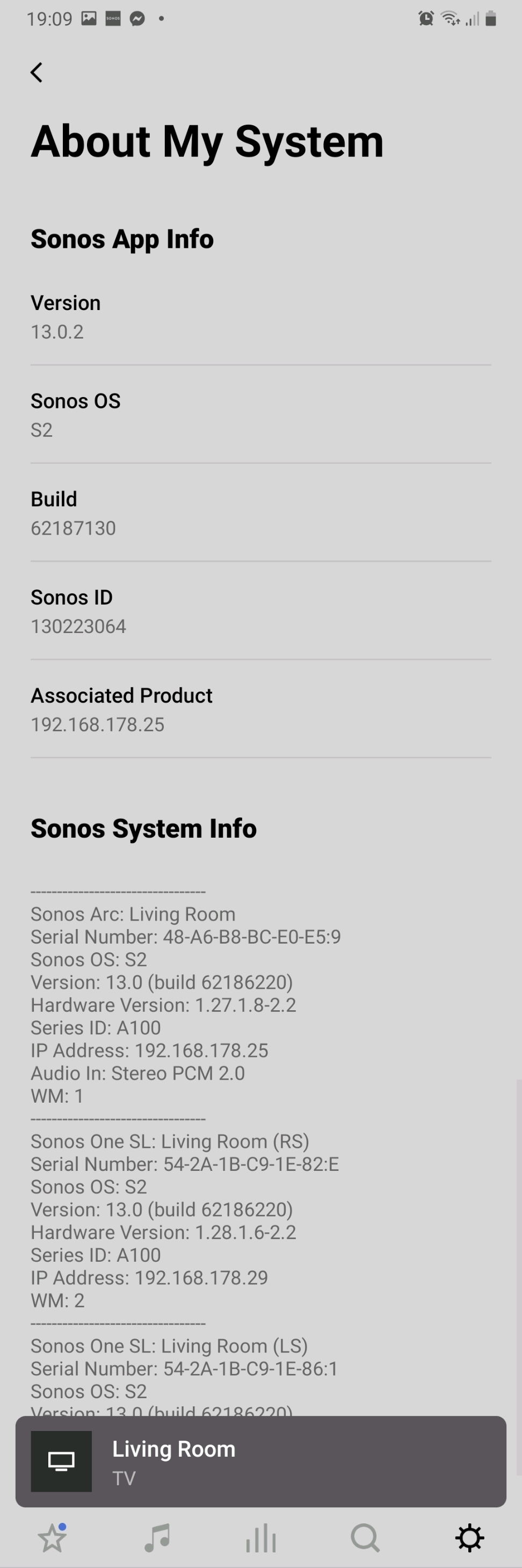
The app says its playing stereo pcm and in the settings that the arc is receiving stereo 2.0


However, I'm running a brand new 55 inch LG oled TV and the arc is connected via a eARC hdmi cable.


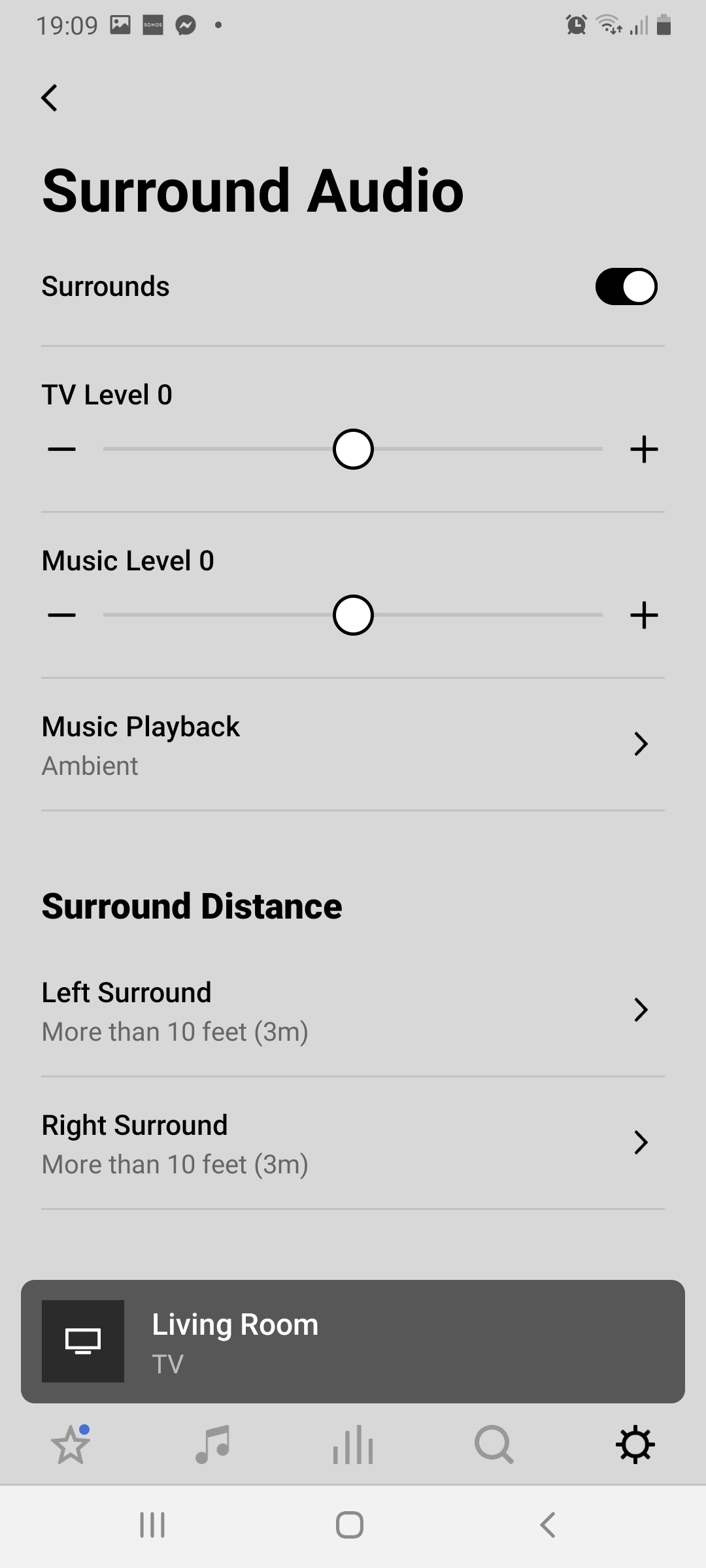
The app shows that the audio is set to surround and the rear speakers are working.


But when I stream dolby atmos from Disney plus the app still says its receiving stereo


So ... I have connected it properly, I'm streaming dolby atmos, the TV is running the audio out correctly to the arc sound bar, the rear speakers are connected correctly, the app shows the sound mode is set to surround,  but on the about my system and the player on the app it says clearly its running stereo pcm…


How do I get this set up to run atmos?!?!
 

This topic has been closed for further comments. You can use the search bar to find a similar topic, or create a new one by clicking Create Topic at the top of the page.
Pinned Reply By Ben dadds

Hi buddy,


Its a cx series LG OLED


However, after some exploring I found there were some additional setting in the tv's advanced sound settings that had not activated,  ... I changed them to dolby digital plus and pass through and it seems to have worked!


Full atmos and also 5.1 on other services 


Job done…


Tbh,  I wouldn't have worked it out if I hadn't been reading for round in these forums.


Thanks chaps

18 replies

Gerard McCormack
Lyricist III
November 16, 2021

Here are all my settings, I found changing the digital sound out to pass through fixed it for me as this was set to pcm by default on me.


Don't mind the TV installation type as this only has an impact if using the TV internal speakers.


Gerard McCormack
Lyricist III
November 16, 2021

For clarity... my tv is a cx 55, just sitting on the ps5 menu now it shows as pcm multichannel but this would change to dolby if the source was outputting dolby like on disney or certain netflix 


Lyricist I
November 16, 2021

Thanks for that. Weird thing is watching “Army of the Dead” now shows Dolby Atmos on the Sonos app (see below)


…but the weird thing is Dolby Atmos is still greyed out in the LG menu. Should I not be bothered by that anymore?

Gerard McCormack
Lyricist III
November 16, 2021

I'm pretty sure that only matters for the internal speakers.. Once the audio is set to pass through.. the TV let's the sound bar do all the work and allows the app to speak directly with with soundbar.. im no expert but that's what I took from it.. mine is greyed out but set to on.. if it was bothering you, you could try change the audio output to TV internal speaker, turn it on.. then change the audio back to e-arc and it should grey out but be set to on.. but I don't think it matters, the sonos system tells you what signal its outputting and if you go to the sonos app and click settings, then system, then about my system and scroll down you should see what audio format each speaker is receiving... again I'm no expert but that's what I picked up googling stuff and this forum.

Gerard McCormack
Lyricist III
November 16, 2021

To check for sure.. search 'atmos' on netflix. It will give you all the dolby atmos titles.. pick one, let it play and go check your sonos app. As long as you see it in both places in the app then you're fine. Here's what I see when I watch 'our planet' on netflix in dolby vision-atmos.


Lyricist I
April 7, 2022

Same issue here :(


i have a panasonic panasonic jz1004 connected to my apple tv. Randomly it’s switch to pcm 2.0 with the same source he work before in atmos or pcm 5.1.


My tv is setting to passthrough. The problem is the same with dolby or pcm.


All my device are updated (sonos, tv and apple tv).

Lyricist I
April 8, 2022

Hello,


just a little feedback about the problem for me.


the problem came from the remote control work with IR (not official of apple tv) !!!


When apple tv 4k is blocked in pcm stereo, i just "turn off" normally the apple tv. I wait 30 seconds to be sure apple tv, tv and sonos are in stand by mode. After this i turn on apple tv with official remote and now it's works !!!


It’s a sync problem with tv, apple tv and sonos ;)


If you use official remote control sold with apple tv (for turn on), you will not be blocked in pcm stereo !!!

Lyricist I
January 1, 2023

Hello,


just a little feedback about the problem for me.


the problem came from the remote control work with IR (not official of apple tv) !!!


When apple tv 4k is blocked in pcm stereo, i just "turn off" normally the apple tv. I wait 30 seconds to be sure apple tv, tv and sonos are in stand by mode. After this i turn on apple tv with official remote and now it's works !!!


It’s a sync problem with tv, apple tv and sonos ;)


If you use official remote control sold with apple tv (for turn on), you will not be blocked in pcm stereo !!!

Think i’m a little confused, but I have seen people mention that the stand by/powering mode with Appletv4k will distort things, so I believe you’re on to something..


Just to clarify, do I want to use my LG TV remote to power everything on or are you saying that I should use the Apple4k TV remote? I believe I’ve previously seen people suggest that using the Apple4k remote to control things is the culprit..

Also, just so I understand.. if everything is working as intended, will I still see some content in Stereo pcm or should I never see it? I’m confused as to what is the worst output I should expect to see if everything is set up 100% correctly?